

We researched 50+ sales platforms, went through verified reviews on G2 and Capterra, and talked to sales leaders to create this buyer guide.
In this article, we will review 11 sales tools, going over their top features, pros & cons, and pricing models.
Before we begin, let’s go over a few factors to consider when building your sales tech stack. ⤵️
What Factors To Consider When Building Your Sales Tech Stack?
#1: Core Functionality For Improving Your Bottom Line And/Or Efficiency
When we researched how to build the perfect sales tech stack to improve your team’s productivity and enable them to close more deals, we looked at the following functionalities:
- **Sales rooms:**Keep your prospects engaged and improve your sales team’s close rates by consolidating all sales collateral in one place.
- **Interactive proposals:**Close more deals by including personalized pricing, quotes, and e-signatures in one place that you can send to your leads.
- Automated booking of meetingsso your team won’t have to spend too much time back and forth with emails to find a good time to meet.
- Information scrapingto get contact information of qualified prospects from their websites or social profiles.
- AI-powered features, such as predictive models, which notify you which deals are at risk.
- Interactive product demosthat intrigue your customers and let them get to their ‘’aha’’ moment faster before they jump on a call with your sales reps.
- Deal execution: AI that prepares calls, drafts follow-ups, and updates the CRM, so reps spend their time selling.
➡️ We also evaluated these tools’ ease of use and how easy it was to set them up.
#2: Integration With Existing Sales Systems
When building out your sales tech stack, you need to make sure that the platforms can integrate with one another.
For example, Arrows works with HubSpot, Salesforce, Pipedrive, Close, and Attio, and with the notetaker your team already records calls with.
➡️ If your sales stack has native integration with one another, that will keep your customer data synchronized to make information accessible to everyone in your team.
Your sales tools should seamlessly connect with your current CRM system and/or marketing automation platforms to ensure a smooth flow of information.
#3: Cost Structure
Different sales productivity tools have different ways of pricing their platforms.
For example, some solutions offer pricing models based on the number of user seats you will need, while others have tiered pricing models with features.
The pricing model you choose can seriously impact your ROI and can turn out to be quite expensive in the long run if you plan on onboarding many SDRs.
💡 For the tools that do not disclose their pricing, we tried to find 3rd party data from platforms like Vendr.
What are the best sales tools to add to your sales tech stack?
Here are the best sales platforms out of all the tools we reviewed across different use cases that you can add to your sales tech stack:
#1: Arrows- Keep a gameplan for every deal and get the work between calls done.
#2: HubSpot- Set up an enterprise sales CRM that syncs all of your lead data.
#3: Qwilr- Send out sales proposals with pre-made templates.
#4: Warmly- Identify website visitors on your website and capture buying intent.
#5: Kluster- Plan your quarterly sales targets with predictive analytics and sales intelligence.
#6: LinkedIn Sales Navigator- Cold outreach and relationship building with the right prospects.
#7: Anaplan- Sales territory planning that is based on the product line, industry or country.
#8: Gong- Analyze client interactions across multiple sales platforms to improve decision-making.
#9: Storylane- Build interactive product demos to intrigue your prospects and to help them better understand your product.
#10: Calendly- Schedule calls with your new and existing clients.
#11: Sendoso - Build offline relationships with your prospects and clients by sending them gifts.
#1: Arrows
Best for: B2B sales teams that want a gameplan for every deal and the work between calls done for their reps.
Arrows is promptless AI for account executives. It keeps a gameplan for every deal and does the work that keeps deals moving, on top of the CRM and notetaker already in your sales tech stack.
Full disclosure: Arrows is our product. Here’s what it does and where it fits in your sales tech stack.
Most tools in a sales tech stack capture something: the CRM holds the deal, the notetaker records the call, the inbox holds the thread. Arrows reads all of it, builds a gameplan from your team’s playbook, and does the next piece of work for your rep.
Feature #1: A gameplan for every deal
Your best reps carry a plan in their head for their top five deals. The rest get improvised.
Arrows applies your team’s playbook to every deal. Each one gets a gameplan that shows what should happen next, and it stays current as calls, emails, and notes come in.
Feature #2: The work between calls, done
Arrows does the work you expect reps to do, and the work you wish they did:
- Call prep before every meeting.
- Follow-up emails drafted from what the buyer actually said.
- CRM updates written back to the deal.
- Multi-threading and deep research on the account.
- Every date tracked from your calls, with nudges when a deal goes quiet.
- Loom videos and case studies sent between calls.
- Sales room updates, so your buyer always sees the current next steps.
There’s no prompt to write. Reps approve every follow-up, CRM update, and sales room change before it sends.
Feature #3: Works with the rest of your stack
Arrows works with HubSpot, Salesforce, Pipedrive, Close, and Attio, and with notetakers like Gong, Fathom, Granola, Grain, and Fireflies. It also connects to Gmail, Outlook, and Google Calendar.
It reads the deal context and writes approved changes back, so your CRM stays current without reps typing updates. See the CRM integrations.
Pricing
Arrows doesn’t publish prices. It’s priced on the work, not the seats. See how pricing works.
💡 Unlike other platforms on the market, Arrows’ pricing is not based on user seats.
Not sure if Arrows is a fit for your team? Book an agent kickoff to see how it works.
What stands out
✅ A living gameplan for every deal, built from your team’s playbook.
✅ Promptless: call prep, follow-ups, and CRM updates arrive done, ready for a rep to approve.
✅ One shared playbook for the whole team, instead of each rep prompting AI their own way.
✅ Works with the CRM and notetaker your team already has.
#2: HubSpot
**Best for:**Setting up an enterprise sales CRM that syncs all of your lead data.
Similar to: Salesforce.
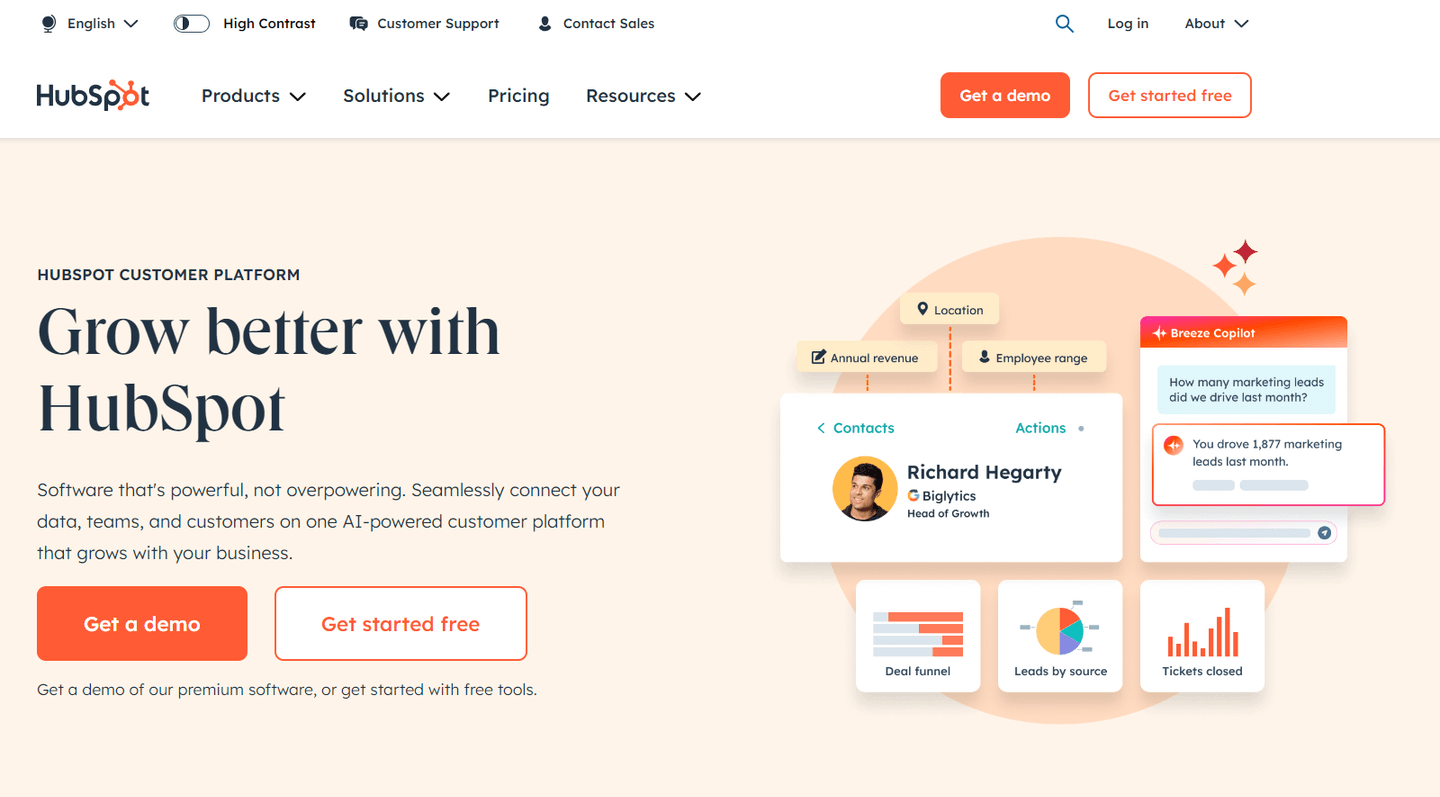
HubSpot is an all-in-one B2B sales software that lets you connect your lead data and manage new and prospective customers with its comprehensive range of features and integrations.
The platform can be an integral part of your sales stack, as it will give you access to advanced workflows, integrations with existing sales systems, and lead nurturing features.
Features
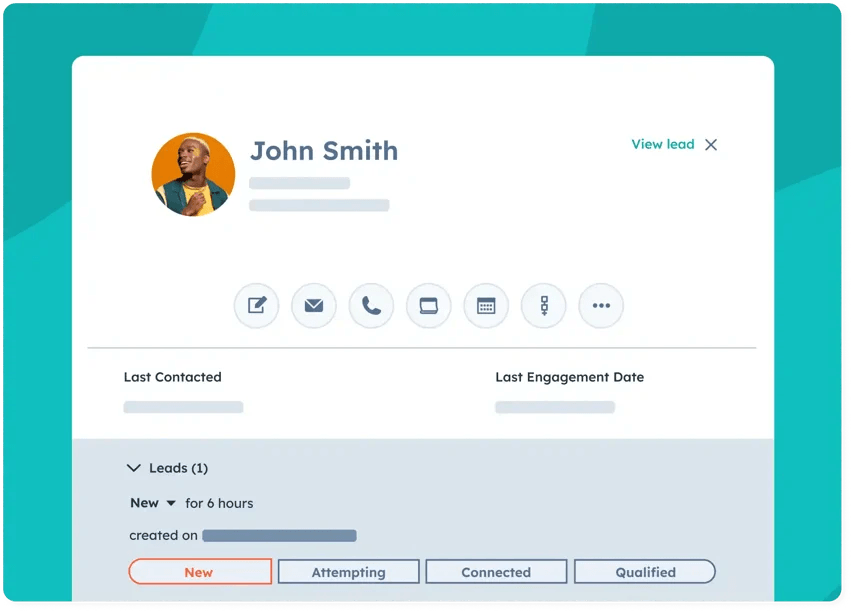
- Sales engagement featuresin HubSpot’s sales hub include deal management features and opportunity identification.
- **Sales automations for cold email:**Enable your SDRs to scale lead outreach with personalized email sequences.
- Analyze the buyer intent of your prospects with Breeze, which is a chatbot that acts as a sales assistant.
💡 Sales teams on HubSpot can connect Arrows, which reads deal context and writes approved updates back to the CRM.
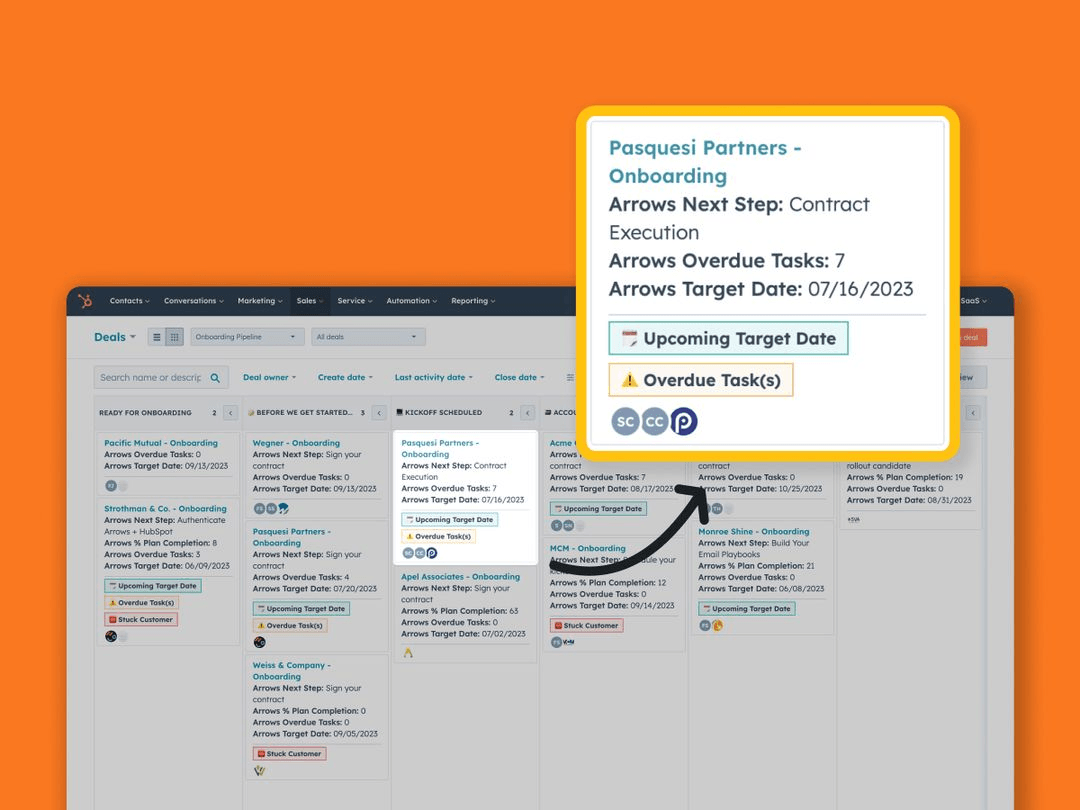
Standout Feature: Deal Management
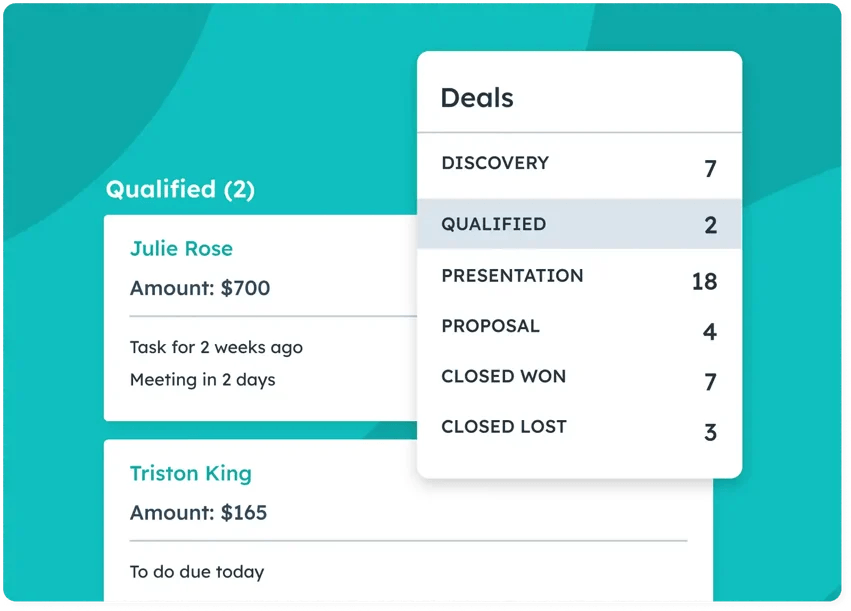
HubSpot’s deal management tools can help your sales reps close more deals by allowing you to prevent missed opportunities due to inaction.
That will enable your team to work on the right deal at the right time.
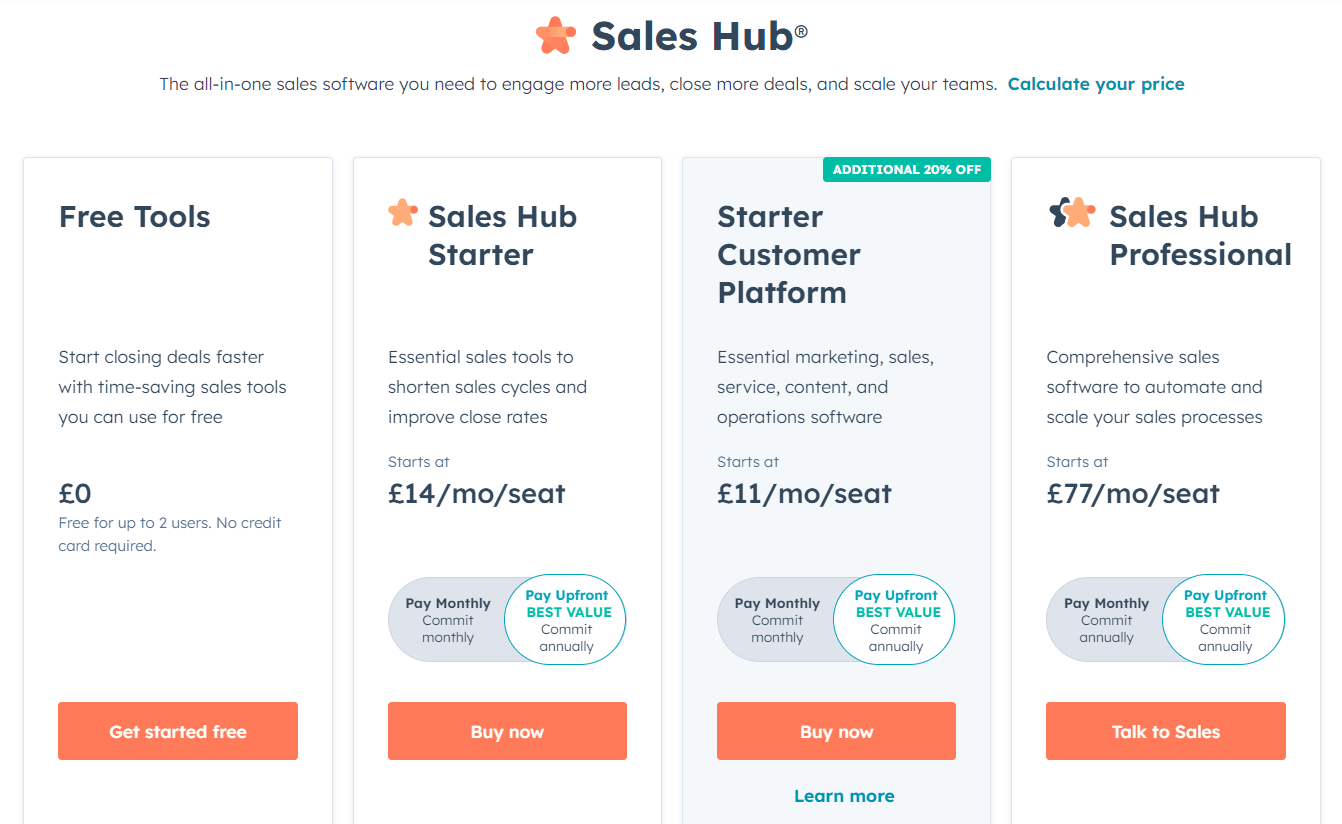
Pricing: HubSpot Sales Hub
HubSpot’s Sales Hub has a freemium version that gives you access to its free marketing, operations and sales tools.
To access HubSpotl’s more advanced sales features, you will need to sign up for one of its three paid tiers:
- Starter:$20/month/seat, which adds access to 50 active lists, no HubSpot branding, 5,000 email templates, and email scheduling.
- Professional: $100/month/seat, which adds access to 1,200 active lists, up to 100 inboxes, and up to 15 deal pipelines per account.
- Enterprise:$150/month/seat, which adds access to 2,000 active lists, up to 200 inboxes, and recurring revenue tracking.
Pros and Cons
✅ All-in-one sales CRM that gives you access to workflow automations, and advanced analytics.
✅ AI-powered sales assistant to help your sales team.
✅ Works with Arrows, which keeps a gameplan for every HubSpot deal.
⚠️ The templates are not very customizable, according to some users on G2.
⚠️ The platform may not be easy to navigate for sales reps who are new to the industry.
#3: Qwilr
**Best for:**Sending out sales proposals with pre-made templates.
**Similar to:**Dock.
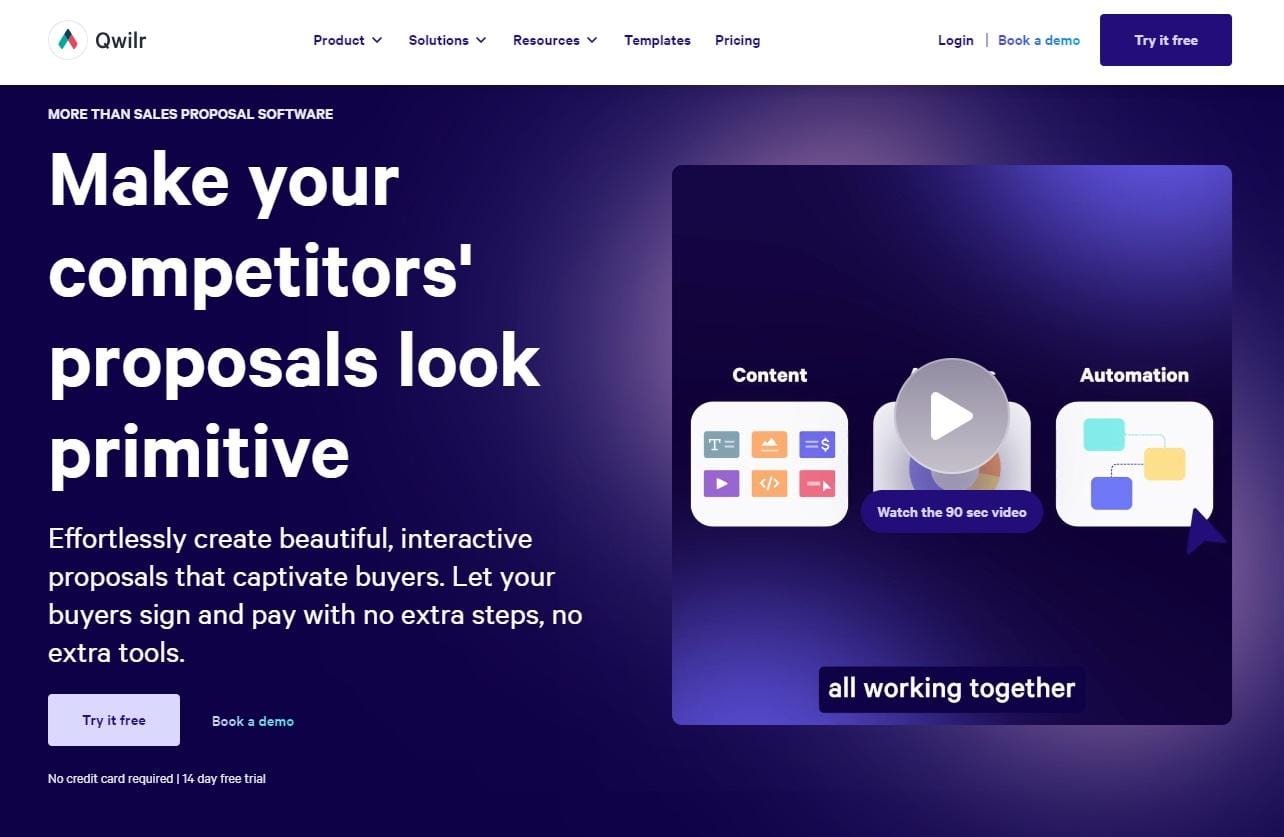
Qwilr is a sales proposal software that lets you design and send out sales proposals in web format to convert your prospects from out-of-the-box templates.
Features
-
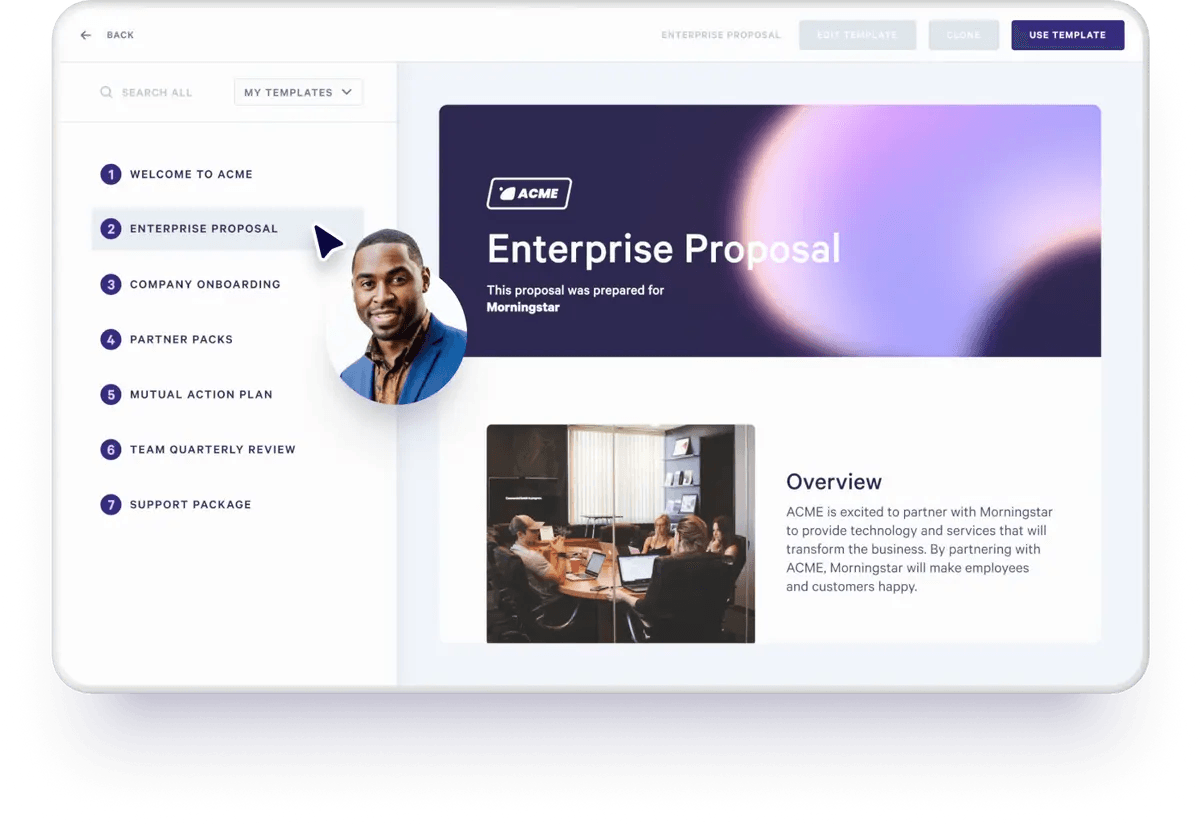
Sales proposal web editor that lets you design professional sales proposals with pre-made templates.
-
Save time from the process of accepting payments by consolidating the sign-off, agreement, pricing, quote, and payment into one interactive web page.
-
Engagement analytics that tracks client engagement across all your sales material and proposals.
Standout Feature: Gallery With 140+ Pre-Made Templates
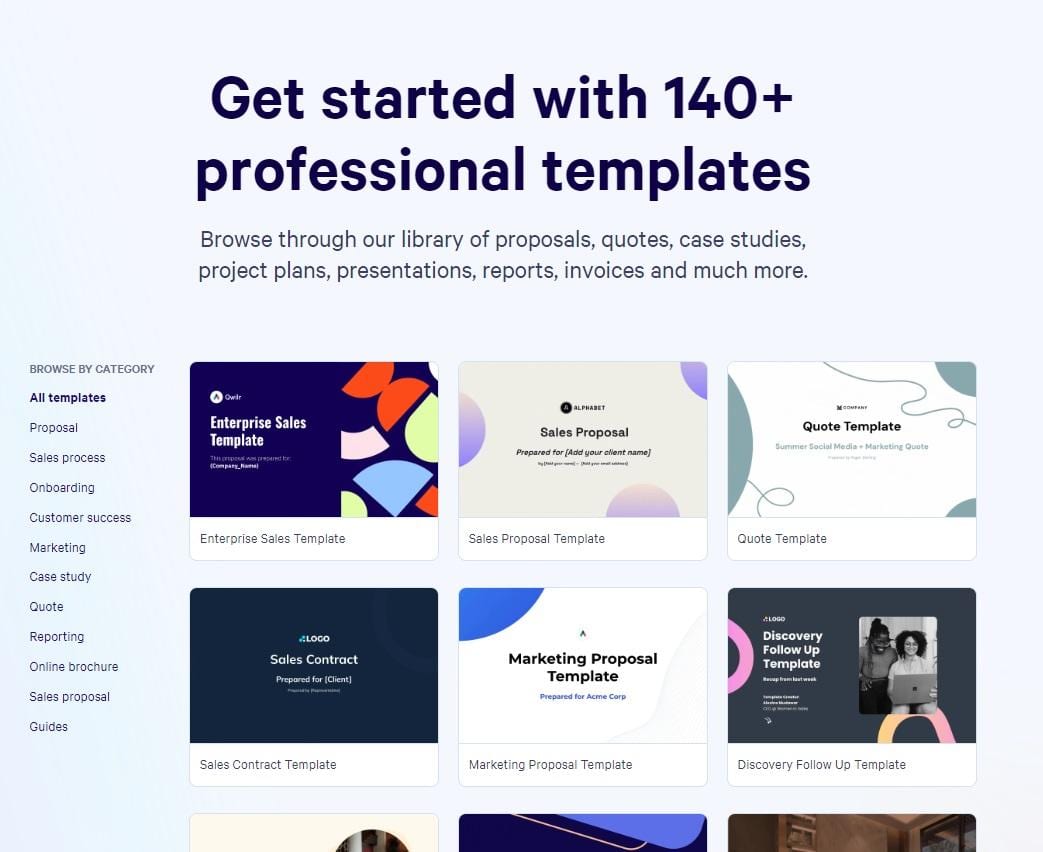
Qwilr lets you create beautiful sales proposals out of its 140+ ready-to-use templates.
The templates cover different use cases for B2B sales teams, such as discovery follow-ups, marketing proposals, and contract templates.
Pricing
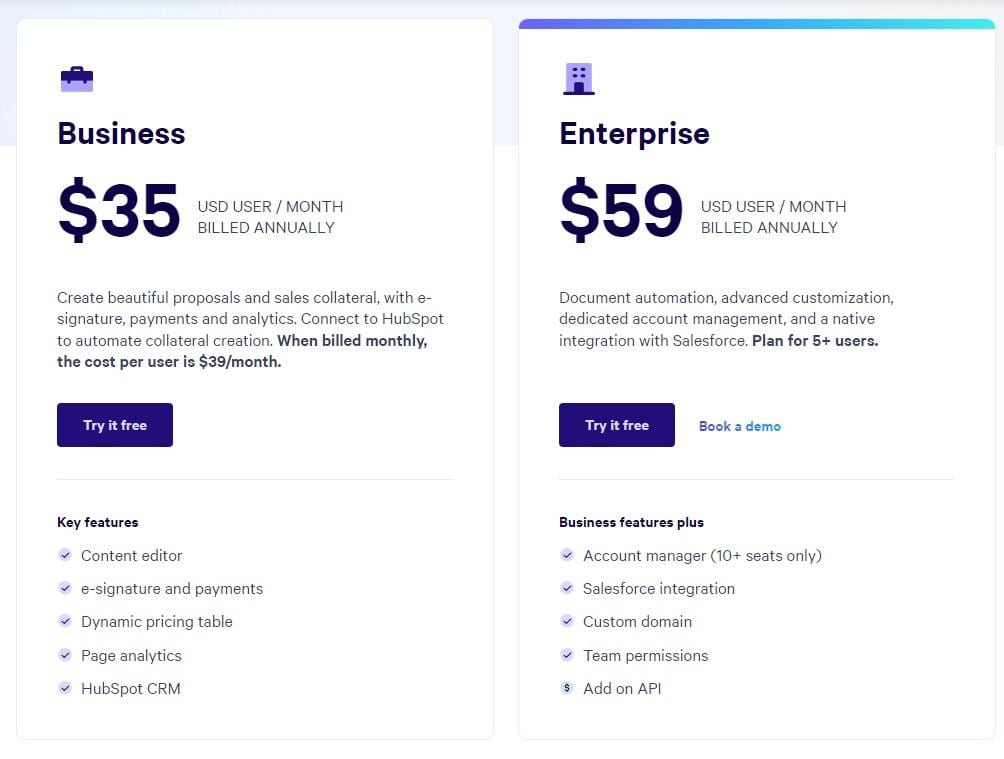
Qwilr’s pricing offers two plans:
- Business plan: $35/month/seat, which gives you access to the tool’s content editor, e-signatures, dynamic pricing table, page analytics, and HubSpot CRM integration.
- Enterprise plan:$59/month/seat for a minimum of five seats, which gives you access to document automation, advanced customization, and dedicated account management.
Pros and Cons
✅ Ready-to-use templates that you can personalize to your prospects.
✅ Advanced HubSpot and Salesforce integrations.
✅ Good analytics and insights into customer engagement.
⚠️ Not as good editing and customization options as other competitors to Qwilr.
⚠️ Lack of reporting and dashboard functionality.
#4: Warmly
Best for: Identifying website visitors on your website and capturing buying intent.
**Similar to:**ZoomInfo.
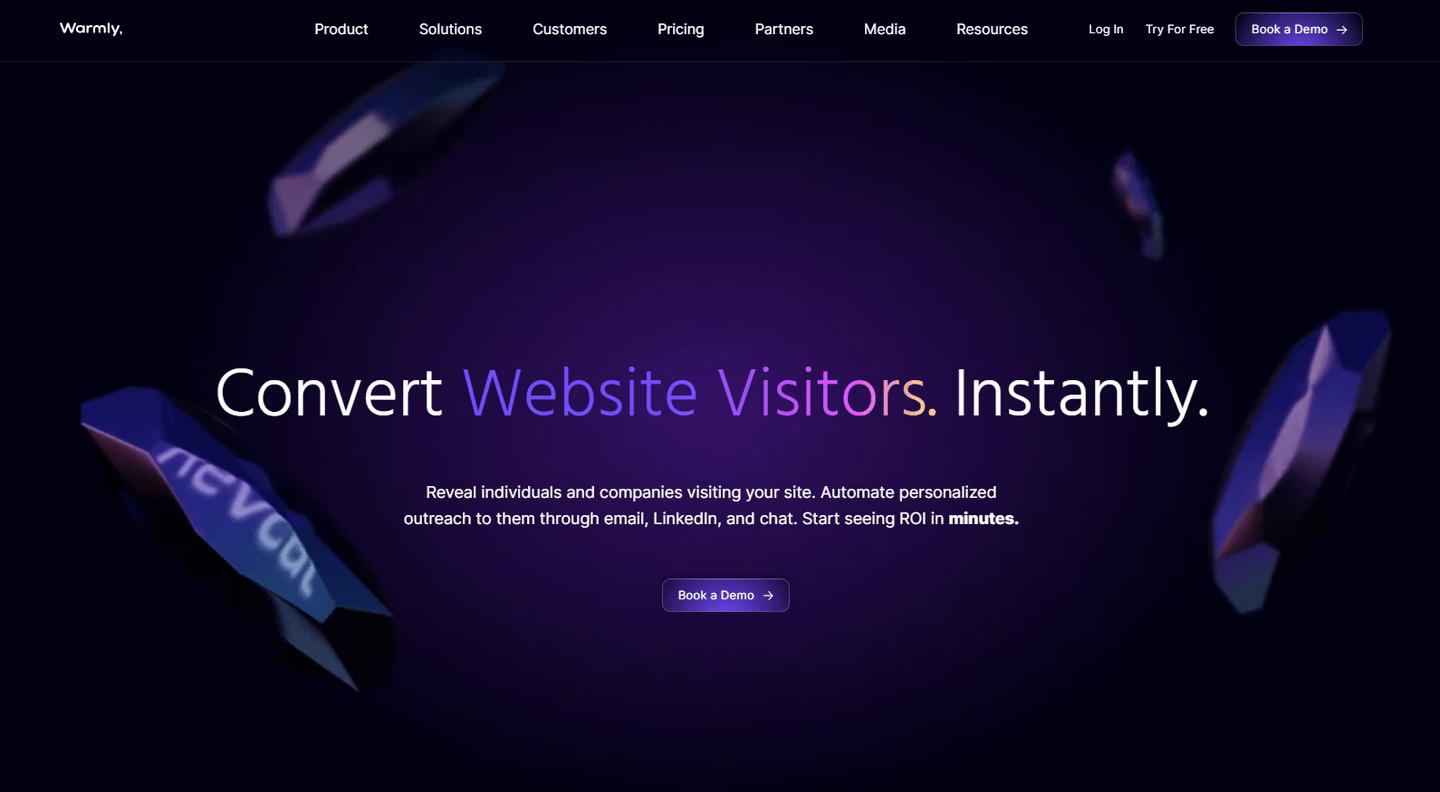
Warmly is a signal-based orchestration platform for B2B sales teams that lets you identify website visitors and enrich them with relevant intelligence.
The platform can be an amazing addition to your sales tech stack because you can capture the intent of your visitors and de-anonymize them.
Features
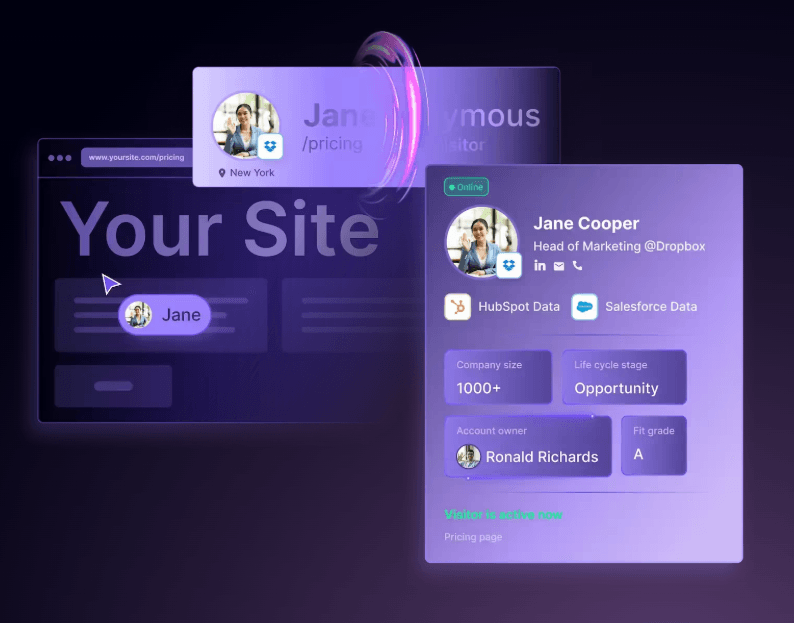
- **Identify high-intent leads on your website:**Warmly identifies companies and individuals who have visited your website, so you can pinpoint the exact stakeholders checking out your solution.
- Sales automation featuresthat let you use intent signals to automate various sales workflows, such as automating LinkedIn outreach.
- **Live video chat:**Your SDRs can jump on a video call with warm leads straight from the platform’s dashboard.
Standout Feature: Warm AI Chat

Warmly lets you set up an autonomous sales chatbot that engages with high-intent or target accounts who are visiting your website.
The chatbot then loops in a sales rep when the prospect is ready for a conversation.
Pricing
Warmly has a freemium plan that lets you identify up to 500 people and companies visiting your website per month, and the ability to set up automated lead routing via Slack notifications.
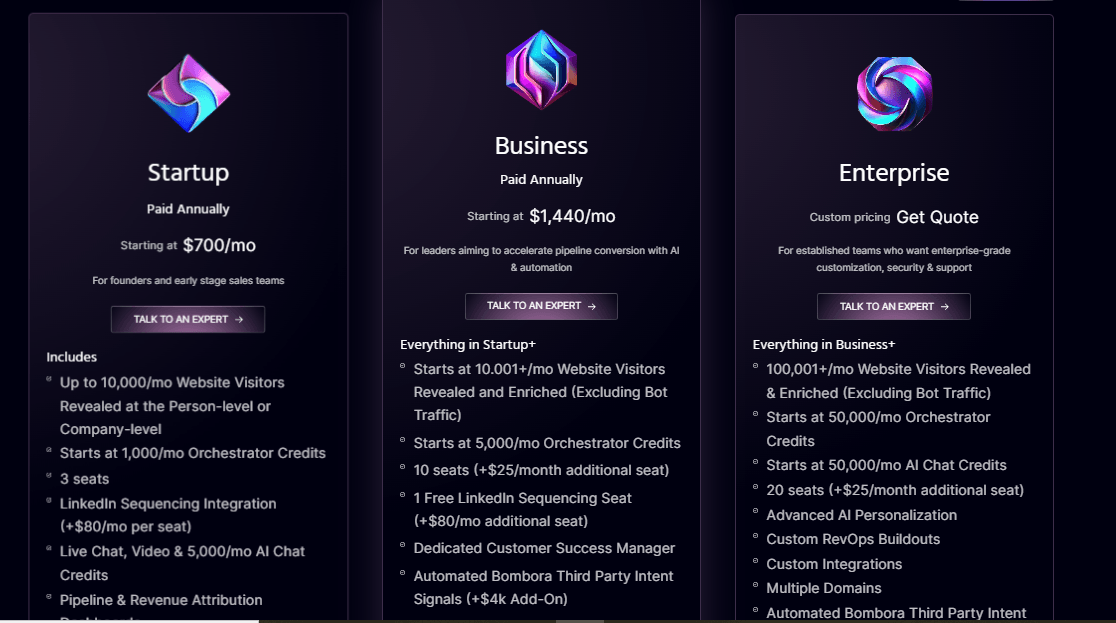
To access the platform’s advanced features, you’d have to be on one of their three paid tiers:
- Startup: Starting from $700/month, which includes access to 3 seats, up to 10,000 identified website visitors, and 1,000 orchestrator credits.
- Business: Starting from $1,440/month, which includes access to 10 seats, a dedicated customer success manager and 1 Free LinkedIn Sequencing Seat.
- Enterprise: Custom pricing, which includes access to 20 seats, 100,001+ identified visitors per month, 50,000/mo orchestrator credits, and access to advanced Al personalization.
Pros and Cons
✅ De-anonymize website visitors on your website and reach out to them via automations.
✅ Warm AI chat that lets you engage with high-intent leads before transferring the conversation over to your SDRs.
✅ Generous freemium plan that lets you identify up to 500 people and companies visiting your website a month.
⚠️ Native integrations with HubSpot and Salesforce only for advanced automations.
⚠️ The business intelligence data may not always be accurate, according to G2 reviews.
#5: Kluster
**Best for:**Planning your quarterly sales targets with predictive analytics and sales intelligence.
Similar to: SalesChoice.
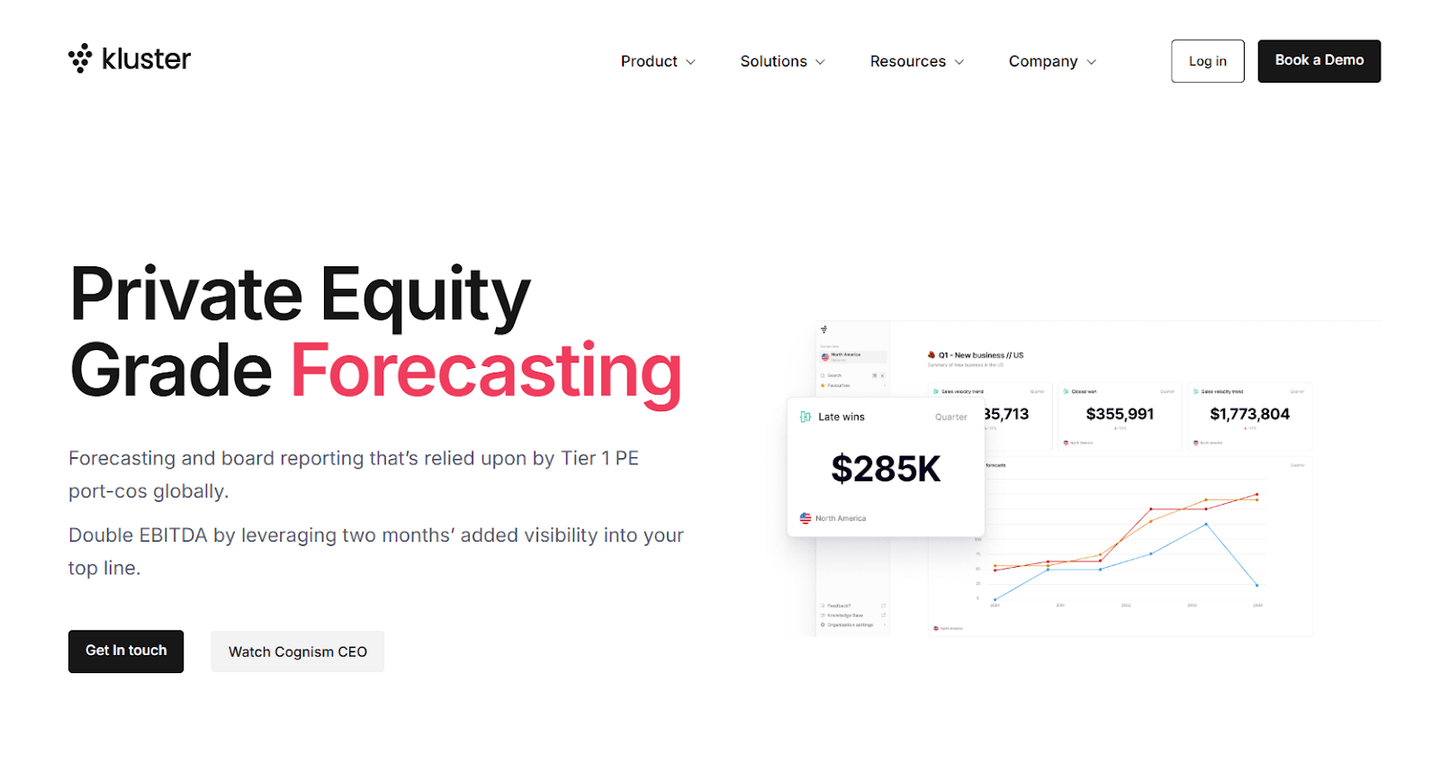
Kluster is a sales forecasting and analytics tool that lets you forecast revenue, manage your KPIs, and maximize efficiency across revenue operations.
Features
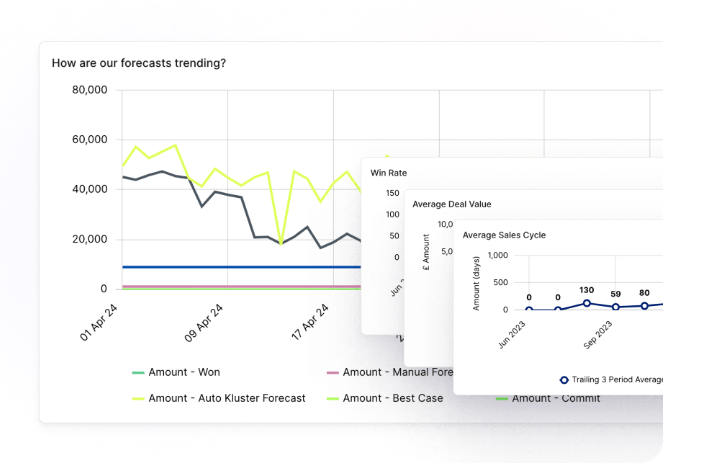
- Revenue forecasting: Set up a single source of truth for your business to forecast revenue across new business, renewals, expansions, and contractions.
- **Sales forecasting:**Kluster’s forecasting framework lets you drive best-in-class forecasting cadence.
- Board reporting featuresthat enable sales leaders to report on KPIs, revenue, and forecast analytics for transparency.
Standout Feature: Model Scenarios

The platform lets you run ‘’what-if’’ scenarios with your business to help you explore different pathways to increasing your revenue.
For example, the platform lets you run an analysis on what would happen if you hire more sales reps versus focusing on increasing close rates.
Pricing
Kluster does not currently disclose their pricing, so you’d have to contact them to get a product demo and a quote.
Based on 3rd party data from Vendr, the minimum reported price for the product is $12,000/year, and the maximum reported price is $135,000/year.
Pros and Cons
✅ Advanced sales forecasting features.
✅ The ability to model scenarios to run cost-benefit analysis.
✅ The platform syncs well with all the major sales CRMs.
⚠️ Some platform users are not satisfied with the tool’s customization options when it comes to its dashboard.
⚠️ The tool can be overwhelming with its depth of features for beginners.
#6: LinkedIn Sales Navigator
Best for: Cold outreach and relationship building with the right prospects.
**Similar to:**Cognism.
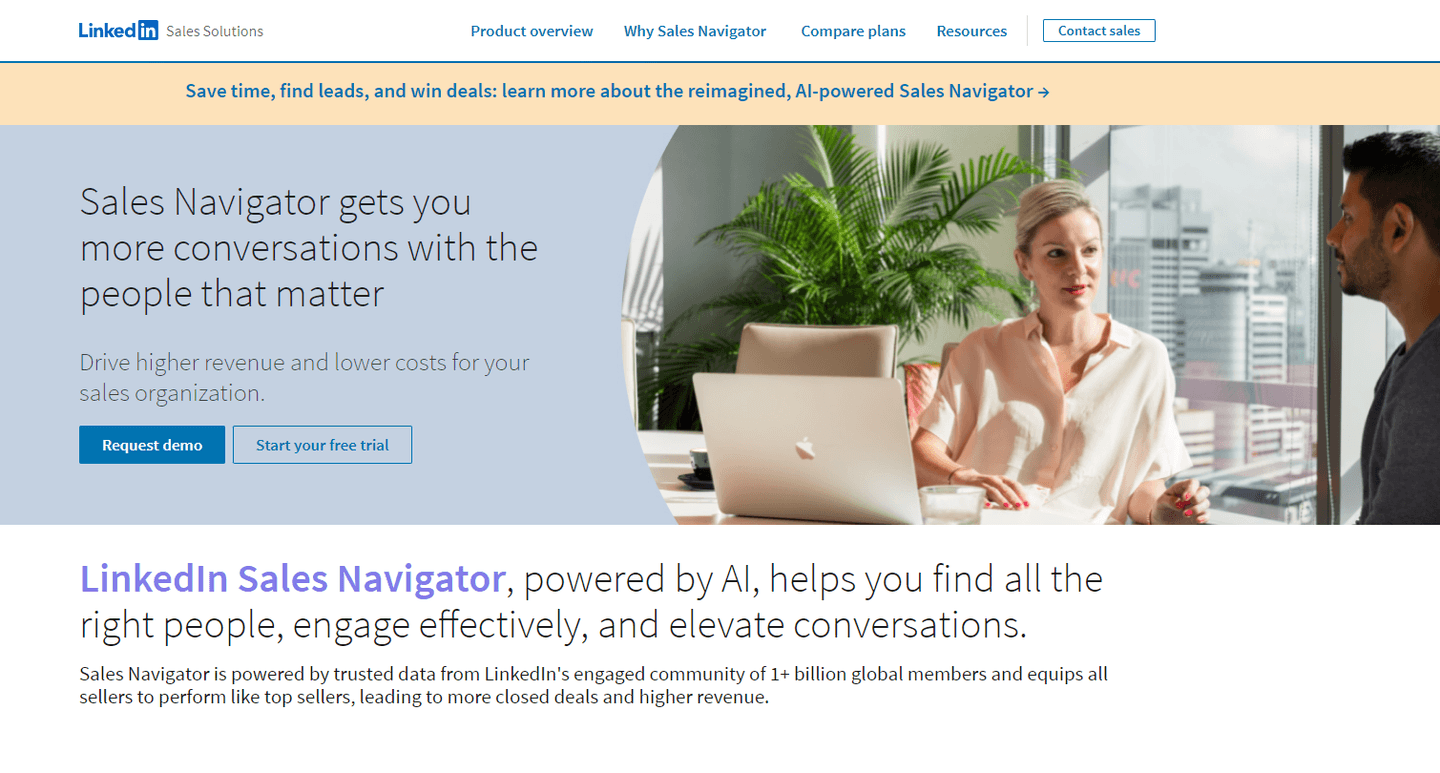
LinkedIn Sales Navigator is a sales tool for sales reps to help find the right prospects for your organization and engage with them directly.
The platform can be a good part of your sales tech stack for cold outreach and relationship building.
Features
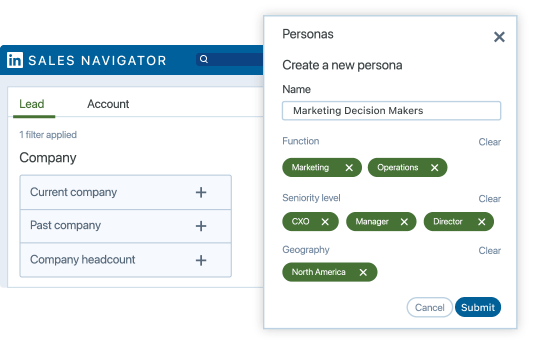
- Find the decision-makersof any organization with the platform’s advanced filters. The tool offers 50+ search filters, such as the seniority level of the prospect, company size, and location.
- Send out personalized messages to these relevant decision-makers, since LinkedIn gives you insights about each prospect.
- Study an organization’s hiring trends, department headcount, and recent hires to conduct due diligence and send more relevant messages.
Standout Feature: Account IQ
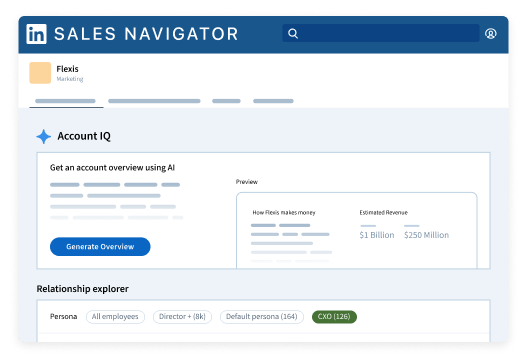
Reduce the preparation time of your SDRs from hours to secondswith LinkedIn Sales Navigator’s Account IQ.
This AI-driven feature equips your sales team with a deeper understanding of their accounts to build deeper relationships.
Pricing
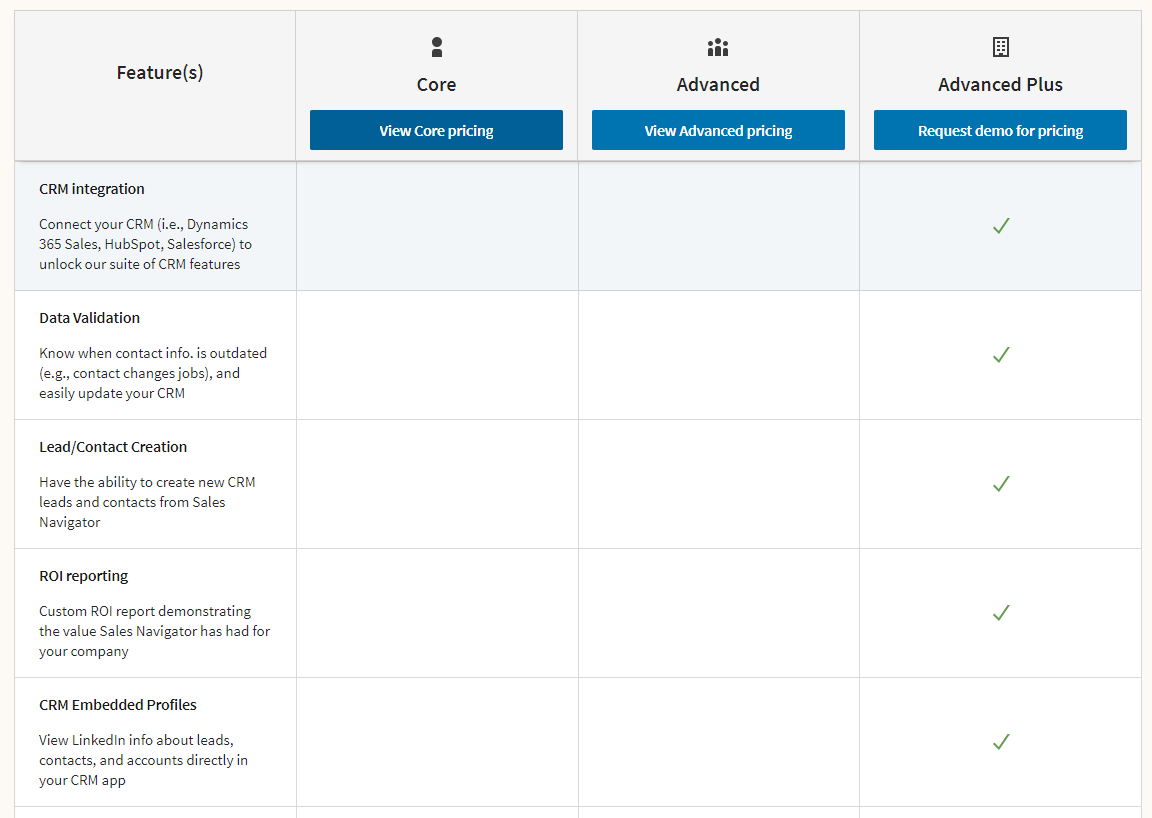
LinkedIn Sales Navigator is a product of LinkedIn Premium and there are 3 paid tiers:
- Core:$99/month/user that gives you access to advanced search features for leads and company profiles and to find and export emails and data points about leads.
- Advanced:$149/month/user, which adds buyer interest alerts, and smart links that can bundle up to 15 documents or web links.
- Advanced Plus:$1,600/month/user, which adds CRM sync, and advanced CRM integrations with platforms like Salesforce and Microsoft Dynamics 365.
Pros and Cons
✅ Lead recommendations that are based on your saved leads and mutual connections.
✅ Buyer intent signals to see which prospect has expressed interest in your organization.
✅ Account IQ that helps you with account research and planning to prepare your sales team.
⚠️ More expensive than other alternatives on the market.
⚠️ CRM integration is only available at the most expensive plan.
#7: Anaplan
**Best for:**Sales territory planning which is based on the product line, industry or country.
**Similar to:**Gong.
Anaplan is a sales planning platform that helps your team plan sales territories across different countries, customer segments, product lines, and industries.
The platform is a viable option to add to your sales tech stack as it offers data-driven sales capacity planning.
Features
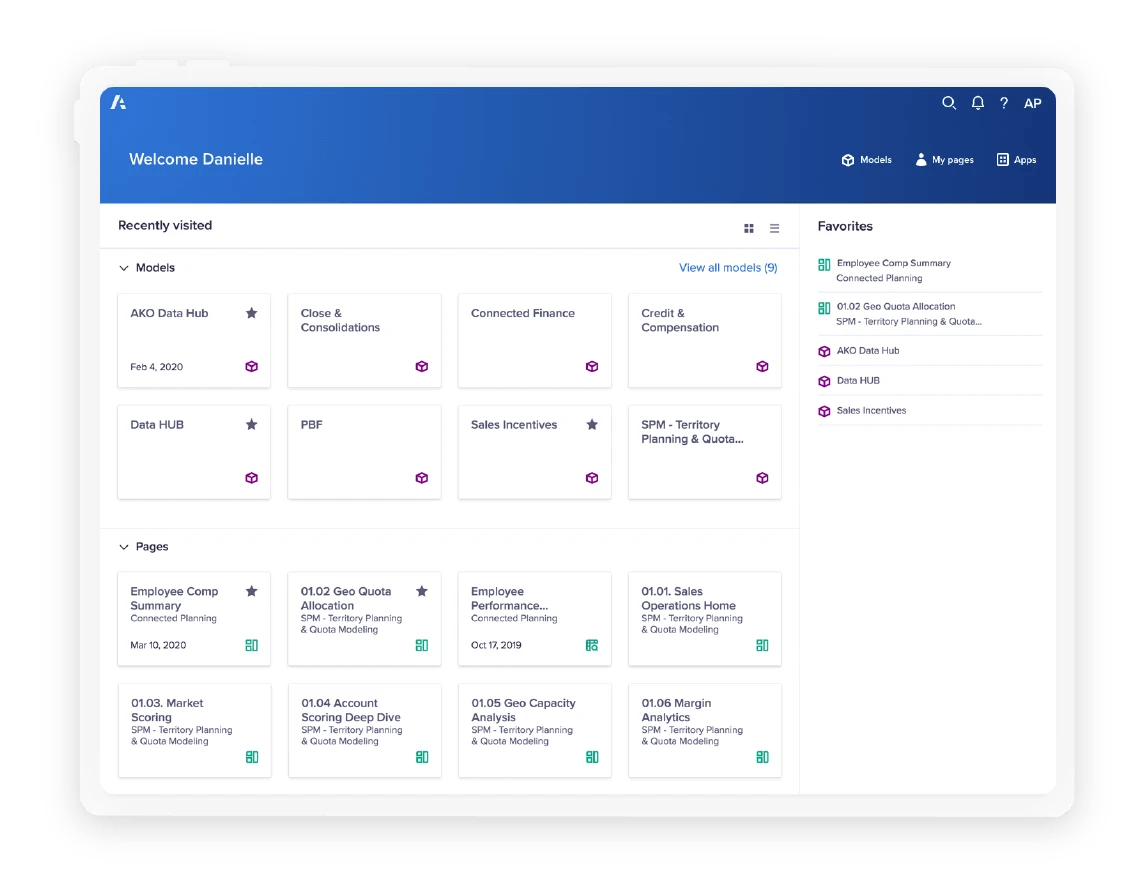
- **Predictive account segmentation and scoring:**Find out who your ideal clients are from within your existing sales pipeline.
- Create sales territoriesfor sales reps that are based on country, industry, products, or target audience.
- Model, compare, and deploy optimized quotas for each SDR with the platform’s data-driven quota planning.
Standout Feature: Sales Capacity Planning
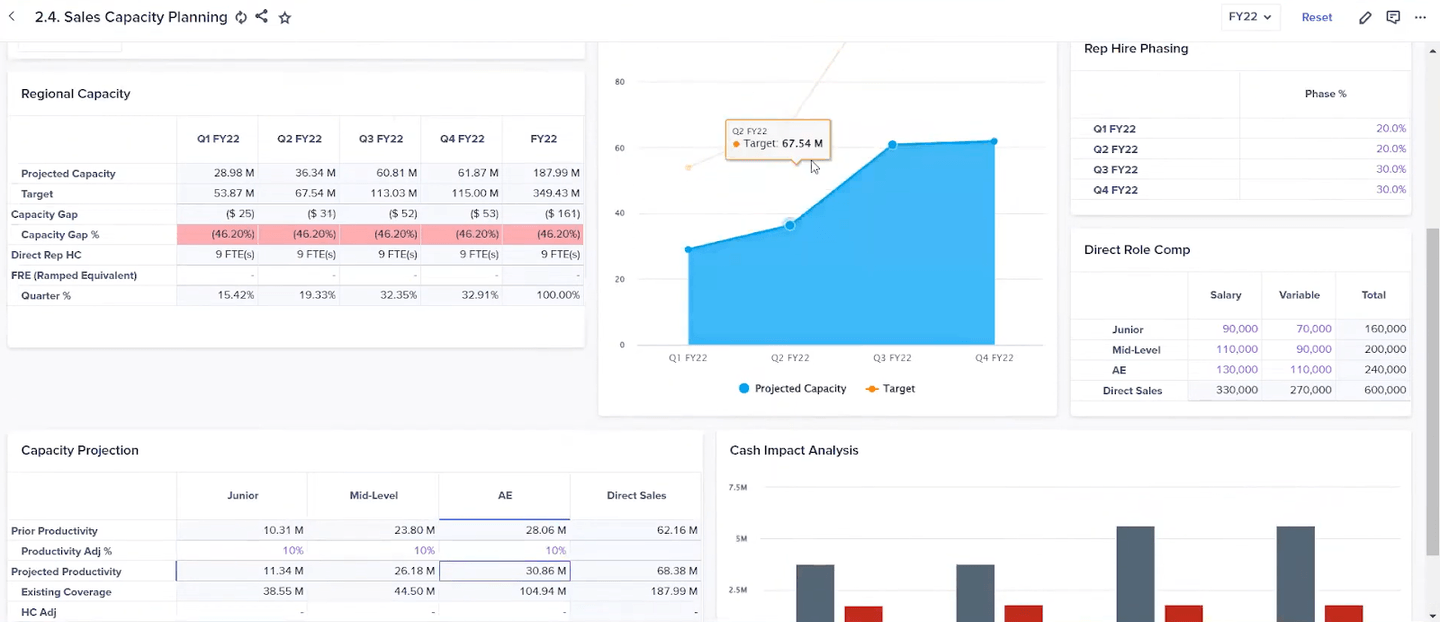
Anaplan helps you create advanced sales coverage models by using sales data and client propensity insights.
The platform lets you get access to capacity projections, cash impact analysis, and regional capacity to help your sales team better allocate resources.
Pricing
The platform does not disclose its pricing, so you’d have to contact their team for a product demo and a quote.
Third-party data from Vendr suggests that the average cost out of the 44 deals they handled for Anaplan was $196,864 a year.
Pros and Cons
✅ Find what your best sales opportunities are from within your sales pipeline.
✅ Advanced sales territory planning.
✅ Data-driven sales capacity planning.
⚠️ Lack of native deep integrations with external systems, unlike other sales planning platforms.
⚠️ The sales models need to be developed and maintained by model-building experts.
#8: Gong
Best for: Analyzing client interactions across multiple sales platforms to improve decision-making.
Similar to: Anaplan.
Gong is a B2B sales platform that lets you analyze your sales team’s client conversations across phone, email, and the web.
The platform can be a good option to add to your sales tech stack as it enables your team to better understand your customers and improve decision-making.
Features
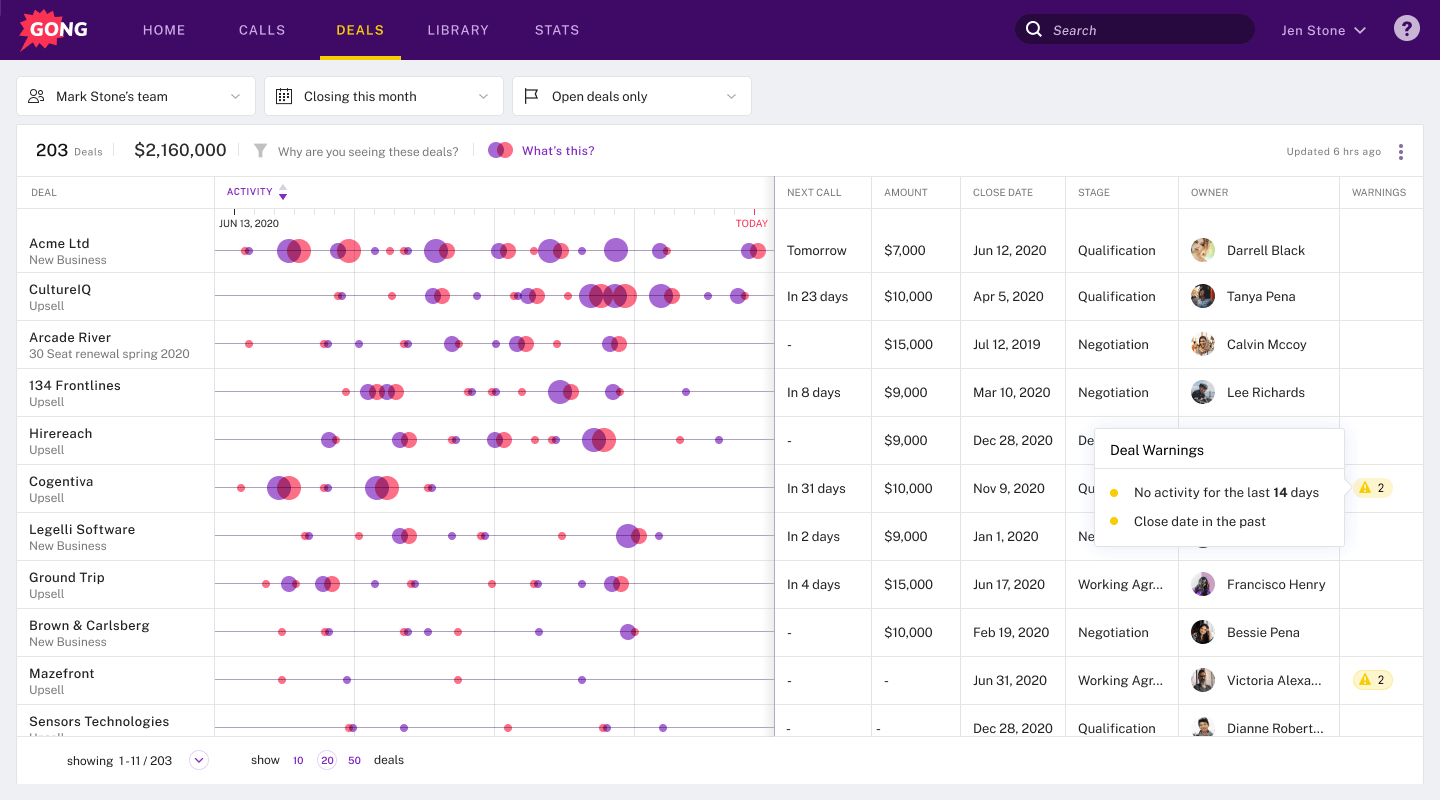
- Track all of your deals through the sales pipeline and be able to identify risks and opportunities.
- Identify patterns and access AI-driven insights to improve your performance over time by recording, transcribing, and analyzing client interactions.
- Access real-time feedback on sales calls to upskill your SDRs with tailored sales feedback and coaching.
Standout Feature: Gong AI
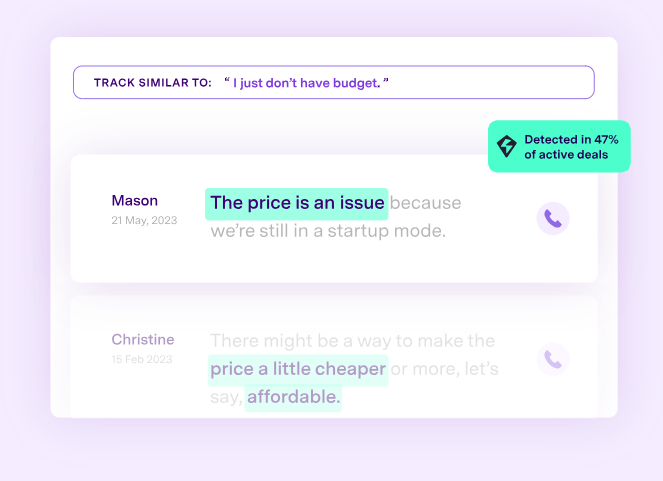
Gong AI helps your team analyze data, track initiatives and translate user conversations.
For example, you might find out that in 47% of conversations, clients are reporting an issue with the price of your product.
This feature can also be customized with its user-trainable system to better analyze complex data sets.
Pricing
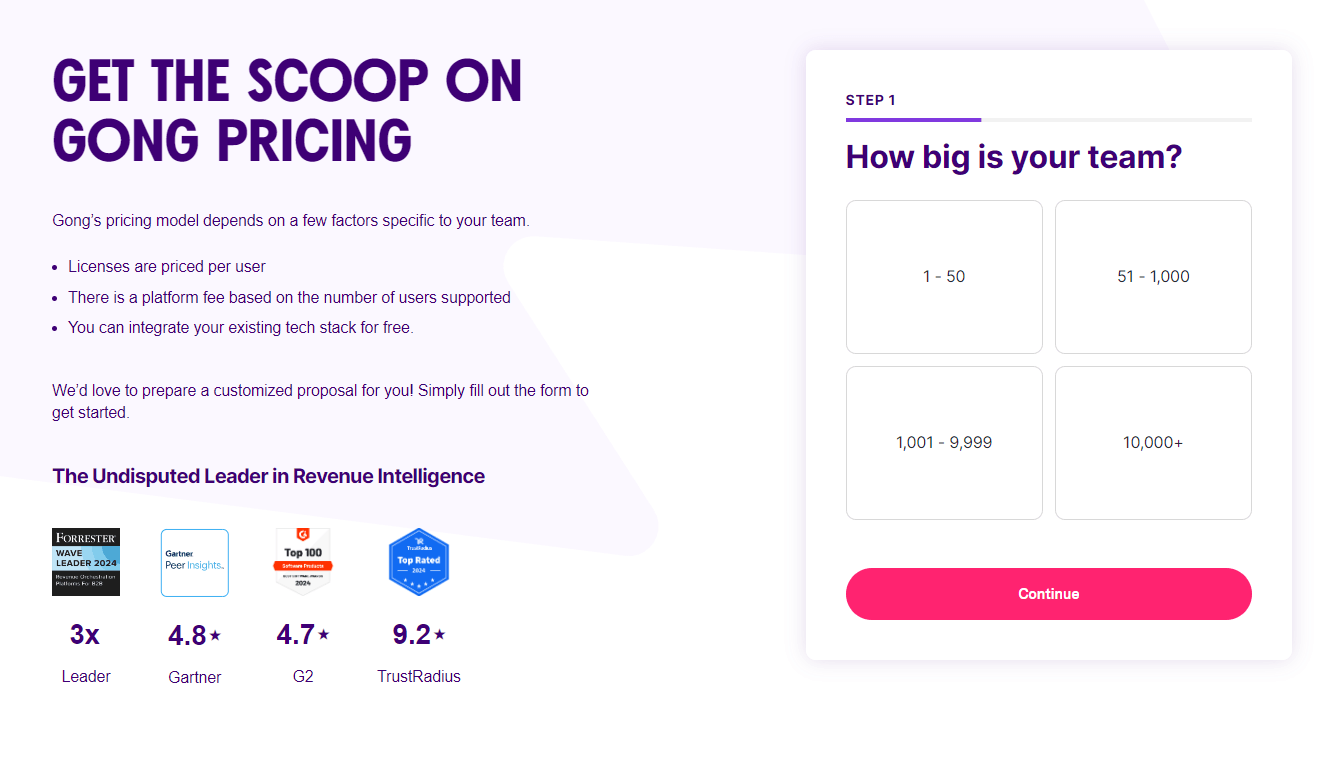
Gong does not disclose its pricing on its website, so you’d have to contact them to get a quote.
We were able to find 3rd party data from Vendr claiming that the platform bases its pricing per user and it is between $1,000 - $2,000 per seat a year.
Out of the 181 deals Vendr has handled for Gong, the average contract value was $105,530/year.
Pros and Cons
✅ Easy-to-use sales call recording software for sales planning.
✅ Sales feedback to your SDRs to help you train and up-skill them.
✅ Trainable generative AI tool to assist you with forecasting and data analysis.
⚠️ Some customers note that the call scripts to text may not be 100% accurate.
⚠️ Not every customer of the platform is satisfied with the platform’s search functionality.
#9: Storylane
Best for: Building interactive product demos to intrigue your prospects and to help them better understand your product.
Similar to: Navattic.
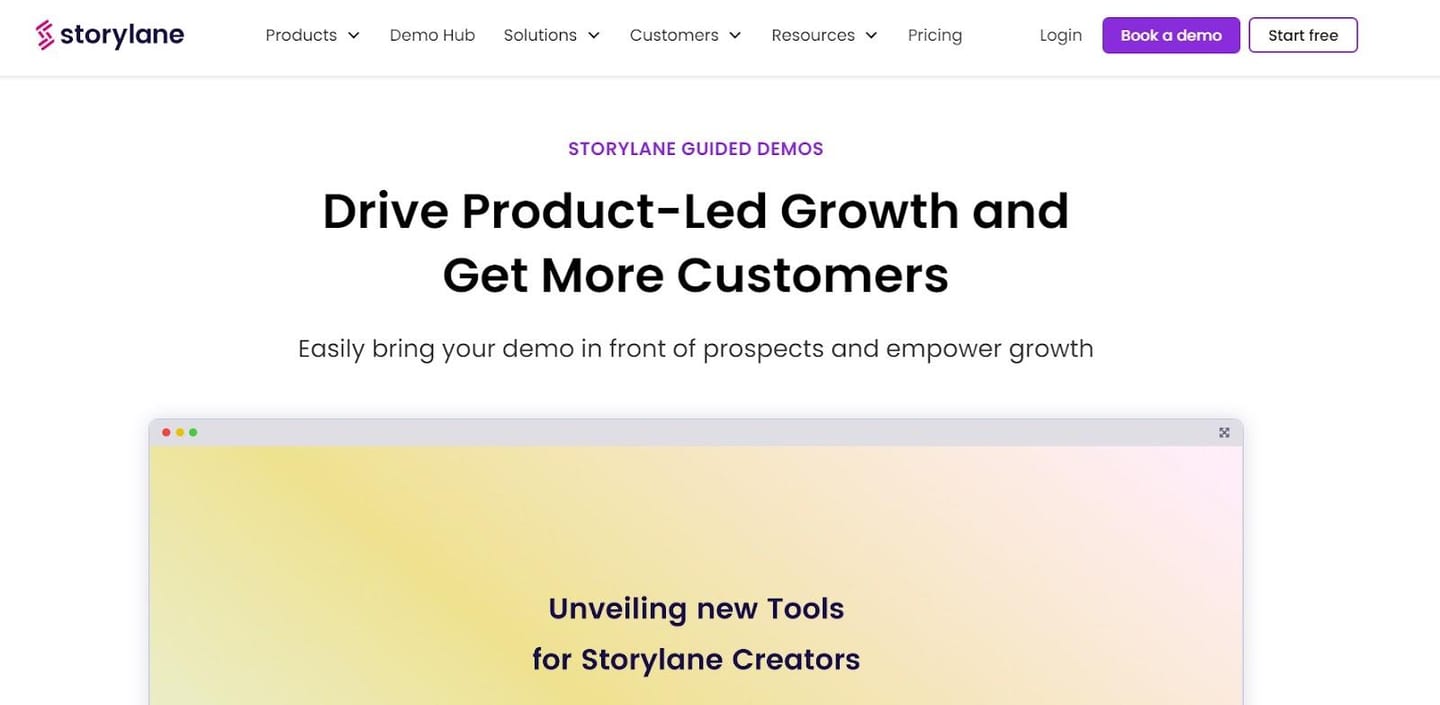
Storylane offers an interactive demo platform that lets you create and send out product demos of your platform in minutes without technical know-how.
The demo-building platform can be a good addition to your sales stack as it lets you intrigue potential buyers and get them to their ‘’aha’’ moment about your product faster.
Features
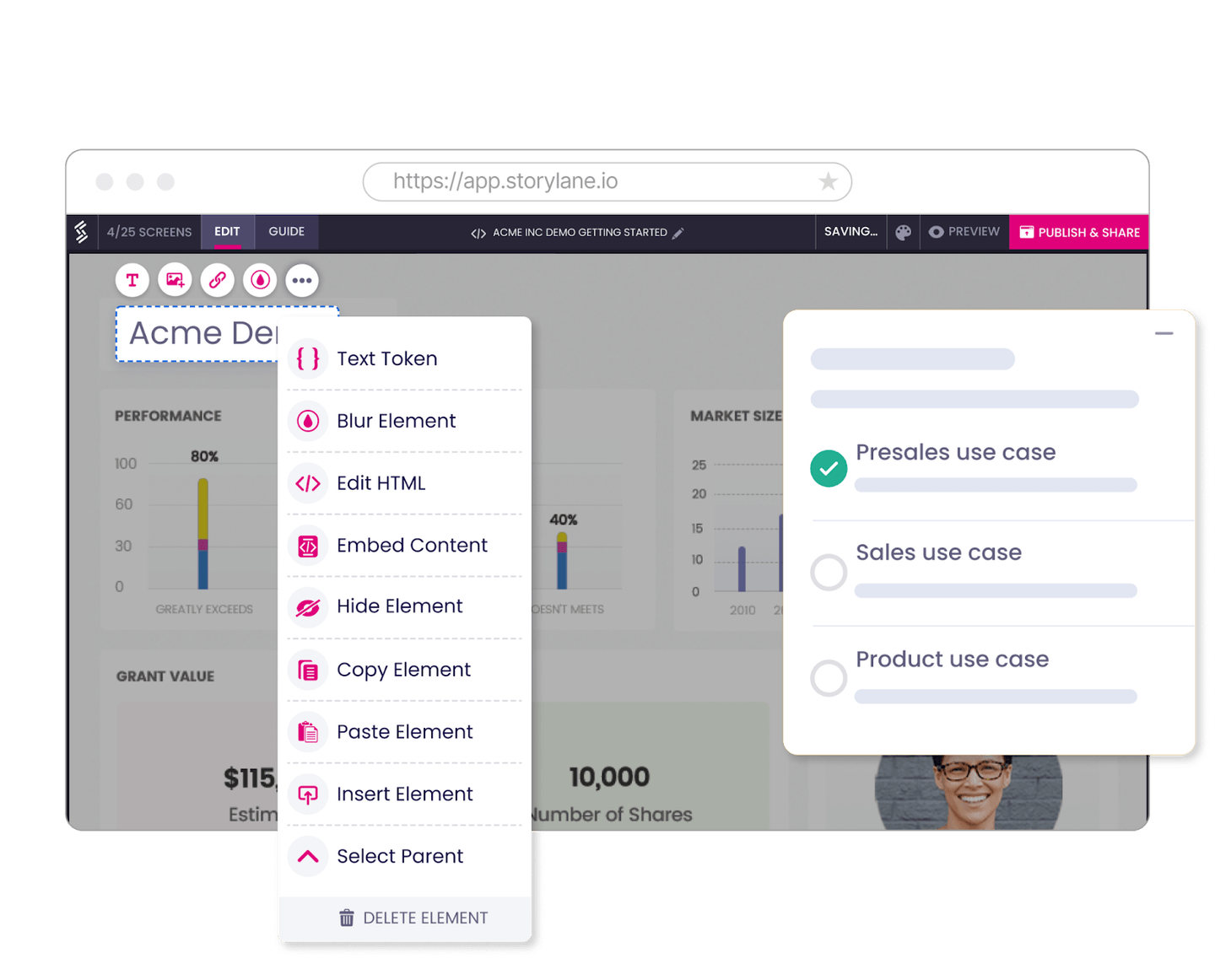
- Build a product walkthrough of your softwarewith the tool’s interactive product demo builder.
- Generate guides, instructions, and clarifications within your product demo for your prospects with the platform’s AI assistant.
- Keep relevant and use-case-based demos in one place for quick access with the tool’s demo repository.
Standout Feature: Sandbox Demo
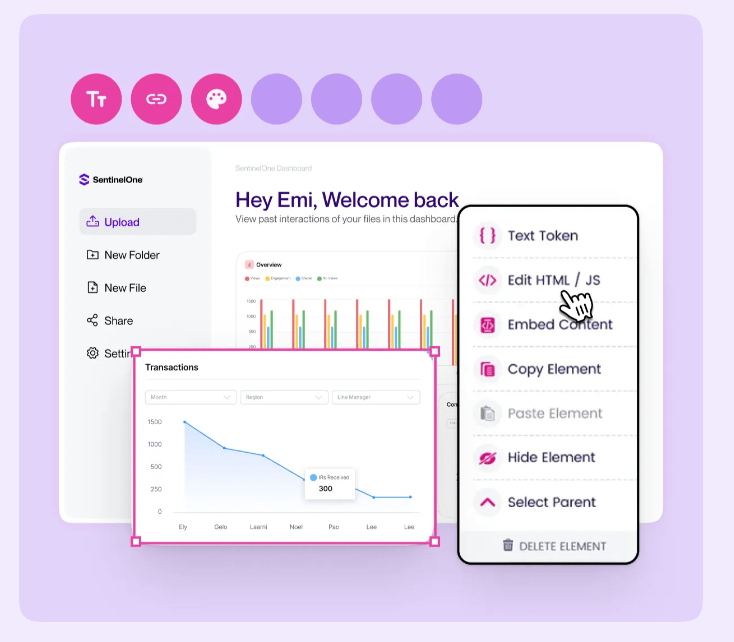
The platform lets you access a sandbox demo environment where you can create a replica of your app in a customizable demo environment.
Your sales reps can then personalize the content to each client, and be able to customize any element of the demo.
Pricing
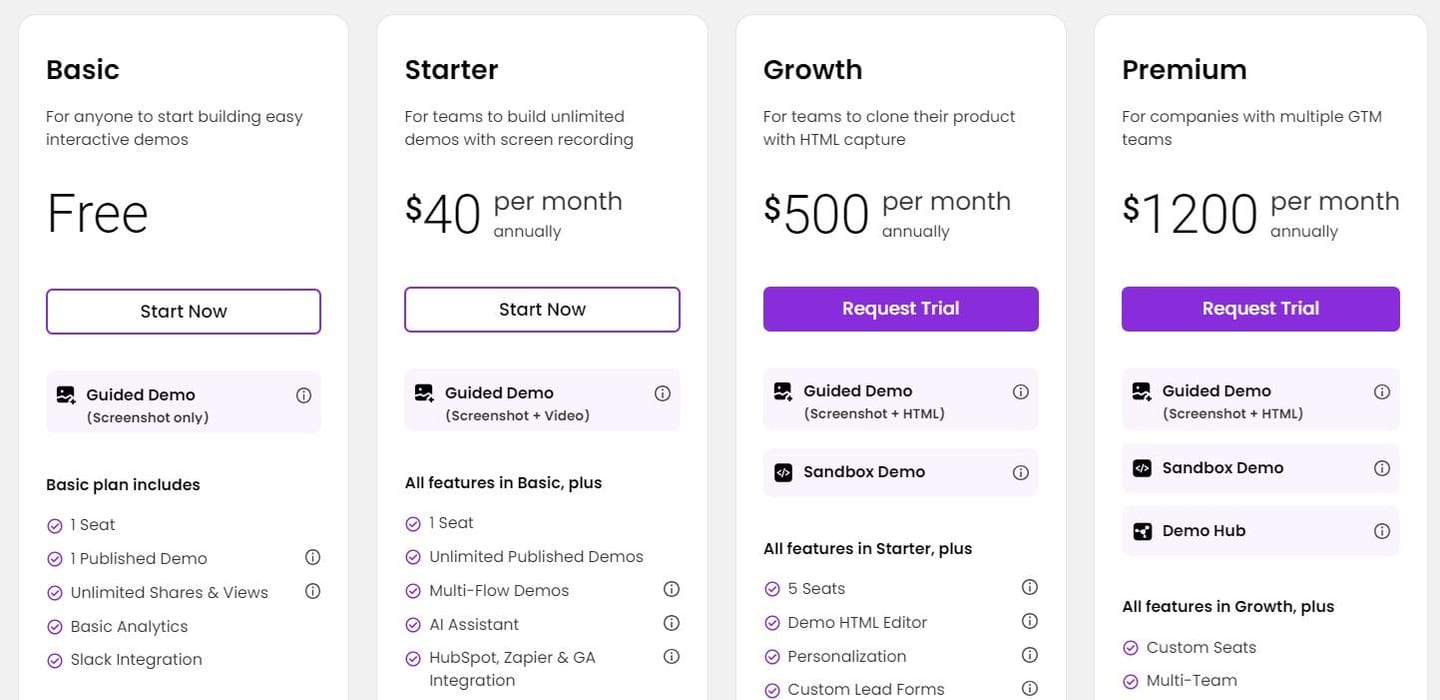
The platform has a free version where sales teams can create and publish one guided demo using screenshots only.
To access the platform’s advanced features, you’ll need to be on one of their three paid plans:
- Starter: $40/month for one seat, which lets you create unlimited guided demos using screenshots and videos.
- Growth: $500/month for five seats, enabling you to create both guided and clickable demos using screenshots and HTML.
- Premium: $1,200/month for custom users, which adds enhanced security and Salesforce integration.
Pros & Cons
✅ Easy-to-use user interface to help you build guided product demos.
✅ Create interactive and personalized product demos with the help of AI.
✅ Integrations with tools like Pardot and Zapier.
⚠️ Some customers of the tool find the demo analytics limited.
⚠️ Can only be used for recording web apps.
#10: Calendly
Best for: Scheduling calls with your new and existing clients.
**Similar to:**Google Calendar.
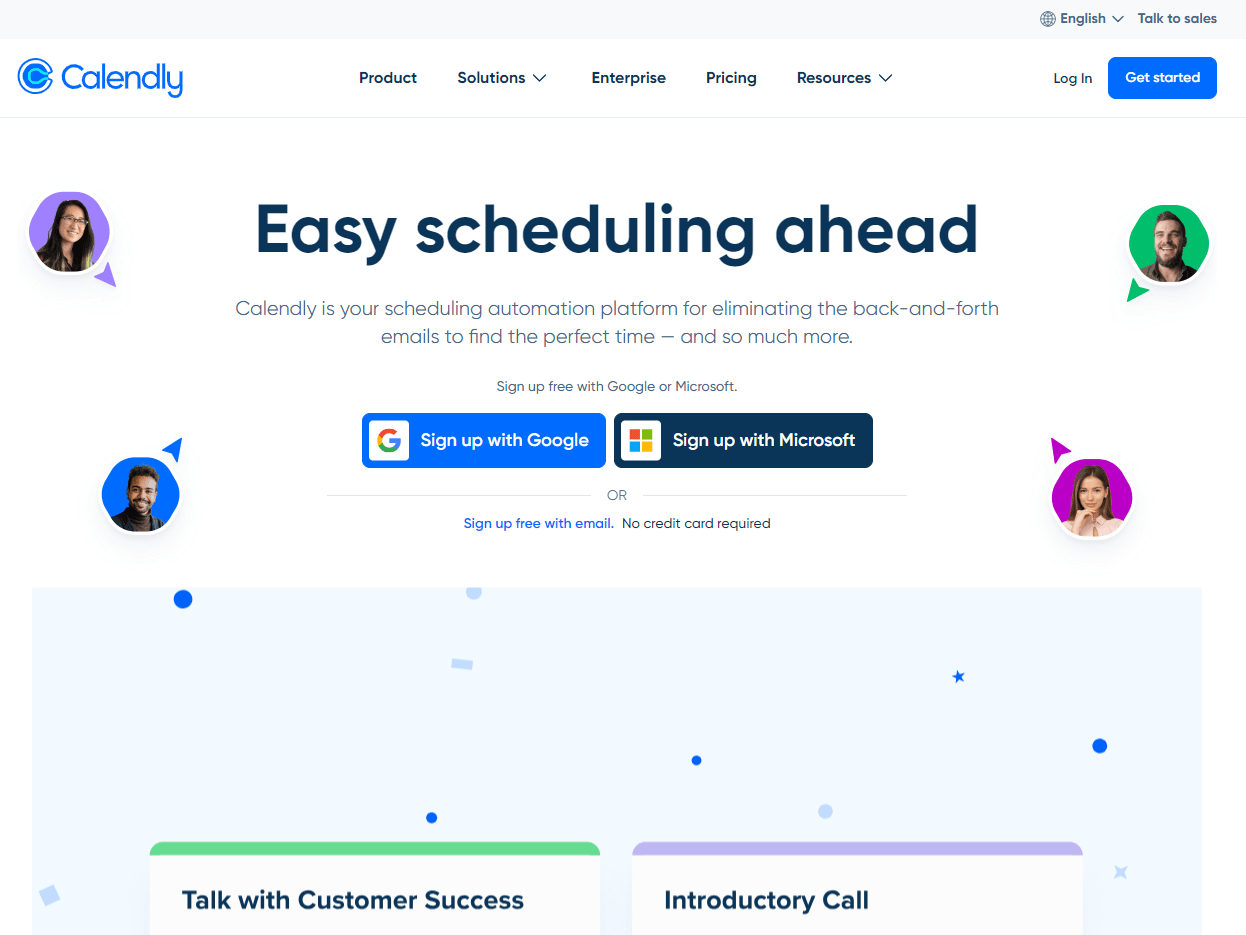
Calendly is a sales productivity tool that lets you schedule discovery calls and pitches with your prospects.
The platform has gained popularity with its easy-to-navigate interface and native integrations with a variety of sales platforms.
Features
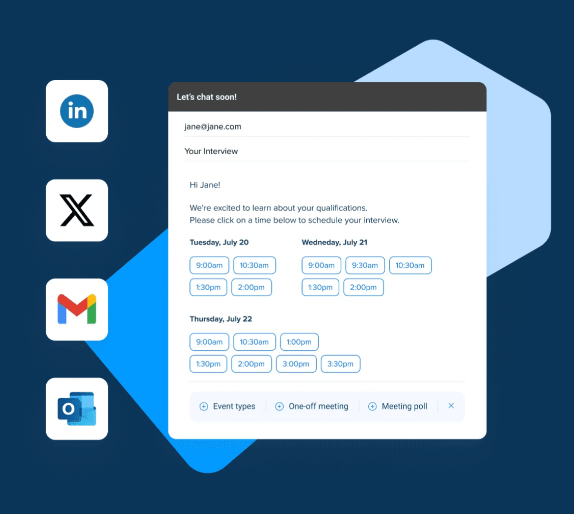
- Scheduling automations: The platform is ideal for booking meetings with busy people, as it eliminates the back-and-forth emails to find the perfect meeting time.
- Book meetings directly from your site to skip follow-up emails.
- Book meetings from LinkedIn Messagingor embed Calendly into your email signature.
Standout Feature: Lead Routing
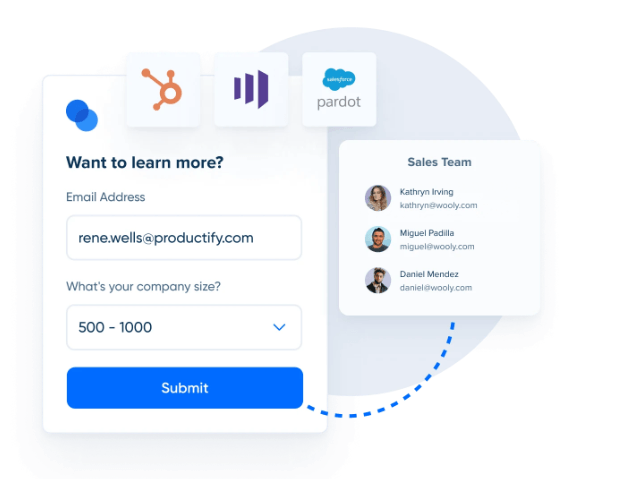
Calendly lets you connect with high-intent prospects by instantly booking qualified meetings from your website to your sales reps.
The tool matches known leads and prospects to your SDRs based on Salesforce and HubSpot assignments.
Pricing
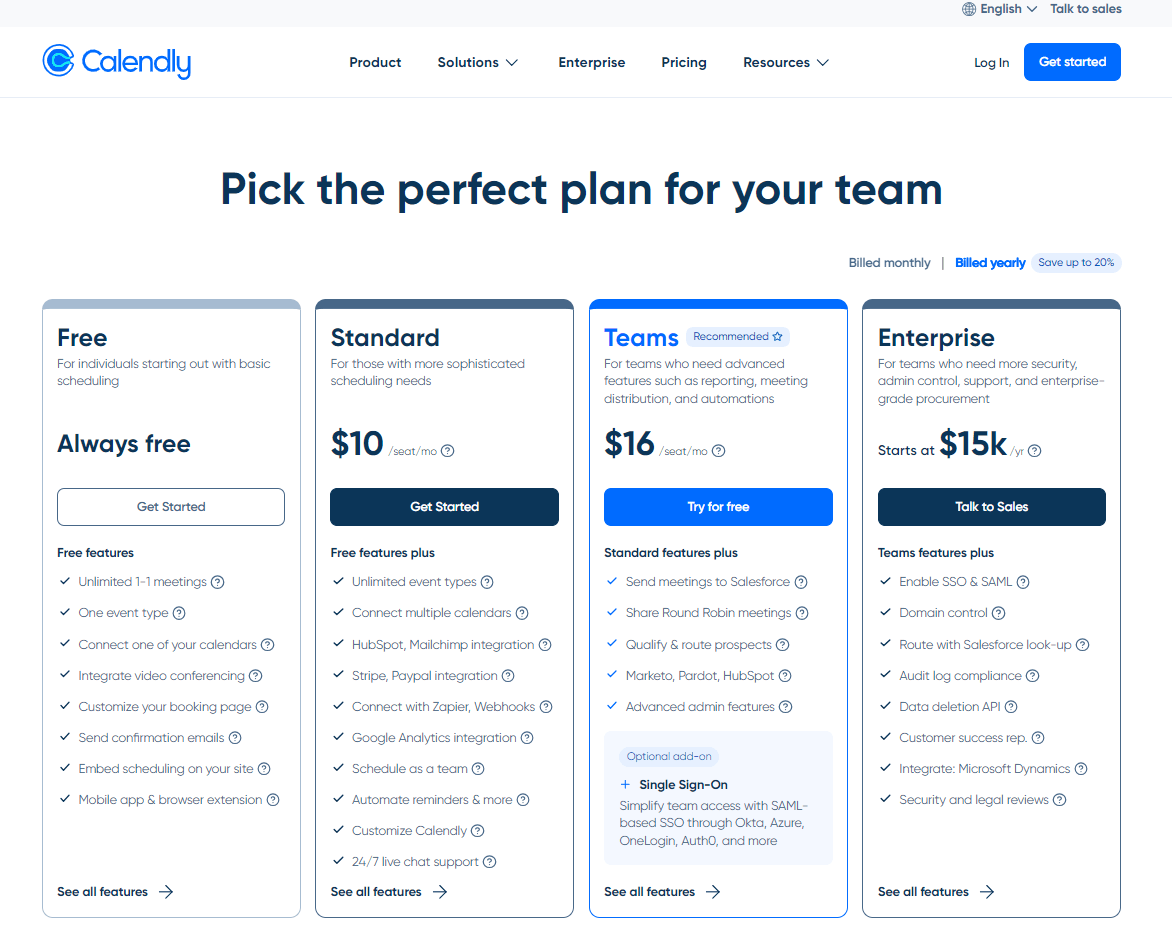
Calendly has a freemium plan for its tool that lets you book unlimited 1-1 meetings, connect one of your calendars, and integrate video conferencing.
To access the platform’s advanced features, you’d have to be on one of their 3 paid tiers:
- Standard:$10/month/user, which adds HubSpot, PayPal, Stripe and Mailchimp integrations and the ability to customize the platform.
- Teams: $16/month/user, which adds the ability to qualify and route prospects, and also to send meetings to Salesforce.
- **Enterprise:**Starts at $15,000/year and adds domain control, the ability to route with Salesforce look-up and a customer success representative.
Pros and Cons
✅ Scheduling automations so your SDRs wouldn’t have to send back-and-forth emails to find a good time to meet with busy clients.
✅ Lead routing to help your team spend less time on low-quality leads.
✅ Best-in-class integrations with CRM platforms like Salesforce and HubSpot.
⚠️ Some of Calendly’s users are not satisfied with the tool’s customization options.
⚠️ The platform might struggle to handle complex scheduling scenarios, according to G2 reviews.
#11: Sendoso
**Best for:**Building offline relationships with your prospects and clients by sending them gifts.
**Similar to:**N/A.
Sendoso is a gifting and direct mail platform that helps your sales team increase win rates by sending prospective clients personalized gifts.
Features
- Stand out from your competitors by sending your prospects personalized gifts in real life.
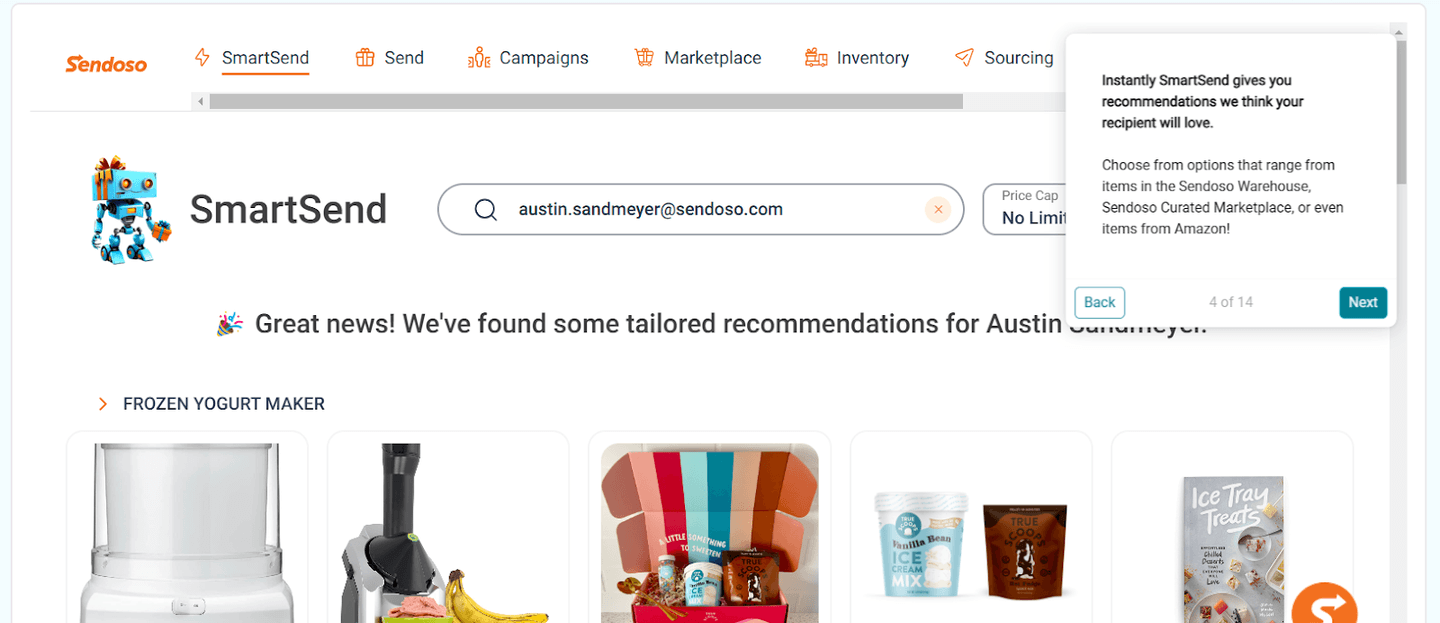
- You can send snail mail, treats, merch, or gifts from the platform’s SmartSend which lets you access a variety of possible gifts.
- Reporting on performance: Sendoso’s analytics can plug into your existing sales tech stack to track the impact of the campaigns across your sales funnel.
Standout Feature: AI-Powered Personalization
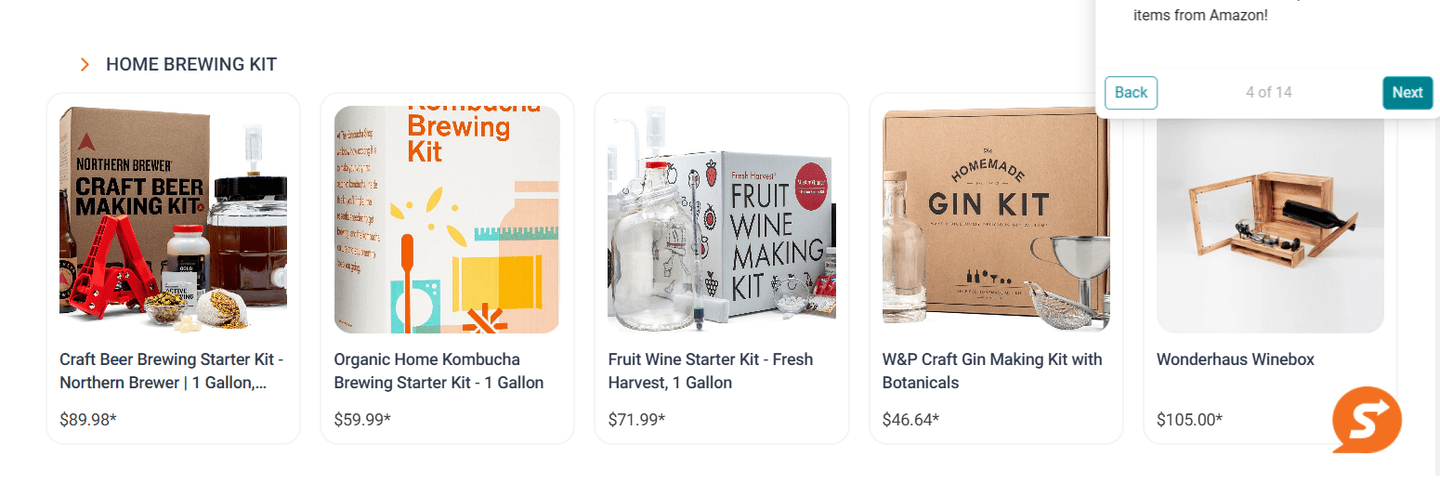
The platform enables your sales team to send out personalized gifts by inputting your leads’ emails.
The platform’s smart sending capabilities will then suggest a tailored suggestion with timely ways to connect.
Pricing
Sendoso does not currently disclose its pricing, so you’d have to contact their team to get a product demo.
Pros and Cons
✅ Build relationships offline to close more deals.
✅ Track the performance of your offline gift campaigns.
✅ AI-powered personalization to ensure that you’re sending a thoughtful gift.
⚠️ The pricing model can be complex, as it has a platform fee, a user license fee, and inventory charges.
⚠️ The set-up can be complicated, according to some users of the platform.
Next steps: put your sales tech stack to work
Your stack already captures every call, email, and deal. Arrows turns that into work done.
If you’re a sales leader who wants:
- A gameplan for every deal, built from the way your best reps sell.
- Call prep, follow-up emails, and CRM updates done for your reps, with a rep approving each one before it sends.
- One playbook the whole team follows, in the CRM and notetaker you already use.
Then you can book an agent kickoff to see how Arrows works today.