

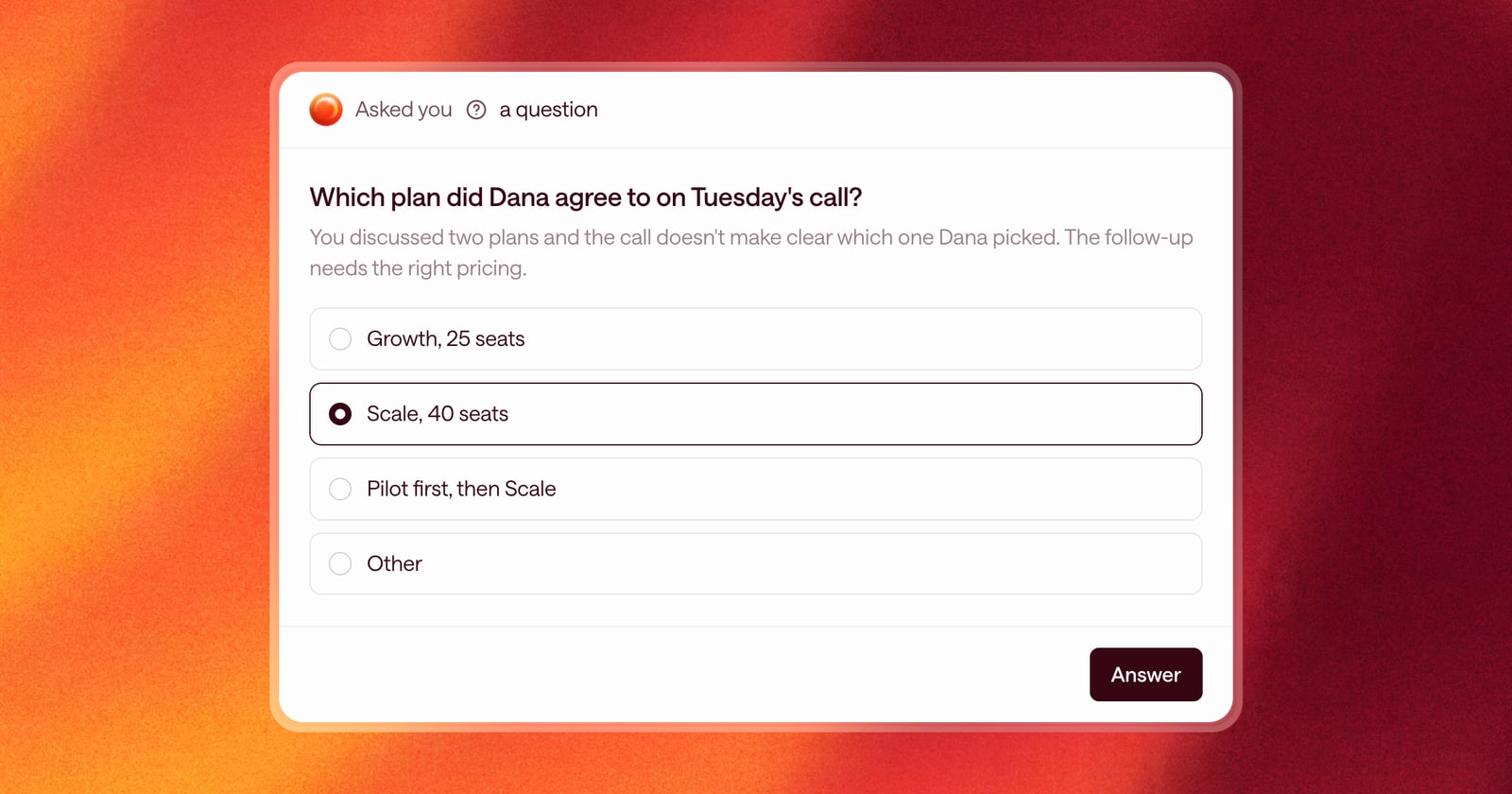
Arrows does most of its work in the background: a call ends, an email comes in, and it gets the follow-up ready. But sometimes it needs more context before it can finish the work the right way. Which plan did the buyer agree to on the call? Who has to sign? Which time did they pick?
Until now, Arrows had no good way to get that context from you when it was working in the background. It could only ask in the chat of the Arrows space, which you weren’t reading between conversations, so the step sat waiting.
Now, when Arrows is stuck, it asks you for the context it needs to make the right call.
How it works
- The question goes where you’ll see it. It shows on the gameplan step that needs it and in your Workspace, and Arrows lets you know by email and Slack.
- Urgent questions come first. If the step is due today or overdue, or you have a call with the buyer before the end of the next day, the question goes to the top of your Workspace so it doesn’t get missed.
- Answering takes a click. Most questions come with a few choices to pick from, plus Other when none of them fit. Some just need a short written answer.
- It explains why it’s asking. Each question comes with one line on what Arrows needs the answer for.
- Arrows picks the work back up. As soon as you answer, Arrows finishes the step with your answer. If the question doesn’t matter, dismiss it and Arrows carries on without it.
Arrows only asks when it’s stuck: when it can’t find the answer anywhere in the space and needs it to take the right action. It asks one question at a time and keeps working on everything else while it waits.
An example
Maya had a pricing call with Dana Ruiz at Northstar Orthopedics, and they talked through two plans without the recording making clear which one Dana picked. Arrows starts the follow-up but can’t write the pricing summary without knowing. So it asks: “Which plan did Dana agree to on Tuesday’s call?” with the options to pick from. Maya has a call with Dana tomorrow, so the question is at the top of her Workspace. She picks the plan, and a few minutes later the follow-up email is ready to approve.
How to use it
There’s nothing to set up. When Arrows has a question, open it from your Workspace or the gameplan step, pick or write your answer, and select Answer.
When you’re chatting with Arrows in a space, it still asks its questions right there in the chat.