

Connecting with the people on a deal is one of those things every rep means to do and few do consistently. Someone new joins a call, a buyer mentions their boss, a meeting gets booked with three people you’ve never talked to. Each one is worth a LinkedIn connection, but finding the profile and writing a note that isn’t generic takes time, so it slips.
Now Arrows has a clear, obvious way to handle it inside each Arrows space.
What Arrows gets ready for you
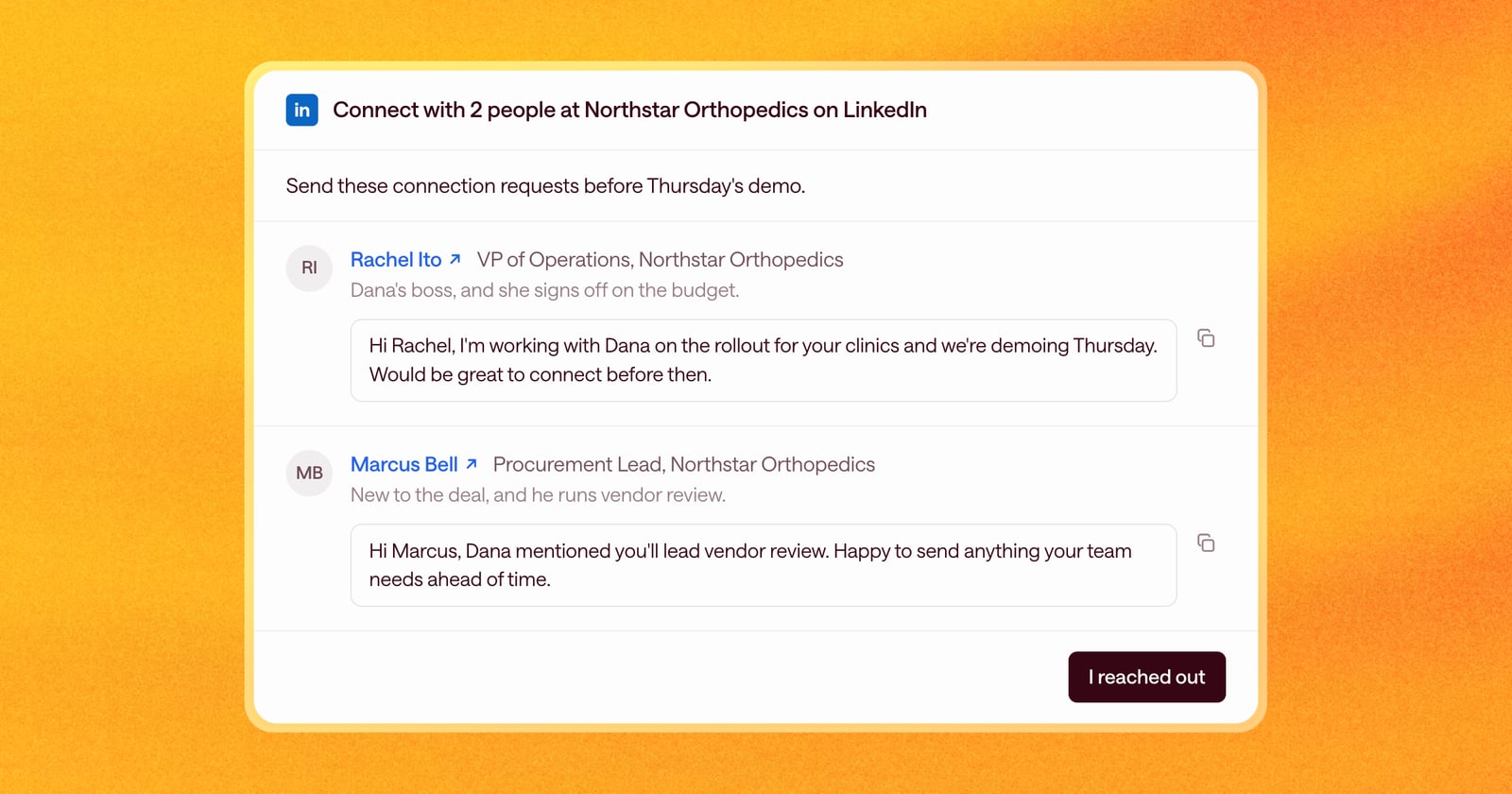
When it’s time to reach out, Arrows puts together a LinkedIn outreach card on the deal with:
- The people to connect with, in the order to reach them, with their name and title.
- Why each one matters on this deal, in one short line.
- A note for each person, written for the moment, like the meeting you just had or the one coming up. Edit it right in the card, then copy it with one click.
- Their profile, one click away. Select a name to open their LinkedIn profile in a new tab.
When you’ve sent them, select I reached out. Arrows doesn’t send anything on LinkedIn for you; what goes out from your account is always your call.
Ways teams use it
Connect with everyone before the meeting. Tell Arrows how you like to work, for example:
“I always want to connect with everyone who’s involved in an upcoming meeting. When someone books a meeting with me, make sure I’m connected with them on LinkedIn.”
From then on, when a meeting is booked, Arrows gets the people on the invite ready to connect with, each with a note that mentions the meeting.
Reach the people who come up on calls. Say Dana Ruiz at Northstar Orthopedics mentions on a call, “Our CRO, Diana, will want to see this at some point.” You don’t need to know Diana’s last name or title. Arrows researches who the CRO is, finds her LinkedIn profile, adds the outreach to the deal’s gameplan, and drafts a connection note that’s specific to the call: what Dana’s team is looking at and why it matters to her.
There’s a lot more you can do with it, from connecting with a new executive sponsor to reaching the rest of the buying committee before a demo.
How to use it
Add it to your Agentic Playbook or just ask Arrows in a space, in your own words, for example “Who should I connect with on LinkedIn before Thursday’s demo?” If your playbook already asks for LinkedIn connections or messages, there’s nothing to change. Arrows uses the new card for that work, and you’ll find it in your Workspace when it’s ready.