

You send a recap and a sales room after a great call. Then you wait. Did the champion share it with their boss? Did anyone open it at all? Most of the time you find out only when someone replies, or doesn’t.
Starting today, Arrows tells you when it happens.
What changed
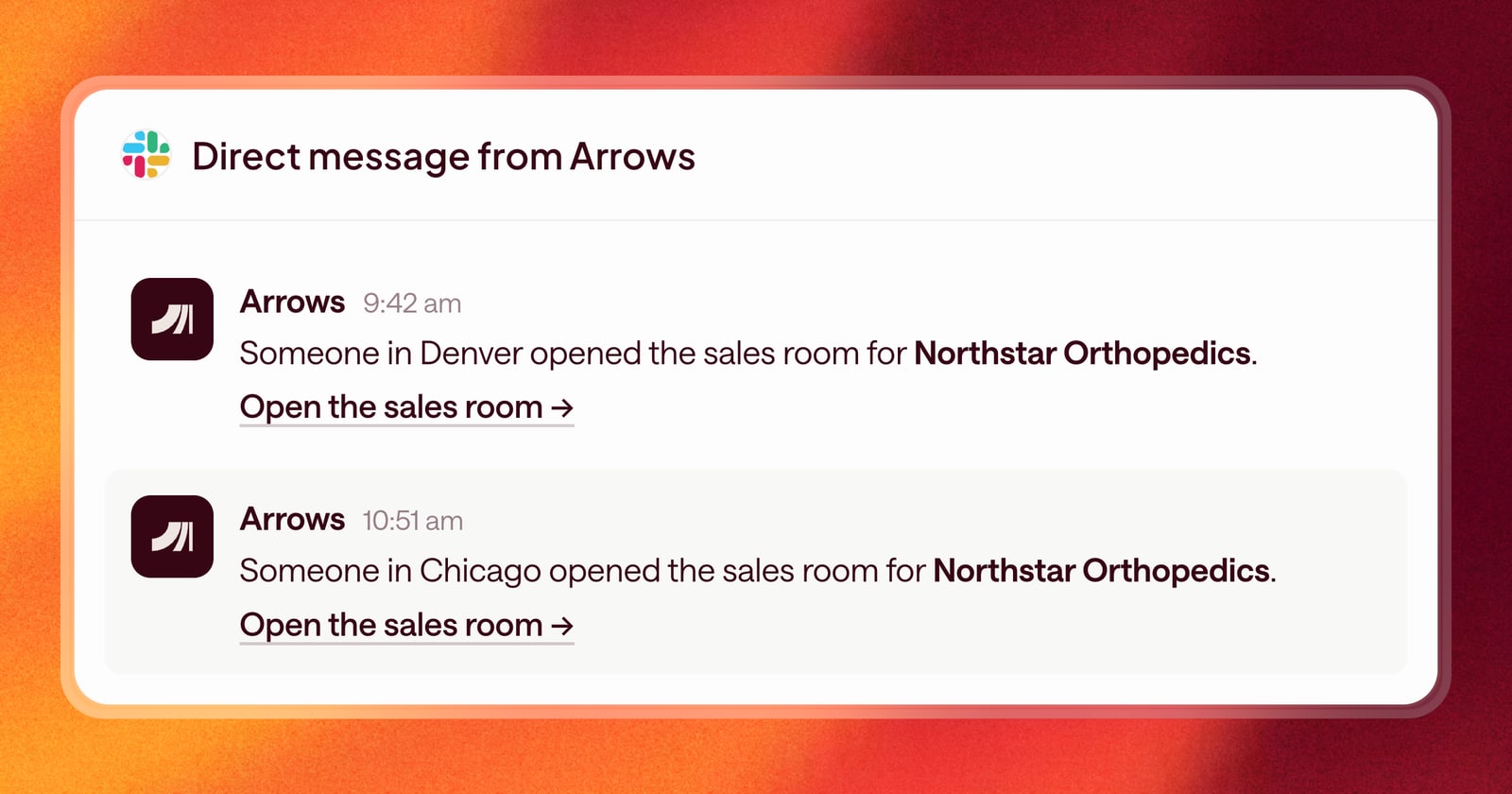
When someone opens the sales room for one of your deals, you get a Slack message. To keep it useful, Arrows sends at most one message a day for each visitor, so a buyer who comes back to the room five times in an afternoon doesn’t flood your Slack.
The message goes to the owner of the deal’s Arrows space.
Why it helps
A sales room being opened is one of the best signals you have that a deal is moving. It tells you:
- The buyer is engaged. They’re reading the recap and the resources you shared.
- The deal is spreading. A new visitor often means your champion forwarded the link to someone else.
- Now is a good time to follow up. A short note while the deal is on their mind lands better than one a week later.
An example
You sent a sales room to your champion on Tuesday. On Thursday morning you get a Slack message that the room was opened, and a second one an hour later for a new visitor.
That’s your cue. Your champion is likely sharing the room before an internal meeting. You send a quick note offering to join the conversation or answer questions from their team.
Sales rooms look more like you
Two smaller changes make the room itself feel more personal:
- Your photo in the room. Sales rooms now show an avatar for you and your teammates, so the buyer sees who they’re working with.
- A better link preview. When you paste a sales room link into an email or a chat, it shows a new preview image instead of a blank card.
How to use it
Connect Slack to Arrows, and you’ll get these messages for every deal you own. To see every notification Arrows can send you, open User settings and go to the Notifications tab.