

Prepping for a call usually means ten minutes of clicking. You open the CRM, scroll the email thread, find the notes from last time, and try to remember what the buyer asked for. On a day with five meetings, that prep gets skipped.
Starting today, Arrows does it for you. Every deal meeting gets a pre-call brief.
What’s in a brief
A pre-call brief is a short summary of what you need to know before you join. Arrows builds it from everything on the deal: emails, meetings, notes, and calls from your CRM, plus your Agentic Playbook.
A good brief answers the questions you’d ask yourself in the hallway on the way to the meeting:
- Who’s on the call and where each person stands.
- What happened last time, and anything still open from it.
- What to ask to fill the gaps in what you know.
- What could get in the way, like objections or risks on the deal.
- What a good outcome looks like for this call.
When briefs show up
Arrows writes briefs at the start of your day for that day’s meetings. Open Arrows in the morning and they’re waiting.
Need one sooner? Ask in chat, like “Prep me for Thursday’s call with the VP of Sales,” and Arrows writes it right away.
Briefs are only written for meetings that are still ahead of you. Arrows won’t spend time prepping a call that already happened.
Where to find them
Each brief sits with its meeting. In your Sales Workspace, today’s deal meetings are listed with their briefs, so your prep is right next to the call it’s for.
Inside a deal, the brief lives in the step for that meeting in the deal’s Deal Gameplan. It shows a short preview so you can skim the key points at a glance. Click it to open the full brief in full screen when you want the details.
Check it off
Once you’ve read a brief, mark it as reviewed. That checks it off so it doesn’t keep asking for your attention. Most of the time you won’t need to: Arrows usually marks it reviewed on its own.
An example
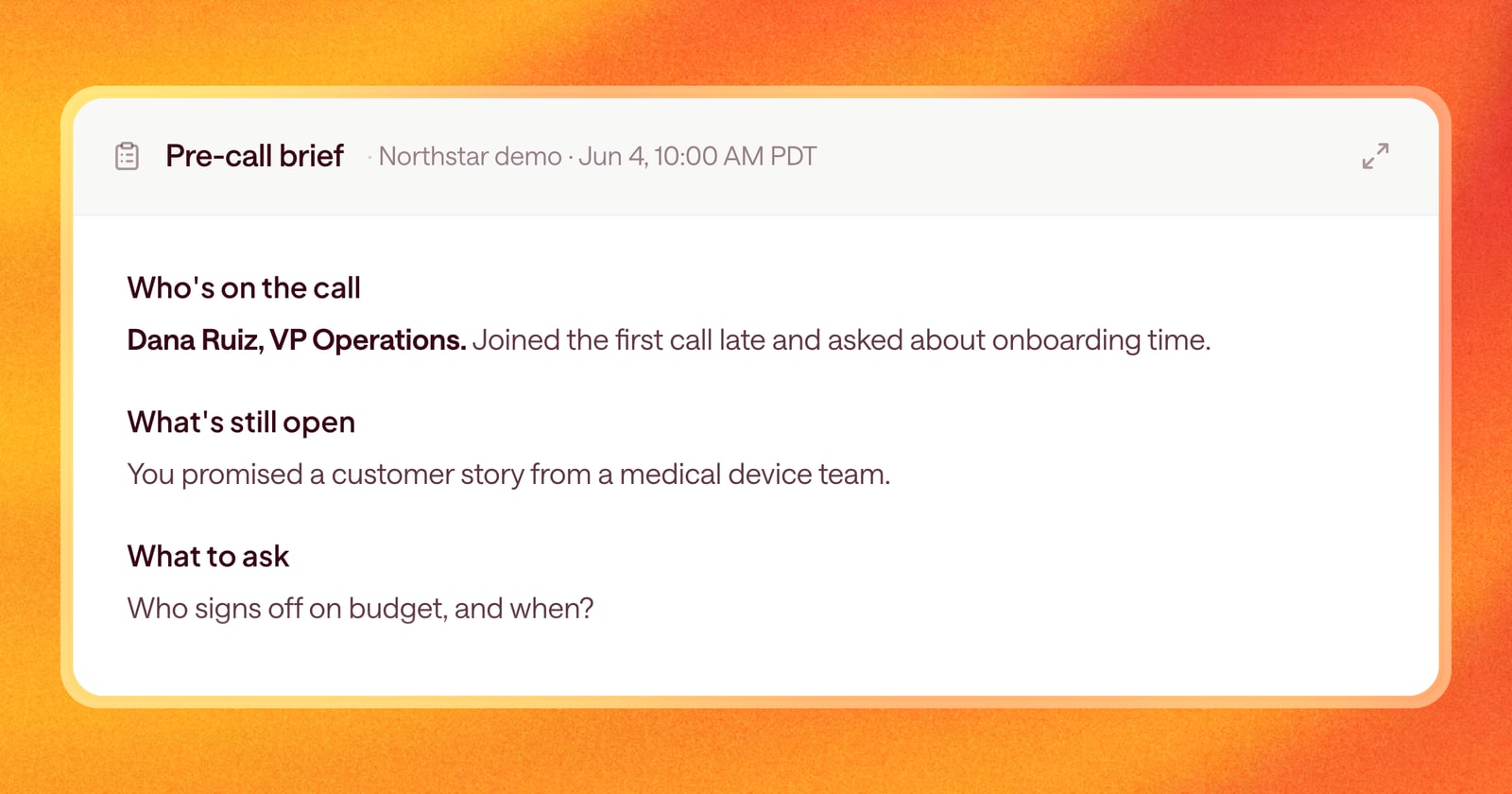
Say you have a second call with a mid-market prospect at 10am. At 8am, the brief is ready. It reminds you that their head of sales joined the first call late and asked about onboarding time, that you promised a customer story from their industry, and that nobody has confirmed who signs off on budget. You walk in knowing what to open with, what to send, and what to ask.
Getting started
Briefs are on for every deal with an Arrows space. Open Arrows in the morning to see today’s meetings and their briefs, or ask Arrows in chat for a brief on any upcoming meeting. To change what goes into a brief, update your playbook: Arrows follows it.