

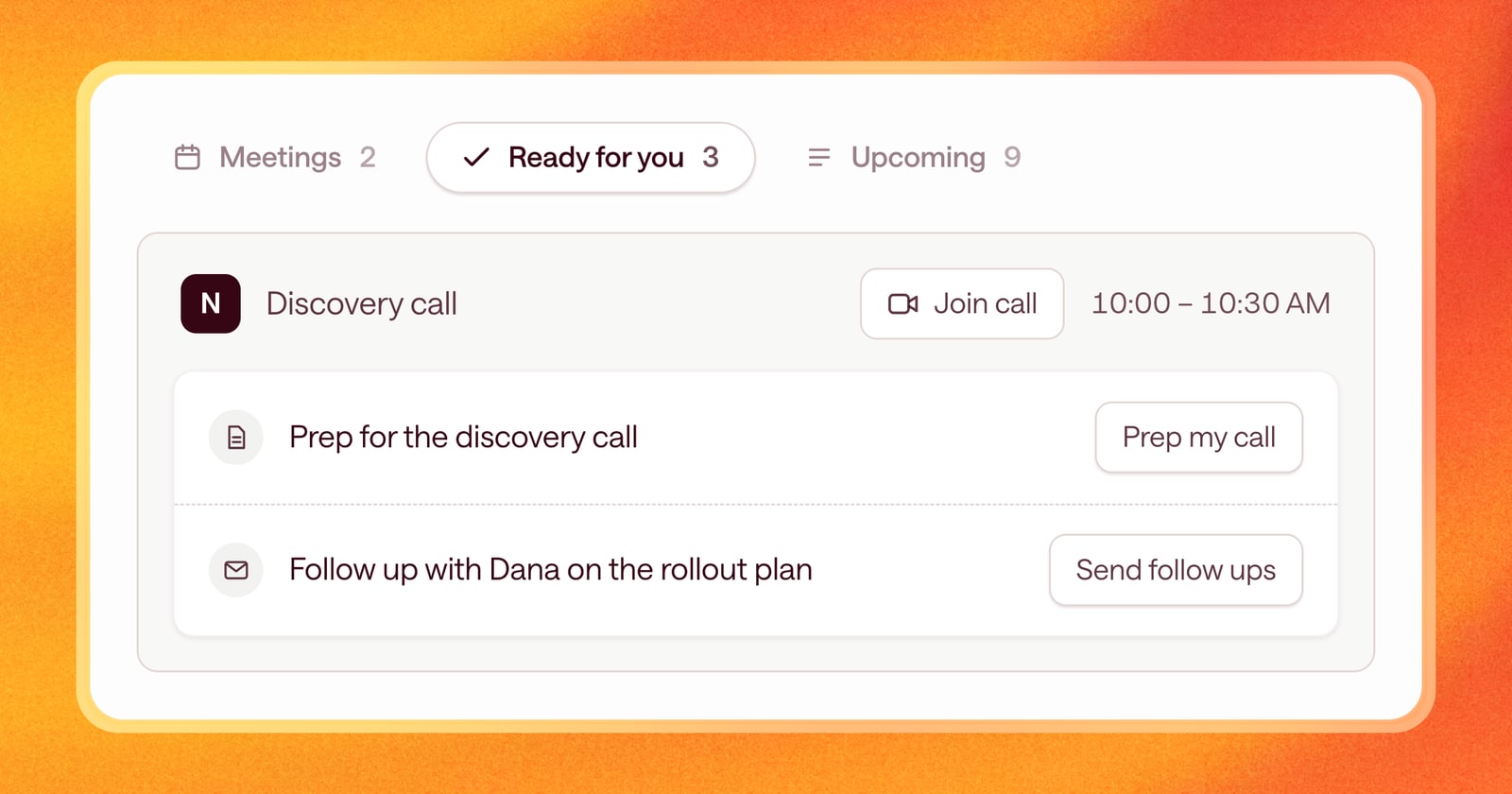
When you open Arrows in the morning, you have one question: what do I need to do today?
The old home page answered part of it. You could see some of your work, but you had to click into deals to find out what was next on the rest. This week we rolled out a new home page for your Sales Workspace, built to answer that question at a glance.
Today and what’s coming up
The home page is split into two views:
- Today. Your meetings and the deals that need you today.
- Upcoming. Every active deal, with its next step.
Each view shows a count of the deals that need your attention, so you can tell how much is waiting before you even click. If today shows two and upcoming shows nine, you know where your morning is going.
Meetings that look like your calendar
Meetings on the home page are now styled like your schedule, so you can scan the day the same way you’d scan your calendar.
Every active deal, with its next step
The Upcoming view lists every active deal with the next step in its Deal Gameplan. It’s one place to check that every deal has a next step, and what it is.
If a deal is missing from the list, or its next step is weeks away, you’ll notice.
Easier to scan
A few smaller changes make the page faster to read:
- An icon for each kind of work. Each item shows an icon for what it is, so you can tell at a glance what you’re about to open.
- Long names stay tidy. Long deal names and step titles are shortened to fit, and you can hover to see the full text.
What this looks like in your morning
You open Arrows at 8:30am. Today shows two meetings and three deals with work ready for review.
You open the first deal and send the follow-up Arrows drafted after yesterday’s demo. You check the brief for your 10am call. Then you switch to Upcoming and see that a deal you haven’t touched in a week has its next step on Thursday. No surprises.
Getting started
The new home page is live for everyone. Click Home in the sidebar to see it.