

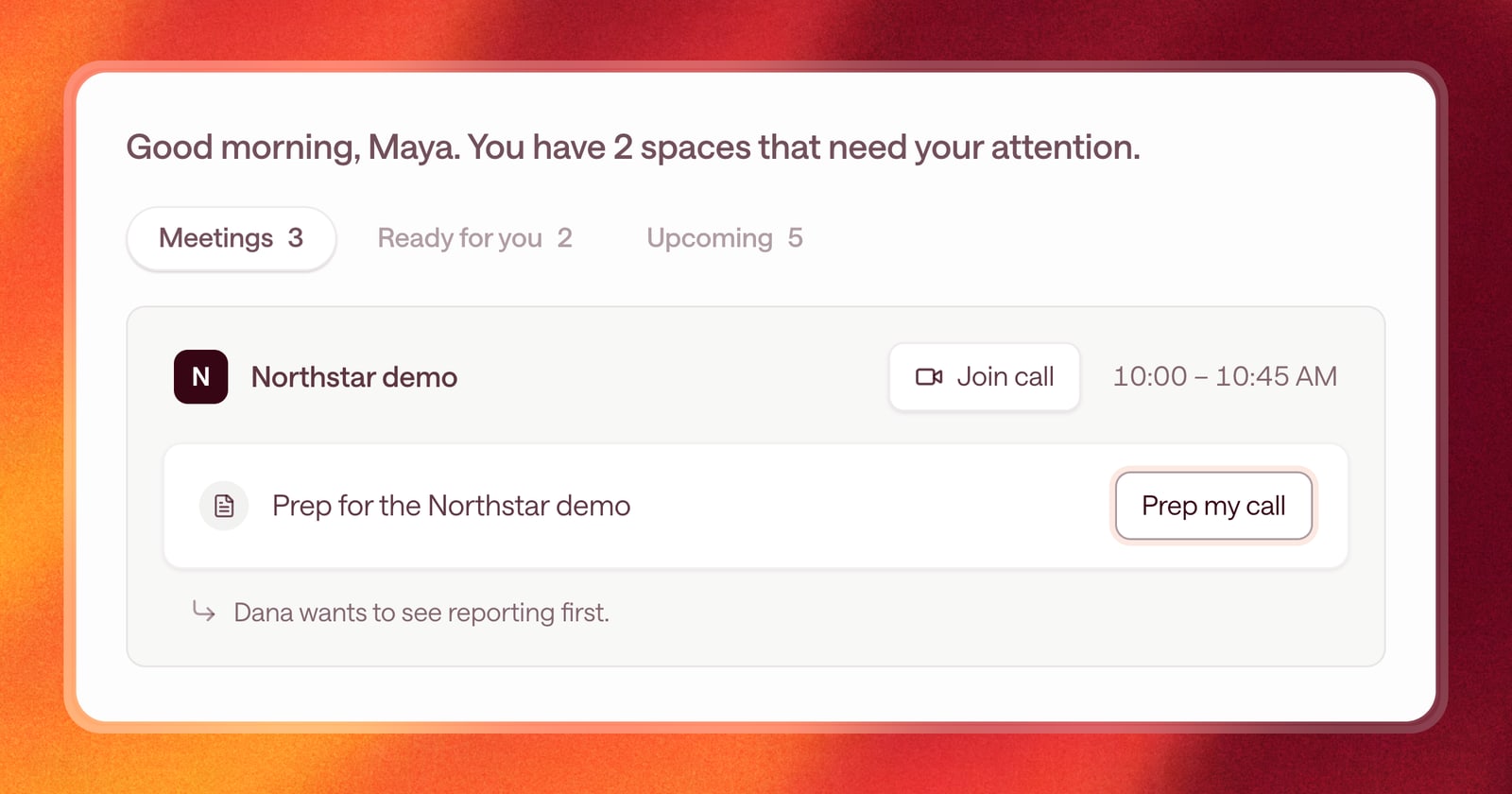
A rep’s morning usually starts in four places. The calendar to see who you’re meeting. The CRM to remember where each deal stands. The inbox to find what you owe people. And a notes doc to figure out what to say.
Starting today, your Sales Workspace pulls that into one view. Open Arrows and you see your day: your meetings, the prep for each one, and the work that’s waiting on you.
Today’s meetings, with the prep attached
The top of your workspace lists your meetings for the day. Each deal meeting comes with its pre-call brief, so the prep sits right next to the call it’s for.
Open the prep on any meeting and the brief comes up directly. No hunting through the deal to find it.
Work that needs you
Below your meetings is the work Arrows has prepared that’s waiting on your review: a follow-up email to approve, CRM updates to apply, or a brief to read.
It’s a short list on purpose. When you approve something, it’s done and leaves the list. When you decline something, it leaves the list too. What’s left is what still needs you.
See every meeting, not only deal meetings
Connect your Google account and your workspace shows all of your meetings, including ones that aren’t tied to a deal in your CRM yet.
That matters for the calls that start deals. A first meeting booked straight from your website often isn’t on a CRM deal. From your workspace you can:
- Create an Arrows space from the meeting, so Arrows starts working the deal from the first call.
- Add the meeting to an existing space, when it belongs to a deal you’re already working.
Choose what you see
Not every meeting on your calendar is a sales call. You can pick which meetings show up in your day, so internal syncs and one-on-ones don’t crowd out the calls that matter.
An example
It’s 8:30am. You open Arrows and see three meetings. The 10am demo has its brief ready: you open the prep, skim it, and you know the buyer wants to see reporting first. The 1pm call is a new inbound meeting that isn’t in your CRM yet, so you create a space for it in one click. Waiting for your review, there’s a follow-up from yesterday’s call, already written. You read it, approve it, and your morning prep is done before your coffee is.
Getting started
Open Arrows and your dashboard is the first thing you see. To see meetings that aren’t on a CRM deal yet, connect your Google account. To trim the list, choose which meetings appear in your Today view.