

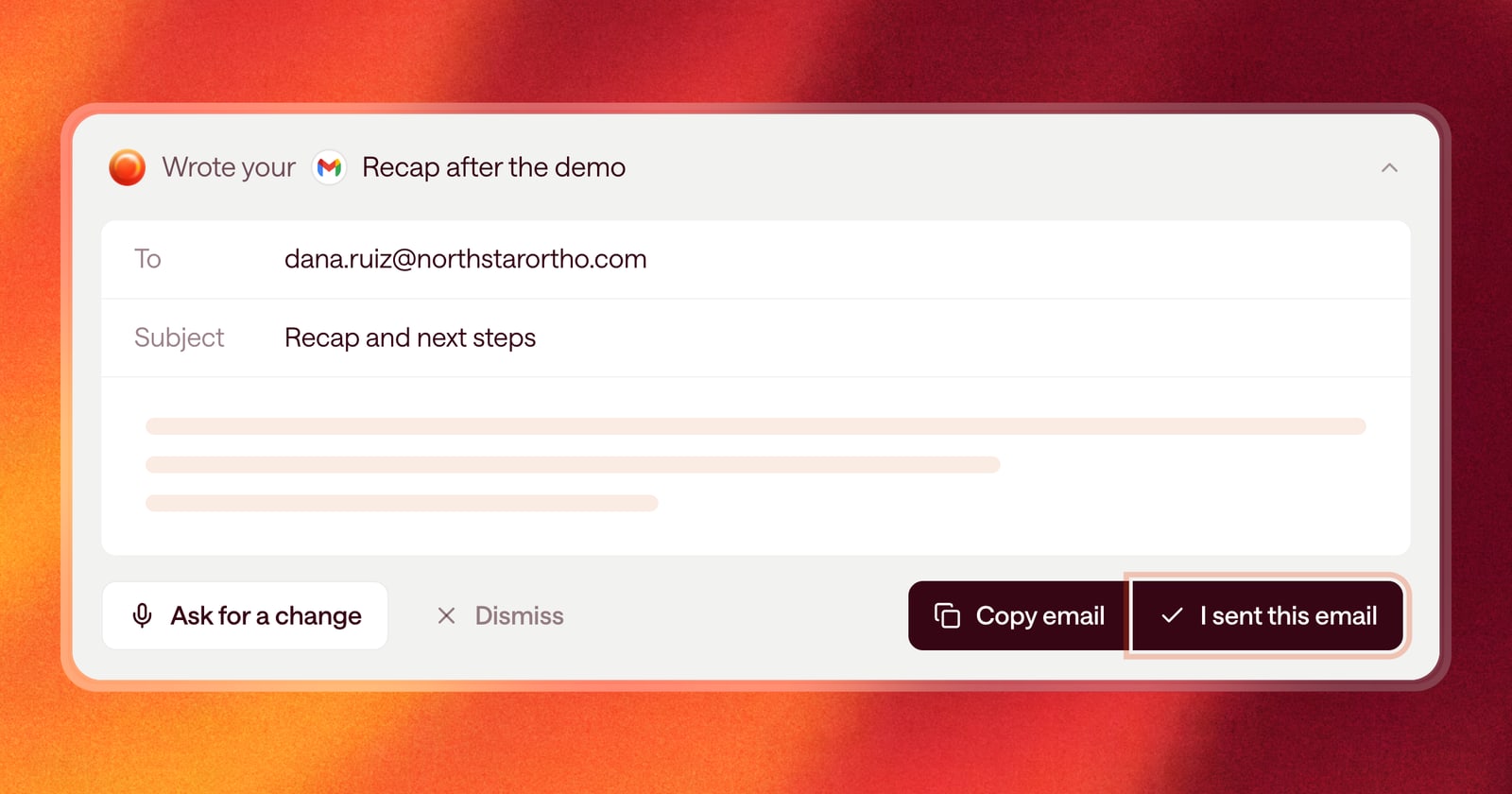
A to-do list is only useful if it’s accurate. If you sent the follow-up from your own inbox, or read the brief right before the call, Arrows had no way to know. The work sat in your Sales Workspace asking for attention it no longer needed.
Starting today, you can tell Arrows it’s handled.
Check it off
Every piece of work Arrows prepares can now be marked as finished:
- Email drafts can be marked as sent. Use this when you copied the draft into your inbox and sent it from there.
- Pre-call briefs can be marked as reviewed once you’ve read them.
When you mark something, it’s checked off in its Deal Gameplan step and leaves the list of work waiting on you.
Most of the time you won’t need to do this at all. Once Arrows has what it needs to know the work is done, it checks it off for you. Marking it yourself is for the times you get there first.
Declined work gets out of the way
Sometimes Arrows suggests something you don’t want to do. Maybe the follow-up it drafted isn’t right for this buyer, or the CRM update doesn’t apply.
When you decline a piece of work, it now shows as “declined” in the step and leaves your list. It stays on the plan so you and your team can see what was suggested and passed on, but it stops asking for your attention.
A new kind of work: phone calls
Some teams build their Agentic Playbook around picking up the phone. A quick call after a proposal goes out. A check-in when a deal goes quiet. A call to the economic buyer before the contract lands.
Arrows can now add a phone call as work in a gameplan step, the same way it adds an email or a CRM update. You’ll see who to call, what the call is for, talking points, and a short script, right in the step. Make the call, mark it done, and the step moves forward.
Actions live in the plan, not the chat
We also removed the action buttons from chat. Before, Arrows sometimes put things to approve inside the conversation, where they were easy to lose as the chat scrolled on.
Now everything you can act on lives in a gameplan step. Chat is for asking questions and giving Arrows direction. The plan is where the work is.
An example
Thursday afternoon you’re between calls. You read the pre-call brief for tomorrow’s meeting and send yesterday’s recap from your own inbox. Then you mark the brief as reviewed and the email as sent. All that’s left waiting on you is the one thing you haven’t touched: a phone call to the buyer’s IT lead, which Arrows added because your playbook says to call before the security review.
Getting started
Open any gameplan step with work in it. You’ll find the option to mark it as sent, reviewed, or done next to the work itself.