

Arrows’ work is only as good as what it knows about the deal. And when you’re about to get on a call, you want to know the same things: who’s involved, what was said, and what was sent.
Until now, that history was spread across your CRM, your inbox, your calendar, and your call recorder. Today every Arrows space brings it together, so you can see everything Arrows knows about a deal on the space’s Context page.
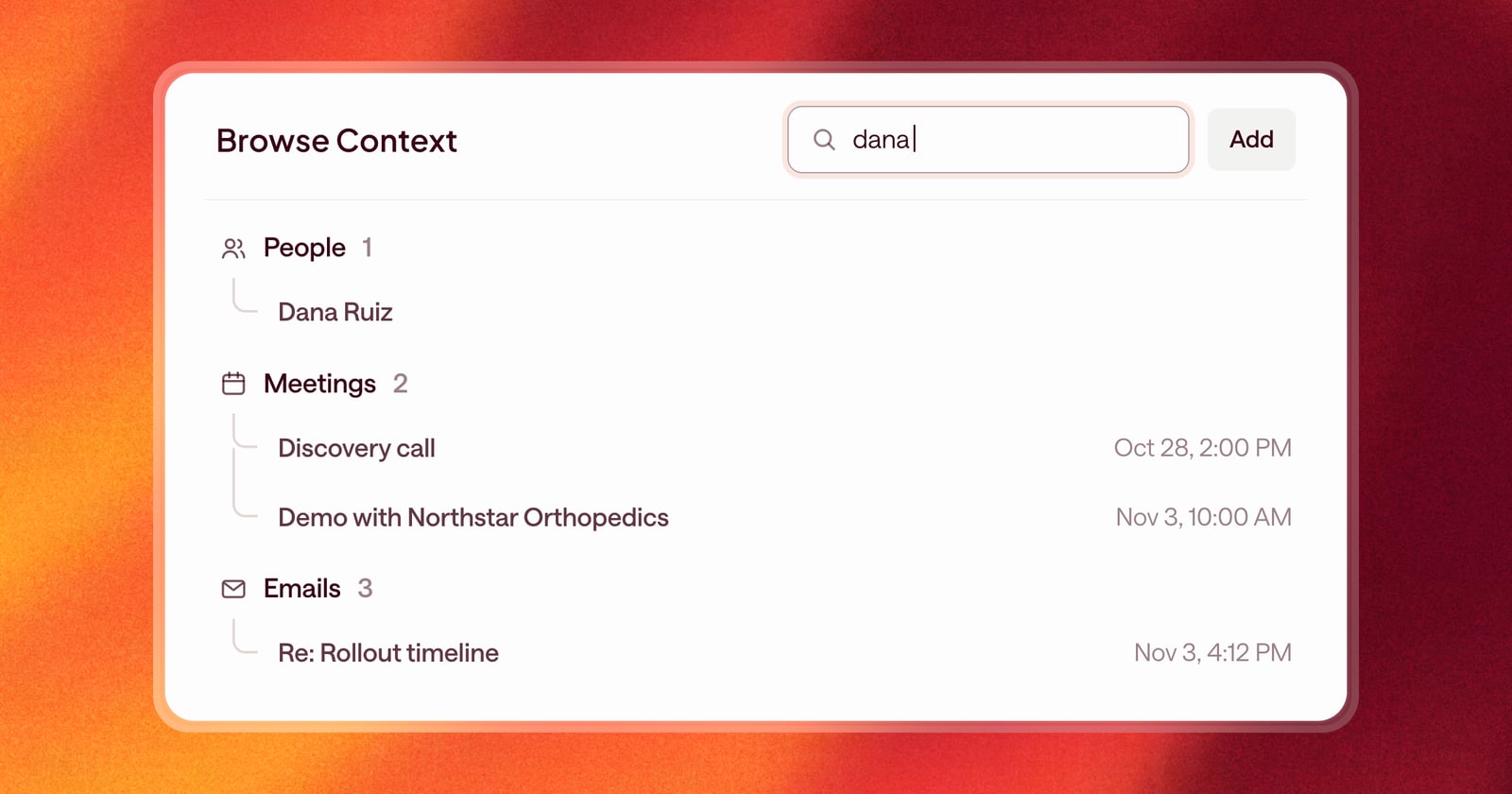
What you’ll find
It’s the deal’s full record, grouped into folders:
- People. Everyone involved in the deal, on their side and yours, with their title and role when Arrows knows it.
- Meetings. Meetings on the deal, with the organizer and attendees.
- Emails. Threads with the people on the deal.
- Notes. Notes from your CRM and notes you add in Arrows.
- Phone calls. Calls logged on the deal, with who called whom.
This is the same record Arrows uses to build your Deal Gameplan and draft your work. If it’s here, Arrows can see it.
Search across all of it
Type in the search box at the top to filter everything at once. Search works on:
- People by name or email.
- Meetings by title, organizer, attendees, or where they came from.
- Emails by subject, sender, recipients, or where they came from.
- Phone calls and notes.
Searching by source is handy. Search “grain” to see everything that came from Grain, or “hubspot” to see what came from your CRM.
Built for quick scanning
Each item has a card designed for its type, so a meeting reads like a meeting and an email reads like an email. Click any card to open the full record.
Folders open and close with a click. Hold Option (Alt on Windows) and click to open or close all of them at once.
People come with the deal
When you create a space for a CRM deal, Arrows pulls in the contacts on that deal as People. You start with the buying team already listed, instead of adding them one by one.
Your sales room, one click away
The space sidebar now has a link to the deal’s sales room at the bottom. Click it and the sales room opens right on top of the space, so you can check what the buyer sees without leaving the deal.
Since launch
This keeps growing. In October, Arrows started listing meeting recordings here, and people now show their photo, or their initials when there isn’t one.
What this looks like before a call
Say you have a call in 15 minutes with a buyer’s IT lead, and you want to remember what you’ve already sent them.
Open the deal’s Context page and type their name in the search box. Every meeting they attended and every email they were on comes right up. Skim the last thread, and you’re ready.
Getting started
This is live for everyone. Open any space and choose Context.