

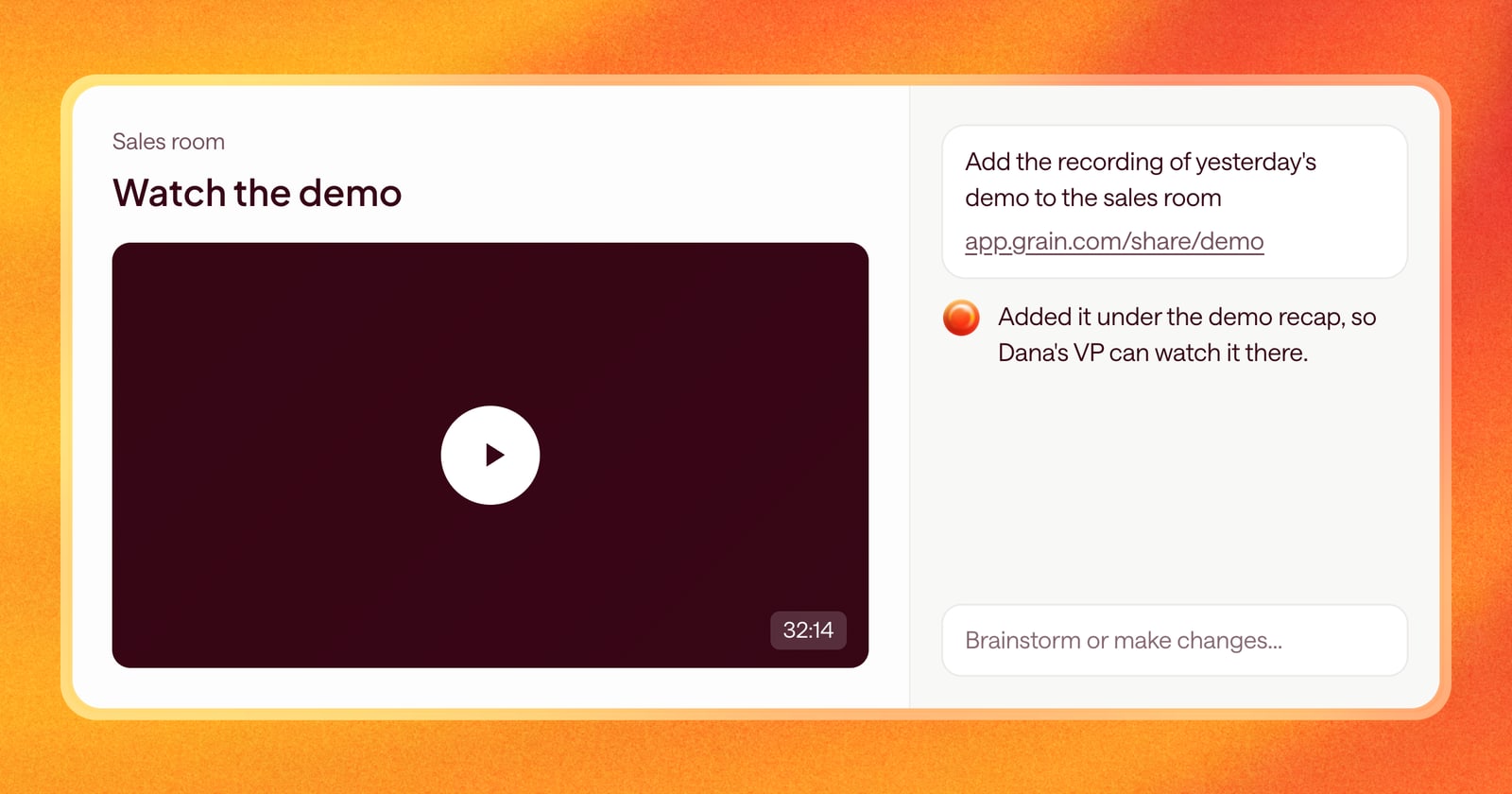
Some of the most useful things to share with a buyer are videos: the recording of the demo their boss missed, a two-minute product walkthrough, a customer story. But a link at the bottom of an email gets skipped, and a list of links in a sales room isn’t much better.
Now you can hand Arrows a link, and it embeds the video right in the sales room.
How it works
Paste a link in chat, in the deal’s Arrows space. For example:
“Add the recording of yesterday’s demo to the sales room: [link]”
Arrows checks whether the link can be embedded. If it can, it decides where it fits best in the room and adds it there, so the buyer can press play without leaving the page.
This works for call recordings and other video links that support embedding.
Why it helps
Buyers rarely make decisions alone. The person you demoed to has to explain it to a manager, a finance lead, and sometimes IT. A recording in the room lets them share what they saw instead of retelling it.
It also keeps everything in one place. The proposal, the mutual plan, the resources, and the recording all live on the same page, under your brand.
An example
Your champion’s VP couldn’t make the demo. After the call, your champion asks if there’s a recording.
Open the space, paste the recording link in chat, and ask Arrows to add it to the sales room. It embeds it where it fits in the room. You send your champion one link to the room, and the VP can watch the demo and read the recap together.
Works with everything else in the room
Embedding a recording doesn’t replace the rest of the room. Arrows still keeps the room current as the deal moves forward, and you can ask for changes in chat at any time, like moving the recording higher on the page.
Getting started
Open any space with a sales room, paste a link in chat, and ask Arrows to add it to the room.