

An email draft is only useful if you’d actually send it. Two things get in the way: it doesn’t end the way your emails end, and it doesn’t sound like you.
This week we fixed both. You can add your email signature to Arrows, and you can tell Arrows how you like to write.
Your signature, on every email
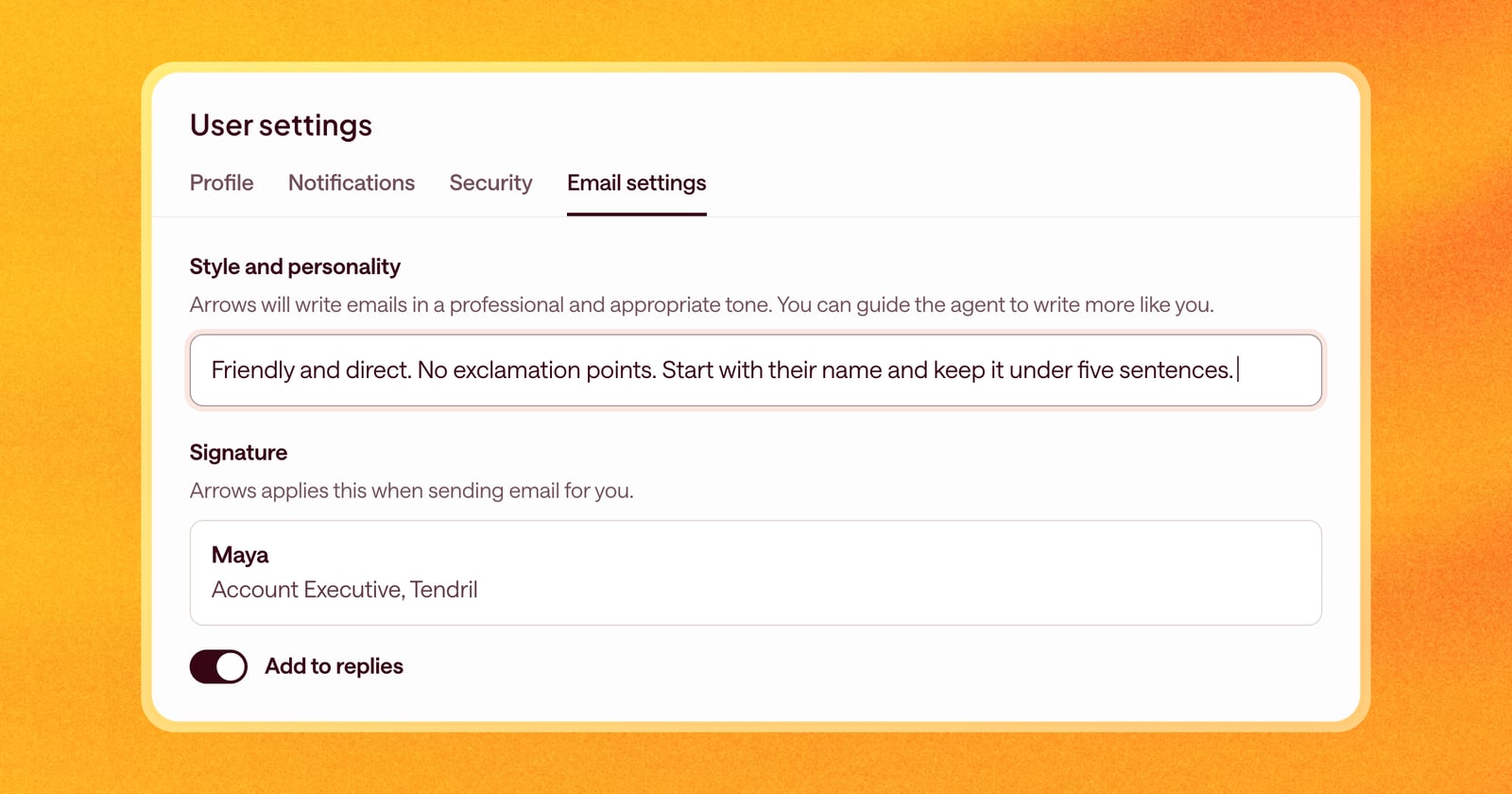
Add your signature once in Arrows, and it goes on the emails Arrows sends for you. When you review a draft, you’ll see your signature under it, so you know exactly what the buyer will get.
By default, the signature goes on new emails, not replies, since most people leave it off a reply in a thread. If you want it on replies too, turn on Add to replies.
Your style and personality
Out of the box, Arrows writes in a professional, appropriate tone. That’s a safe start, but it isn’t you.
A new setting lets you guide Arrows to write more like you. Write it the way you’d brief a new teammate who’s about to send emails on your behalf. For example:
- Your tone. “Friendly and direct. I don’t use exclamation points.”
- Length. “Keep emails under five sentences. Buyers read on their phones.”
- Greetings and sign-offs. “Skip ‘I hope this finds you well.’ Start with their name and get to the point.”
- Phrases to avoid. “Never say ‘circle back’ or ‘touch base.’”
Arrows reads this every time it writes an email for you.
What this looks like on a deal
Say you just finished a discovery call, and Arrows drafts the recap.
Before, it opened with a warm-up line, ran two paragraphs long, and ended with no signature. You’d trim it, add your sign-off, and paste in your phone number.
Now it opens with the buyer’s name, lists the three next steps in a few short lines, and ends with your signature. You read it, change one word, and send.
Getting started
Open User settings, then Email settings.
- Under Style and personality, write a few lines about how you like to write. Short is fine. You can add more any time.
- Under Signature, paste or write your signature.
- Turn on Add to replies if you want your signature on replies too.
- Save.
Your next draft will use both.