

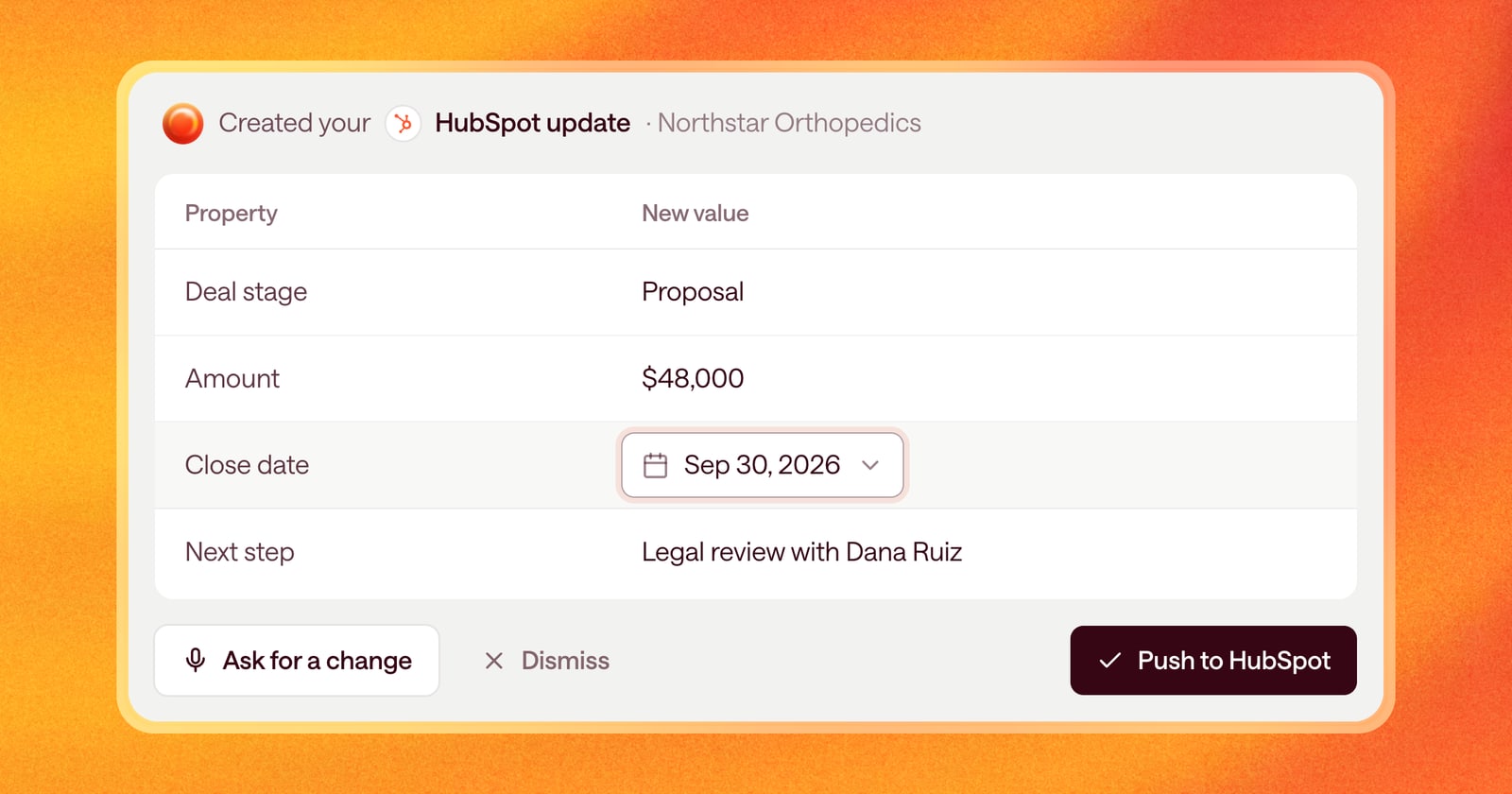
After every call, Arrows prepares the CRM update for you: the new deal stage, the next step, the close date, and whatever else your Agentic Playbook says should change. Most of the time it’s right. Sometimes one value is a little off, like a close date that should be the end of the quarter instead of the end of the month.
Until now, fixing that meant asking Arrows to change it and waiting for a new version. Starting today, you can change it yourself.
What changed
HubSpot updates in Arrows now let you edit each value right where it’s shown. Click the value, change it, and you’re done. Then push the update to HubSpot.
The input matches the kind of property you’re editing:
- Dropdowns for properties with a fixed list of options, like deal stage
- Date pickers for dates, like close date
- Number fields for amounts
- Text boxes for everything else
You can still ask Arrows for bigger changes. Inline editing is for the quick fix you already know you want.
An example
You finish a demo, and Arrows prepares a HubSpot update: move the deal to “Proposal,” set the amount, and set the close date to the end of this month.
On the call, though, the buyer said legal review usually takes a few weeks. You click the close date, pick a date next month, and push the update. It takes a few seconds, and HubSpot is right.
Only valid values
Arrows no longer proposes values that HubSpot won’t accept for properties with a fixed list of options. If a property only allows “Inbound,” “Outbound,” or “Partner,” those are the only values Arrows will suggest, and the only ones you can pick.
That means fewer updates that fail when you push them, and fewer trips into HubSpot to fix a field by hand.
How to use it
Open a step in the deal’s Deal Gameplan that has a HubSpot update. Click any value in the New value column to change it. When it looks right, click Push to HubSpot.
Nothing goes into HubSpot until you push it.