

Not every deal in your CRM needs Arrows working on it from day one. A new inbound lead and a late-stage enterprise renewal shouldn’t get the same treatment, and a deal that’s already closed doesn’t need anything at all.
Until now, Arrows used one rule to decide when to create an Arrows space for a deal. Now you can set your own rules for when Arrows creates a space.
What a rule looks like
A rule reads like a sentence:
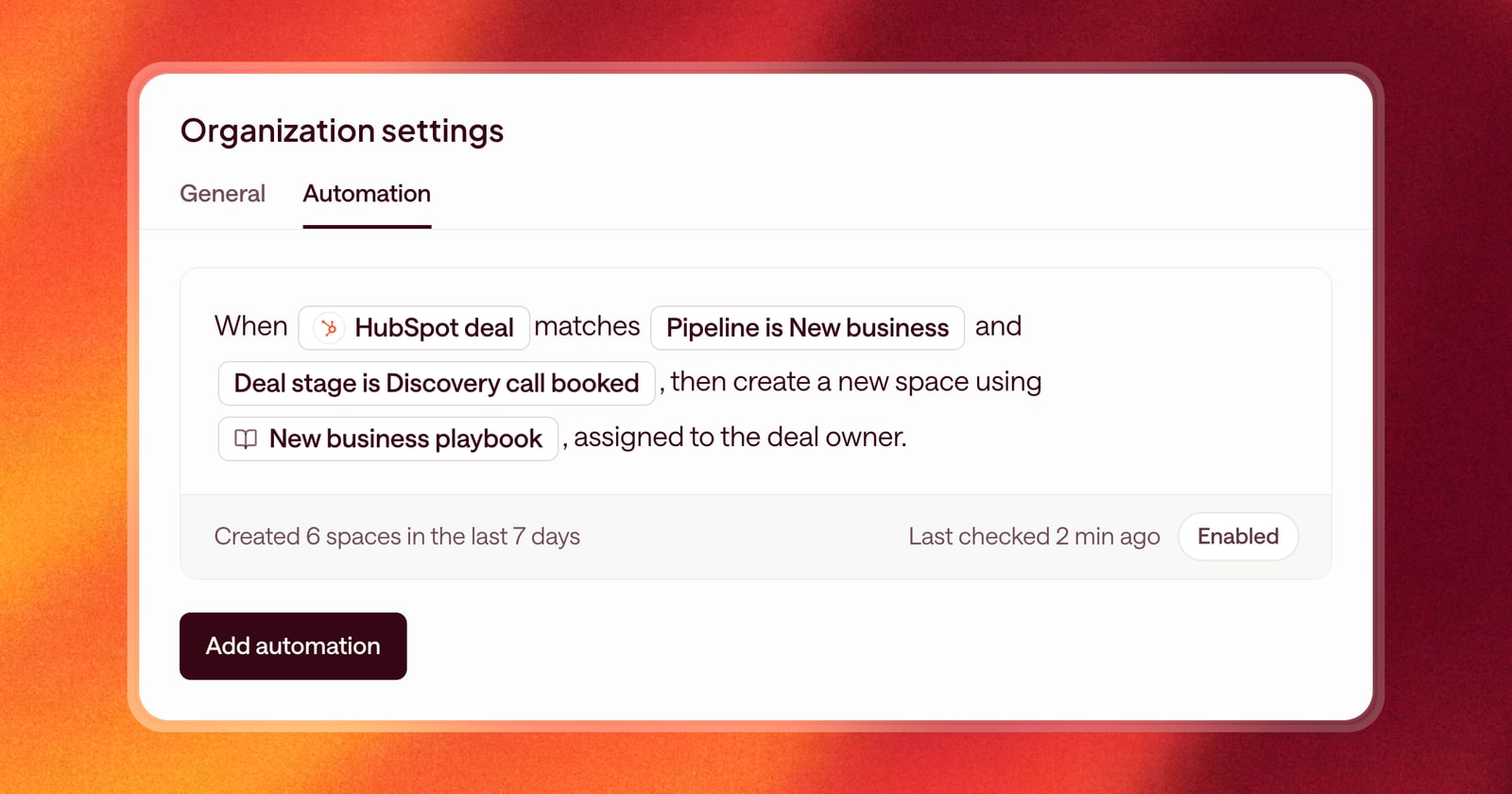
When a HubSpot deal matches Pipeline is New business and Deal stage is Discovery call booked, then create a new space using New business playbook, assigned to the deal owner.
Each rule has three parts:
- When: the kind of record to watch, like a HubSpot deal or a Salesforce opportunity.
- Matches: one or more conditions, such as pipeline, stage, or deal amount.
- Playbook: the Agentic Playbook the new space runs.
You can have as many rules as you need. That means different deals can start with different playbooks: one for new business, one for expansion, one for partner deals.
More control over stages
Stages are where most teams draw the line, so conditions on stage go beyond “is”:
- Is not a stage, for example every deal in the pipeline except the ones still sitting in “New lead.”
- Is any of several stages in the same pipeline, for example “Demo scheduled,” “Demo completed,” or “Proposal sent.”
If you sell from two pipelines, add a second rule for the second pipeline. On HubSpot, you can also make a rule depend on a deal property.
Closed won and closed lost deals are always skipped, so you never get a space for a deal that’s already over.
See what will match before you save
As you build a rule, Arrows tells you how many open deals match your conditions right now and names a few of them. If the number looks wrong, adjust the conditions before you save.
A rule applies to deals that change after you save it. Once it’s on, the rule shows when it last checked your CRM and how many spaces it has created in the past week.
An example
Say your team runs two motions. Inbound deals under $20,000 move fast, and you want a short, email-heavy playbook. Larger deals need discovery, a mutual plan, and a sales room.
Create two rules:
- Pipeline is Inbound and Deal amount is less than 20,000, using your fast-track playbook.
- Pipeline is Inbound and Deal amount is more than 20,000, using your full-cycle playbook.
From then on, each new deal gets the right space and the right plan without anyone deciding by hand.
Works with your CRM
Rules for when Arrows creates a space work with HubSpot, Salesforce, Pipedrive, Close, and Zoho CRM. A space is created only when the deal owner is an Arrows user, so the space lands with the right rep.
Getting started
Open Organization settings, then the Automation tab, and choose Add automation. Pick the record type, add your conditions, choose a playbook, and save. You can turn any rule on or off with its Enabled switch.