

Your sales process doesn’t live in your CRM alone. Research happens in Apollo or ZoomInfo. Proposals go out from PandaDoc. Deal notes live in Notion. The handoff to onboarding happens in Linear or monday.com.
Until now, Arrows could only see and work in the CRM, your calendar, your email, and your call recorder. Today that changes: with Your Sales Stack, Arrows connects to the rest of the tools you use.
How the connection works
Arrows connects through MCP (Model Context Protocol), an open standard that lets AI work with other software. A tool that supports it describes the actions Arrows can take in it, like “search companies” or “create a page,” and Arrows uses those actions with your permission.
You don’t need to know any of that to use it. In Arrows, it looks like any other connection.
What you can connect
The Connectors page has a library of tools to choose from, including:
- Research: Apollo.io, ZoomInfo, Clay, Lusha, and Crossbeam
- Outreach and scheduling: Outreach, Salesloft, Calendly, and Chili Piper
- Proposals and contracts: PandaDoc, DocSend, and Ironclad
- Docs and projects: Notion, Gamma, Canva, Linear, ClickUp, monday.com, and Atlassian
- Customer tools: Intercom, Gainsight, and Stripe
If a tool you use supports the same standard but isn’t in the library, you can add it by its address.
You decide what Arrows can do
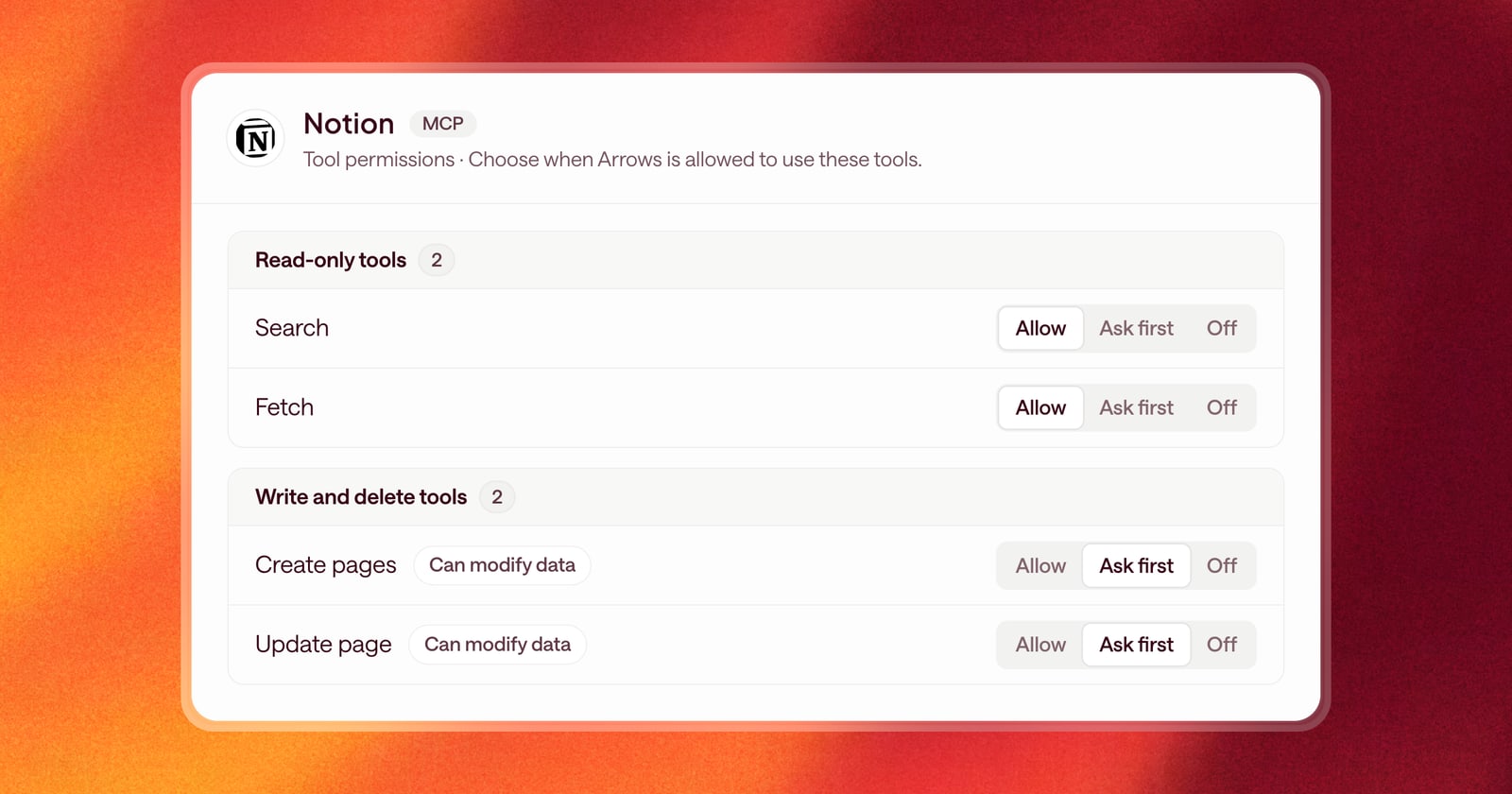
Every connected tool lists the actions Arrows can take in it. For each one, you choose:
- Off: Arrows can’t use it.
- Ask first: Arrows prepares the action and waits for you to approve it.
- Allow: Arrows can use it on its own.
Actions that change data in another tool are marked, so you can see at a glance which ones write as well as read.
Connected once, or per person
Some tools are best connected once for the whole team. Others, like a personal Notion or Linear account, each person connects for themselves. Admins choose which, and new teammates are asked to connect their own tools during setup.
What this looks like in a deal
Put it in your Agentic Playbook and Arrows follows it. For example:
- “After the first call, look up the company in Apollo and add what you find to the deal’s Arrows space.”
- “When a deal hits proposal, create a Gamma deck from the deal overview.”
- “After the first call, create a Notion doc for the deal. Update it at every stage.”
Getting started
Open Connectors in Arrows, choose a tool, and connect it. Then set what Arrows can do in it, and add it to your playbook.