

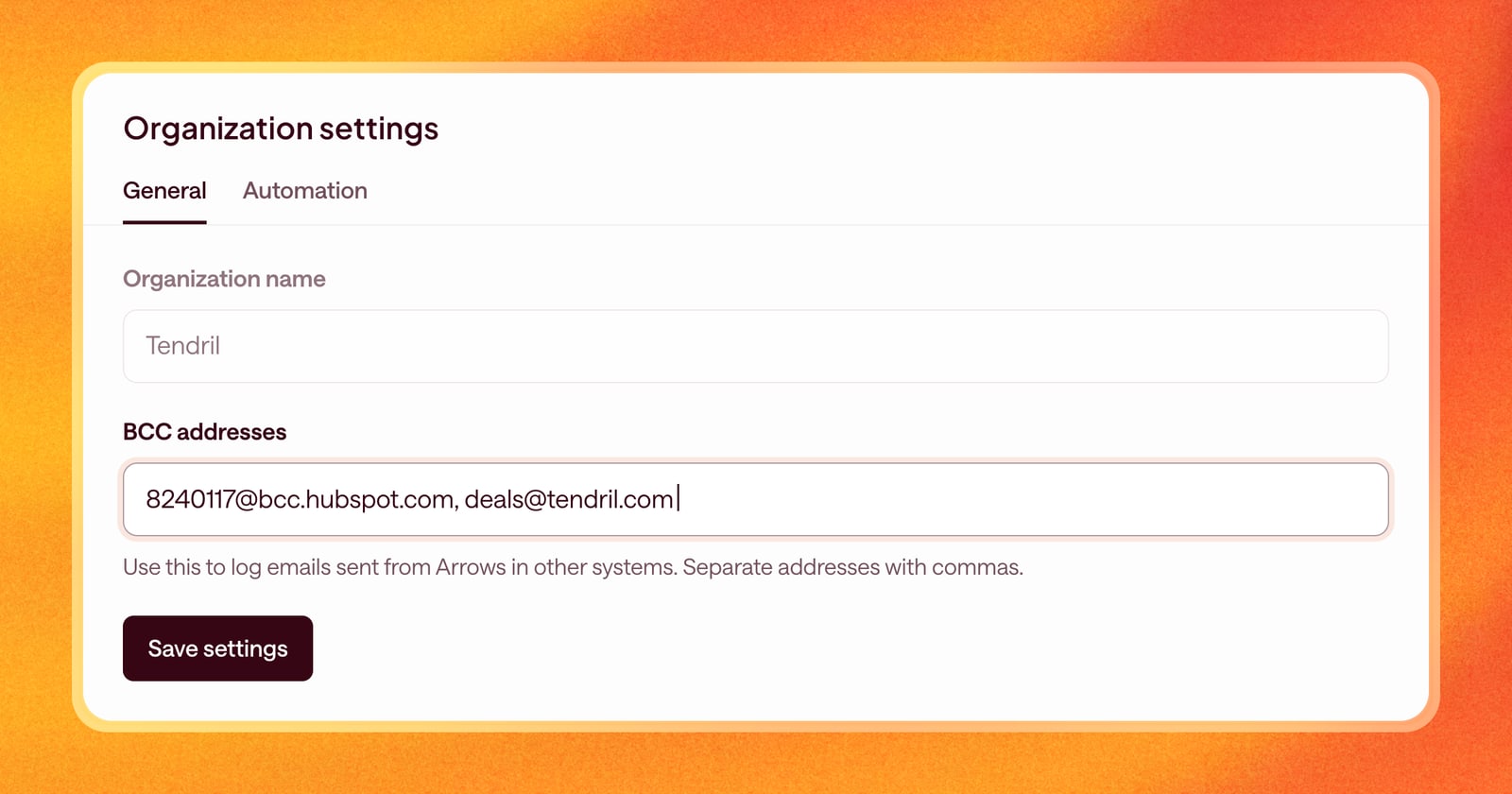
When you send a follow-up from Arrows, you want it on the record: in your CRM, on the deal timeline, wherever your team looks to see what happened. Many tools log email the same way, with a special BCC address.
Now Arrows can BCC those addresses on every email you send from an Arrows space.
How it works
There are two places to set BCC addresses.
For the whole team. An admin adds one or more addresses in organization settings. Every email anyone on the team sends from Arrows is copied to them. This is the place for your CRM’s logging address, or a shared inbox that keeps a record of customer email.
For yourself. Each person can add their own addresses under the email section of their user settings. Your page also shows the team’s addresses, so you can see everything your emails go to.
Separate multiple addresses with commas.
HubSpot users: already done
If your team connected HubSpot before this change, you don’t need to do anything. Arrows filled in your HubSpot BCC address for you, so emails sent from Arrows are logged to HubSpot the same way emails from your inbox are.
Why it matters
When emails sent from Arrows show up in the same place as the rest of your email, everyone sees the full picture. Your sales leader reviewing a deal sees the follow-up you sent. Your CRM’s activity history stays complete. And reports that count emails don’t miss the ones Arrows drafted for you.
An example
Your team logs every customer email in your CRM, and your sales leader also keeps a shared archive inbox for renewals.
- An admin adds the CRM’s logging address in organization settings.
- The account manager who handles renewals adds the archive inbox in their own settings.
Now every email sent from Arrows is logged to the CRM, and the account manager’s renewal emails are also copied to the archive. Nobody has to remember to forward anything.
Getting started
- Admins: open Organization settings and add addresses under BCC addresses.
- Everyone: open your user settings, find the email section, and add addresses under BCC addresses.
Then send an email from any space. It’s copied to every address on the list.