

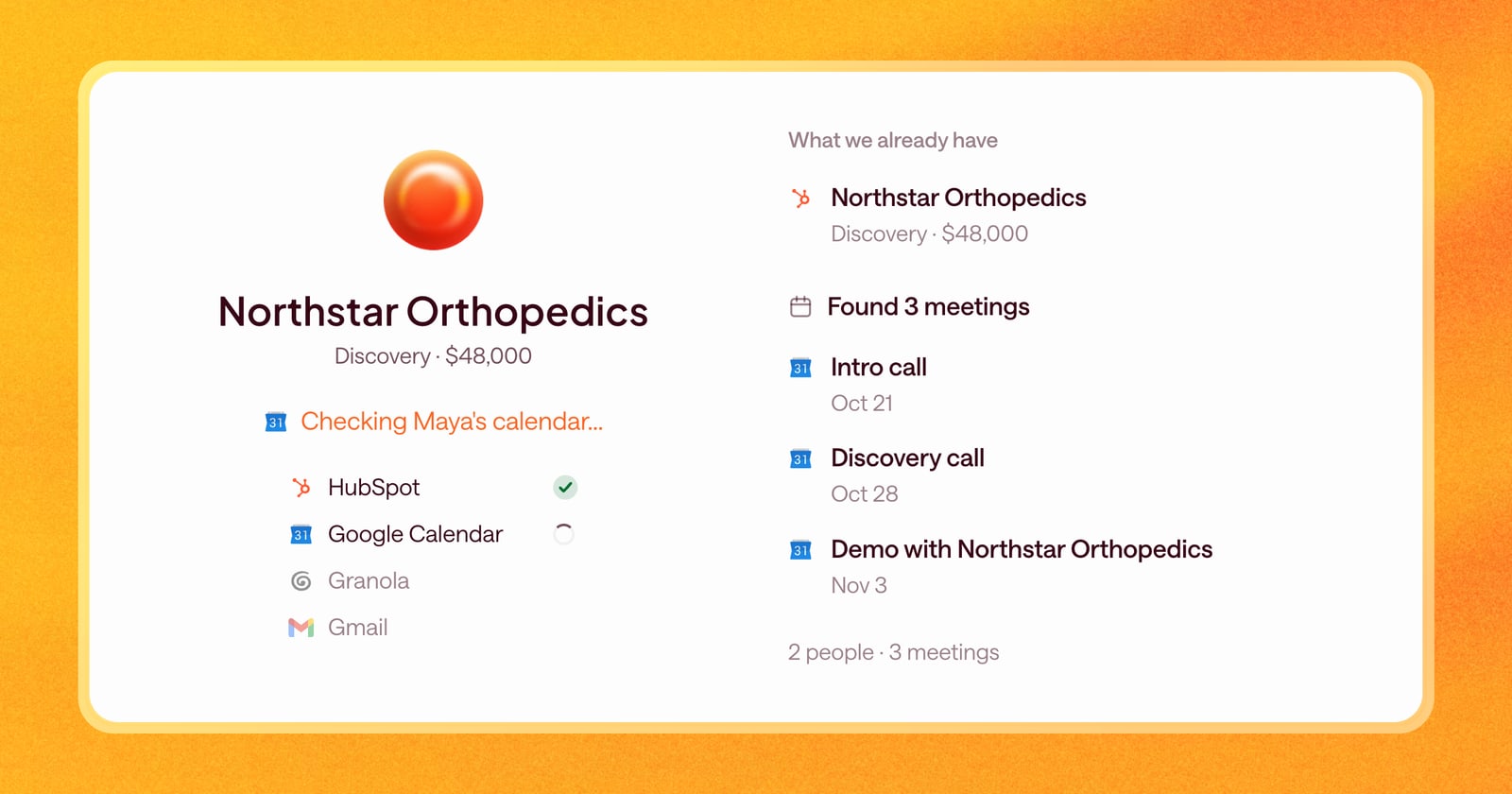
A deal rarely starts the day it shows up in Arrows. By then there’s usually been an intro email, a first call, maybe a follow-up thread with someone new. If Arrows starts without that history, its first Deal Gameplan is a guess.
Starting today, Arrows goes looking for that history the moment you create an Arrows space, and shows you what it finds.
Where Arrows looks
When a new space is created, Arrows checks:
- Your calendar. It looks through the space owner’s calendar for meetings related to the deal and pulls them in.
- Your inbox. It looks for email threads with the people from your CRM and from those meetings.
- Your call recorder. It looks for recordings of the deal’s calls in any call recorder you’ve connected.
Each find leads to the next. Say a CRM deal only has a company on it, with no contacts. Arrows finds your meetings with people from that company, adds those people to the space, and then finds your emails with them.
If your team doesn’t use a CRM, you choose how far back Arrows should look.
Watch it work
While Arrows gathers the deal’s history, a window shows what it’s finding, item by item: the people, meetings, and emails as they come in. When it’s done, you know exactly what Arrows is starting with, and the gameplan is built from all of it.
You stay in control
Arrows will sometimes pull in something that doesn’t belong. A meeting with the same company about a different project. An email thread with someone who also works on another deal.
You can remove any meeting, email, note, or call from a space. Find it on the space’s Context page, where everything Arrows knows about the deal lives, choose Remove from this space, and it’s gone from that deal.
When an item could belong to two deals, Arrows flags it and lets you choose where it goes.
One space per deal
Two spaces for the same deal means two gameplans and two sets of drafts. Arrows now prevents that. If a space already exists for a deal, you can’t create a second one, and Arrows shows you the existing space instead.
What this looks like on a new deal
Say a deal just moved to “Discovery” in your CRM. It has the company and one contact.
- You create a space for it in Arrows.
- Arrows finds last week’s intro call on your calendar and the recording from your call recorder.
- It finds two people from the buyer’s team on that call, adds them to the space, and pulls in the email threads you’ve had with them.
- The window lists everything it found. You notice one email is about a different deal, so you remove it.
Your first gameplan is built from the intro call and the real email history, not a blank slate.
Getting started
There’s nothing to set up. The next time a space is created, Arrows starts looking. For the best results, connect your calendar, email, and call recorder from Connectors.