

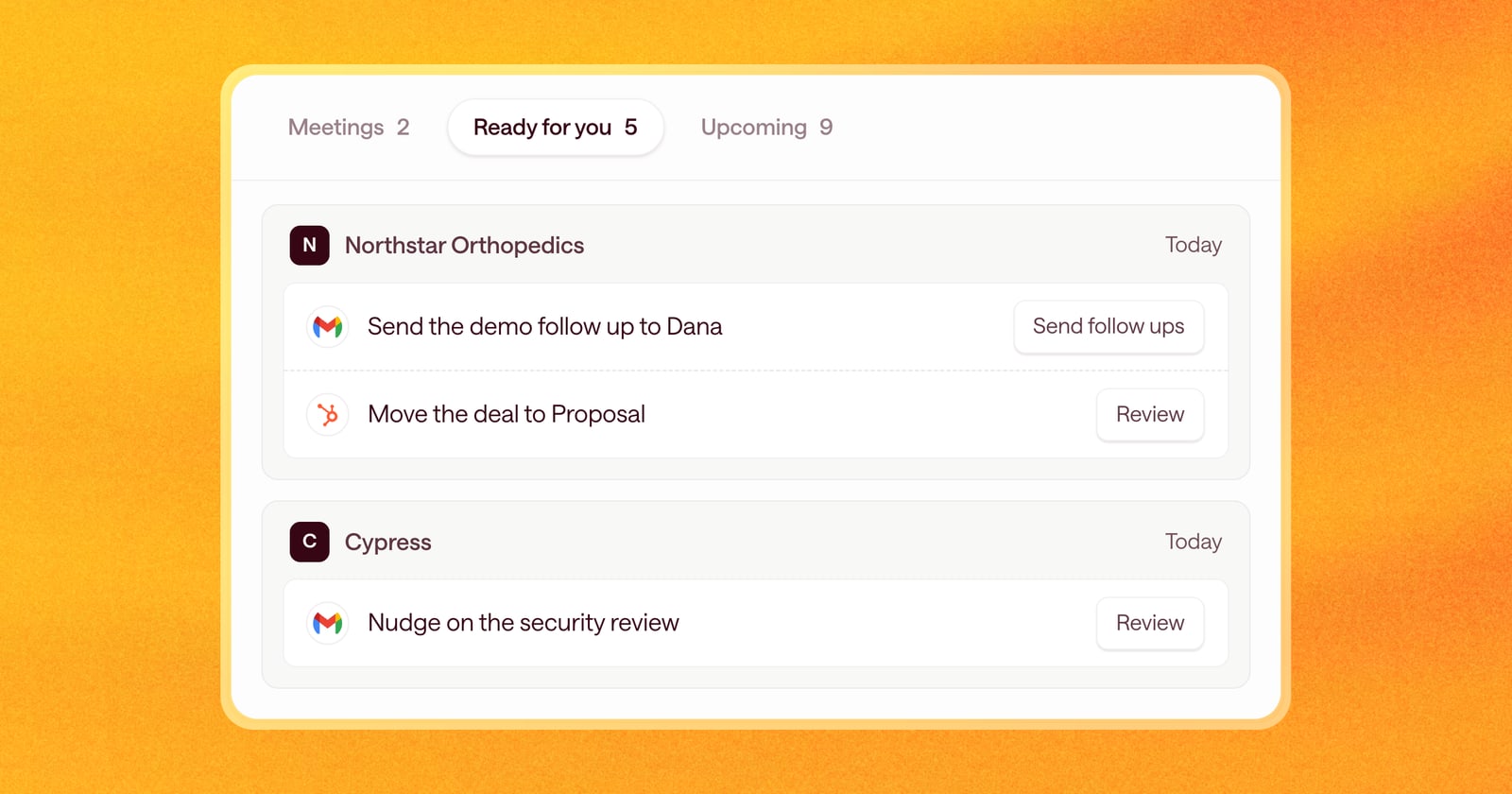
Arrows prepares a lot of work in a day: follow-up emails after calls, CRM updates, tasks, nudges for deals going quiet. All of it needs a quick look from you before it goes out.
Getting through it used to mean opening an Arrows space, reviewing the work, going back to the home page, and picking the next one. Now your Sales Workspace lines it all up, and you approve it one item after another.
A clearer home page
The home page is organized into three tabs that stay at the top as you scroll:
- Today’s calls, each with its pre-call brief.
- The work Arrows has finished that needs you today.
- What’s coming next across your active deals.
Each tab shows a count, and deals that need your attention show their company logo, so you can see at a glance whose deal is waiting. If you have no meetings today, the home page opens on the work waiting for you. Otherwise, it remembers the tab you used last.
One button through the whole day’s work
Open the first item waiting for you and review it. Send the email, apply the CRM update, or edit and approve the task.
Then move on. A button at the bottom of the page names the step it goes to, under that deal’s logo. It takes you straight to the next item, in the next deal’s space if needed. Keep going until everything is approved. When you finish the last item, Arrows tells you you’re all caught up.
No trips back to the home page, and no hunting for what’s left.
What’s waiting for you
You’ll find the work Arrows has prepared that needs you today, including follow-ups from today’s meetings. Pre-call briefs for today’s calls stay with those meetings, so this list stays focused on things to act on.
An example
It’s 4pm and you’ve had three calls. Arrows has drafted a recap for each one, proposed CRM updates for two deals, and drafted a nudge for a deal that’s been quiet for two weeks.
Open the work waiting for you and start at the top. Review the first recap, make a small edit, and send it. Choose Next. Apply the CRM update. Next. Send the nudge. A few minutes later, everything is approved and every deal has what it needs before you log off.
Getting started
The new home page is on for everyone. Open Arrows, choose Ready for you, open the first item, and use Next to work through the rest.