
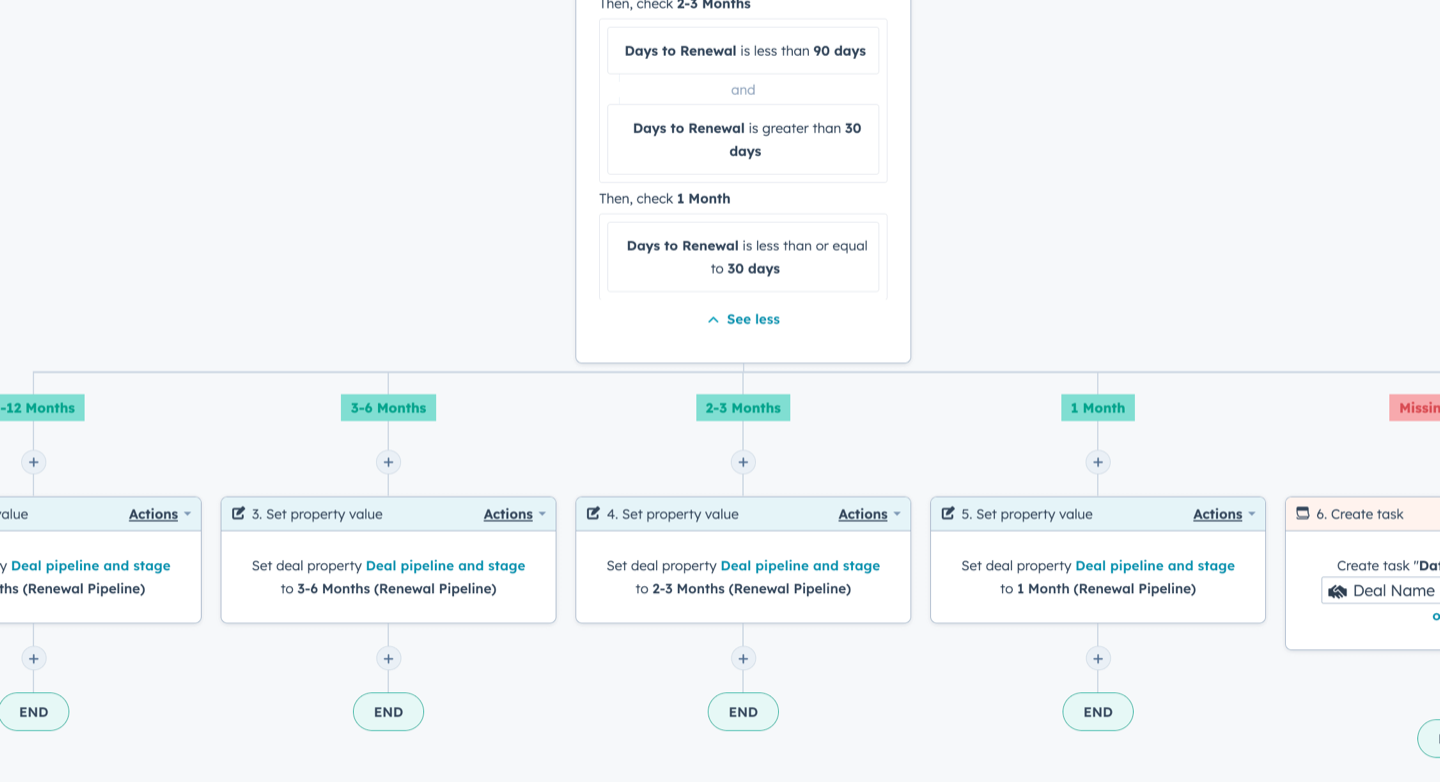
In order to accurately track your upcoming renewals, you’ll want to automate the movement of renewal deals in your pipeline.
This way, you’ll always be able to see which customers are approaching their upcoming renewal date.
**🌟 Note:**in order to set up this workflow, you’ll want to first create a renewals pipeline, add a renewals property group, and add a workflow to automatically create a renewal deal.
Here’s how it works:
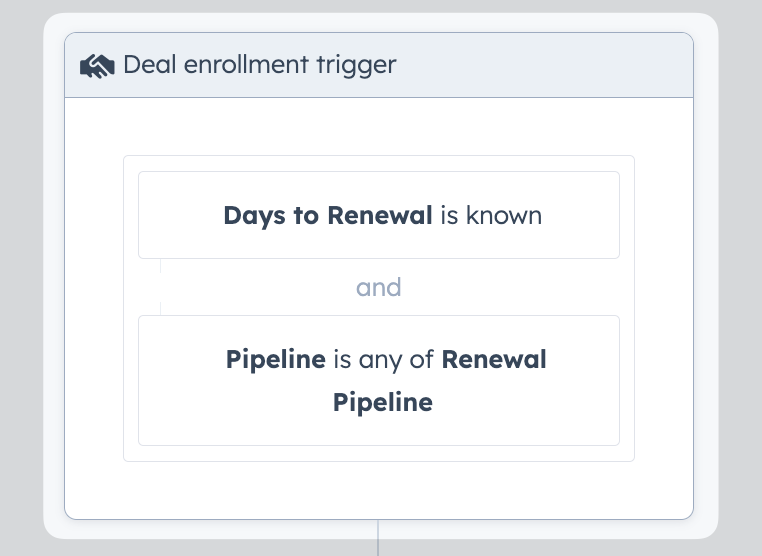
1. Trigger the deal-based workflow when the Days to Renewal property is known and the Pipeline is Renewals Pipeline
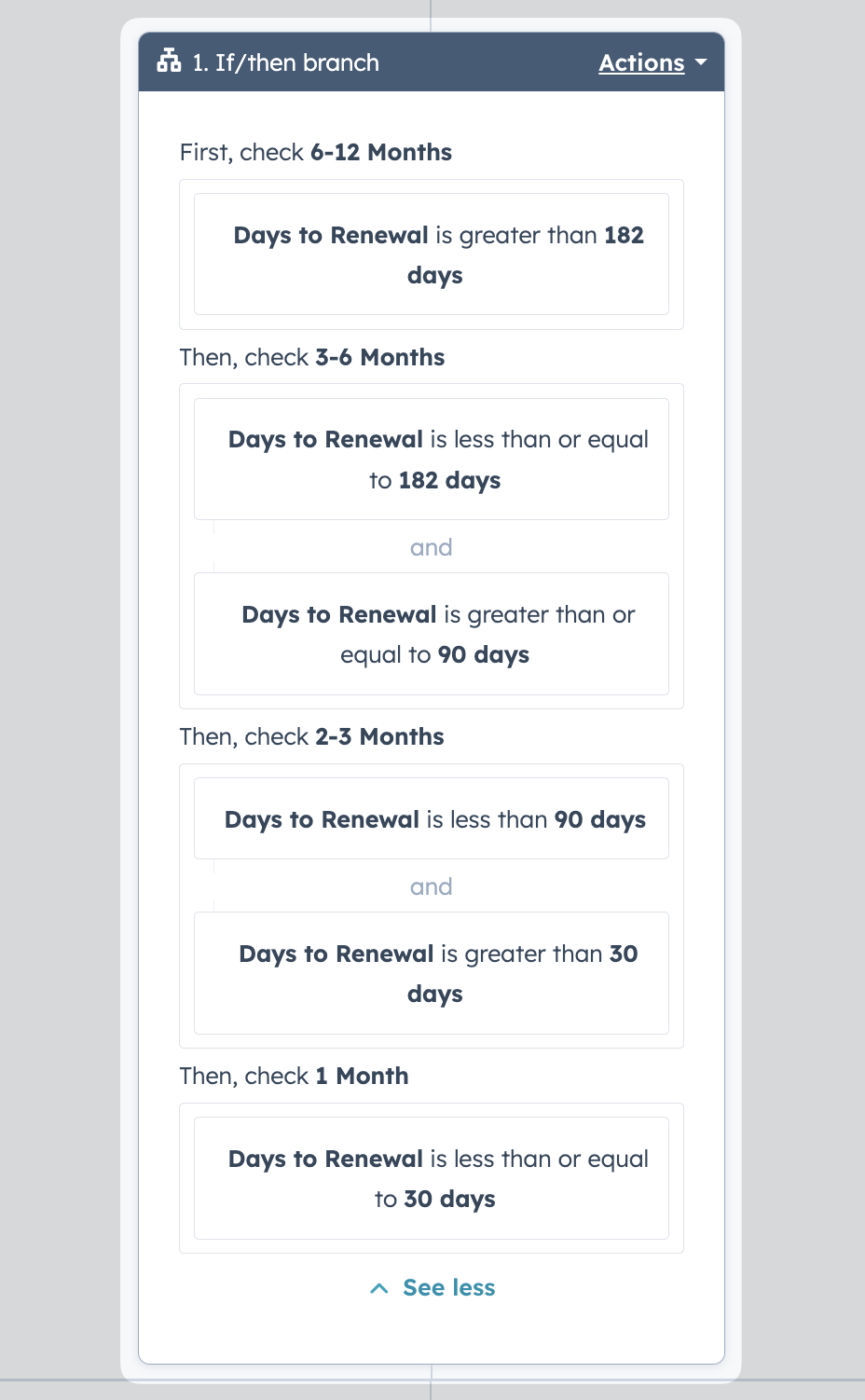
2. Set up an if/then branch to check on how long they have until their renewal date
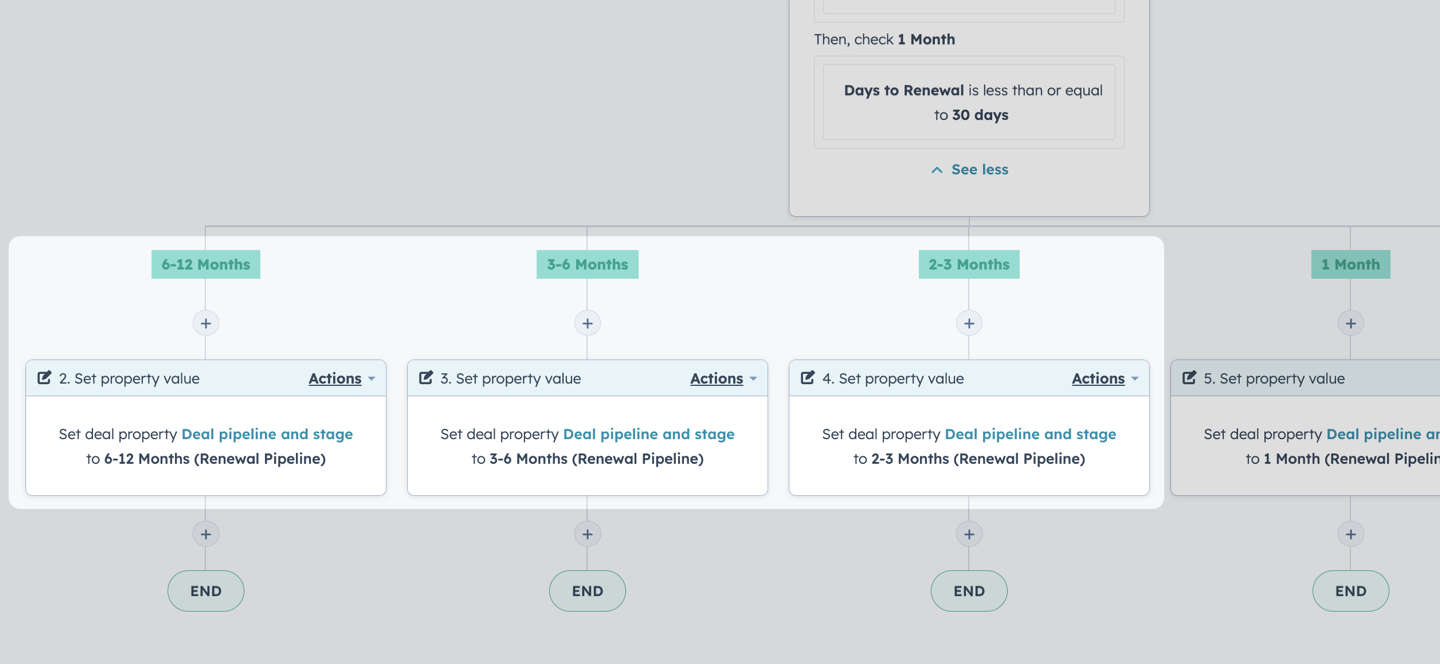
3. Set the deal stage based on how close they are to their renewal date
The best part about managing renewals in HubSpot deal pipelines is you can easily apply the same reporting and forecasting principles to renewal revenue as you do initial sales.
Now that we have a defined process for managing our renewals, we can also use the structured data about the status and time to renewal for an account to drive our internal renewal preparation and customer engagement. For example:
- Proactively reaching out to accounts with “At Risk” health scores to align on a success plan well before the renewal date
- Sending gifts or celebratory messages to accounts for their renewals
Investing in a robust process for driving revenue after the initial sale will help reduce churn, increase expansion and as a result lead to ever increasing net revenue retention.
Act accordingly.
