


We researched dozens of tools, reviewed customer reviews on G2, and talked to real users to find out the best sales enablement solutions so you don’t have to.
This article will review 10 sales enablement tools, their top features, pros and cons, and pricing models.
Before we begin, let’s review a few factors to consider when evaluating sales enablement software. ⤵️
How do you choose sales enablement software?
Here are the factors we considered when evaluating sales enablement solutions to make this guide:
#1: Workflow Automation Capabilities
Workflow automation capabilities are crucial as they significantly enhance efficiency and productivity within sales teams.
For example, effective automation can streamline repetitive tasks and allow your sales reps to focus on higher-value activities like building relationships with prospects and closing deals.
Other automations can include syncing sales data in your CRM, such as HubSpot or Salesforce, so you can keep track of each client’s onboarding or stage in the buying process.
These workflows should be customizable to your sales processes and include features like:
- Automated email sequences for lead nurturing.
- Notifications for important and overdue tasks.
- Data flow between CRM systems.
💡 You can also facilitate new sales rep onboarding by providing them with structured training paths and resources automatically assigned based on their roles within your team.
#2: Analytics Into Sales Performance
We also evaluated the tools’ analytics into sales performance, measuring each tool’s:
- Ability to track, measure, and analyze sales performance metrics like win rates, deal cycle times, and average contract values.
- Dashboard capabilities that can help you visualize performance data in real-time.
- Ability to identify trends, spot areas for improvement, and map out the hierarchy of your clients.
➡️ The best tools let you integrate these analytics with your CRM to provide a holistic view of customer interactions and sales outcomes.
#3: Pricing Structure
Different sales enablement solutions have different pricing structures.
For example, some tools offer pricing models based on the number of seats you’d require, while others are based on the features you will need.
The pricing model you opt for can impact your bottom line and prove quite expensive in the long run if you plan on onboarding a large number of sales reps.
💡 For the tools that did not disclose their pricing, we tried to find data from third-party sources.
What are the best sales enablement tools?
Here are the best sales enablement solutions out of all the software I reviewed:
#1: Arrows- Put your team’s sales playbook to work on every deal, with call prep, follow-ups, and CRM updates done for your reps.
#2: Accord- Enforce your sales methodologies across your sales team.
#3: Guru- Set up an AI-powered knowledge base for sales teams.
#4: Dock- Set up real-time buyer intent notifications.
#5: Qwilr- Send out beautiful sales proposals from out-of-the-box templates.
#6: Flowla- Build a workspace for your sales and customer success team.
#7: Hubforce- Personalize the buying journey to your prospects with templates and AI.
#8: Showpad- Engage your leads and sales reps with content and training.
#9: Buyerstage- Good for small and midsize sales & CS teams looking for a centralized collaborative space to manage all their collaboration activities with buyers.
#10: emlen- Minimize admin tasks and maximize selling time with customizable digital sales rooms and advanced sales content management features.
#1: Arrows
Best for: Sales leaders who want the team’s playbook applied on every deal, not stored in a content library reps have to go find.
Arrows is promptless AI for account executives. It keeps a gameplan for every deal: a path to close for each deal, built from your playbook and from what’s actually happening on that deal.
Full disclosure: Arrows is our product. Here’s what it does and where it fits in a sales enablement stack.
A playbook in a library only helps when a rep goes looking for it. Arrows puts it to work on every deal. It reads your call transcripts, emails, CRM, and notes, applies your playbook to each deal, and does the work your reps would otherwise do by hand.
Feature #1: Your playbook, applied on every deal
Your playbook is written in plain English: how your team works its best deals. Arrows builds it with your team at kickoff.
Every time something happens on a deal (a call ends, an email arrives, a meeting moves, a new person shows up on a thread), Arrows reads the playbook and decides the best next action for that deal. That’s the gameplan, and it stays current as the deal moves.
Your best rep carries a plan like this in their head for their top deals. The rest get improvised. With Arrows, every deal gets one. One kickoff call, and the agents start on your open deals that same day.
Feature #2: The work between calls, done for your reps
Arrows does the work you expect reps to do, and the work you wish they did:
- Call prep before every meeting.
- Deep research on the account.
- Follow-up emails drafted from what the buyer said on the call.
- CRM updates written back to the deal.
- Multi-threading, so a deal doesn’t hang on one contact.
- Every date tracked from your calls, with nudges when a deal goes quiet.
- The right case study sent to the buyer, plus Loom videos between calls.
- Sales room updates, so your buyer always sees the current next steps.
There’s no prompt to write. Reps approve every email, CRM update, and sales room change before it sends.
Feature #3: Works with the CRM and notetaker you already use
Arrows works with HubSpot, Salesforce, Pipedrive, Close, and Attio, and with notetakers like Gong, Fathom, Granola, Grain, and Fireflies. It also connects to Gmail, Outlook, and Google Calendar.
It reads the deal context and writes approved changes back, so your CRM stays current without reps typing updates. See the CRM integrations.
Pricing
Arrows doesn’t publish prices. It’s priced on the work, not the seats. See how pricing works.
Not sure if Arrows is a fit for your team? Book an agent kickoff to see how it works.
What stands out
✅ Your playbook applied on every deal, not left sitting in a library.
✅ A gameplan for each deal that stays current as the deal moves.
✅ Promptless: call prep, research, follow-ups, and CRM updates arrive done, ready for a rep to approve.
✅ The right case study and current sales rooms in front of your buyer between calls.
✅ Works with the CRM and notetaker your team already has.
#2: Accord
Best for: Enforcing your sales methodologies across your sales team.
Similar to: Dock, Guru.
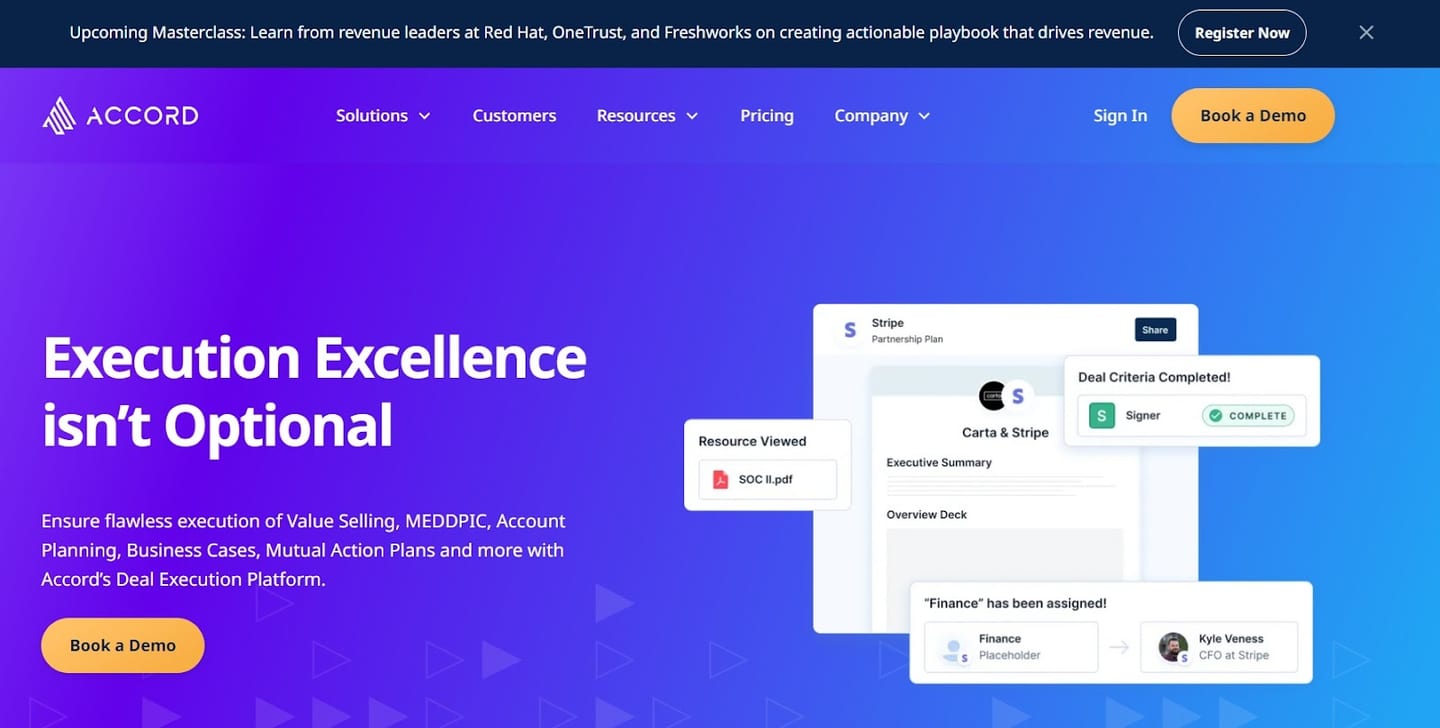
Accord is a sales enablement software that helps sales teams create action plans to improve their sales processes and customer onboarding.
The platform is ideal for teams that want more task-based functionalities and the ability to share dashboards with their prospects.
Features
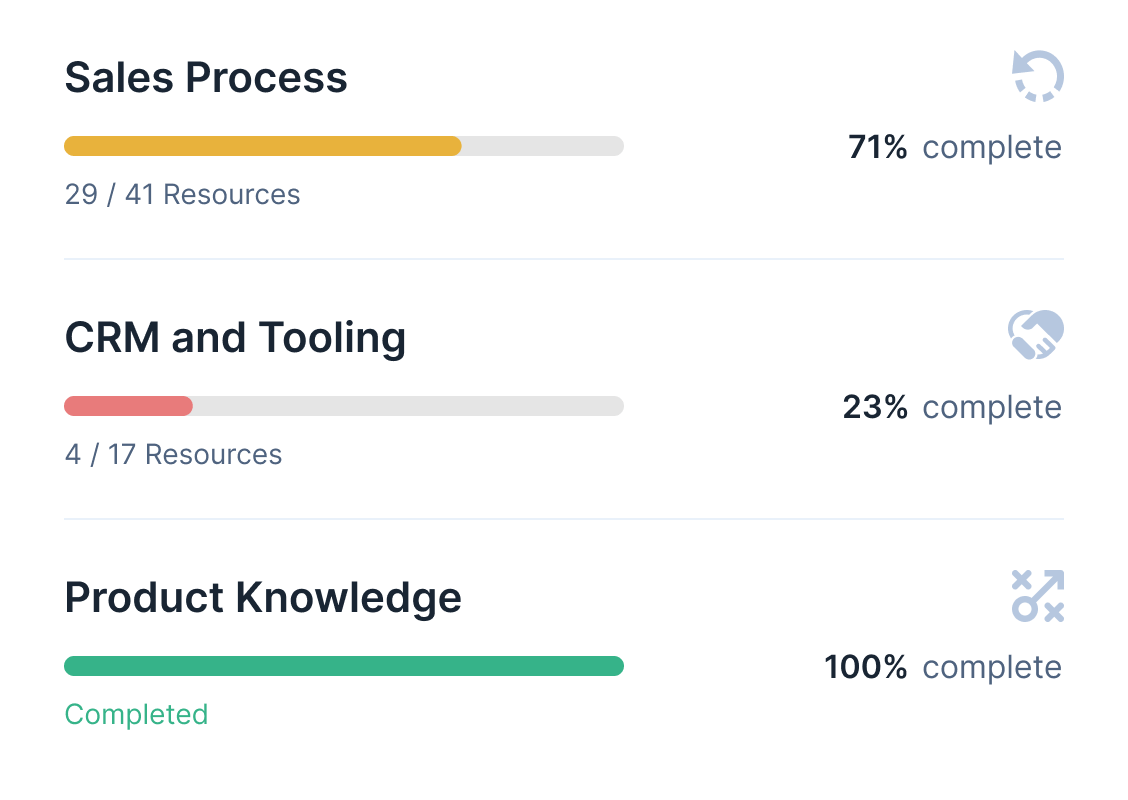
- Deal execution platform where revenue leaders can see sales rep productivity, deal velocity, and win rates.
- Cycle reports, whichgive team leaders an up-to-date view of deals’ status and what needs to be done to move prospects forward.
- Stakeholder mapping, which helps you de-risk deals with consistent stakeholder management. The tool can build out organizational charts and power mapping for your key accounts.
Standout Feature: Methodology Enforcement
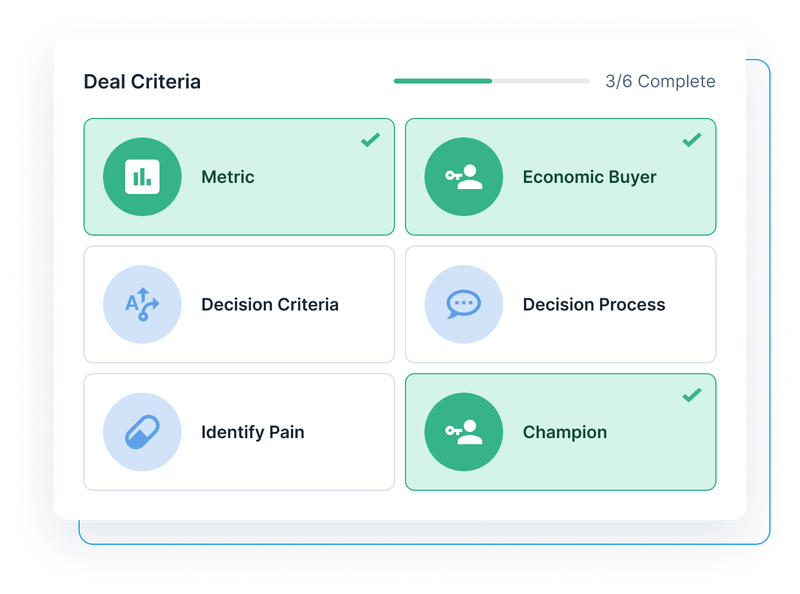
Accord’s Methodology Enforcement lets you enforce your winning formula by defining deal criteria for your sales team.
Not sure which deal criteria to enforce? Our MEDDPICC guide covers the eight letters and the proof behind each.
Pricing
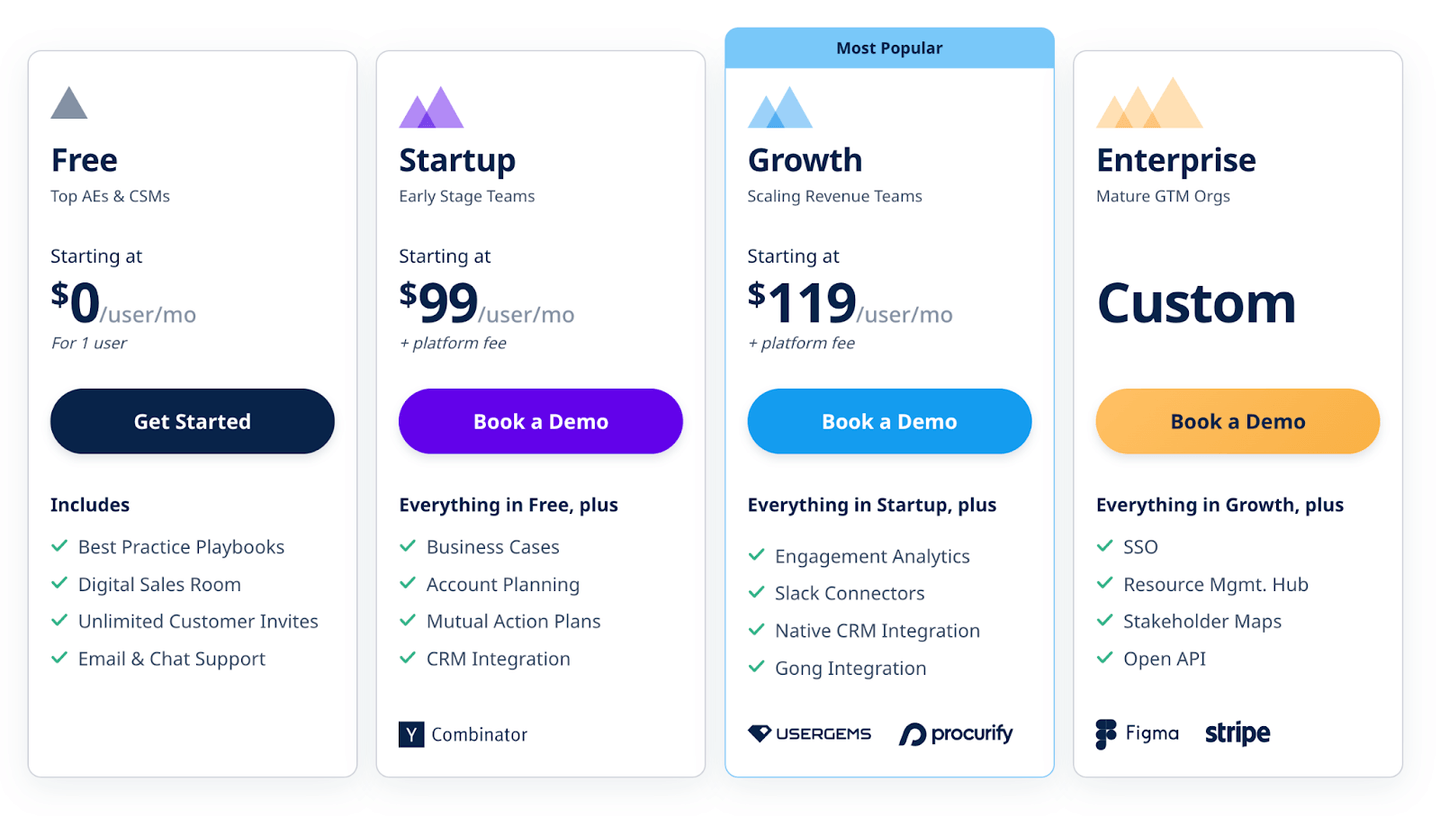
Accord has a free plan for its software, which lets you access its digital sales rooms, best practice playbooks, and the ability to send unlimited customer invites for one user.
To access the tool’s advanced features, you can choose from the three plans:
- Startup plan: $99/seat/month with the platform fee, which adds business cases, account planning, mutual action plans, and CRM integration.
- Growth plan: $119/seat/month with the platform fee, which adds engagement analytics, Slack connectors, and integrations with CRM and Gong.
- Enterprise plan: Custom pricing, which adds SSO, resource management, stakeholder maps, and open API.
Pros and Cons
✅ Sales methodology enforcement.
✅ Combines playbooks, document storage, and collaboration all in one place for learning and execution.
✅ Good reporting abilities for sales leaders.
❌ Limited integration with existing GTM systems.
❌ Data syncs and automation could be improved.
#3: Guru
Best for: Setting up an AI-powered knowledge base for sales teams.
Similar to: Showpad.
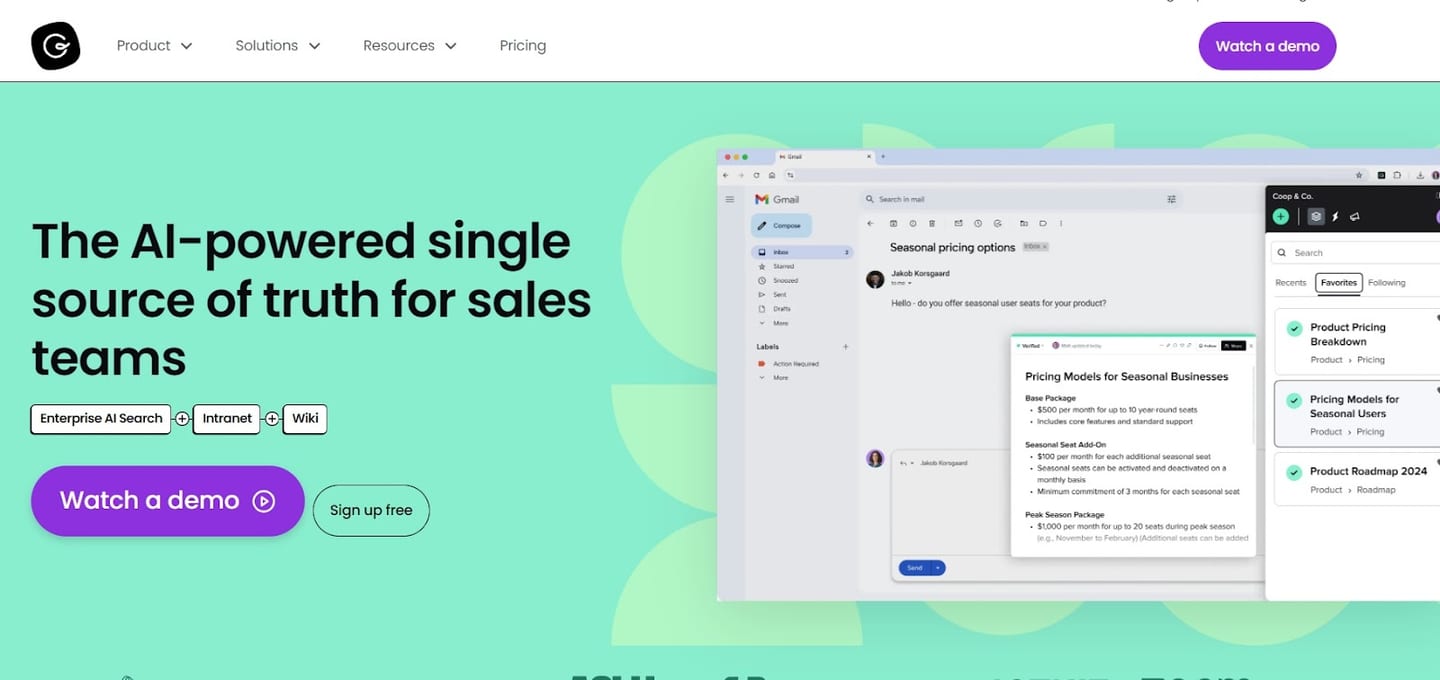
Guru is an AI-powered search functionality and copilot that combines an enterprise AI search, intranet, and wiki.
The tool is a good sales enablement software, giving sales managers, reps, and customer success teams quick access to what they need daily.
Features
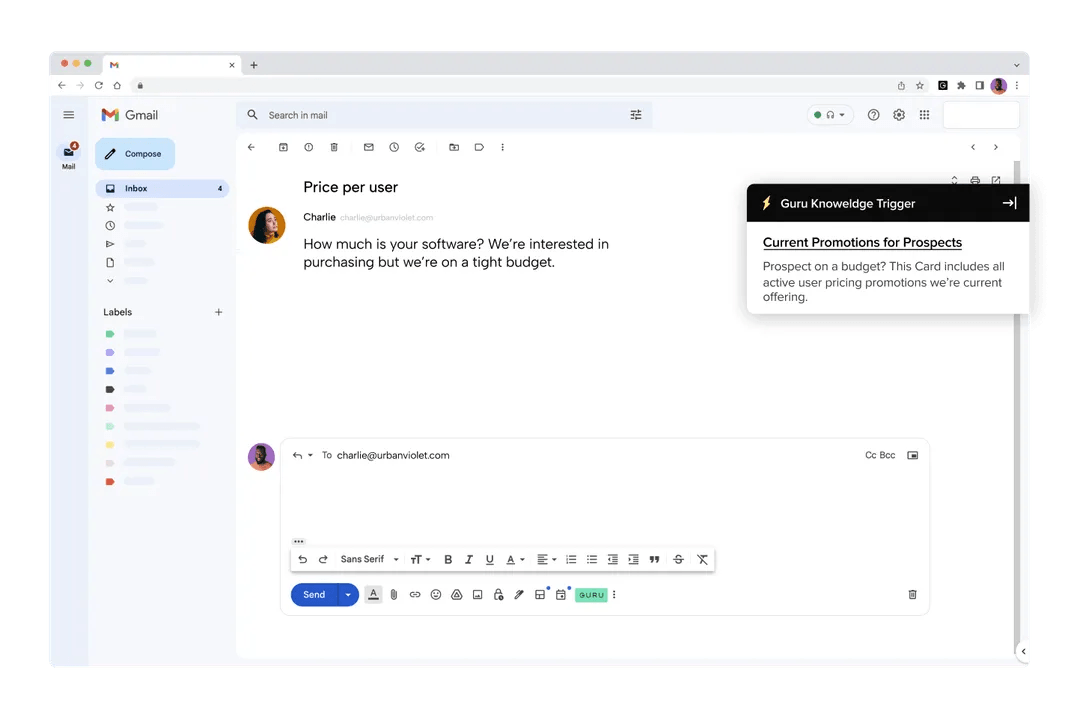
- Smart content recommendations- the software proactively recommends personalized sales collateral to insert into conversations based on customer history and rep activity.
- The ability to identify outdated collateral- the tool uses automation to maintain a trusted and up-to-date content knowledge base.
- Get instant AI answers from your content- your team can get quick and trustworthy answers about your company’s information when needed.
Standout Feature: AI-Powered Content Assistant
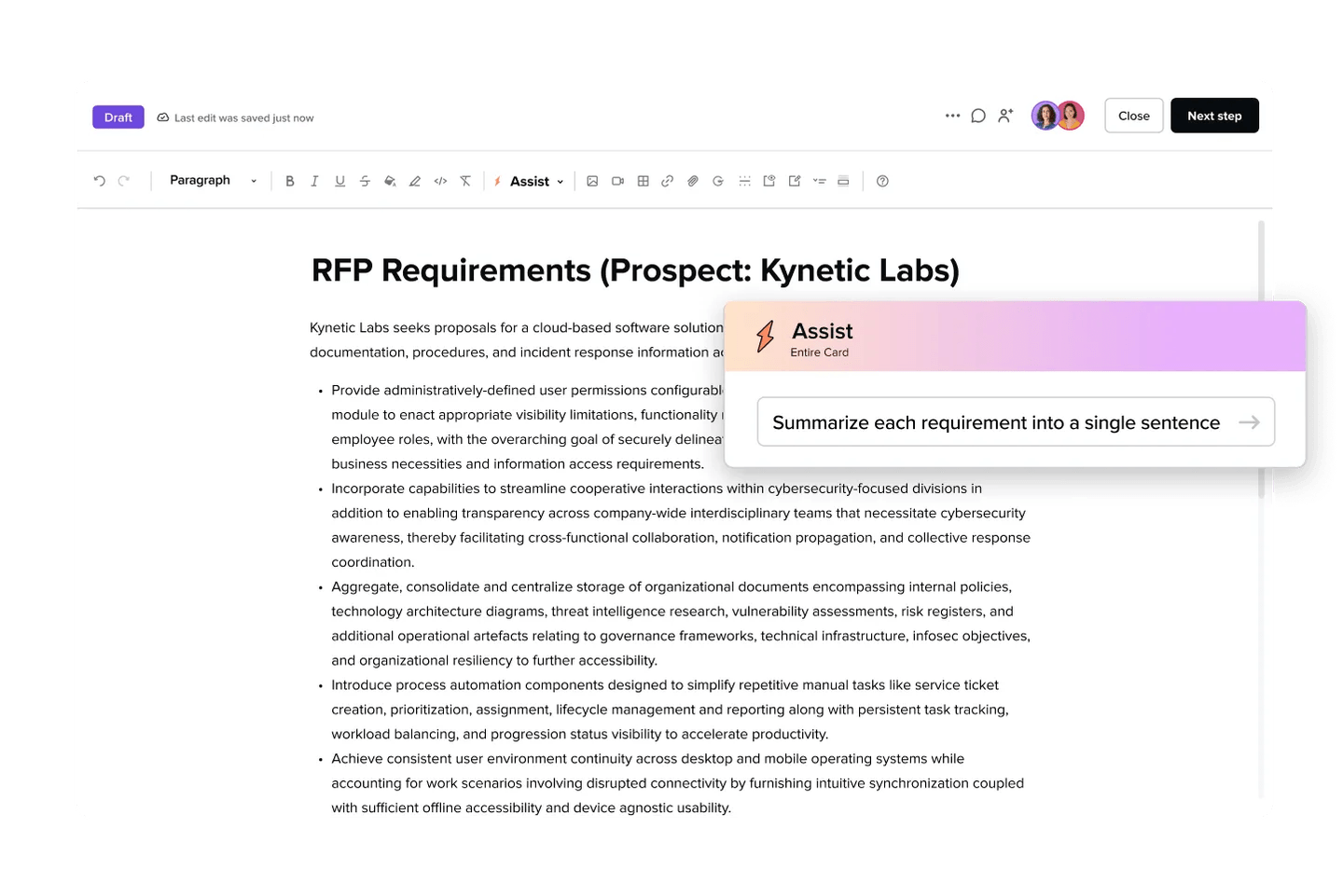
Powered by Generative AI, Guru’s AI-powered content assistant can create, translate, improve, and summarize content to help your sales team better converse with prospects.
Pricing
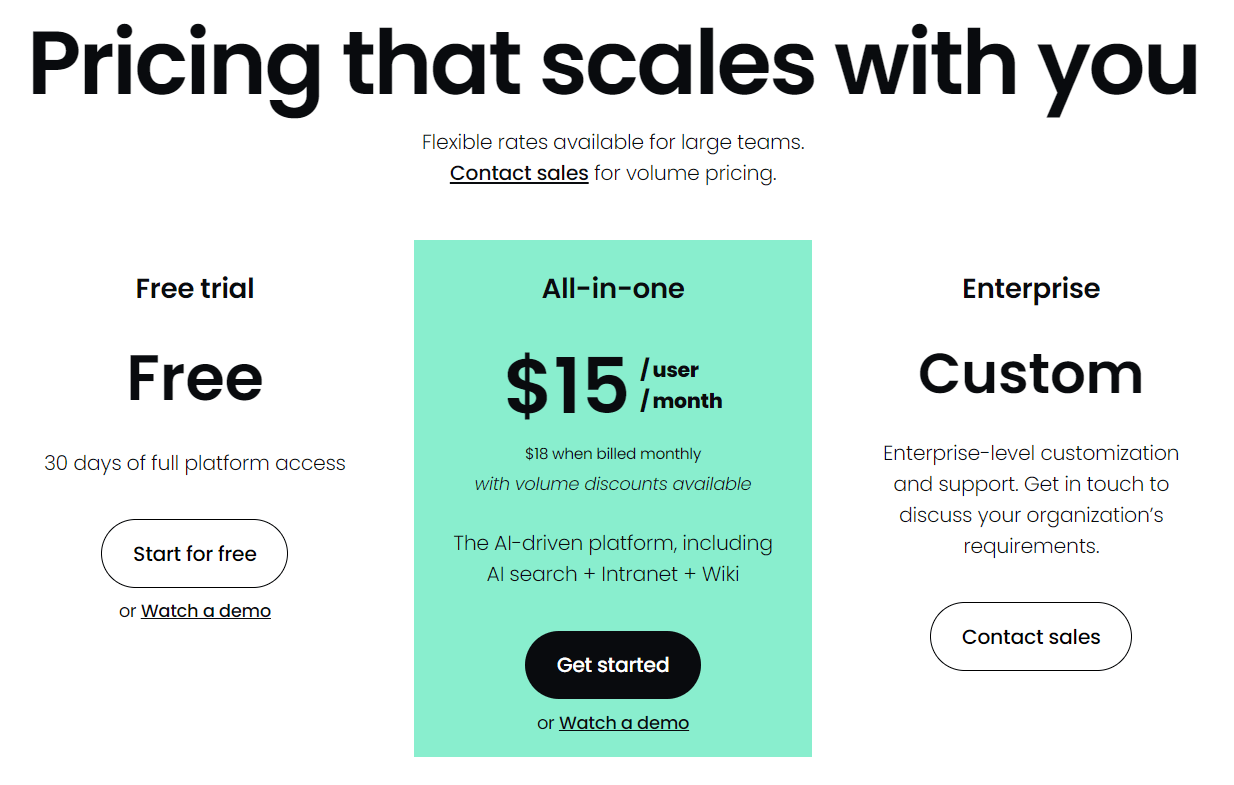
Guru offers a free 30-day trial that includes full platform access.
To access its features for a longer period, you’d have to be one of their two paid plans:
- All-in-one plan:$15/user/month, which gives you access to the tool’s AI-driven platform, AI search, Intranet, and Wiki.
- Enterprise plan: Custom price, which gives you access to a higher level of customization and support.
Pros and Cons
✅ Organize your sales content and access it at any time.
✅ AI-powered search, intranet, and company wiki.
✅ Generative AI that can support your sales reps write content.
❌ Some customers have experienced search functionality challenges.
❌ Less integrations than other competitors.
#4: Dock
Best for: Setting up real-time buyer intent notifications.
Similar to: Accord, Flowla.
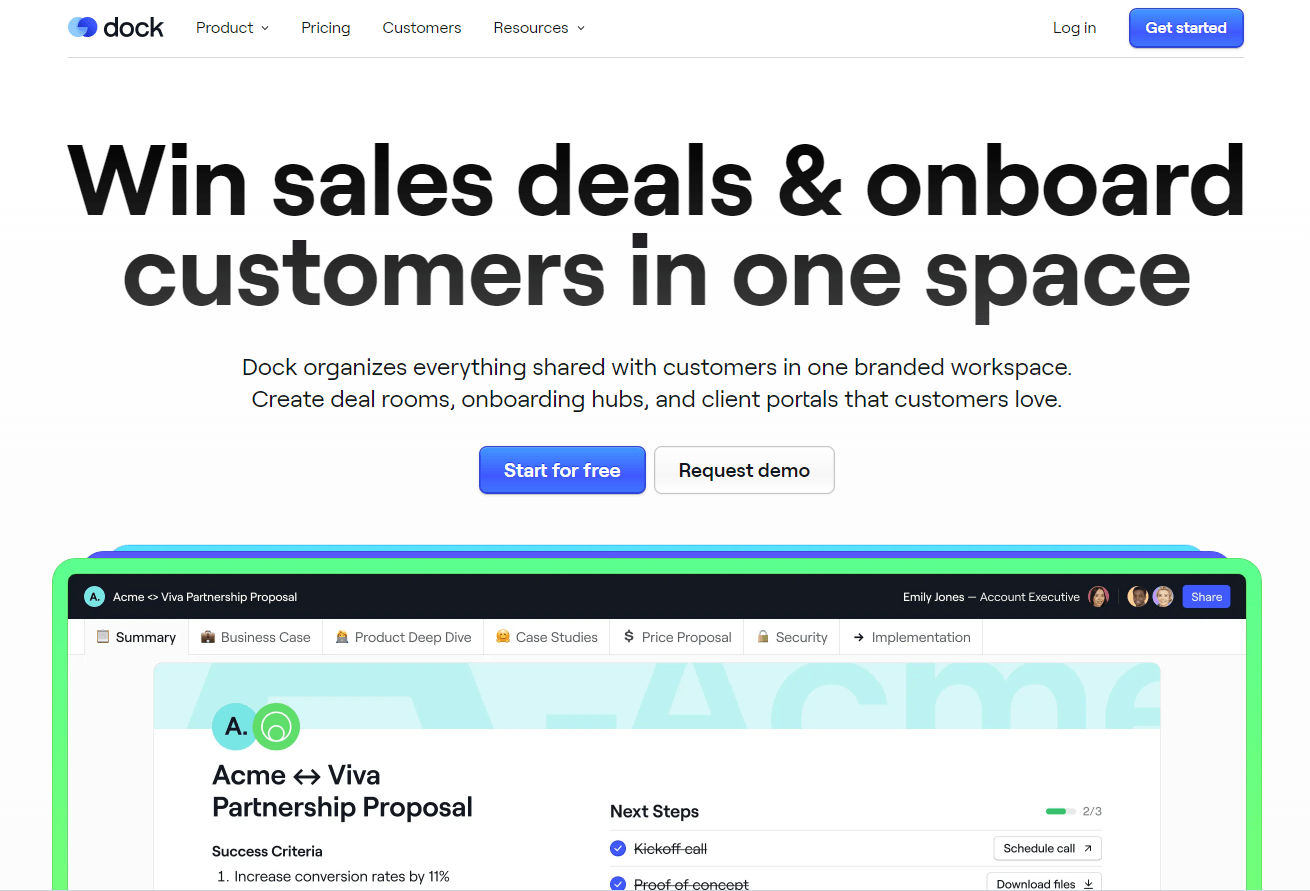
Dock is a sales enablement software that lets you organize everything shared with your customers in one workspace.
Features
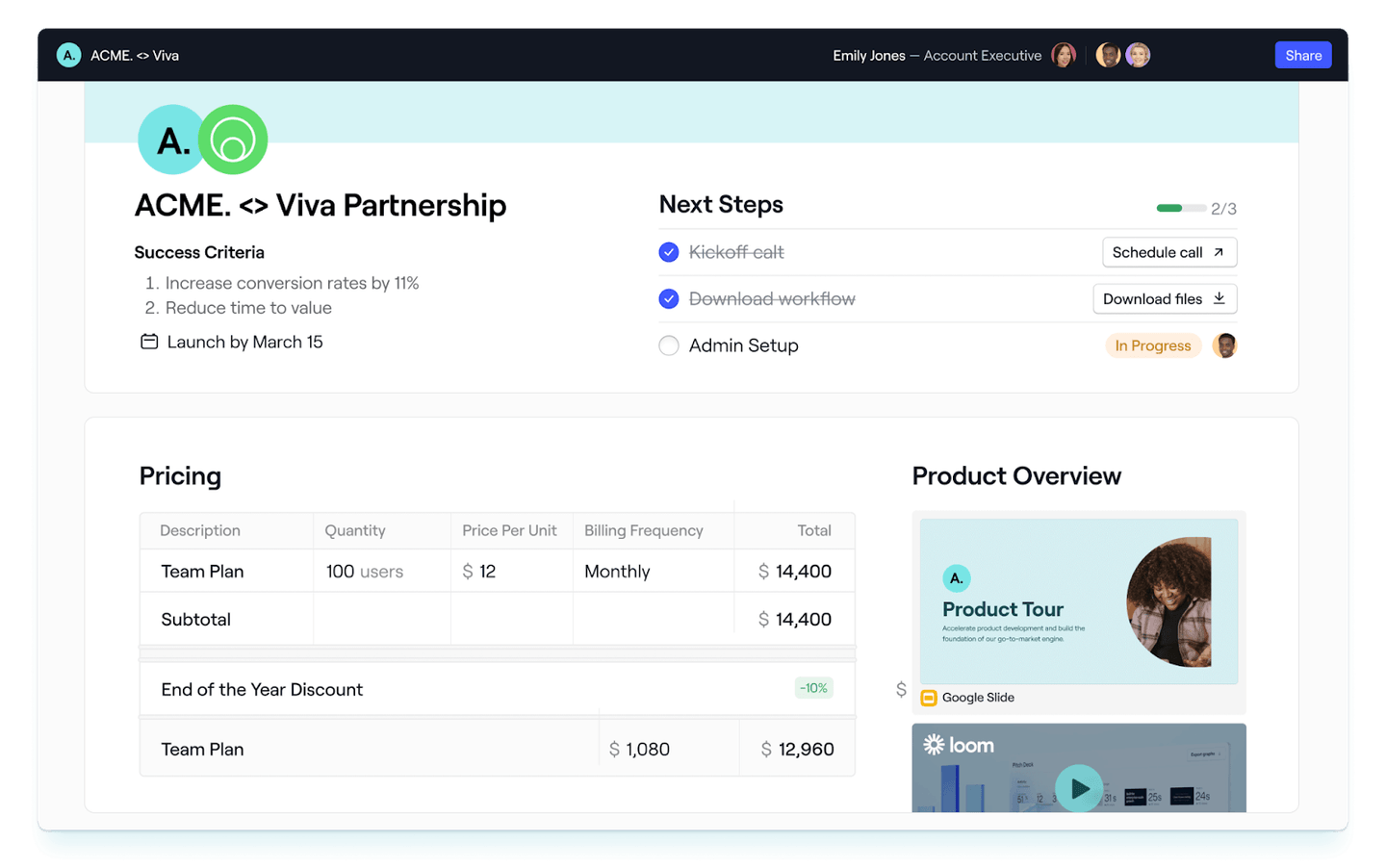
- Sales deal rooms, where you can add sales content, action plans, price quotes, and order forms.
- New client onboarding portals, where you can share project plans, onboarding content, and forms.
- Client portals, where you can organize everything for your customers in one place to deliver a white-glove customer experience.
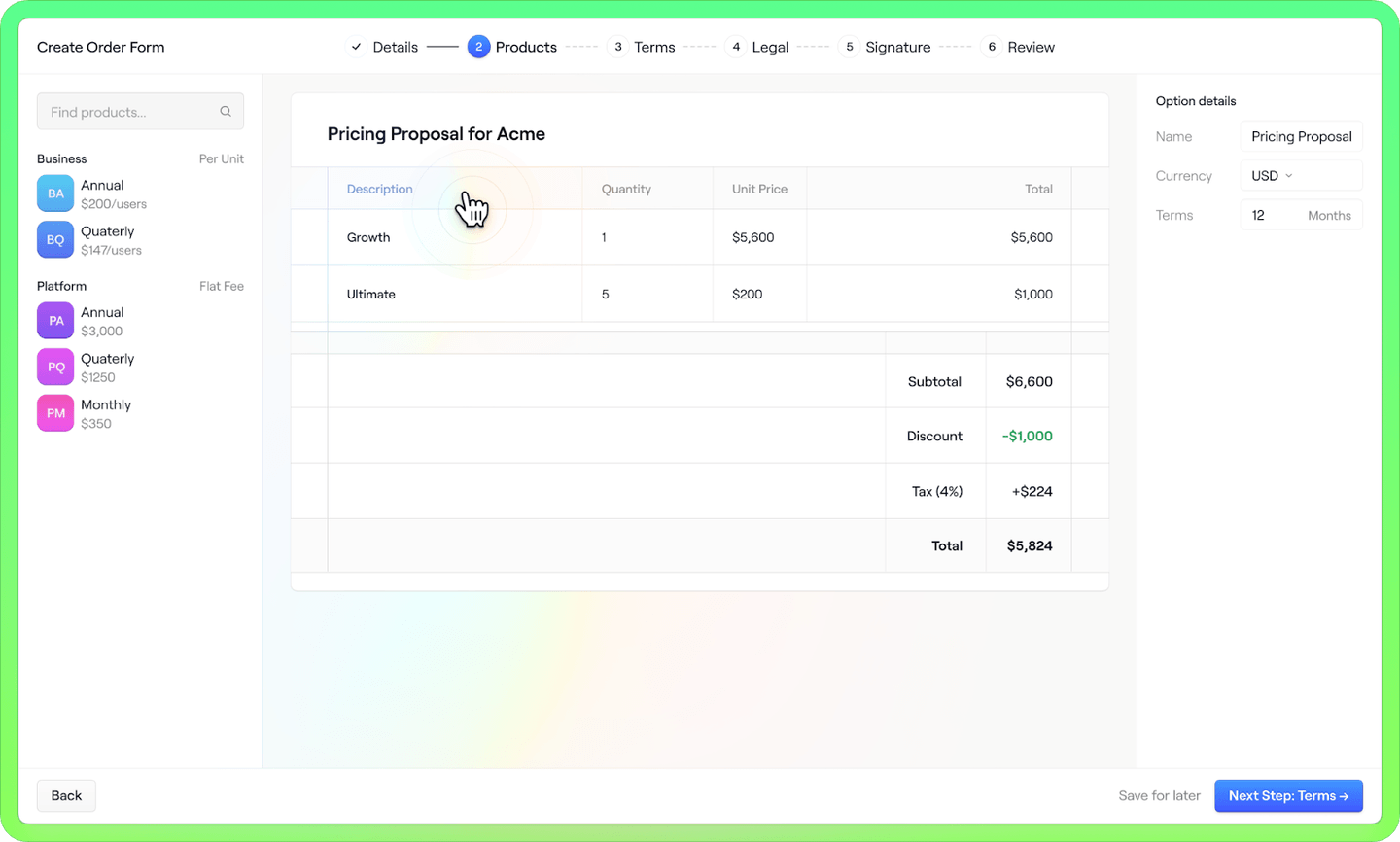
Standout Feature: Sales Order Forms
Dock lets you create sales order forms and send them to your new clients for signing in only a few clicks.
Pricing
Dock offers a free plan that lets you access five workspaces for unlimited users.
To access the tool’s advanced features, you’d have to be on one of their three paid plans:
- Starter plan: $49/user/month, which gives you access to sales deal rooms, customer onboarding, client portals, and sales content management.
- Growth plan:$59/user/month + $250/month platform fee, which gives you access to HubSpot integration, custom dashboards, and page visibility controls.
- Enterprise plan: Custom pricing that lets you access Salesforce integration, custom domain, SSO, and automations.
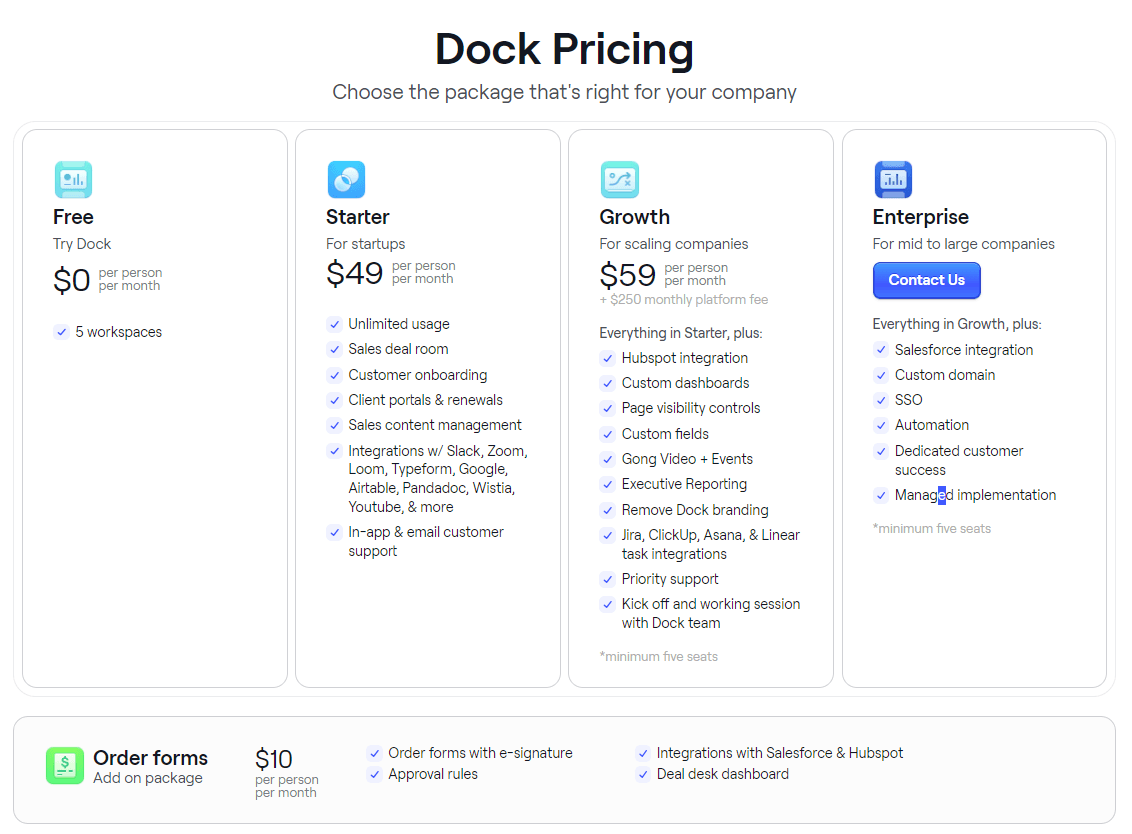
Note: Sales order forms are available as an add-on package that costs $10/user/month and gives you access to e-signatures, approval rules, and the deal desk dashboard.
Pros and Cons
✅ All-in-one sales enablement solution that lets you access client portals, sales rooms, and onboarding plans.
✅ Generous freemium plan.
✅ Sales order forms.
❌ Set up can be time-consuming.
❌ The tool is not mobile-friendly yet.
#5: Qwilr
Best for: Sending out beautiful sales proposals from out-of-the-box templates.
Similar to: Dock, Flowla.
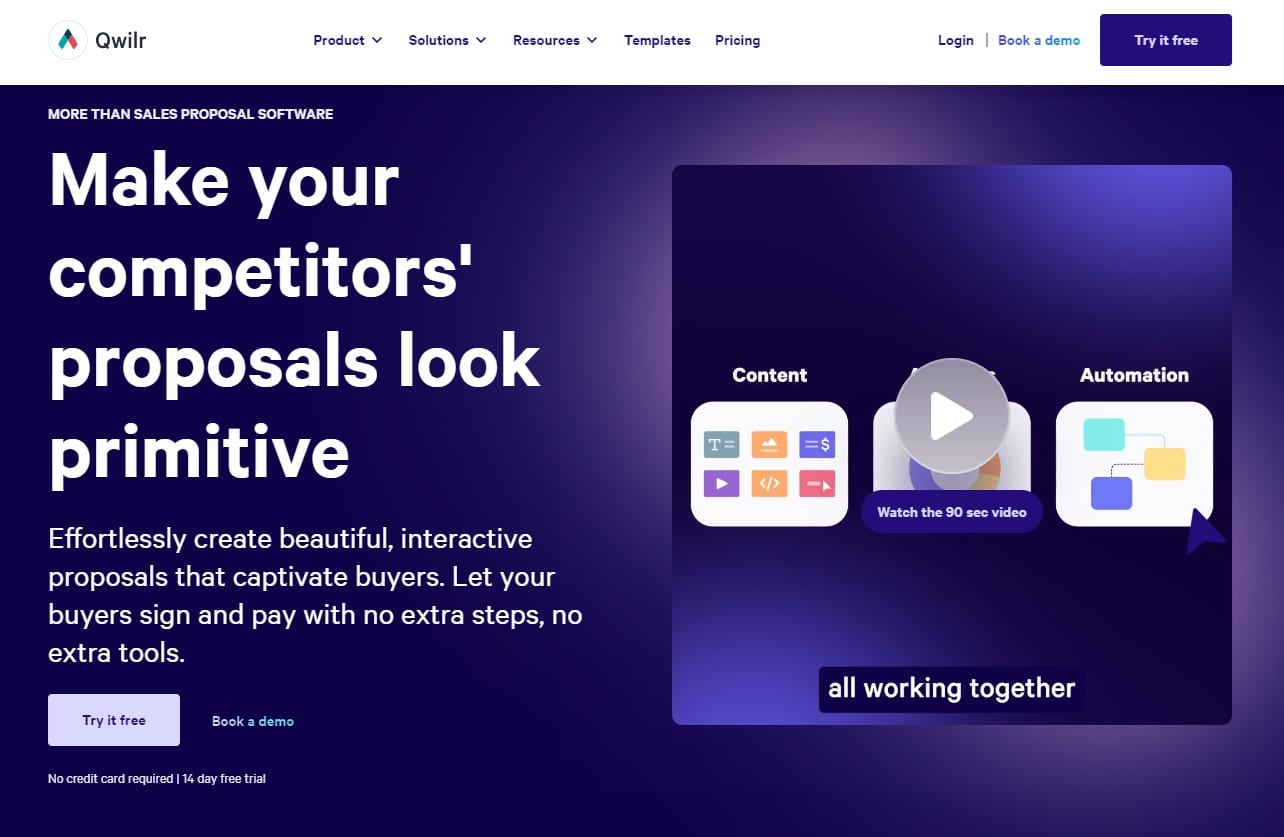
Qwir is a sales proposal software that lets you create sales proposals in web format to convert your prospects.
The tool is good for moving your customers to the next steps of their buying process with its web-based software.
Features
-
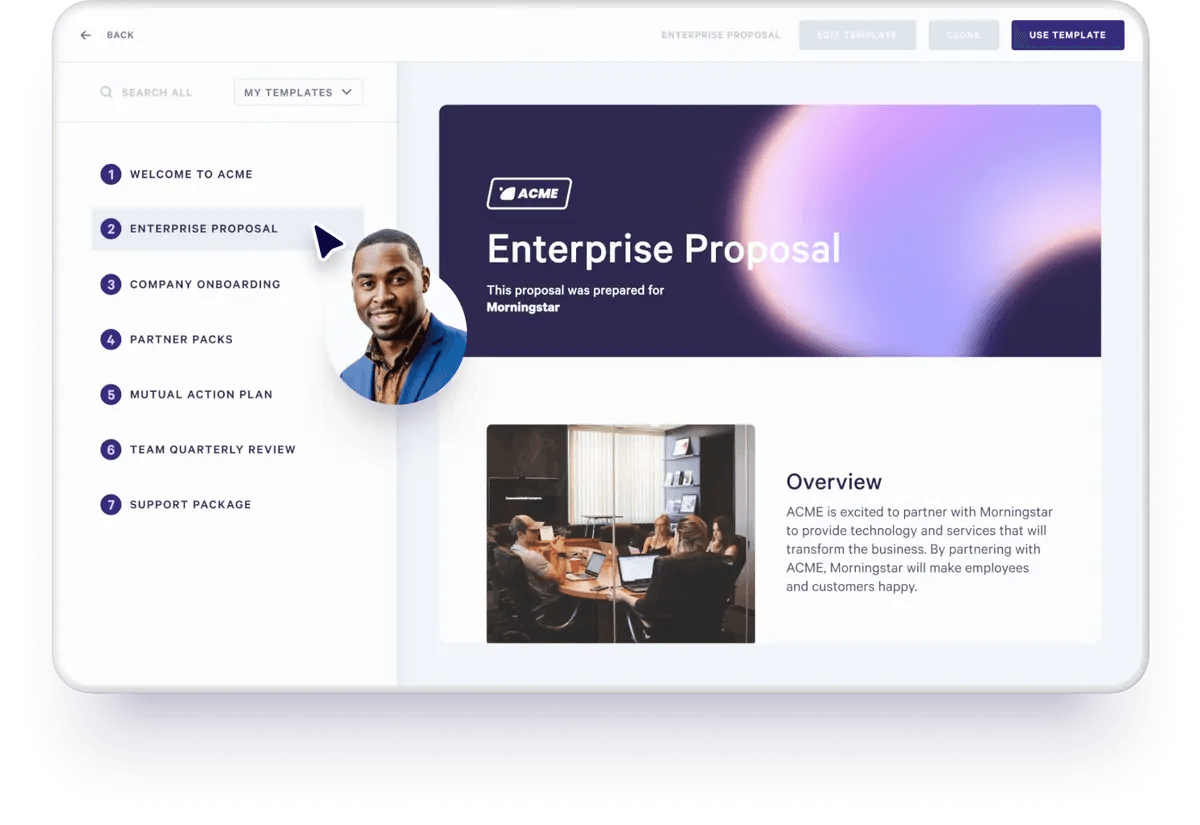
Sales proposal web editor with templates that you can customize, where you can create sales materials quickly.
-
Shorten the process of accepting payments by combining the sign-off, agreement, pricing quote, and payment into one interactive page.
-
Advanced engagement analytics that tracks buyer engagement across all your sales material. The software notifies you when a quote or proposal has been viewed, signed, etc.
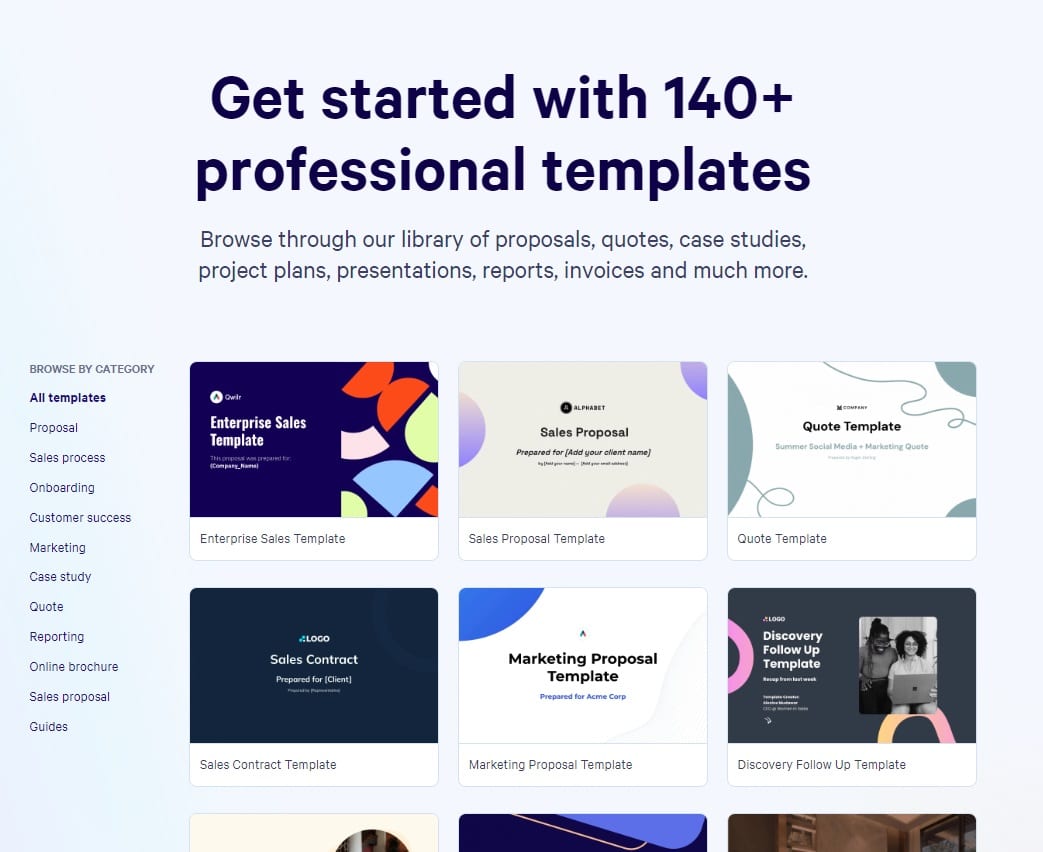
Standout Feature: Template Gallery
Qwilr lets you create beautiful sales proposals out of ready-to-use templates.
Pricing
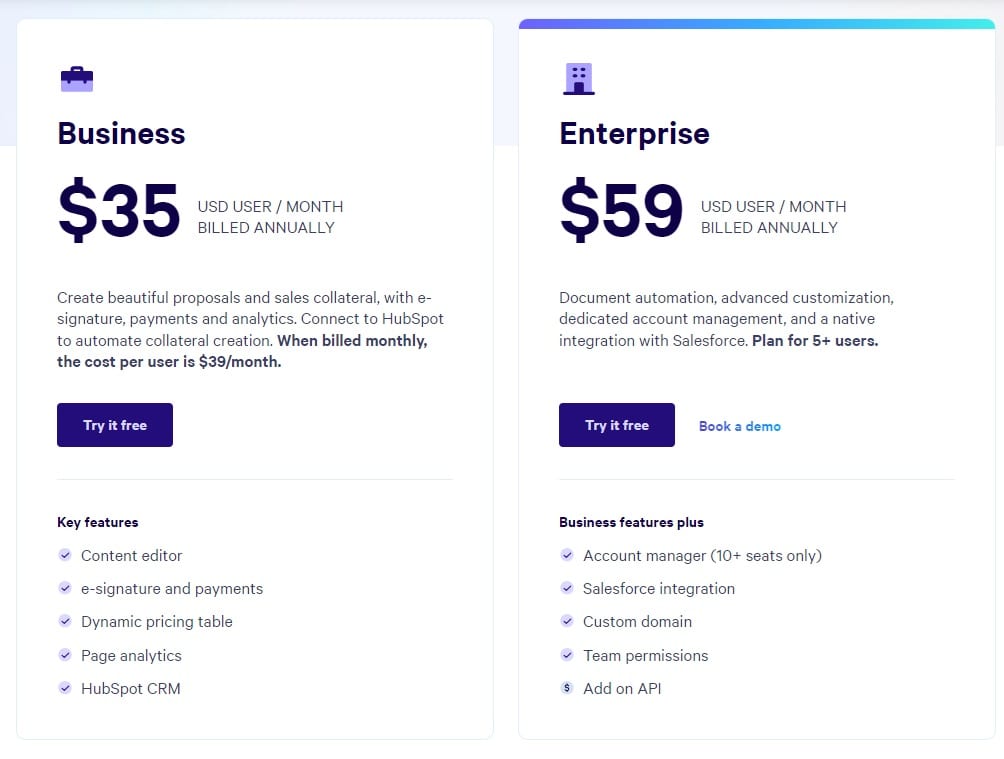
Qwilr has two pricing plans:
- Business plan: $35/user/month, which gives you access to the tool’s content editor, e-signatures, dynamic pricing table, page analytics, and HubSpot CRM integration.
- Enterprise plan:$59/user/month for a minimum of five seats, which gives you access to document automation, advanced customization, and dedicated account management.
Pros and Cons
✅ Pre-made templates that you can personalize to your prospects.
✅ Good HubSpot and Salesforce integrations.
✅ Analytics and insights into customer engagement.
❌ Not as good editing and customization options as other competitors.
❌ Lack of reporting and dashboard functionality.
#6: Flowla
Best for: Building a workspace for your sales and customer success team.
Similar to: Dock, Guru.
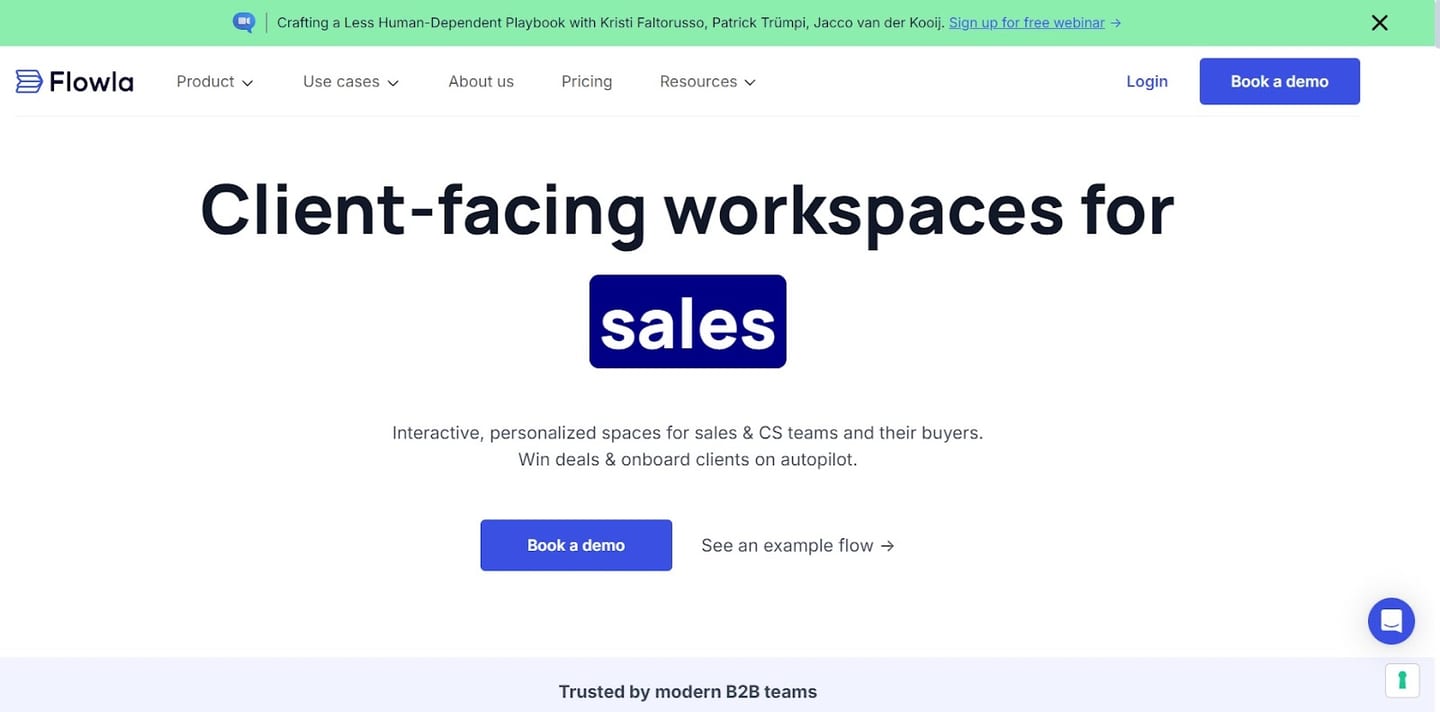
Flowla is a sales enablement solution that lets you create client-facing workspaces for your team and customers.
The tool helps you create interactive and personalized spaces to win more deals and more easily onboard new clients.
Features
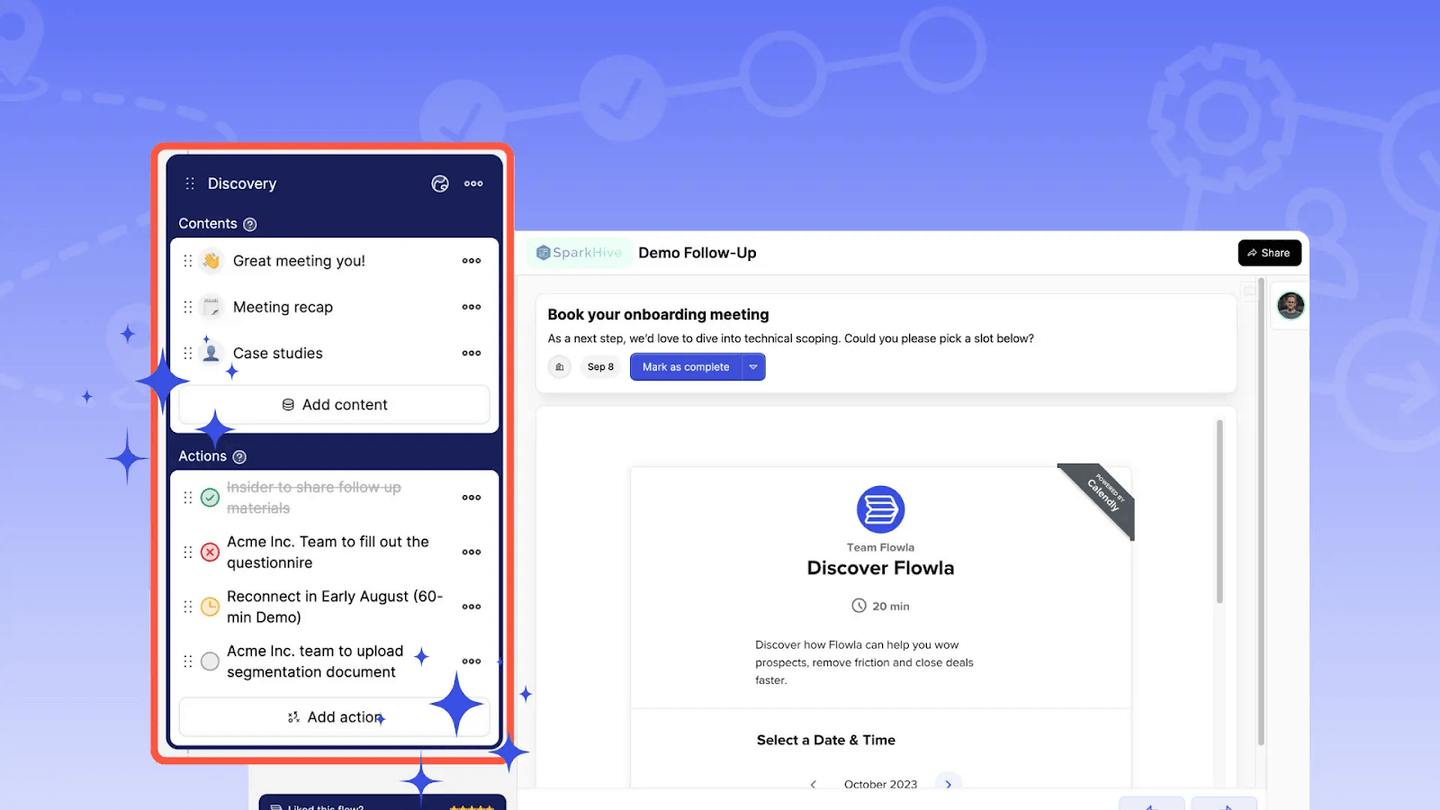
- Digital sales rooms that give you a single, unified space to manage all of your client-facing processes.
- Mutual action plans, which lets you turn complex processes into a single, actionable, and collaborative flow. You can set deadlines, assign tasks, and track progress.
- Revenue intelligence, which helps you make more data-driven decisions by providing you with detailed insights into unique views, client engagement, and shares.
Standout Feature: Flowla AI
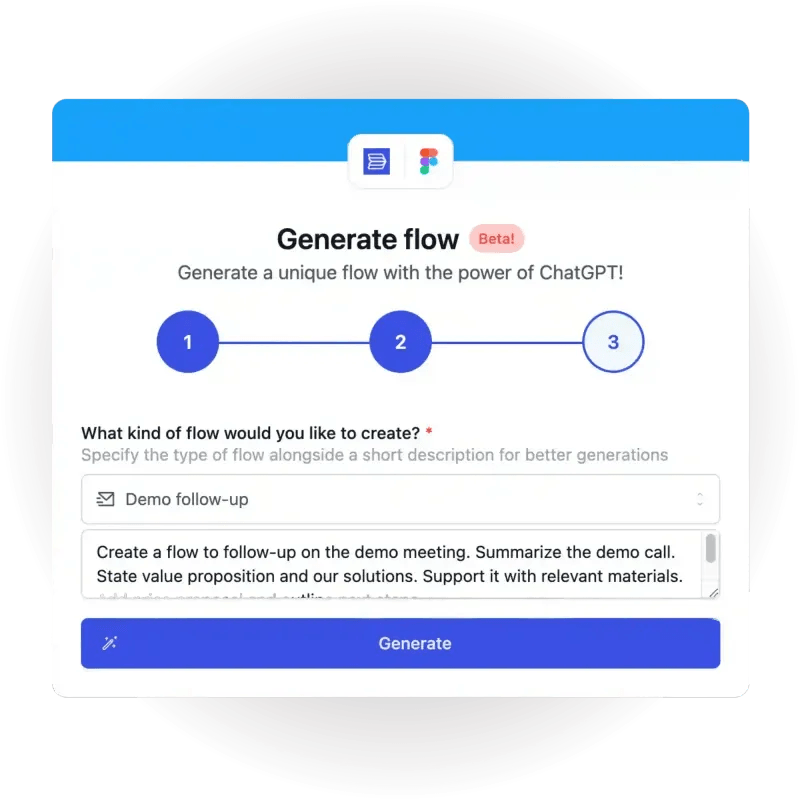
Flowla AI helps you build onboarding flows with the power of ChatGPT.
The tool can build custom flows from scratch with text content already filled and the design pulled from your client’s website.
Pricing
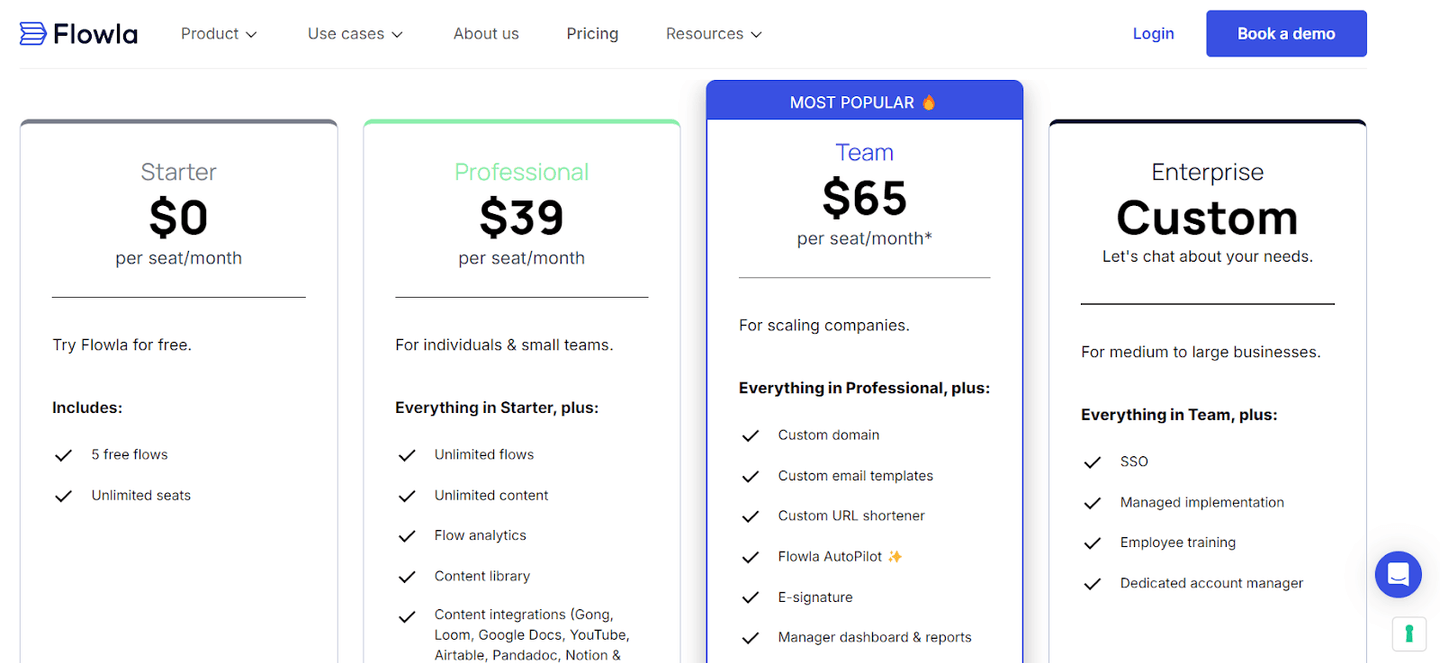
Flowla offers a free plan that lets you try the platform for free and create up to five free flows with unlimited seats.
To access the tool’s more complex features, your team would need to be one of their three paid tiers:
- Professional plan:$39/seat/month, which gives you access to unlimited flows, unlimited content, flow analytics, and content library.
- Team plan:$65/seat/month, which gives you access to a custom domain, custom email templates, e-signatures, and Flowla AutoPilot.
- Enterprise plan: Custom pricing, which gives you additional support, such as employee training, a dedicated account manager, and a managed implementation.
Pros and Cons
✅ Shorten your deal cycles with personalized sales rooms.
✅ Set up mutual action plans to move your clients quicker to value.
✅ Craft onboarding plans with the power of AI.
❌ Customization is limited when compared to other alternatives.
❌ Some users note that they’ve had integration issues with their CRMs.
#7: Hubforce
Best for: Personalizing the buying journey to your prospects with templates and AI.
Similar to: Flowla, Dock.
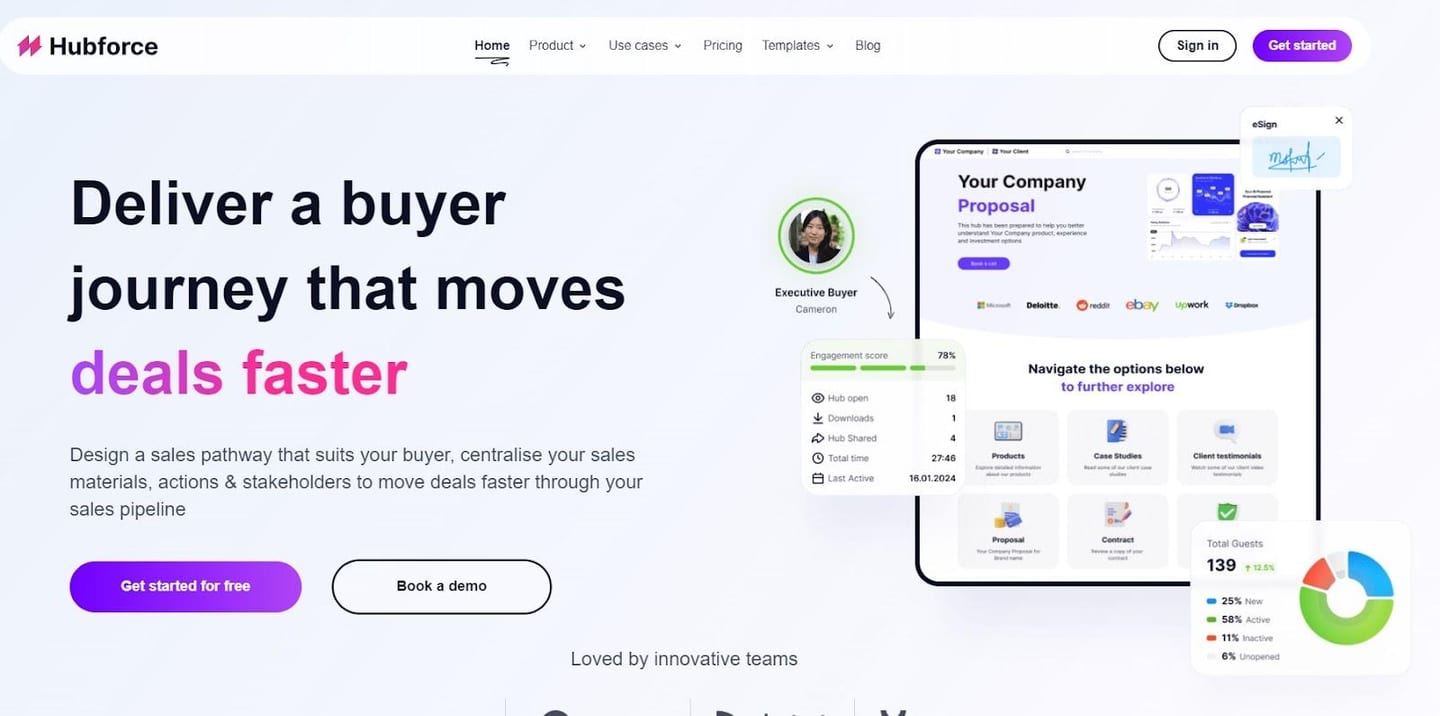
Hubforce is a sales enablement tool that uses templates and AI to help your sales team create personalized buying journeys for prospects.
The software has a comprehensive range of customization features and an easy-to-use UI.
Features
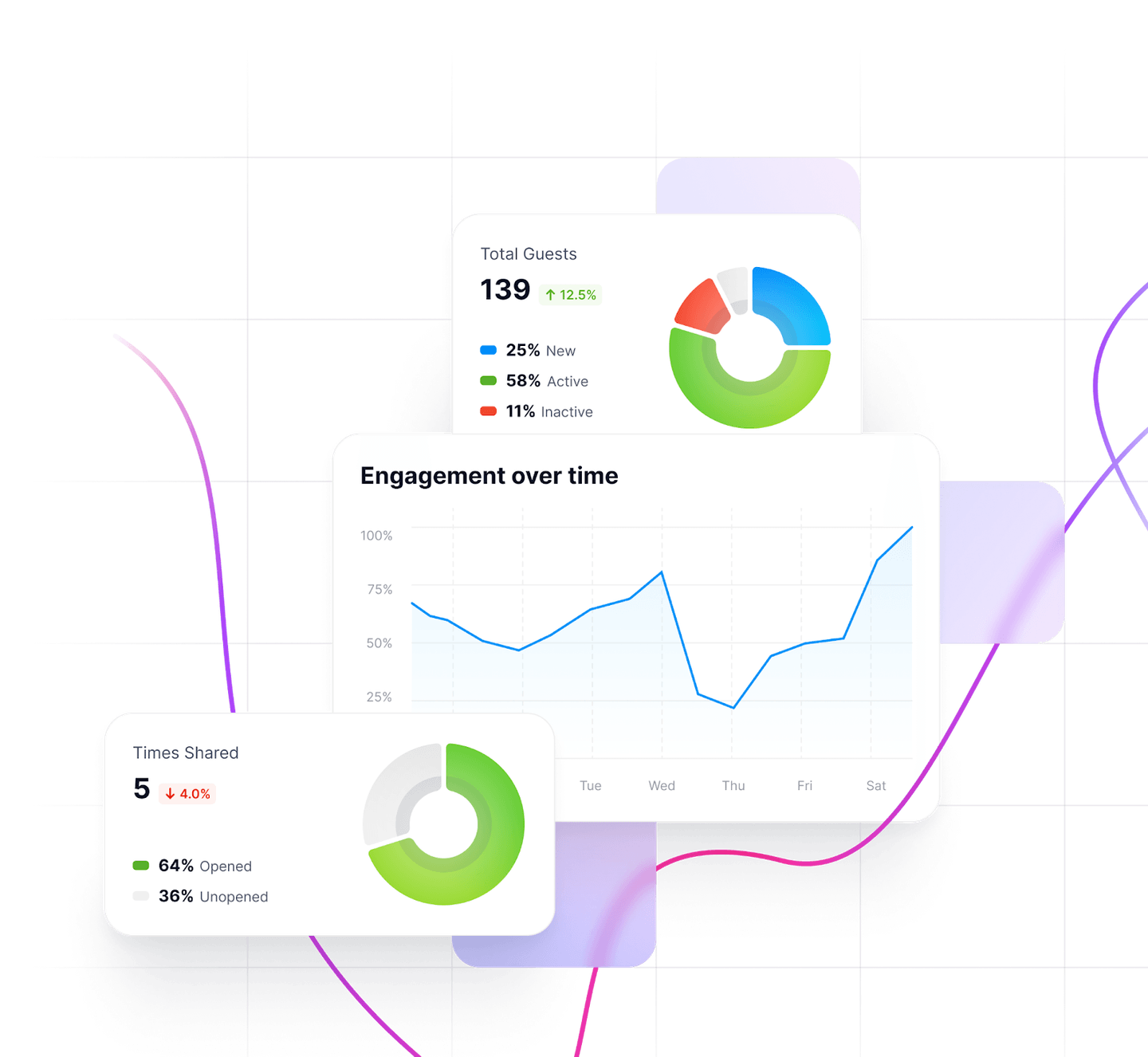
- Detailed analytics into your prospects’ digital language help you uncover engagement throughout the sales cycle and receive action triggers.
- E-signatures that let you manage, collaborate, and get agreements signed faster and easier.
- Mutual action plans that enable you to onboarding new customers by assigning tasks, setting deadlines, and tracking progress.
Standout Feature: Hubforce AI Hub Builder
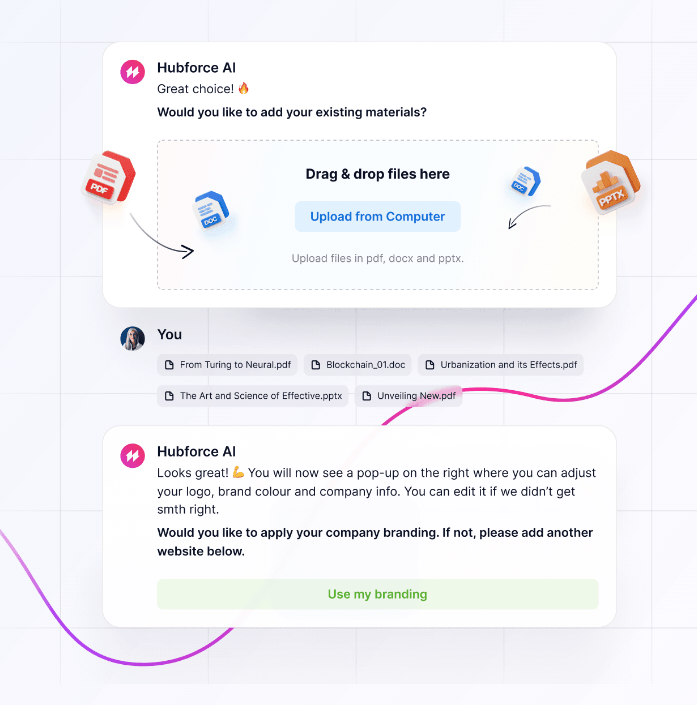
Hubforce’s AI Hub Builder helps your team build personalized digital sales rooms with the power of AI to win more deals.
Pricing
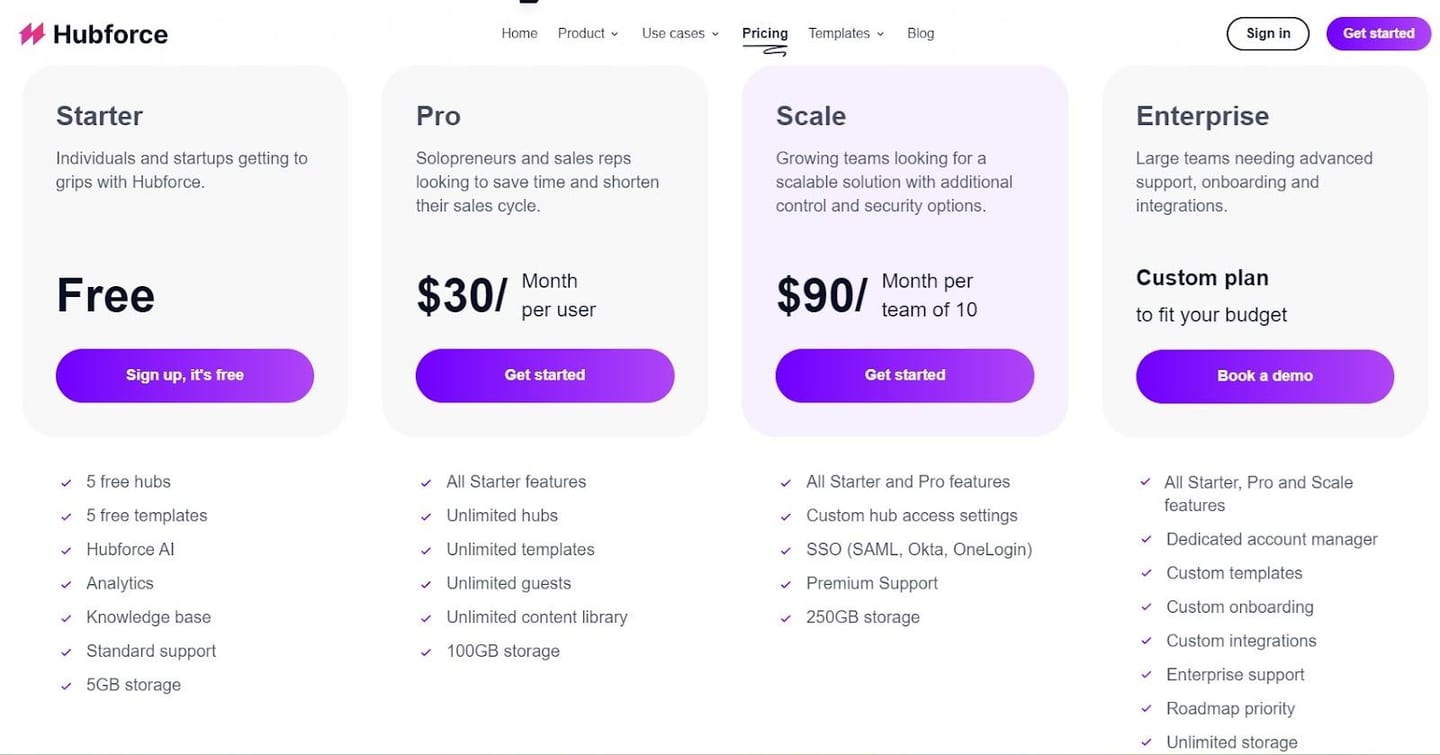
Hubforce has a freemium that includes five free hubs and five free templates.
If you want to get access to unlimited hubs and templates, you’d need to subscribe to one of its three paid plans:
- Pro plan:$30/month/user, which gives you access to unlimited hubs, templates, guests, and 100GB storage.
- Scale plan: $90/month/per team of 10, which gives you access to custom hub access settings, SSO, and 250GB storage.
- Enterprise plan: Custom pricing that gives you access to custom templates, custom onboarding, and custom integrations. The storage is also unlimited.
Pros and Cons
✅ AI-powered personalization.
✅ Analytics into the sales cycle with action triggers.
✅ Freemium that lets you get started on the platform for free.
❌ Not as battle-tested as other alternatives since it’s a new product.
❌ Integrations are limited when compared to other alternatives.
#8: Showpad
Best for: Engaging your leads and sales reps with content and training.
Similar to: Hubforce.
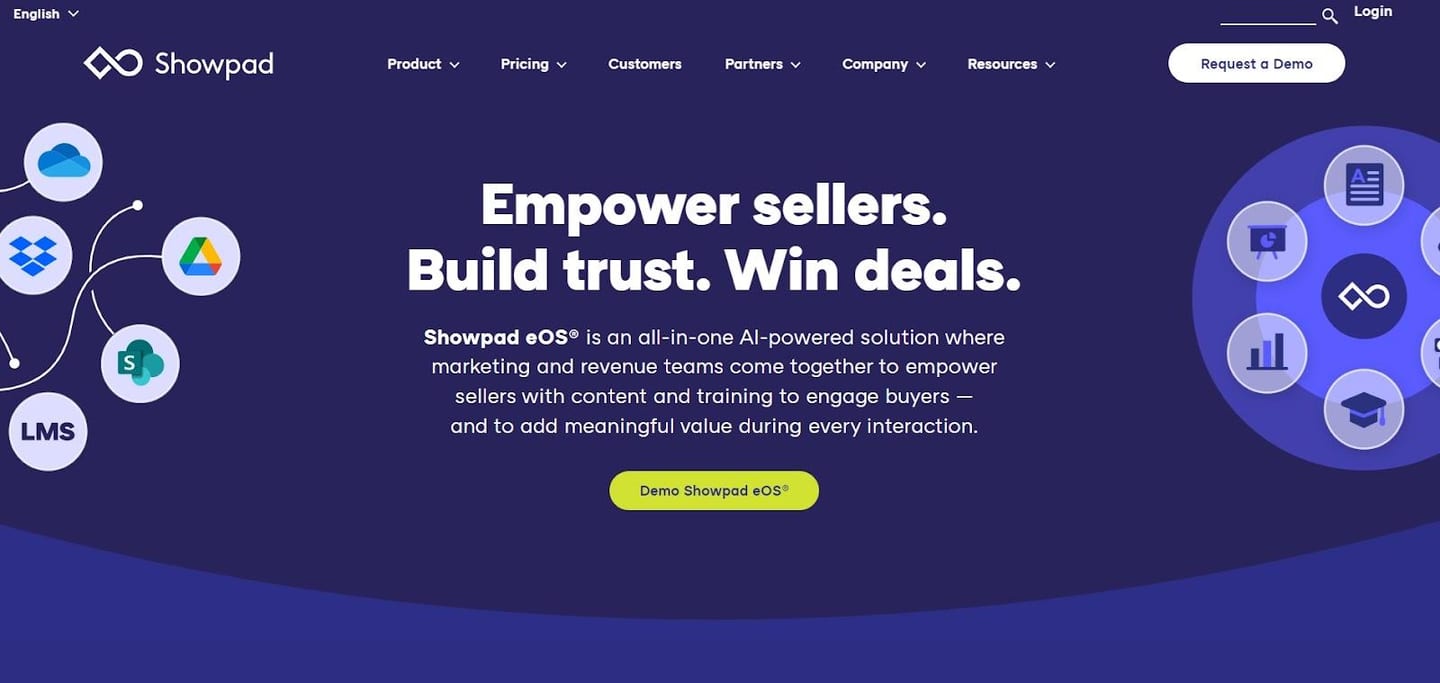
Showpad is a sales enablement software designed for sales teams to provide training and create sales assets for their leads.
The tool provides a centralized platform for content and sales tools with a digital app that features 360 showrooms and 3D modeling.
Features
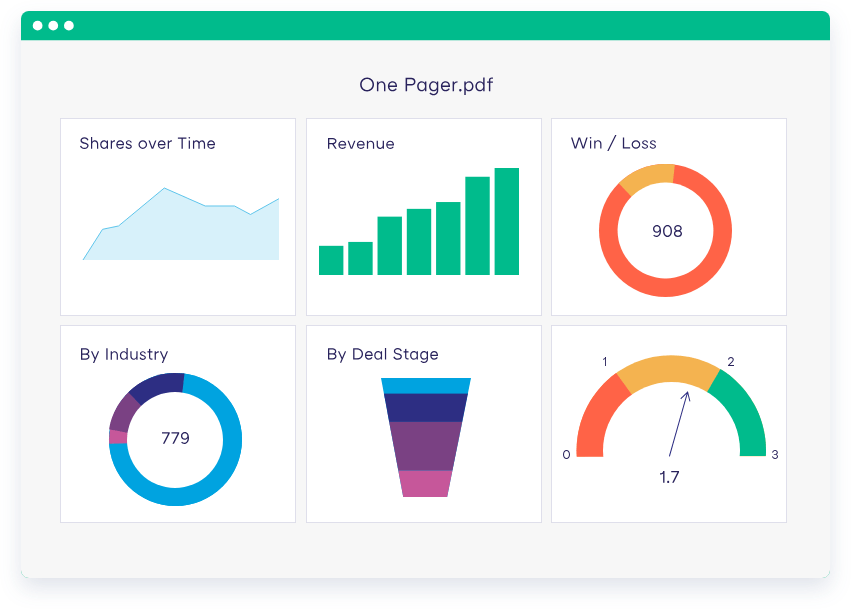
- Showpad eOS, whichis a centralized platform for marketing and sales teams where they can access playbooks, tools, product demos, and marketing materials.
- Showpad content empowers your sales teams to find, personalize, and share the right content at the right time with their prospects.
- Showpad video, which increases your revenue teams’ impact on the buyer experience with personalized video recordings.
Standout Feature: AI-Powered Sales Coaching
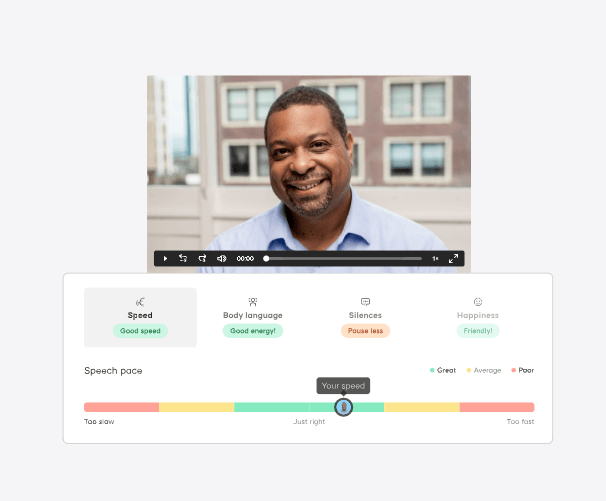
Showpad lets you train your sales representatives with features like pitch practice that gives sellers a practice playground to hone pitch skills and level up their negotiation skills.
Pricing
Showpad does not publicly disclose its pricing.
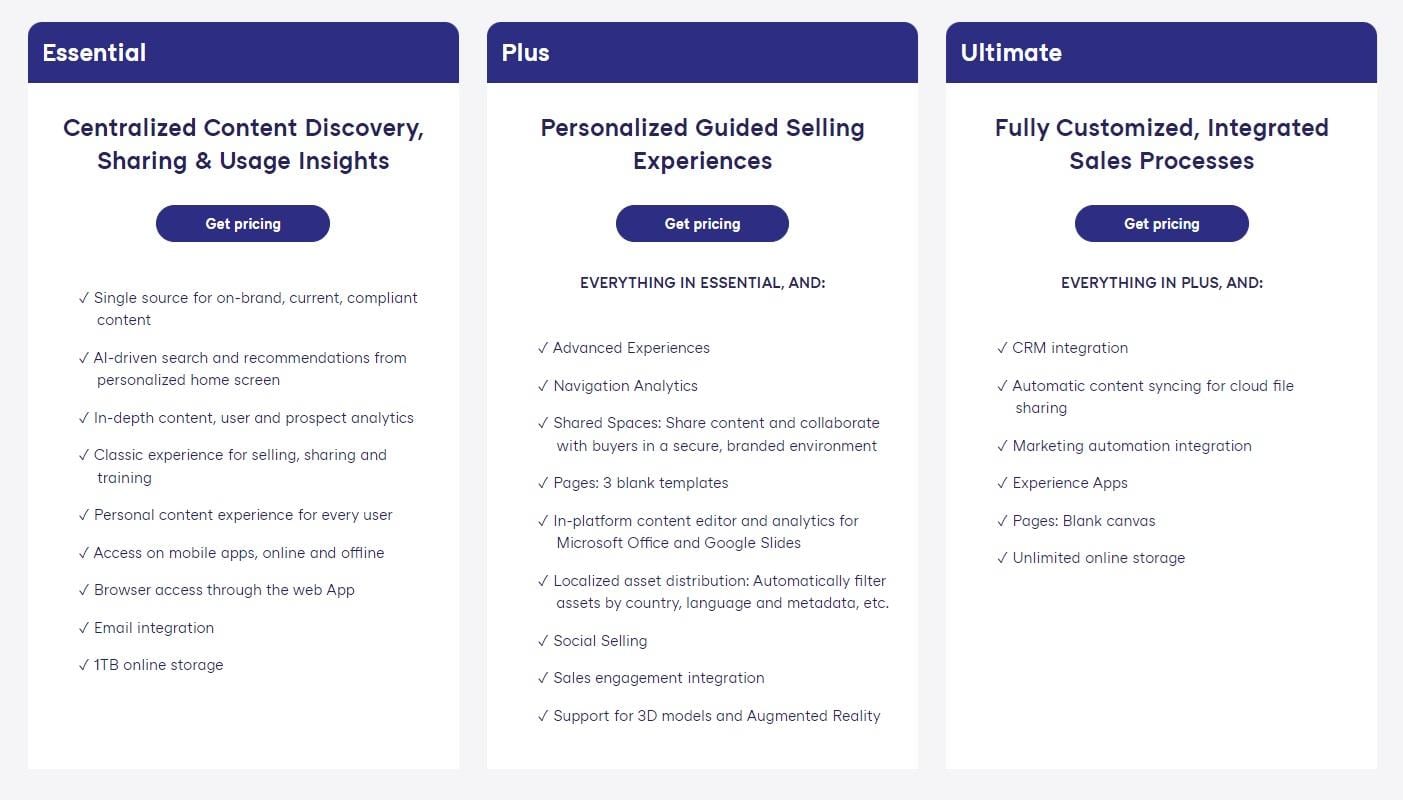
The product has three subscription tiers:
- Essential plan, which gives you access to AI-driven search, user analytics, and a personalized content experience for every user.
- Plus plan, which gives you access to its advanced Experiences, navigation analytics, and shared spaces to collaborate with your team.
- Ultimate plan, which gives you access to a CRM integration, automatic content syncing for cloud file sharing, and unlimited online storage.
Pros and Cons
✅ AI-powered sales coaching to develop your sales reps.
✅ 3D models and Augmented Reality features.
✅ Open API for integration with your CRM and marketing automation system.
❌ Pricing is not disclosed.
❌ UI may be hard to navigate for new users.
#9: Buyerstage
Best for: Small and midsize sales & CS teams who are looking for a centralized collaborative space to manage all their collaboration activities with buyers.
Similar to: Flowla, Dock.
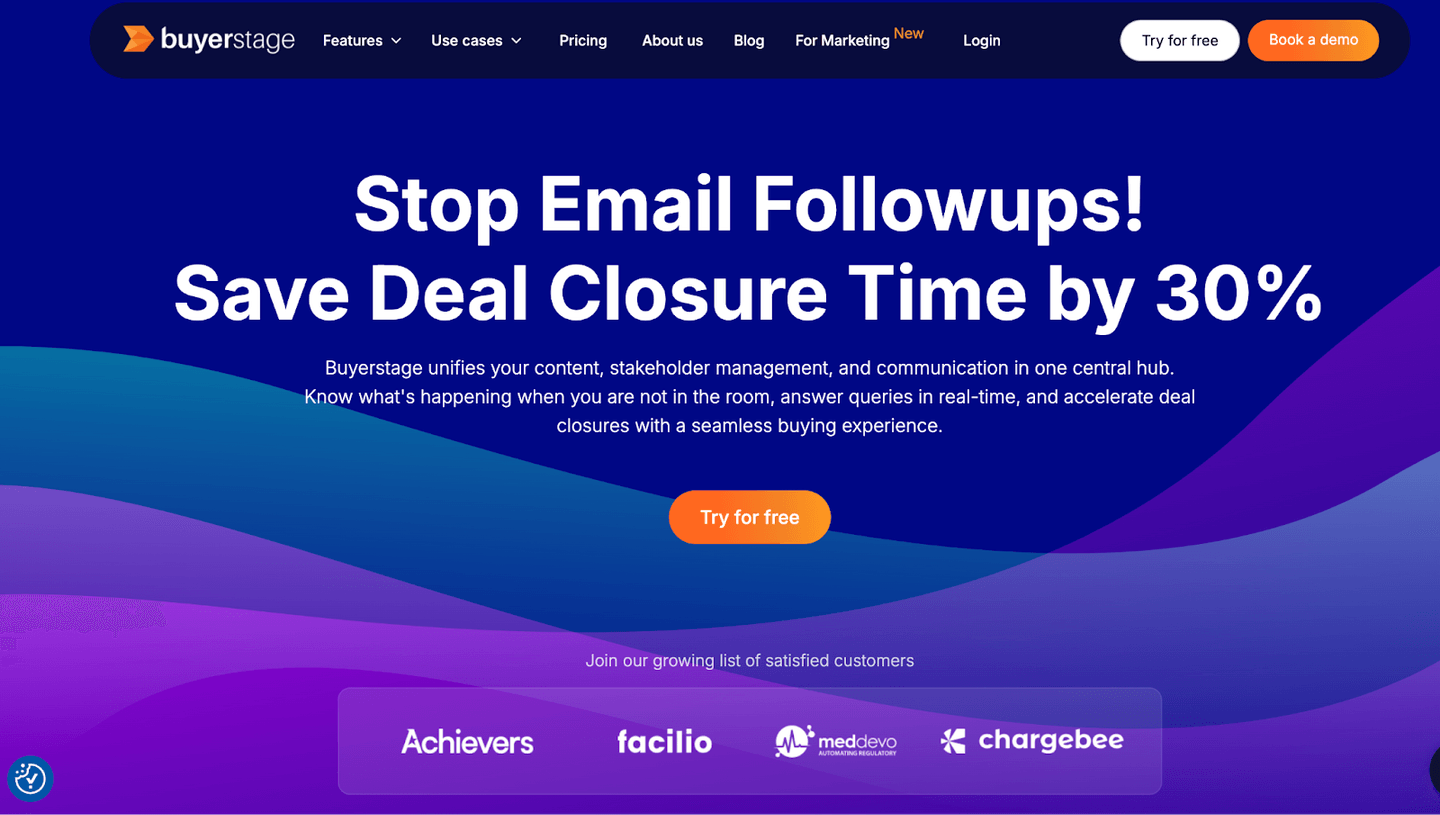
Buyerstage allows salespeople to create collaborative workspaces to share sales assets and collaborate with all the stakeholders in the buyer’s team effectively.
This can cut 30% of the deal closure time and helps to close deals faster than collaborating via email threads.
Salespeople (AE) will create this workspace in a single click from their CRM for every deal/opportunity by selecting the pre-defined sales template.
Further, beyond the deal closure, it helps to smoothly handoff to CS teams, to onboard customers in a self-serve onboarding.
Features
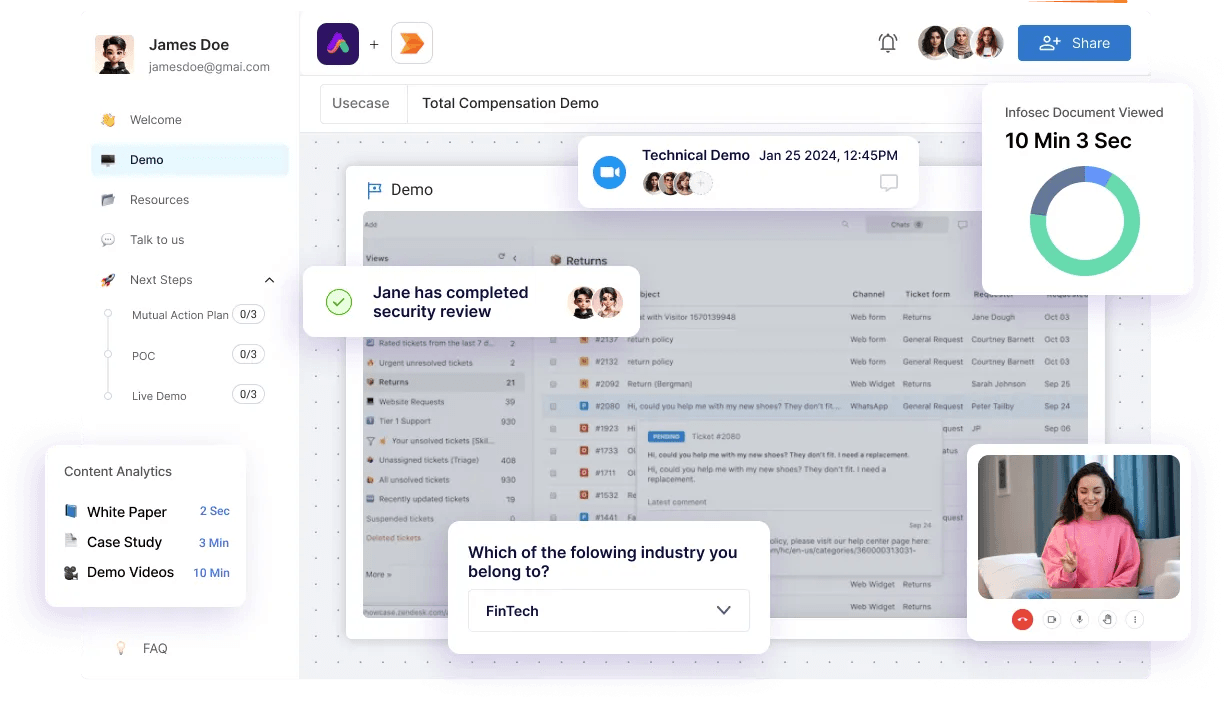
- Digital sales room provides a centralized workspace to showcase all types of sales assets and collaborate with every stakeholder instantly through chats and comments in a common space.
- Content management helps to create an organized resource library, where sellers can easily locate and share the asset instantly with the buyers.
- Analytics and reports give you data about buyer behaviour by tracking every buyer engagement that happens inside the room, which helps to make data-driven decisions to prioritize buyers.
Standout Feature: Stakeholder Mapping
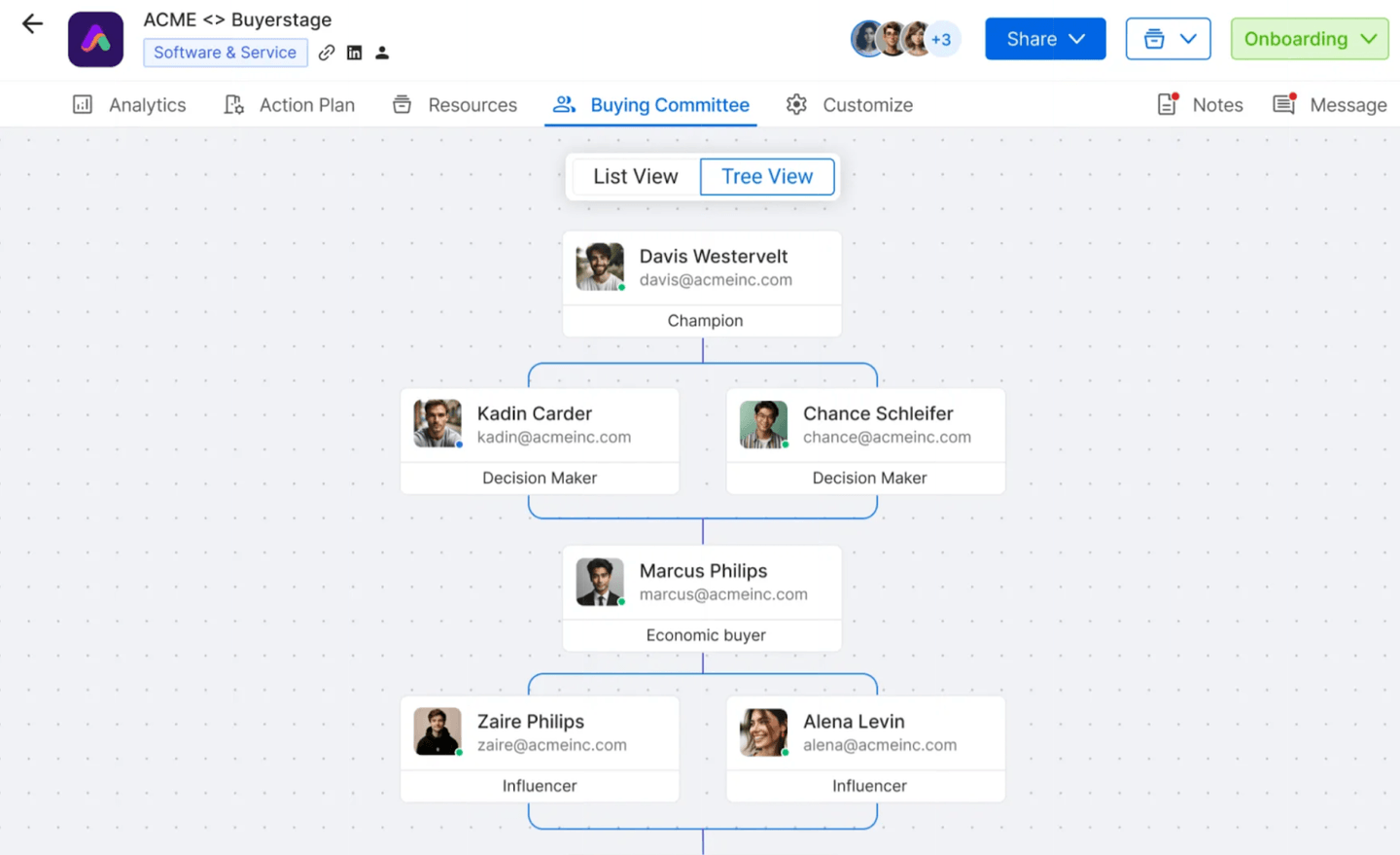
Stakeholder mapping helps you identify every stakeholder in the buying committee so that you can engage the hidden key decision-makers to influence the deals, which is tough or impossible to do via email.
You can map the buyer’s team and know who is engaged to move the deal’s momentum.
Pricing
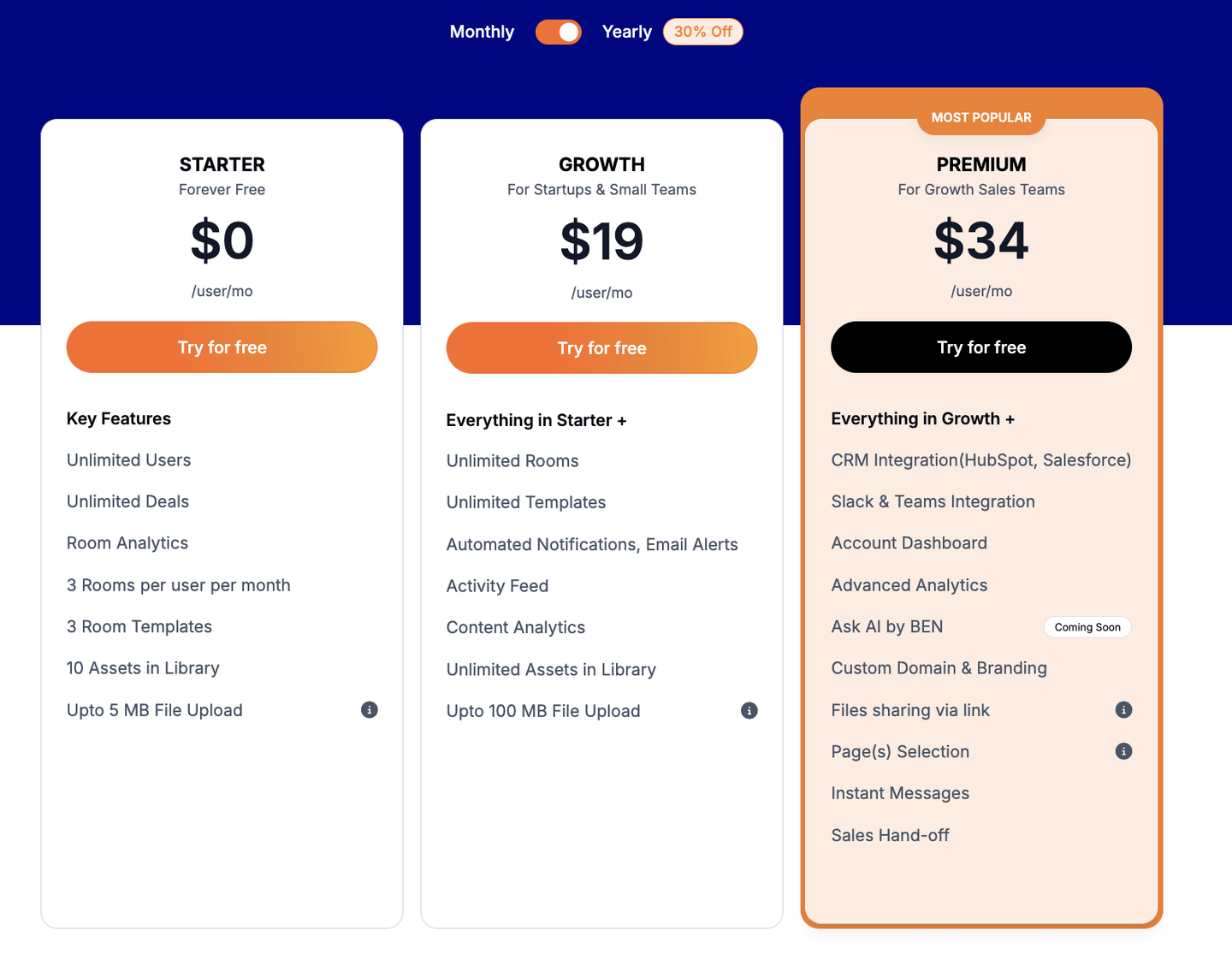
Buyerstage has a free plan which gives you complete free access to the platform for 30 days which lets you create up to three rooms with an unlimited user limit.
To access the advanced features without any restrictions, the following are the paid plans:
- Growth - $20/user/month will give you access to unlimited rooms, templates, automated notifications and content analytics.
- Premium - $34/user/month (the most popular plan) that gives you access to custom branded rooms, CRM integrations, Slack & Teams integrations and advanced analytics.
- Enterprise - Custom pricing, which adds a dedicated account manager and product support with extended features on top of the Premium plan.
Pros and Cons
✅ Digital Sales Room (DSR) and Mutual Action Plan (MAP) make the sales process so streamlined for the buyer.
✅ Easy to organize and share any type of sales asset and able to track buyer engagement with the shared content.
✅ Analytics and reports provide actionable insights about the buyer/customer behaviour inside the rooms.
⚠️ Takes a bit to load when the room is overloaded with lots of content.
⚠️ CRM integration is only available in Premium and Enterprise plans.
#10: emlen
Best for: Minimizing admin tasks and maximizing selling time.
Similar to: Buyerstage.
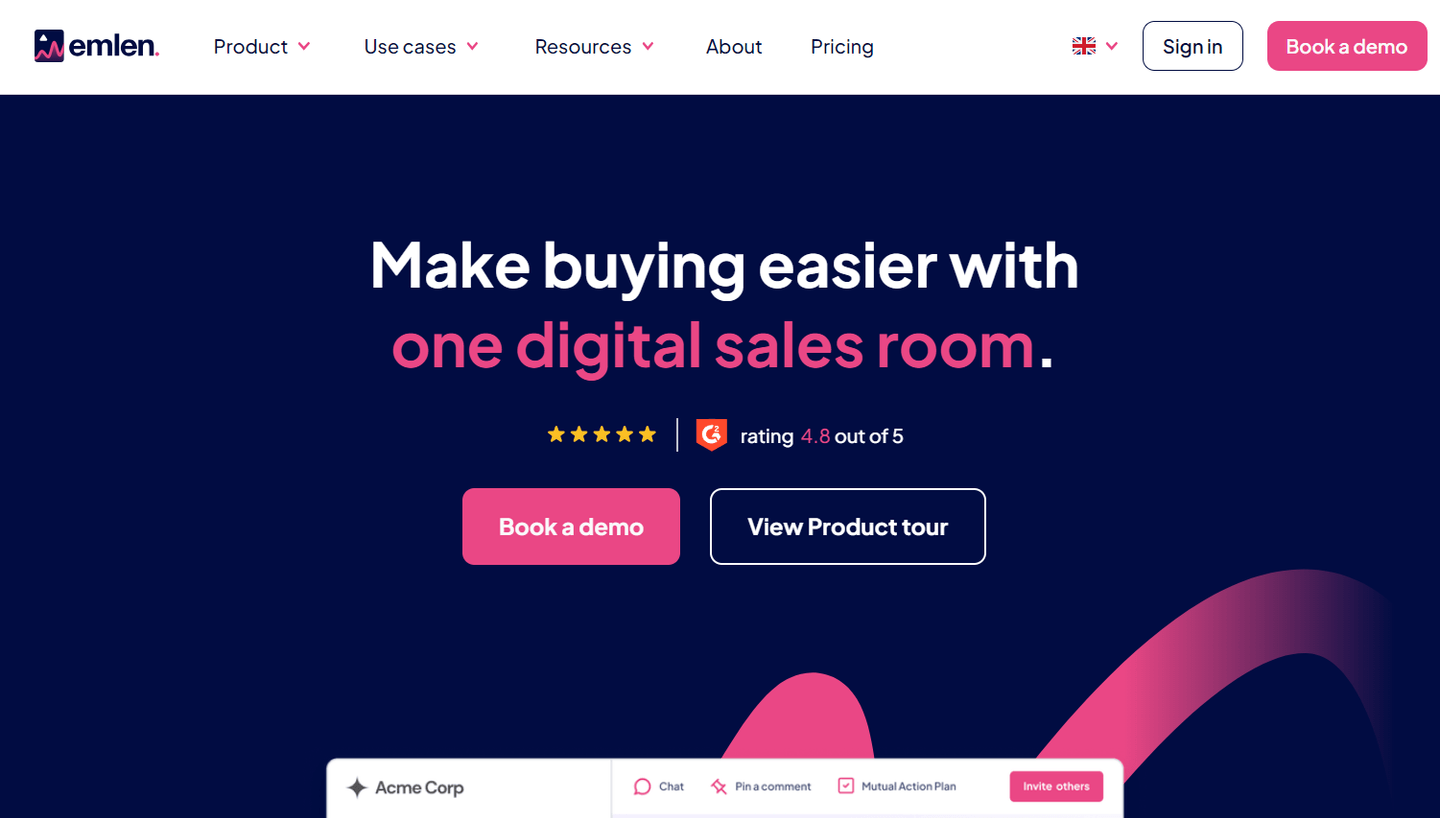
emlen is a sales enablement software that offers digital sales rooms and rich analytics to help you understand which content resonates with and engages your customers.
The platform lets you say ‘’Goodbye!’’ to chaos and stakeholder misalignment.
Features
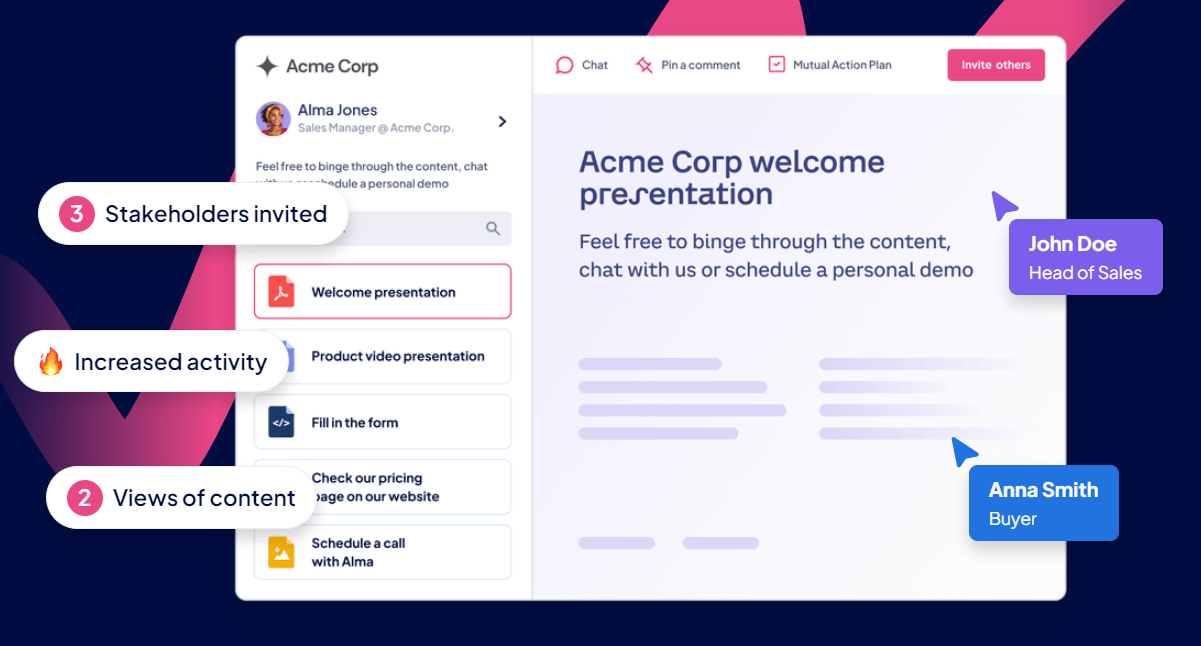
- Easily manage and share the right content with your teams and buyers in collaborative spaces.
- Bring your seller and buyer into one digital sales room to centralize all interactions with your customers.
- Mutual action plans that help you schedule intro calls, kick-offs, and launches.
Standout Feature: Multi-Stakeholder Management
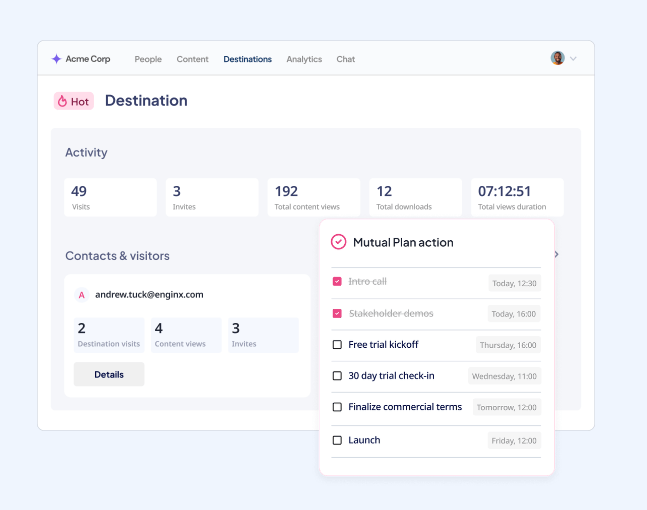
emlen helps you simplify multi-stakeholder management by involving different stakeholders and tracking how they interact with your sales content.
By making every interaction more meaningful and simple, you will be able to better manage the key decision-makers.
Pricing
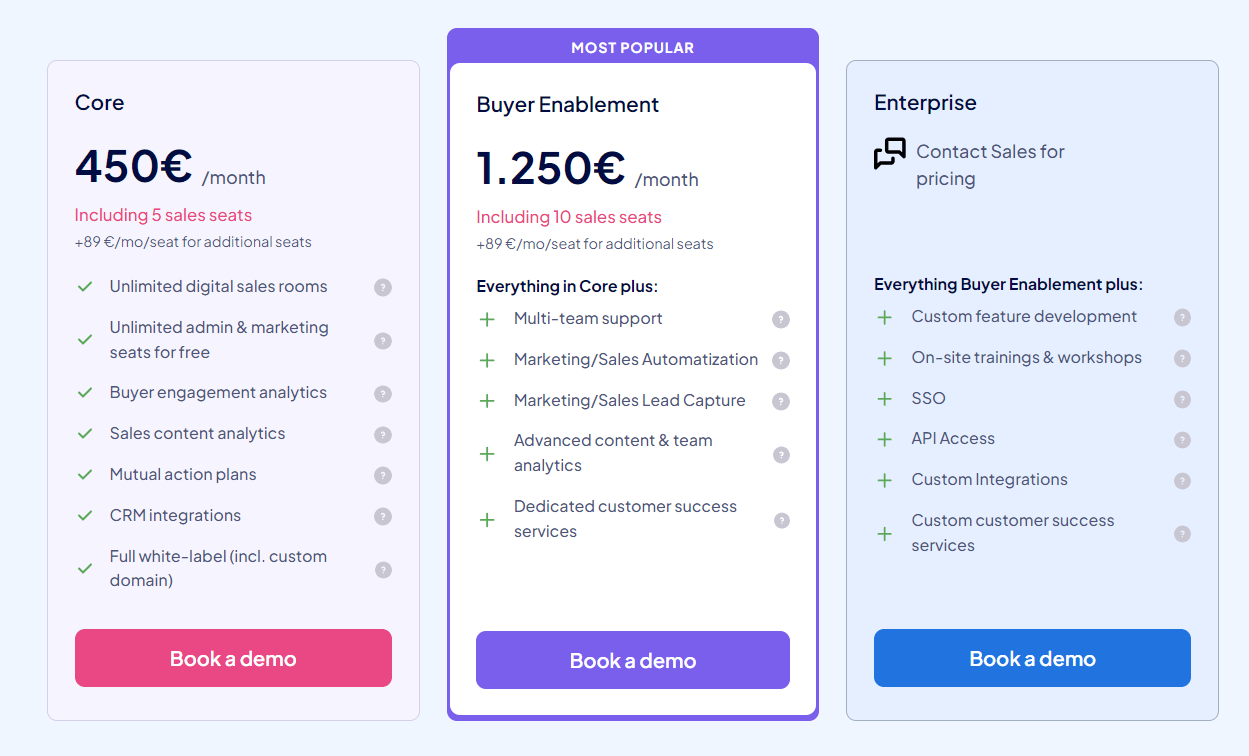
emlen is a German-based platform that bases its pricing on features and user seats (outside of the allocated ones) - in Euro (€).
The sales enablement solution offers 3 paid tiers:
- Core: €450/month for 5 seats (+€89/month for additional seats), which gives you access to unlimited sales rooms, unlimited admin and marketing seats, and buyer engagement analytics.
- Buyer Enablement: €1,250/month for 10 seats (+€89/month for additional seats), which gives you access to marketing and sales automatizations and advanced content and team analytics.
- Enterprise: Custom pricing, which gives you access to custom feature development, on-site training, API access, and custom integrations.
Pros and Cons
✅ Advanced digital sales rooms with sales content analytics.
✅ Ideal for midsize to enterprise companies looking for deal prioritization and buying center alignment features.
✅ Admin and marketing teams get seats for free, unlike other competitors.
⚠️ There are native HubSpot and Salesforce integrations, but as paid add-ons (unless you are on the Enterprise plan).
⚠️ Relatively new product, so it’s not as battle-tested as other alternatives.
Next steps: put your sales playbook to work on every deal
Sales enablement software gets the content and the training to your reps. The deals still move on the work between calls: the prep, the follow-up, the case study the buyer needs, and the next stakeholder to bring in.
If you’re a sales leader who wants:
- Your team’s playbook applied to every deal, not just the few your best rep has time for.
- Call prep, research, follow-up emails, and CRM updates done without a prompt, with a rep approving each one before it sends.
- Sales rooms kept current with each deal’s next steps, all of it working with the CRM and notetaker your team already uses.
Then you can book an agent kickoff to see how Arrows works today.