


We reviewed the proposal software’s pricing page, user reviews, and third-party data and collected all available information about Qwilr’s pricing in this complete guide.
TL;DR
- Qwilr’s pricing is based primarily on the number of user seats needed, as the tool’s core features are on the Business plan.
- According to Vendr, Qwilr’s Enterprise plan costs an average of $6,520 a year, and the maximum reported price is $22,000/year.
- You can access paid add-ons, such as a custom-built ROI calculator, design consultations, and onboarding support.
- There is a non-profit and student discount you can inquire about.
What is Qwilr, and how is it priced?
Qwir is a sales proposal software that lets you create interactive proposals in web format to convert your leads.
Your buyers can review the contract and its options, then sign and pay without additional steps or tools.
The tool has two pricing plans, Business and Enterprise, which we’ll review in detail in this article.
Qwilr bases its pricing primarily on seats, as you will get all the platform’s core features in its Business plan.
Here’s a little sneak-a-peek 👇 into Qwilr’s pricing:
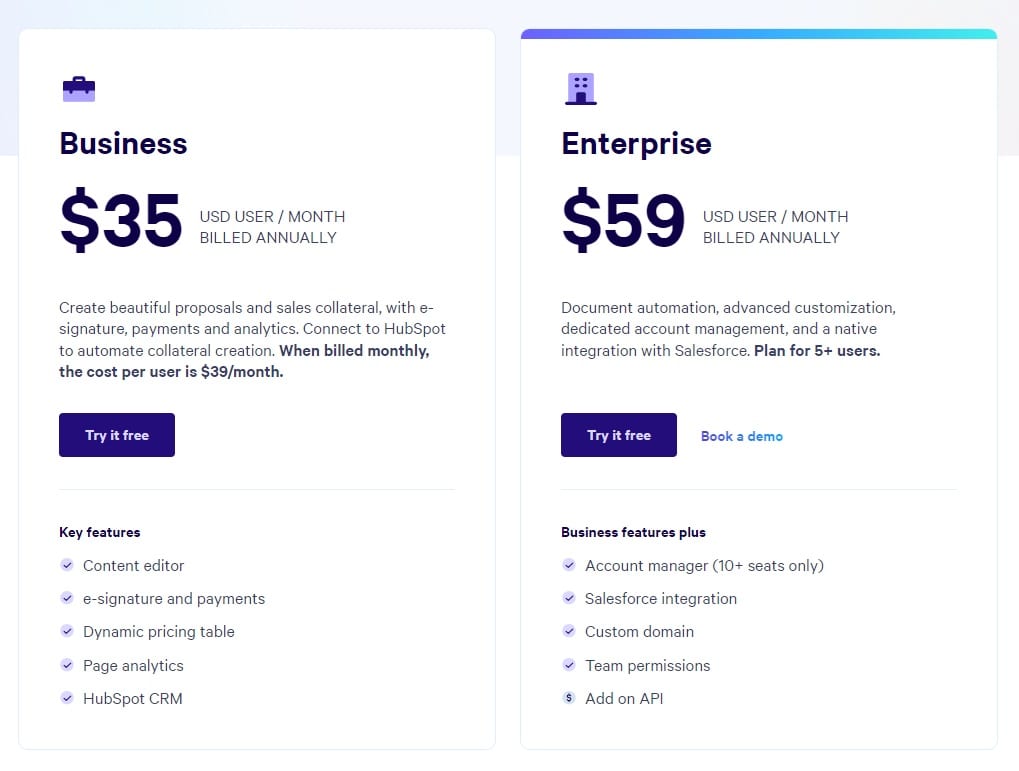
Note: Unlike alternatives like Highspot, Qwilr offers monthly plans and does not require you to be on an annual contract.
Does Qwilr have a free plan?
Qwilr does not currently offer a free plan for their software.
However, the tool offers a 14-day free trial with no credit card or contract commitment.
It is also possible to try their Enterprise plan for free.
➡️ Additionally, Qwilr offers a discount for students and non-profits. You’d have to contact Qwilr, and they’ll help you out.

What do you get on Qwilr’s Business plan?
Qwilr’s Business plan gives you access to the tool’s full functionality for creating beautiful proposals and sales collateral.
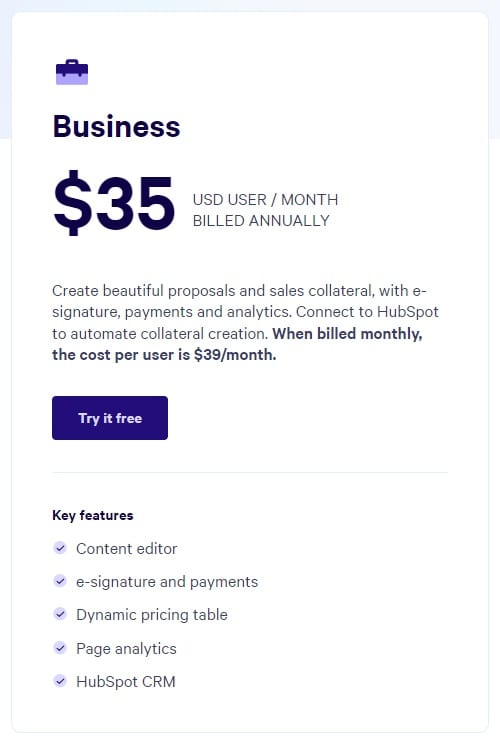
Starting at $35/month/user when paid annually, the Business plan gives you access to:
- The tool’s content editor allows you to create proposals and sales collateral.
- E-signatures and payments that are on the same page as everything else.
- Dynamic pricing table so you can tailor your pricing to each user.
- Page analytics to get insights into how each proposal is performing.
- The ability to connect to HubSpot to automate collateral creation.
💡 There is no minimum user requirement - you can start with one user only.
Drawback - Limited Editing & Customization
Some users described on G2 reviews that the software offers limited editing and customization options, which can be restrictive.
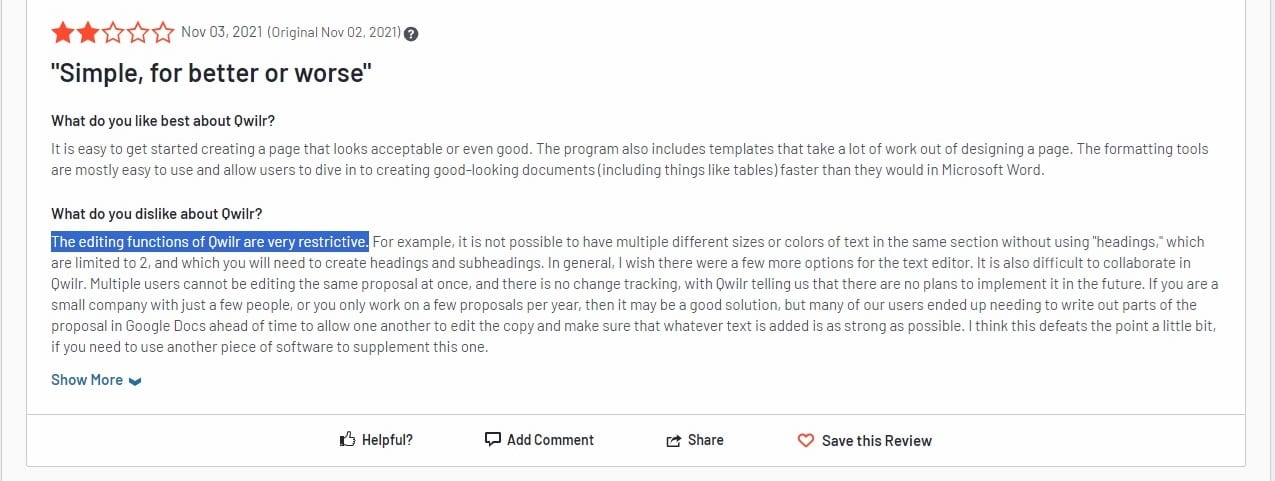
‘’The editing functions of Qwilr are very restrictive. For example, it is impossible to have multiple different sizes or colors of text in the same section without using “headings,” which are limited to 2, and you will need to create headings and subheadings. I wish there were a few more options for the text editor.’’ -G2 Review.
What does Qwilr’s Enterprise plan add?
Qwilr’s Enterprise plan starts at $59/user/month when paid annually and gives you access to customization features and support to help you win.
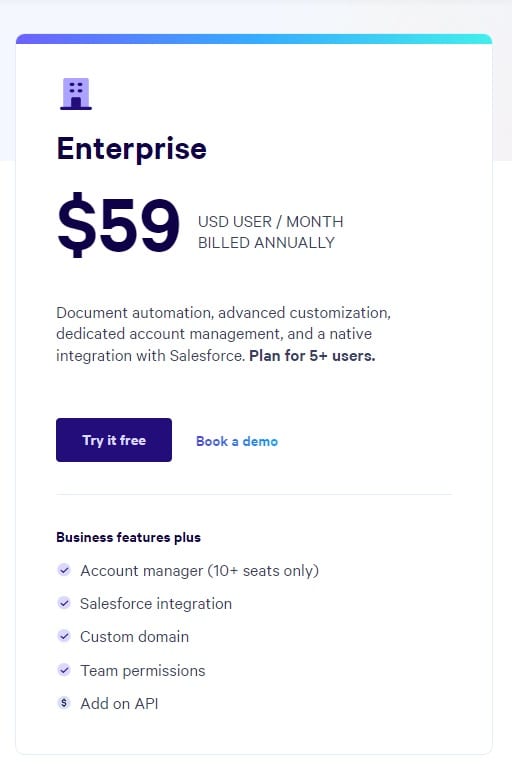
In the Enterprise plan, you will get everything in Business, plus:
- A dedicated account manager for 10+ seats and chat support.
- Deep Salesforce integration will automatically produce personalized Qwilr pages for clients.
- Branding features, such as custom domain, badges removed from emails, and custom fonts.
- Better security: Team permissions, domain-restricted access, and verification.
- Reporting history from 120 days on the Business plan to 5 years.
- Collection count from 2 on the Business plan to 8.
You can access the tool’s API for custom integrations and document automations as a paid add-on in the Enterprise plan.
💡 The Enterprise plan has a minimum requirement of 5 users.
Drawback - Lack of Reporting & Dashboard Functionality
A common complaint about Qwilr is its lack of reporting and dashboard.
These features are important for sales teams to visualize their pipeline and showcase their results to the upper management.
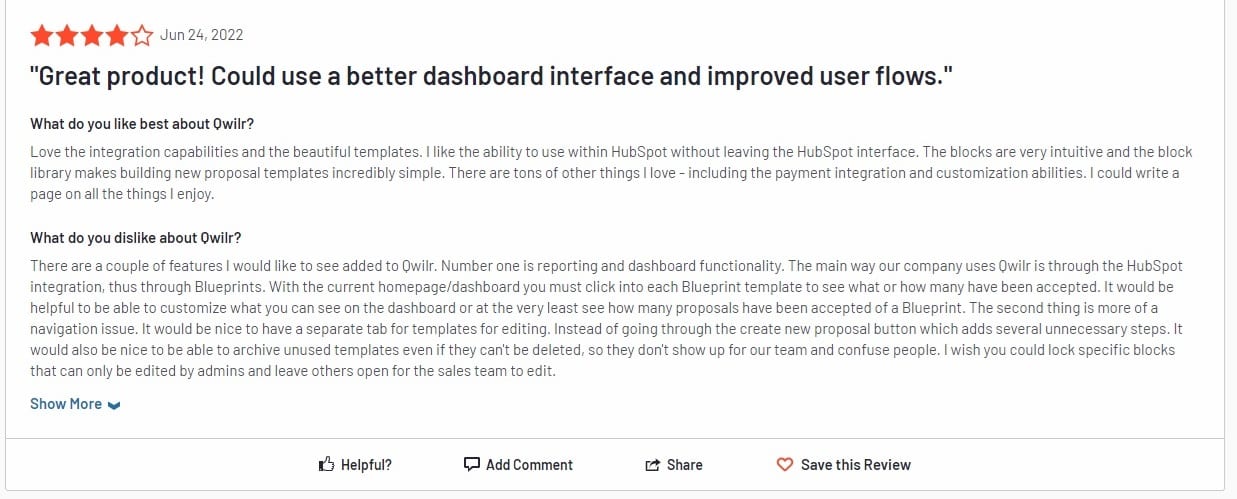
‘’I would like to see a couple of features added to Qwilr. Number one is reporting and dashboard functionality.’’ -G2 Review.
How Much Qwilr’s Enterprise Plan Actually Cost?
Third-party platforms show that the average cost of Qwilr is about $6,520 annually, and the maximum reported price is $22,000 a year.
This data is based on ten deals Vendr has handled for Qwilr.
Are there any additional costs to Qwilr?
Four paid professional services add-ons can be accessed from both Business and Enterprise plans:
- Onboarding package, where you can choose between a self-starting plan or a full white glove experience.
- Document conversions, where you can purchase a one-off design consultation or book in for a design refresh.
- ROI calculator creation, which is a custom-built ROI calculator based on your use case.
- Additional services, such as custom graphics or consultation about integrations.
Where does Arrows fit if you’re comparing Qwilr?
Qwilr is where your proposal lives. Much of a deal’s work happens around it: call prep, follow-ups, CRM updates, and getting it in front of the stakeholders who need to see it before anyone signs.
Arrows is promptless AI for account executives. Every deal gets a gameplan, and Arrows does the work that keeps it moving, before and after the proposal goes out.
A gameplan for every deal
Your best reps keep a plan in their head for a handful of deals. The rest get improvised. Arrows applies your team’s playbook to every deal, and each gameplan stays current as the deal moves.
The work before and after every call
Arrows reads your call transcripts, emails, CRM, and notes, then does the work:
- Call prep and deep research before every meeting.
- Follow-up emails drafted from what the buyer said.
- CRM updates written back to the deal.
- Multi-threading, so a deal doesn’t rest on one contact.
- Every date tracked from your calls, with nudges when a deal goes quiet.
- The right case study and Loom videos sent between calls.
- Sales room updates with the current next steps.
There’s no prompt to write. Reps approve every email, CRM update, and sales room change before it sends.
Works with your CRM and notetaker
Arrows works with HubSpot, Salesforce, Pipedrive, Close, and Attio, and with notetakers like Gong, Fathom, Granola, Grain, and Fireflies. It also connects to Gmail, Outlook, and Google Calendar. See the CRM integrations.
How Arrows pricing works
Arrows is priced on the work, not the seats, and we don’t publish prices. See how pricing works.
Next steps: get the work around the proposal done
If you’re a sales leader who wants:
- Every deal run on your team’s playbook, not only the ones your best rep has time for.
- Your reps selling, with the prep, follow-ups, and CRM updates off their plate.
Then you can book an agent kickoff to see how Arrows works today.