


The sales and customer onboarding software offers good onboarding and sales deal room capabilities, but some users have expressed concerns about the tool’s UI and mobile friendliness.
We researched dozens of tools, reviewed verified user reviews on G2, and talked to real users to create a complete list of the seven best Dock alternatives on the market.
This buyer guide covers each tool’s features, pricing, pros/cons, and use cases to help you make an educated decision.
Before we start, let’s go over why sales and customer success teams might consider switching from Dock ⤵️
Why do teams look for a Dock alternative?
Dock helps you organize everything shared with customers in one workspace, where you can create:
- Personalized sales deal rooms, where you can add sales content, action plans, price quotes, and order forms.
- Customer onboarding portals, where you can share project plans, onboarding content, and forms.
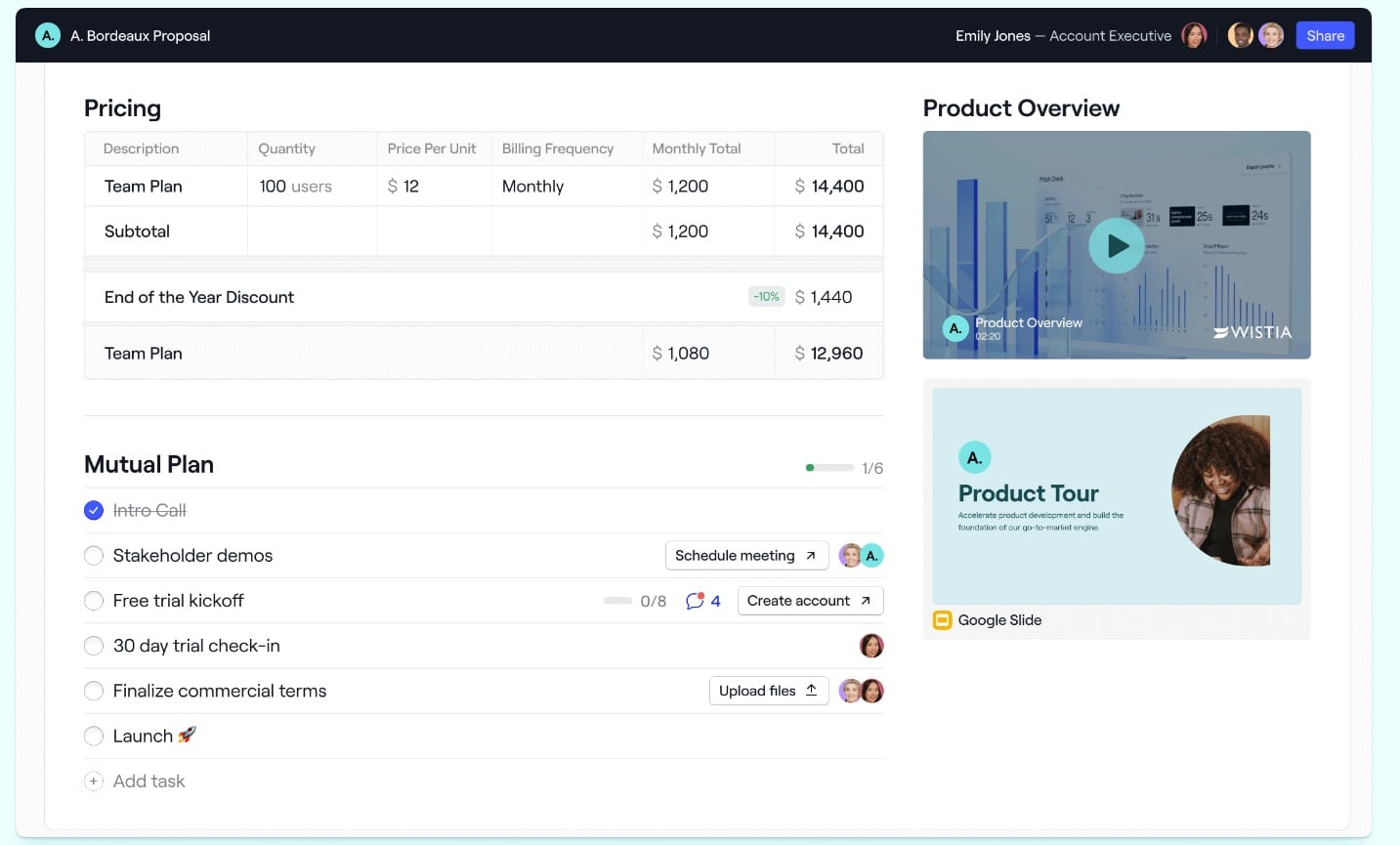
- Client portals, where you can organize everything for your customers in one place to deliver a white-glove customer experience to improve renewal rates.
However, some of Dock’s prospective and current users have expressed a few concerns about the platform. ⤵️
#1: Dock’s UI Can Be Buggy At Times
A platform user mentioned that they are experiencing minor UI problems, and their clients are not receiving the intended emails.

’‘We still have some minor UI issues - comments still tell us they were made “5 days ago” instead of listing an actual date. A couple of clients seem to not be getting their email notifications.’’ -G2 Review.
#2: The Software Is Not Mobile-Friendly Yet
Lastly, some customers of the tool have concerns about Dock’s mobile friendliness.
A sales enablement tool that is not mobile-friendly hinders accessibility and usability for your sales teams and clients on the go, reducing engagement during critical sales stages.

Dock is nearly a perfect product. The only thing I’m eagerly awaiting is mobile-friendly access. -G2 Review.
What are the best Dock alternatives?
Here are the best Dock alternatives that best address the challenges faced by sales and customer success teams:
#1: Arrows: Keep a gameplan for every deal and get the call prep, follow-ups, and CRM updates done.
#2: Trumpet- Send out personalized digital sales rooms.
#3: Qwilr- Design and send out beautiful sales proposals and collateral.
#4: Accord- Create personalized buying journeys for your prospects.
#5: SuiteDash- Set up a client portal and onboarding flow for your clients at an affordable price.
#6: Highspot- Measure the effectiveness of your sales team and train them.
#7: GetAccept- Build personalized proposals.
#1: Arrows
Best for: B2B sales teams that want the prep, the follow-up, and the CRM updates done on every deal.
Arrows is promptless AI for account executives. It keeps a gameplan for every deal and does the work that keeps deals moving.
Full disclosure: Arrows is our product. Here’s what it does and where it fits next to Dock.
Dock gives your buyer one place for the content, the action plan, and the next steps. Arrows works the deal on your side of that page. It reads your call transcripts, emails, CRM, and notes, builds a gameplan from your team’s playbook, and does the follow-through your reps would otherwise do by hand. Arrows has a sales room too, and the agents keep it current as the deal moves.
Feature #1: A gameplan for every deal
An action plan shows the buyer what happens next. Someone on your team still has to decide what that is, deal by deal. Your best rep keeps that plan in their head for their top deals. The rest get improvised.
Arrows applies your team’s playbook, the plain-language rules for how your team works a deal, to every deal. Each deal gets a gameplan: a path to close built from the playbook and from what’s actually happening on that deal. The plan updates after every call.
Feature #2: The work before and after every call
Arrows does the work you expect reps to do, and the work you wish they did:
- Call prep before every meeting.
- Deep research on the account and on each new stakeholder.
- Follow-up emails drafted from what the buyer said on the call.
- CRM updates written back to the deal.
- Multi-threading, so the deal doesn’t rest on one contact.
- Every date tracked from your calls, with nudges when a deal goes quiet.
- Loom videos and the right case study sent between calls.
- A sales room kept current, so the next steps your buyer sees match the deal.
There’s no prompt to write. Reps approve every email, CRM update, and sales room change before it sends.
Feature #3: Works with the CRM and notetaker you already use
Arrows works with HubSpot, Salesforce, Pipedrive, Close, and Attio, and with notetakers like Gong, Fathom, Granola, Grain, and Fireflies. It also connects to Gmail, Outlook, and Google Calendar.
It reads each deal from your calls and your CRM, then writes approved changes back. Your CRM stays current without reps typing updates. See the CRM integrations.
Pricing
Arrows doesn’t publish prices. It’s priced on the work, not the seats. See how pricing works.
Want to see it on your own deals? Book an agent kickoff: one call, and the agents start on your open deals that same day.
What stands out
✅ A path to close for every deal, built from your team’s playbook.
✅ Promptless: call prep, research, follow-ups, and CRM updates arrive done, ready for a rep to approve.
✅ A sales room the agents keep current with each deal’s next steps.
✅ One shared playbook for the whole team, instead of each rep working deals their own way.
✅ Works with the CRM and notetaker your team already has.
#2: Trumpet
Best for: Sending out personalized digital sales rooms.
Similar to: Qwilr.
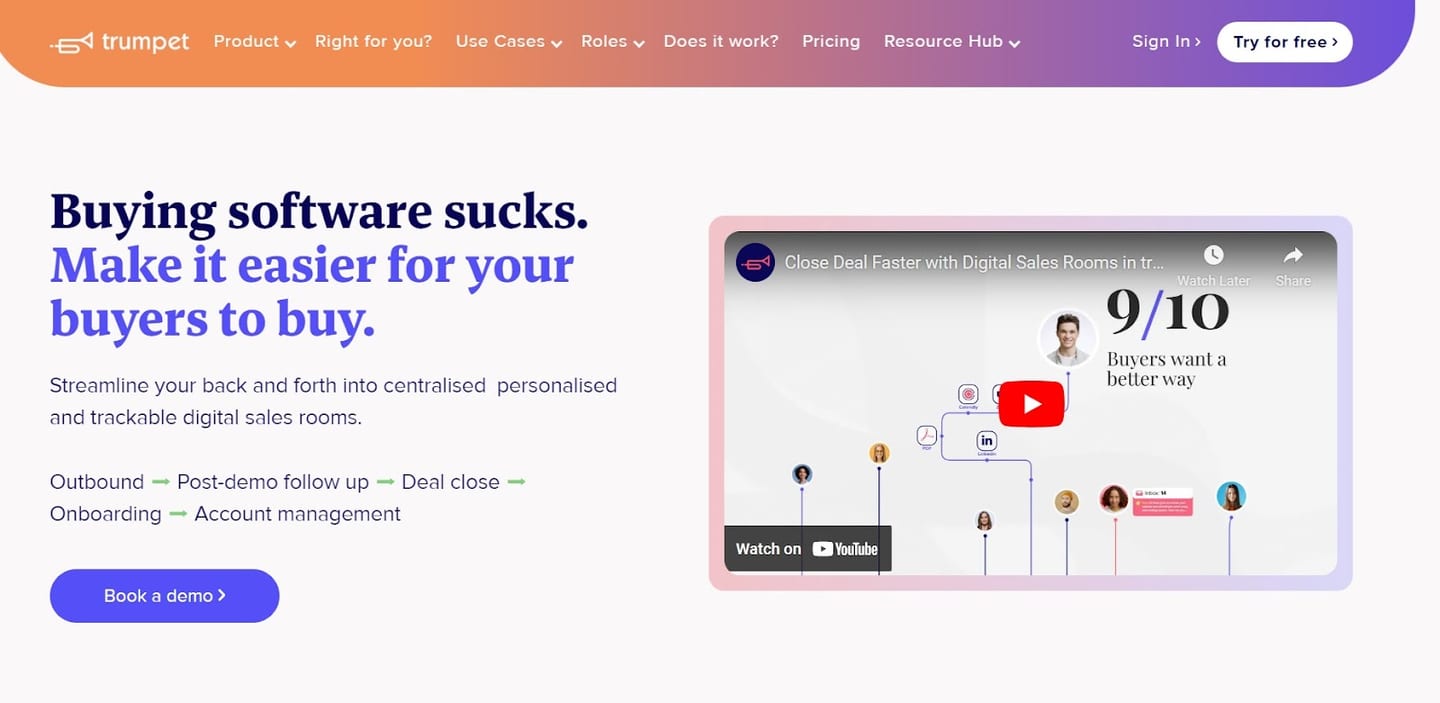
Trumpet is a sales enablement software that lets you send out personalized sales rooms and onboarding plans.
The tool is a viable Dock alternative, as it gives you access to buyer signals and insights so you can focus on the deals that matter.
Features
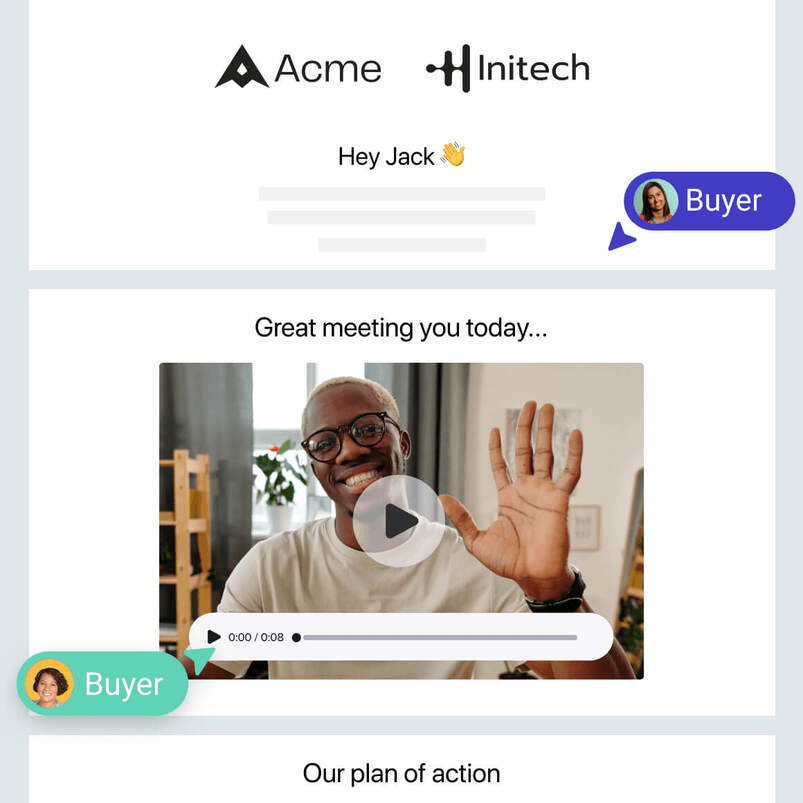
- Personalized digital sales rooms that let you streamline your entire sales cycle in one centralized space. You can add proposals, mutual action plans, and demo videos.
- Access 70+ pre-made templates of digital sales rooms and then personalize them to your customers.
- User and Pod analytics that let you make informed decisions and identify trends by receiving instant alerts for buyer actions and monitoring buyer’s interests.
Who is it for?
Trumpet is ideal for sales and customer success teams that want to send out personalized and trackable digital sales rooms from pre-made templates.
Pricing
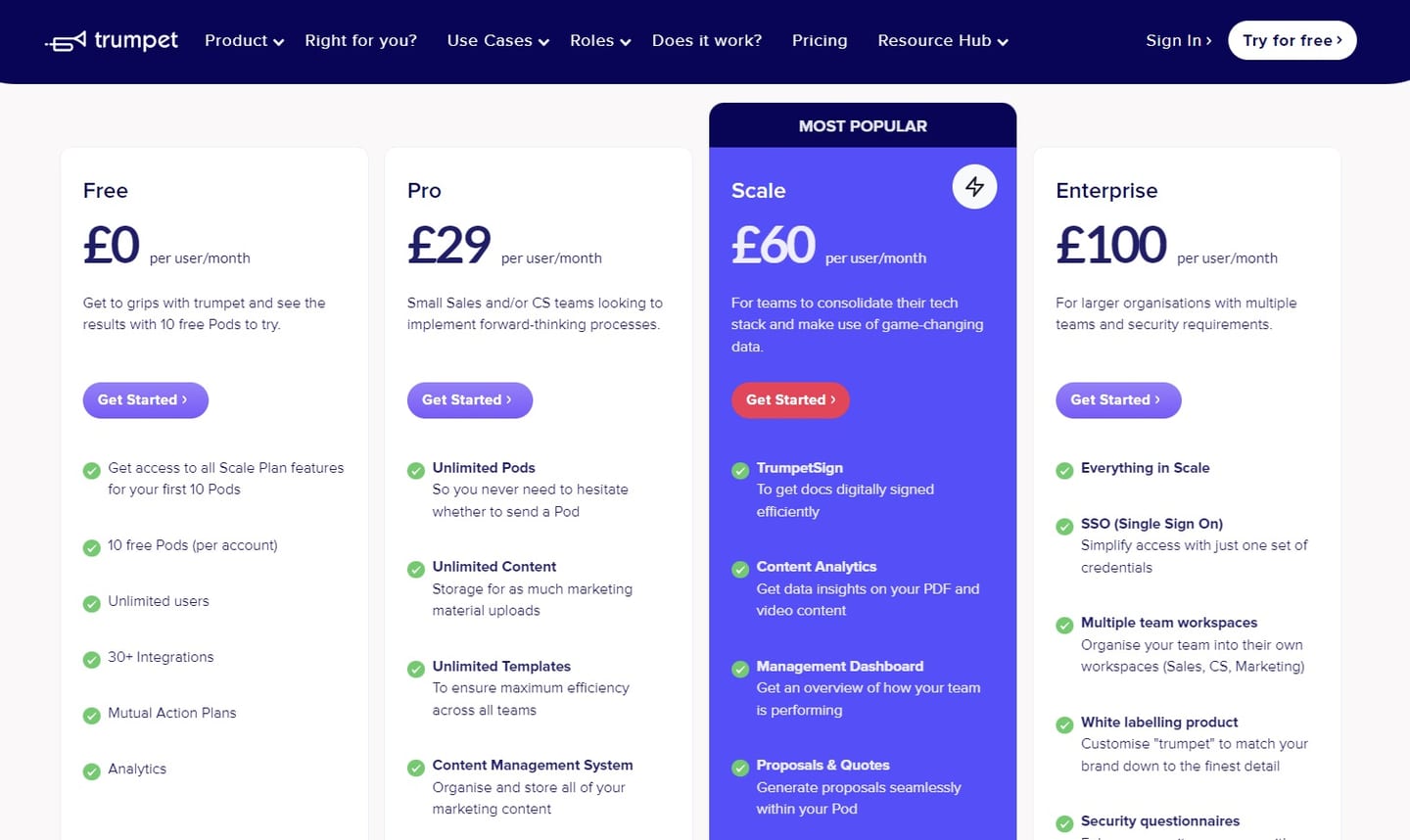
Trumpet offers a free version of its tool that lets you access all Scale plan features for up to 10 Pods.
You can also add unlimited users and access 30+ integrations, the tool’s analytics, and Mutual Action plans.
To access the software’s advanced features and unlimited Pods, you will need to sign up for one of their three paid plans:
Note: As a British company, Trumpet displays its pricing only in GBP (£). The brand also states that it accepts payments in USD ($).
- Pro plan:£29/user/month when paid annually, which gives you access to unlimited Pods, unlimited content storage, access to all templates, and CMS.
- Scale plan:£60/user/month when paid annually, which gives you access to the tool’s TrumpetSign (e-signatures), Content Analytics, management dashboard, and proposal software.
- Enterprise plan:£100/user/month when paid annually, which gives you access to SSO, custom domains, account management, and multiple team workspaces.
Pros and Cons
✅ Good personalization capabilities.
✅ Pre-made templates that can be customized.
✅ Detailed analytics into user interactions and buying intent.
❌ Users report limited customization of widgets.
❌ Contract e-sign tool is not as intuitive and easy to use as with other alternatives.
#3: Qwilr
Best for: Designing and sending out beautiful sales proposals and collateral.
Similar to: GetAccept.
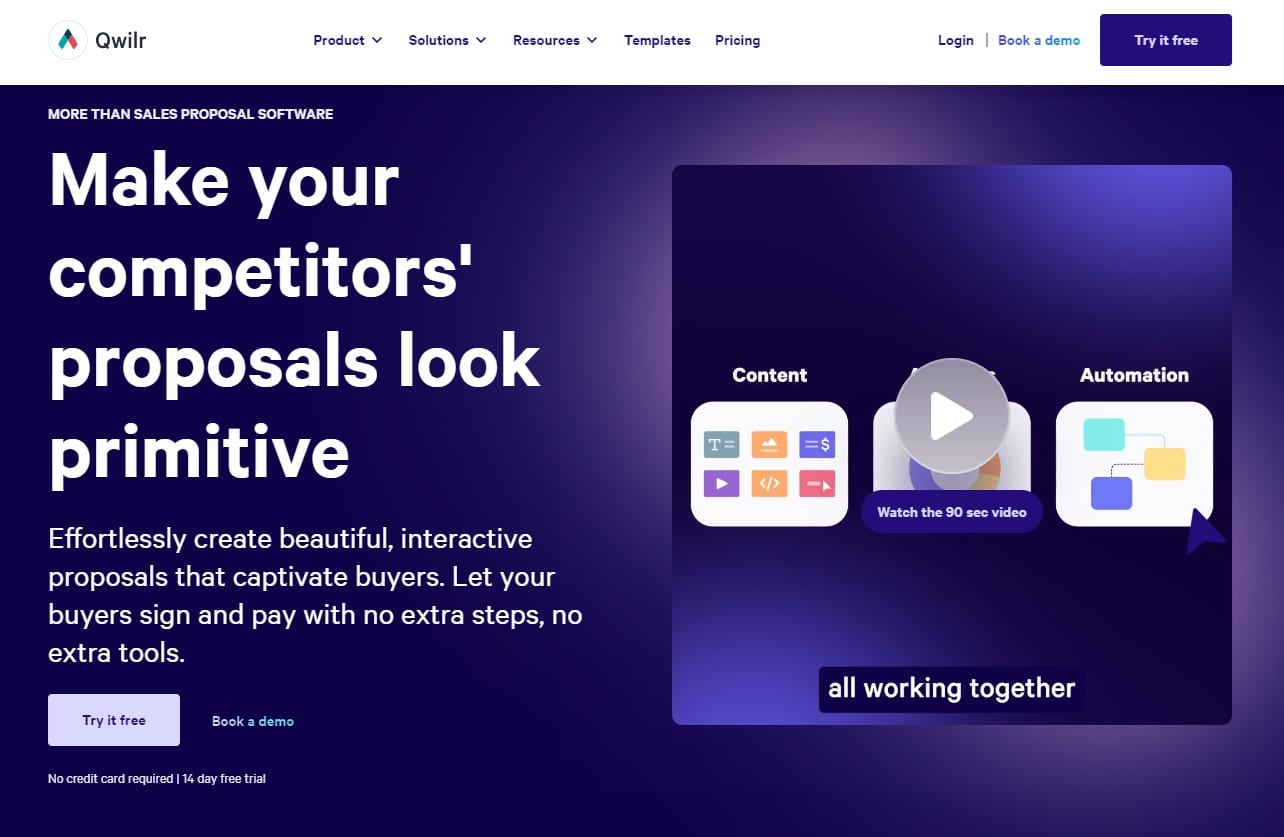
Qwilr is a sales proposal software that lets you create interactive proposals in web format to convert your leads.
The tool is one of the better Dock alternatives for moving your customers to the next steps of their buying process with the tool’s web-based software.
Features
-
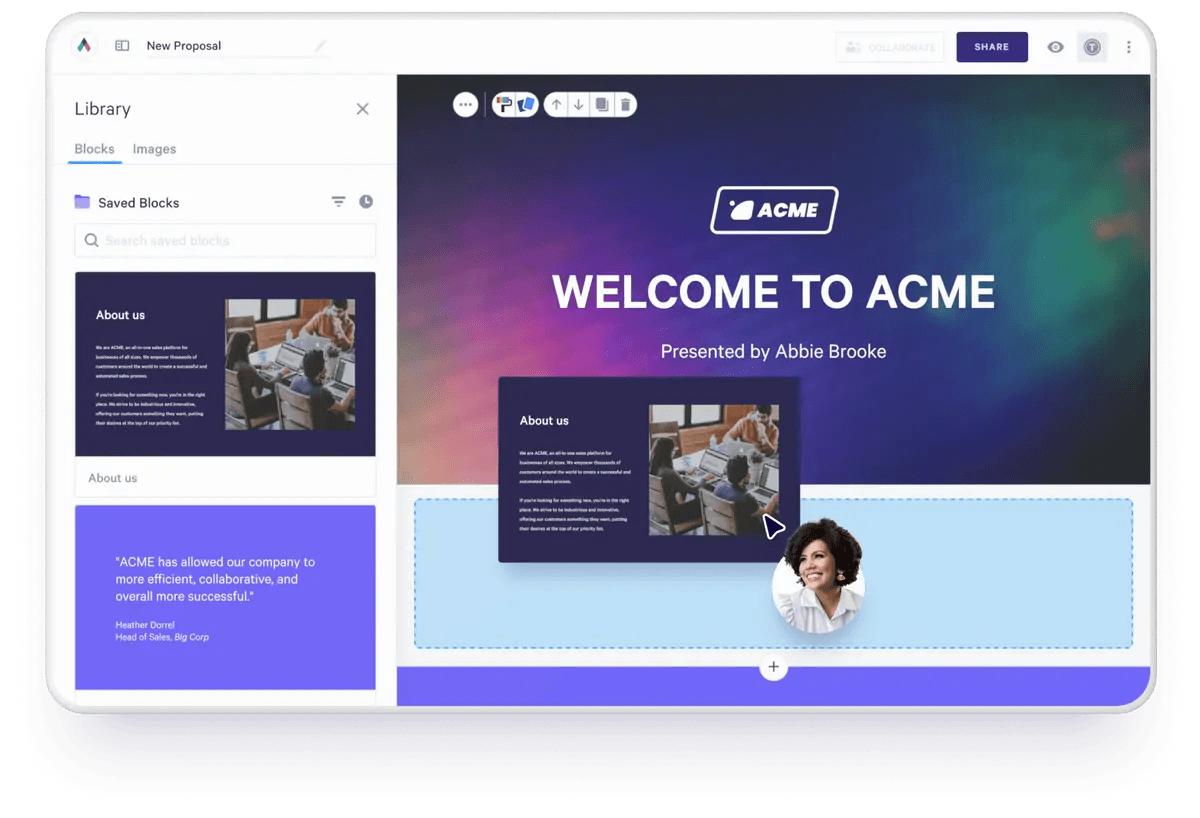
Sales proposal web editor with templates that you can customize, where you can create sales materials quickly.
-
The ability to combine the sign-off, agreement, pricing quote, and payment into one interactive page in web format, not PDF.
-
Advanced engagement analytics that tracks buyer engagement across all your sales material. The software notifies you when a quote or proposal has been viewed, signed, etc.
Who is it for?
Qwilr is ideal for sales teams that want to effortlessly create interactive proposals to delight prospective customers and move them through the buying funnel.
Pricing
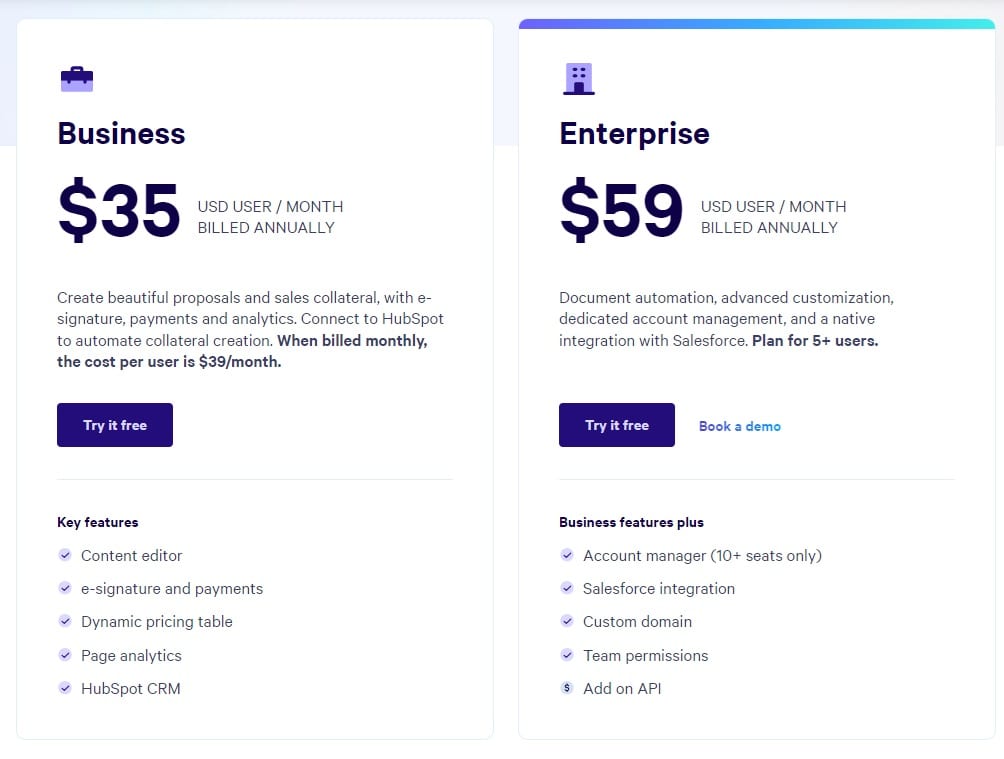
Qwilr has two pricing plans:
- Business plan: $35/user/month, which gives you access to the tool’s content editor, e-signatures, dynamic pricing table, page analytics, and HubSpot CRM integration.
- Enterprise plan:$59/user/month for a minimum of five seats, which gives you access to document automation, advanced customization, and dedicated account management.
Pros and Cons
✅ Pre-made templates that you can personalize to your prospects.
✅ Deep HubSpot and Salesforce integrations.
✅ Good analytics and insights into customer engagement.
❌ Limited editing and customization.
❌ Lack of reporting and dashboard functionality.
#4: Accord
Best for: Creating personalized buying journeys for your prospects.
Similar to: Trumpet.
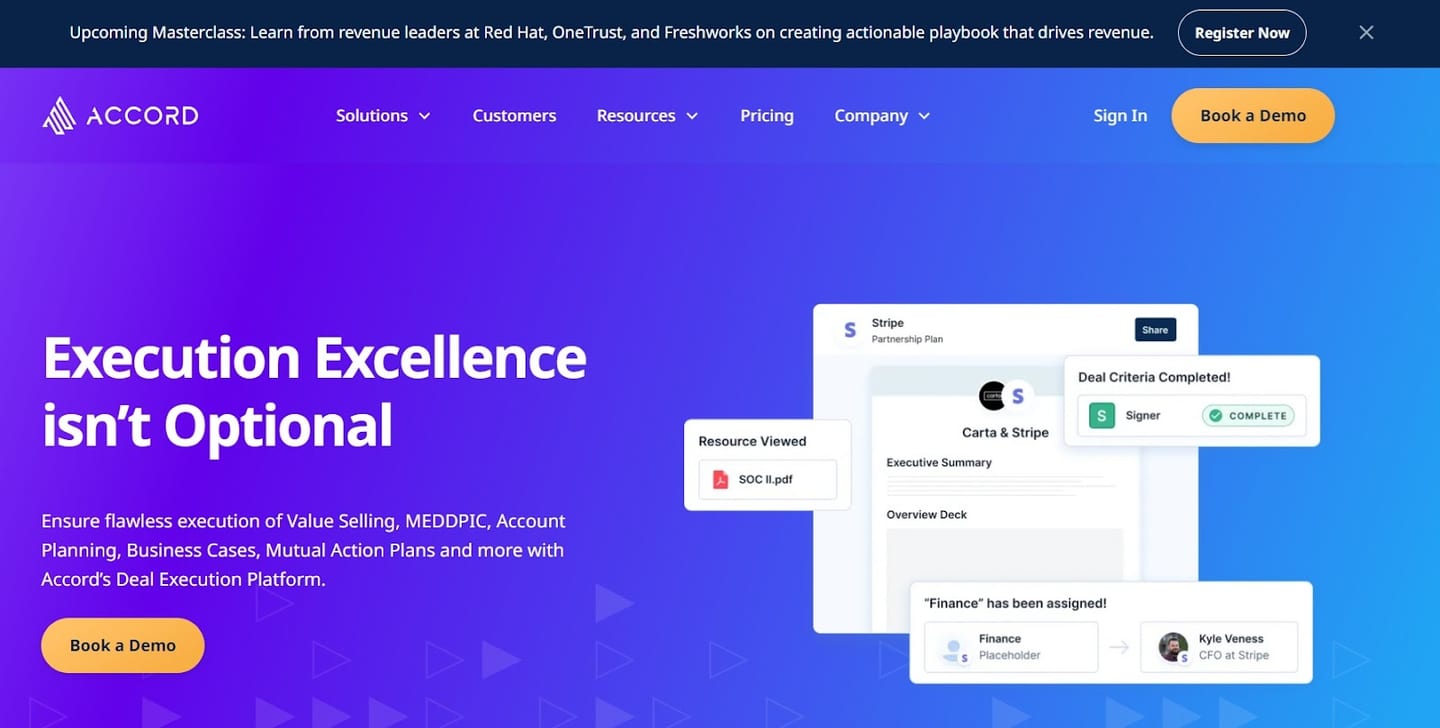
Accord is a sales enablement platform that helps sales teams create action plans to improve their sales processes and customer onboarding.
The platform is a viable alternative to Dock for teams that want more task-based functionalities and the ability to share dashboards with their prospects.
Features
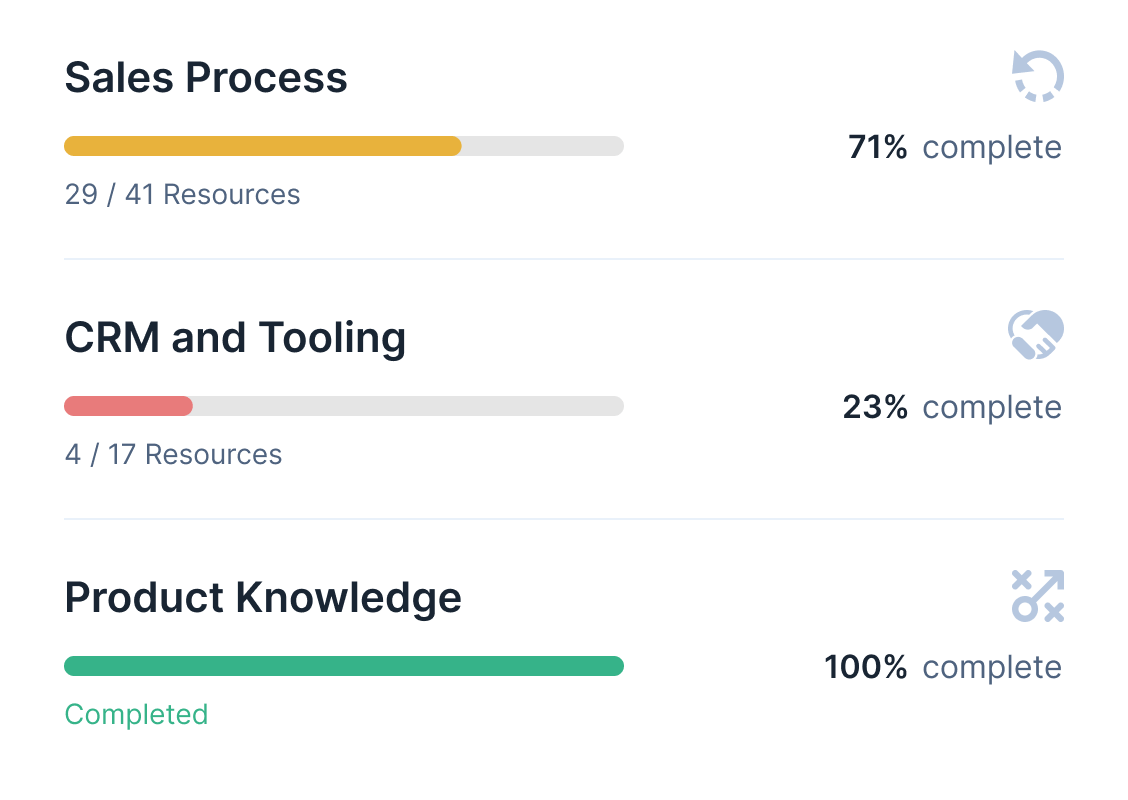
- Mutual action plans, where your sales team can share with prospects the summary of tasks that need to be completed and challenges to overcome.
- Cycle reports, whichgive team leaders an up-to-date view of deals’ status and what needs to be done to move prospects forward.
- Stakeholder mapping, which helps you de-risk deals with consistent stakeholder management. The tool can build out organizational charts and power mapping for your key accounts.
Who is it for?
Accord is ideal for sales managers, sales reps, and customer success teams that have complex deal cycles.
Pricing
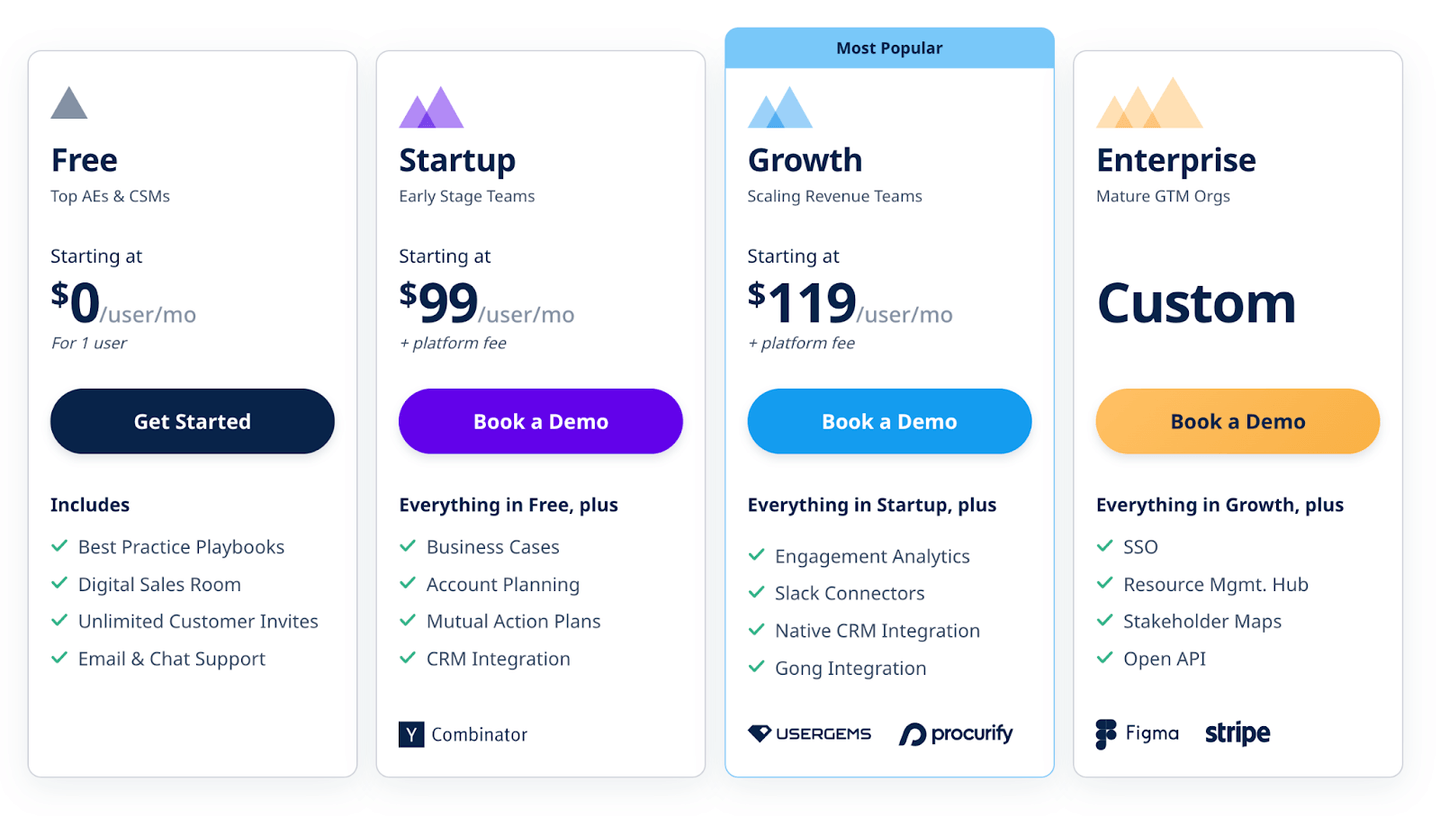
Accord has a free plan for its tool, which lets you access its digital sales rooms, best practice playbooks, and the ability to send unlimited customer invites for one user.
To access the tool’s advanced features, you can choose from the three plans:
- Startup plan: $99/seat/month + platform fee, which adds business cases, account planning, mutual action plans, and CRM integration.
- Growth plan: $119/seat/month + platform fee, which adds engagement analytics, Slack connectors, and integrations with CRM and Gong.
- Enterprise plan: Custom pricing, which adds SSO, resource management, stakeholder maps, and open API.
Pros and Cons
✅ Intuitive UI for both your team and prospects.
✅ Combines playbooks, document storage, and collaboration all in one place.
✅ Good reporting abilities for sales managers.
❌ Limited integration with existing GTM systems.
❌ Data syncs and automation could be improved.
#5: SuiteDash
Best for: Setting up a client portal and onboarding flow for your clients at an affordable price.
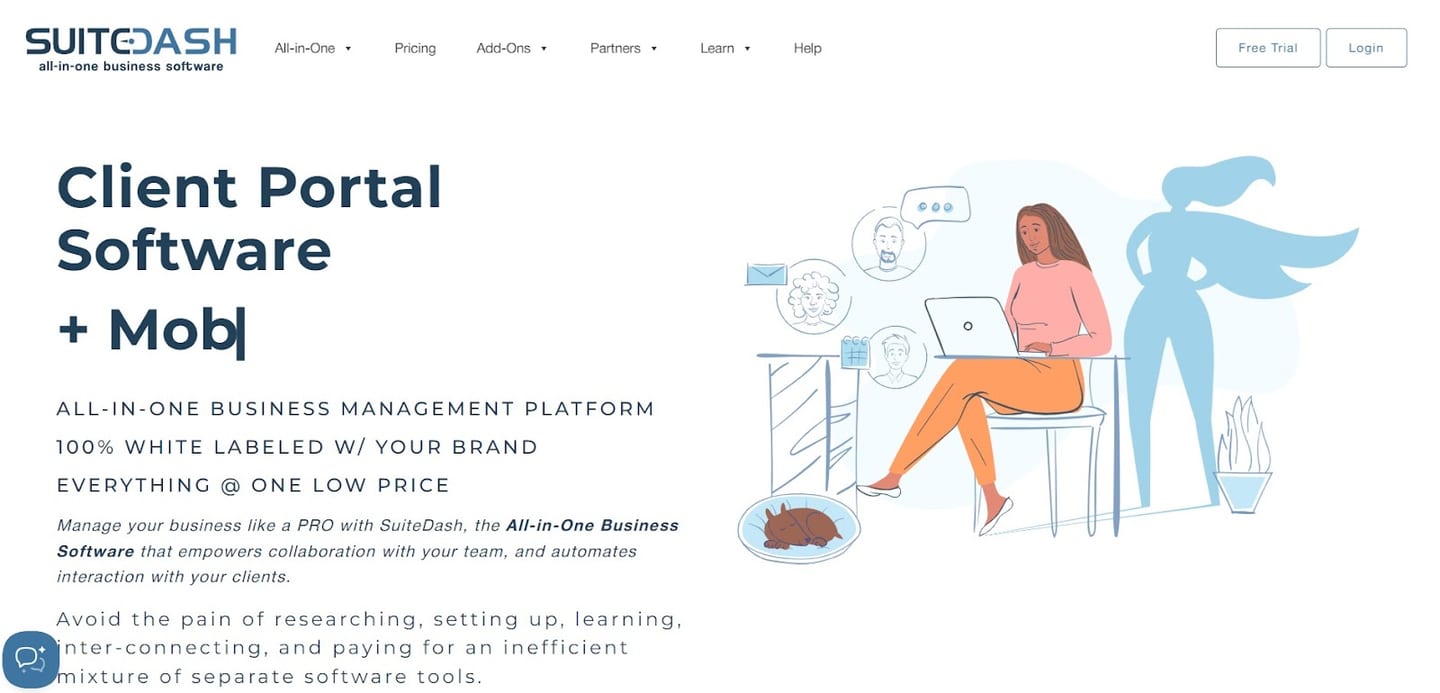
SuiteDash is an all-in-one sales enablement software that helps you automate your interaction with clients and collaborate with your team.
The tool is a viable alternative to Dock, as it offers secure client portals, onboarding, and client management features.
Features
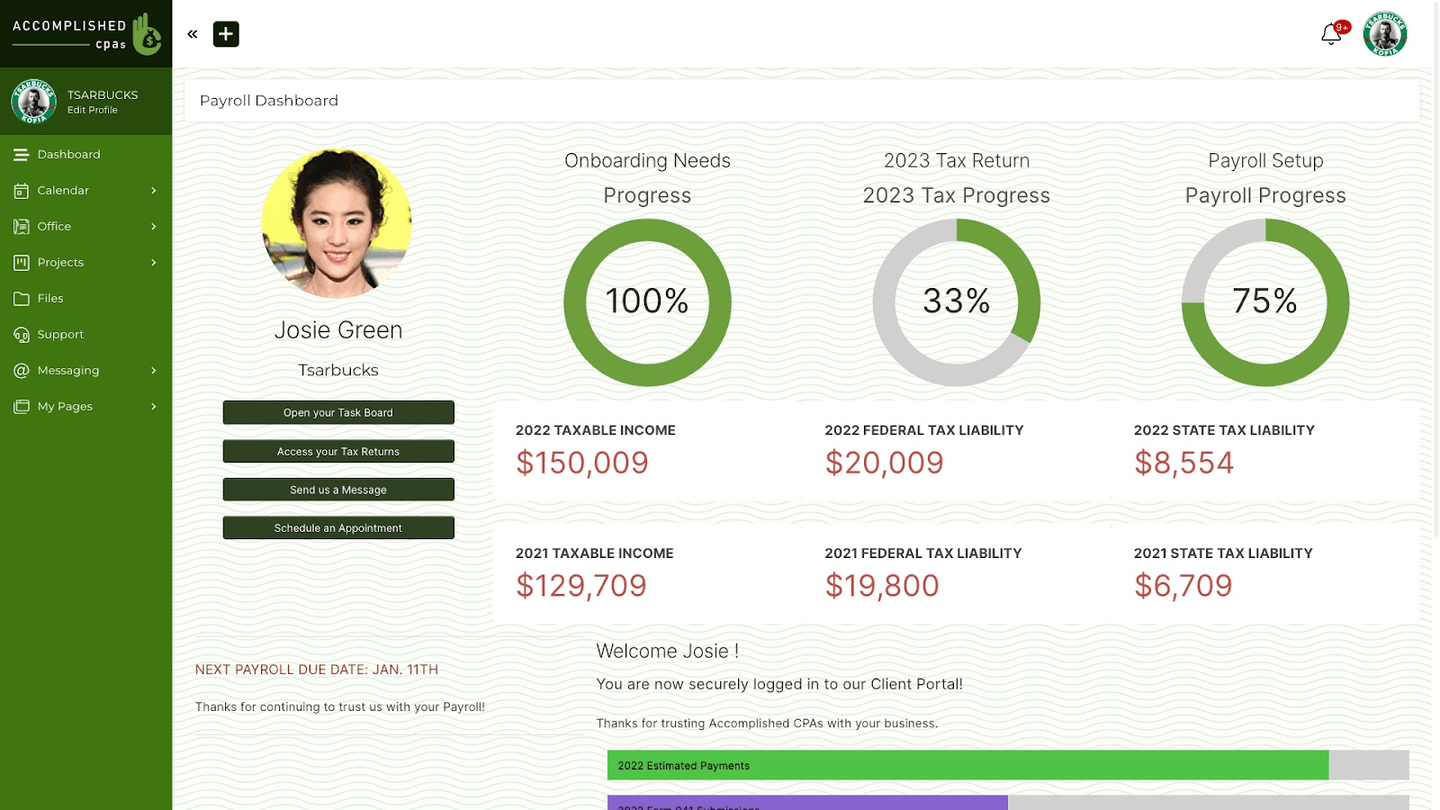
- Client onboarding: You can initiate any number of automations, sort your clients into logical groups, and customize their experiences based on their choices.
- Client portal software: Each client will see their own data, status, and/or files. You can also use pre-built Dashboard templates and Info Pages.
- Dynamically generate documents for e-signing, which will save you time, eliminate mistakes, and reduce your onboarding time.
Who is it for?
SuiteDash is ideal for smaller teams that may have a smaller budget to onboard their clients and build them client portals.
Pricing
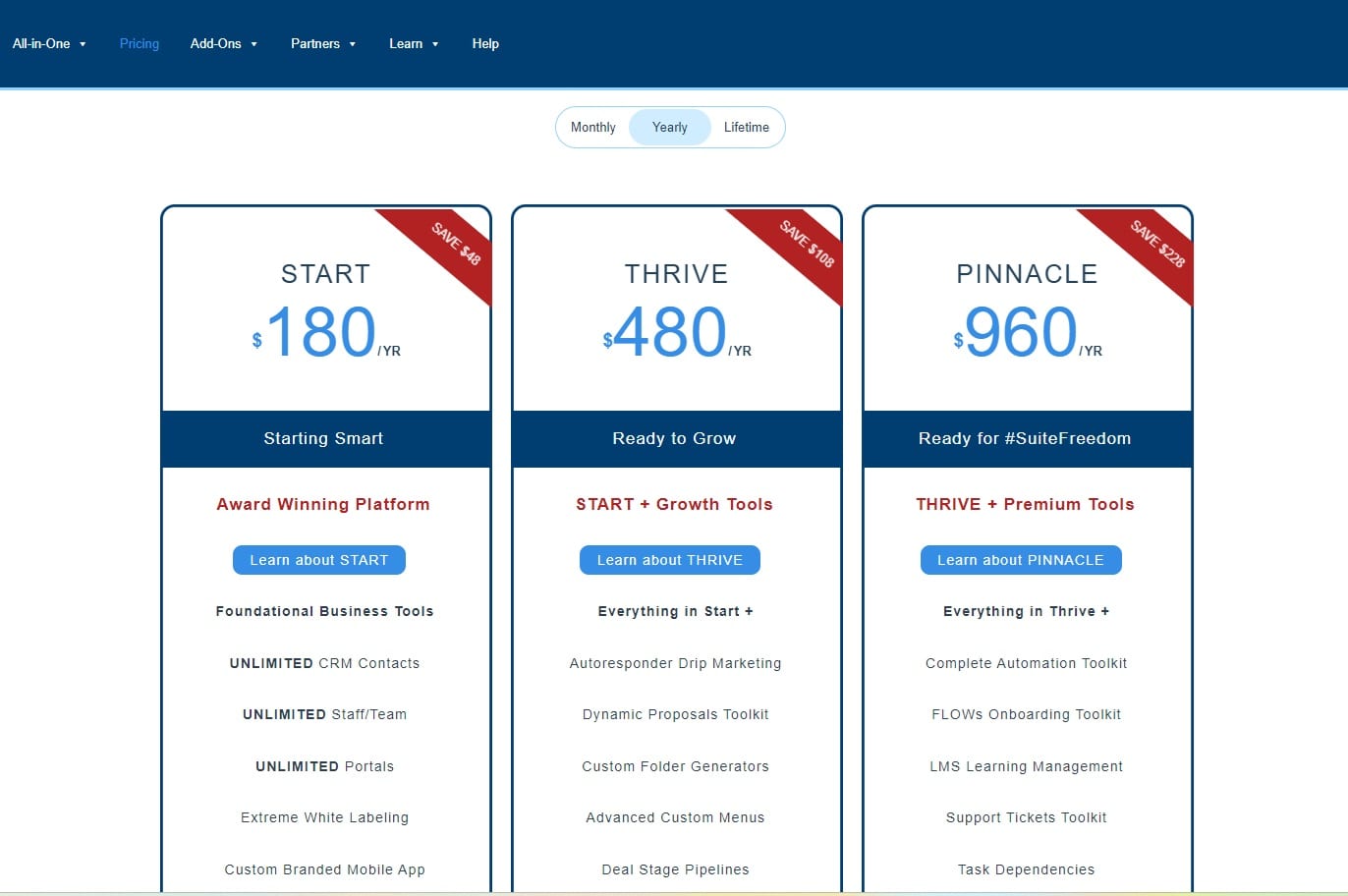
SuiteDash offers monthly, annual, and lifetime pricing plans but does not base its pricing per user.
The platform offers three paid plans:
- Start plan:$180/year, which gives you access to unlimited CRM contacts, portals, 100 GB file storage, and access to email marketing campaigns.
- Thrive plan:$480/year, which adds autoresponder drip marketing, dynamic proposals toolkit, custom folder generators, 500 GB storage, deal stage pipelines, and client-side live chat.
- Pinnacle plan:$960/year, which gives you access to the tool’s complete automation kit, FLOWs onboarding toolkit, LMS learning management, 2TB file storage, and Client Journeys.
Pros and Cons
✅ A comprehensive range of features for its price.
✅ Good customization options across workflows and automations.
✅ Client-side live chat that will help you converse with your customers.
❌ Interface may not be as intuitive as some users want it to be.
❌ Initial configuration takes time compared to other alternatives.
#6: Highspot
Best for: Measuring the effectiveness of your sales team and training them.
Similar to: Accord.
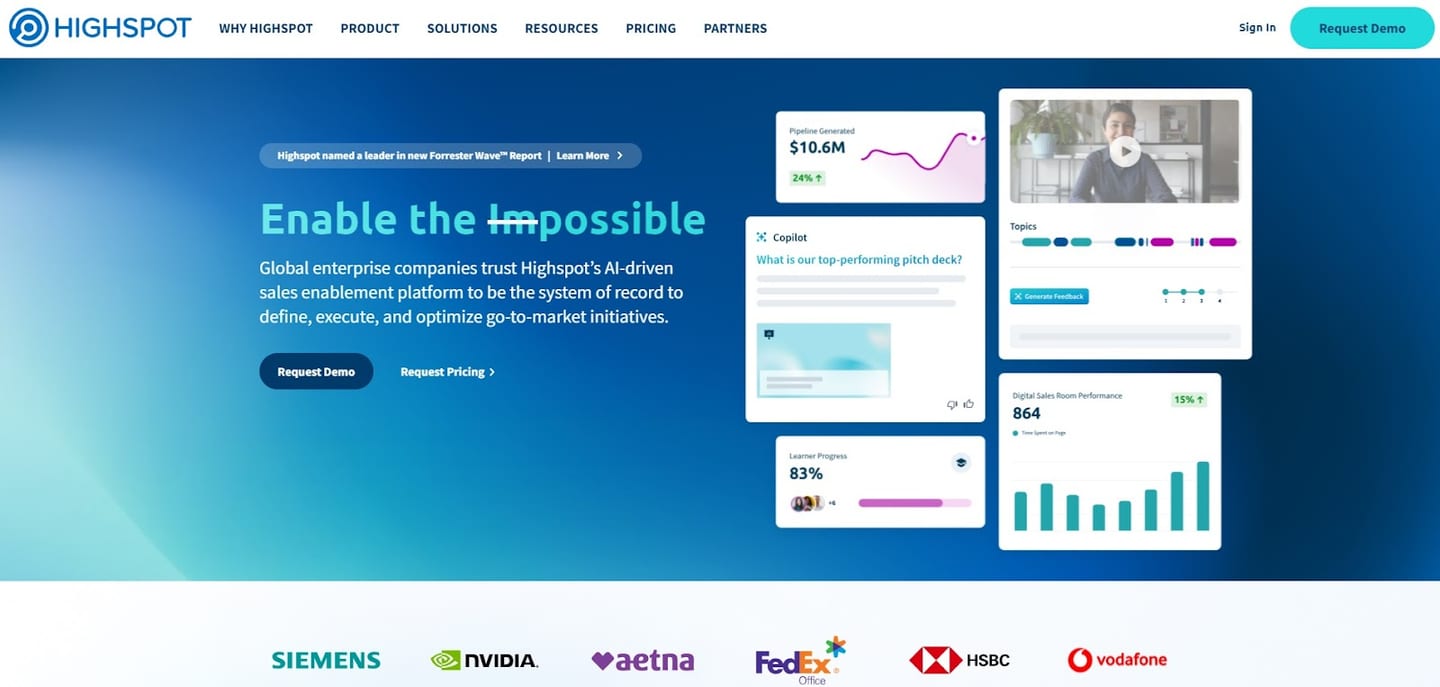
Highspot is a sales enablement platform that offers AI-powered sales solutions and analytical capabilities to measure the performance of your team.
With its actionable insights, personalized coaching features, and digital sales rooms, the tool is a viable alternative to Dock.
Features
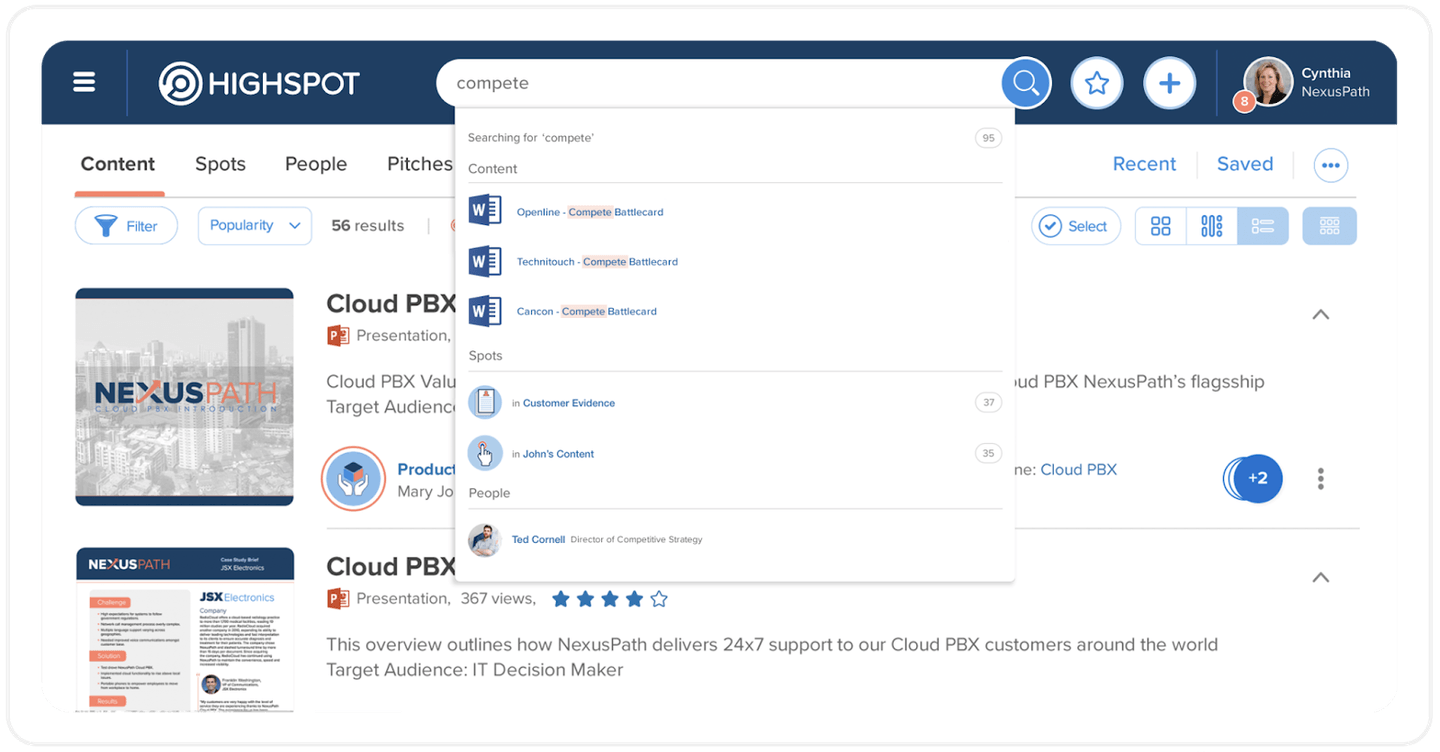
- Manage sales content by arming your sales reps with the right content at the right time to engage and convert buyers.
- Coach sales representatives by using AI to analyze sales calls and the effectiveness of your sales playbooks.
- Measure the usage and effectiveness of sales content, sales rep training, and revenue strategy with advanced analytics.
Who is it for?
Highspot is ideal for enterprise sales teams that are looking to train their sales reps to improve their close rates and be better prepared for customer calls.
Pricing
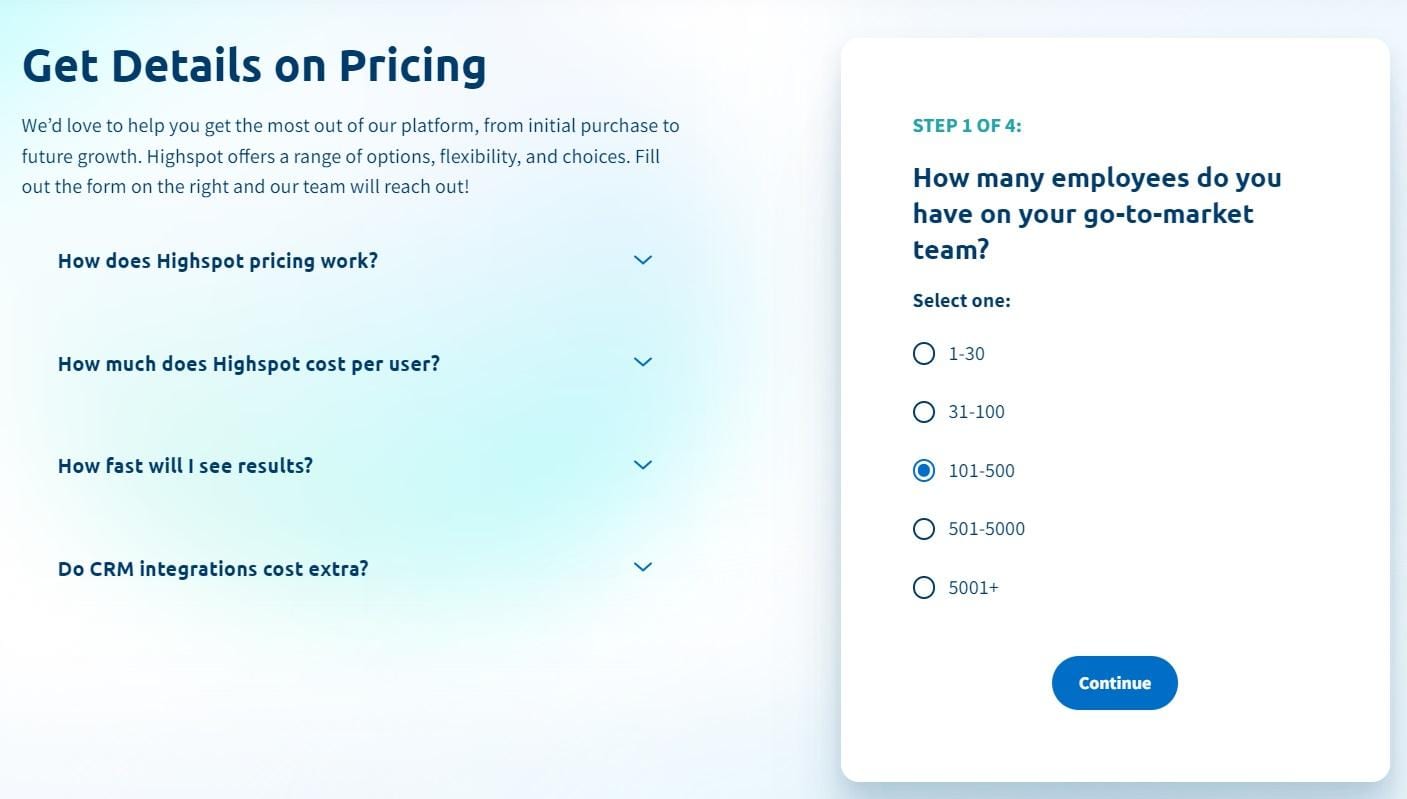
Highspot does not disclose its pricing, so you’d have to contact them to get a quote.
Our Highspot pricing research revealed that the tool bases its pricing primarily on user seats.
Further research from Vendr on Highspot shows that the average contract value is $91,460 a year.
Pros and Cons
✅ Train your sales reps.
✅ Evaluate the effectiveness of your sales playbooks.
✅ AI-powered Copilot that helps you find what you need in the CMS.
❌ The tool might have a steep learning curve for new users.
❌ Set up and maintenance can be time-consuming for smaller teams.
#7: GetAccept
Best for: Building personalized proposals.
Similar to: Qwilr.
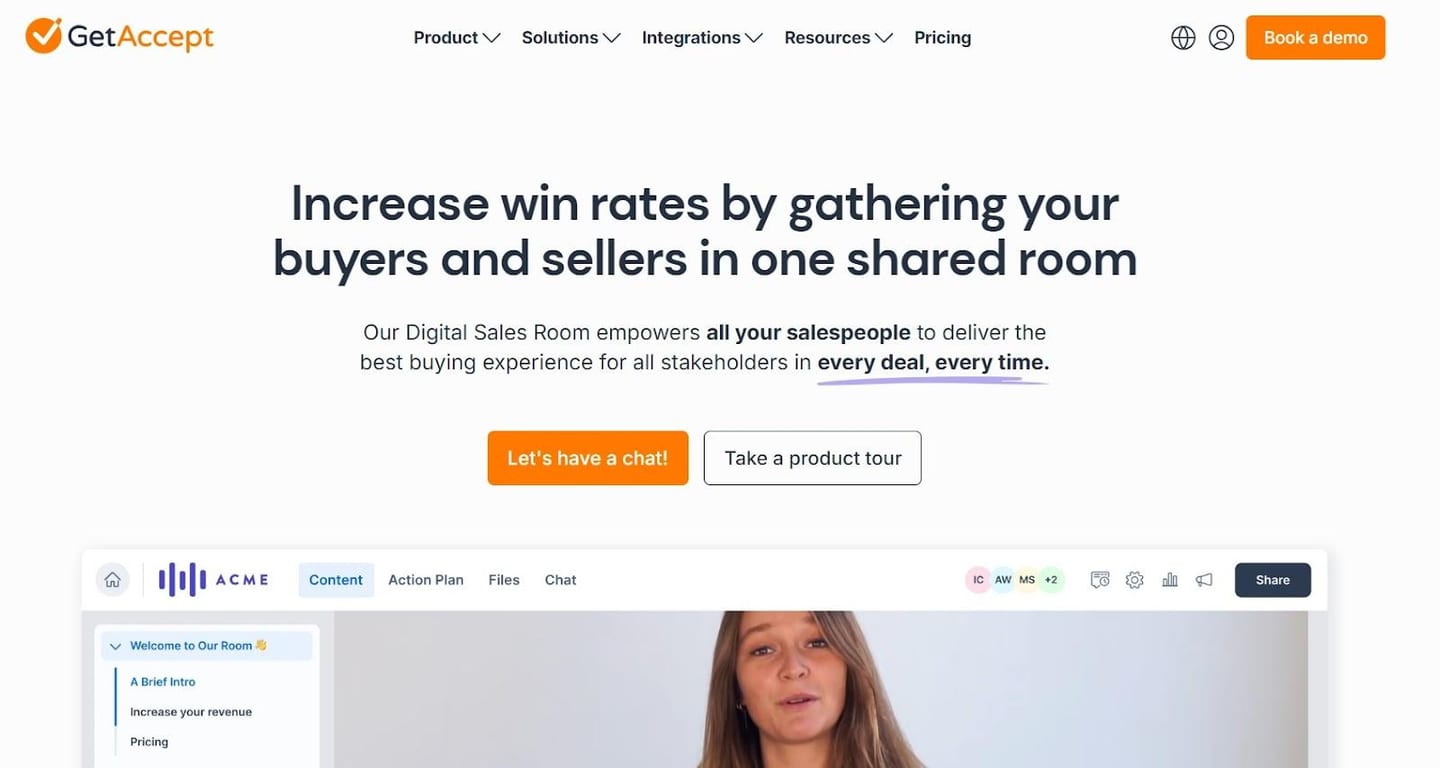
GetAccept is a proposal software that provides your sales team with document tracking, e-signatures, and interactive presentations to convert your leads.
The software is a viable alternative to Dock because of its deal room feature, which lets you upload sales collaterals, track their performance, and create mutual action plans.
Features
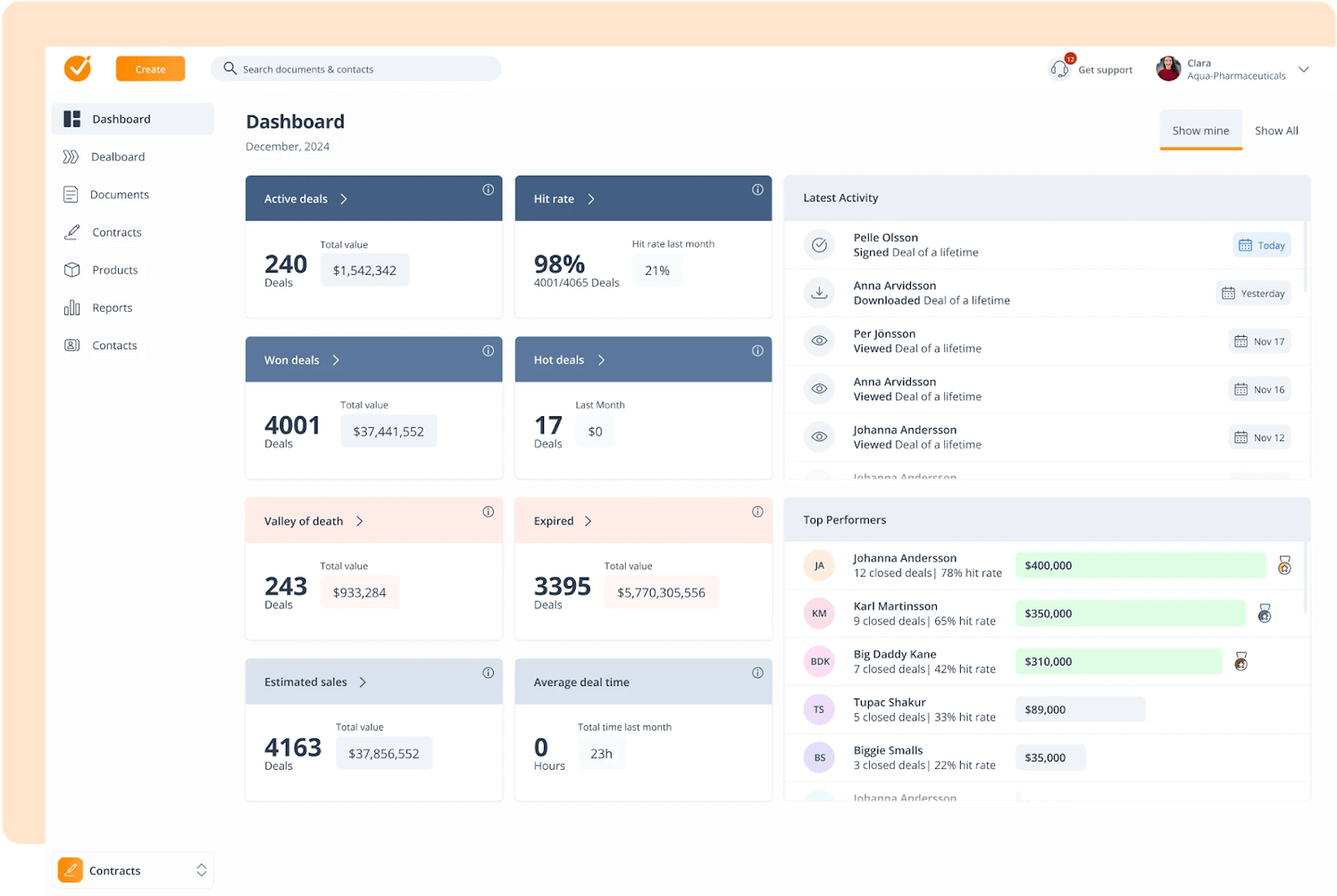
- Contract management feature that lets you add personalized quotes and e-signatures off pre-made templates.
- Mutual action plans where you can provide a better onboarding experience and have more clarity over your new customer pipeline.
- Sales content management, whichlets you give your sales team a unified and user-friendly content repository so they can find and share the right content at the right time with their prospects.
Who Is It For?
GetAccept is ideal for sales teams that want to build personalized proposals with the help of templates.
Pricing
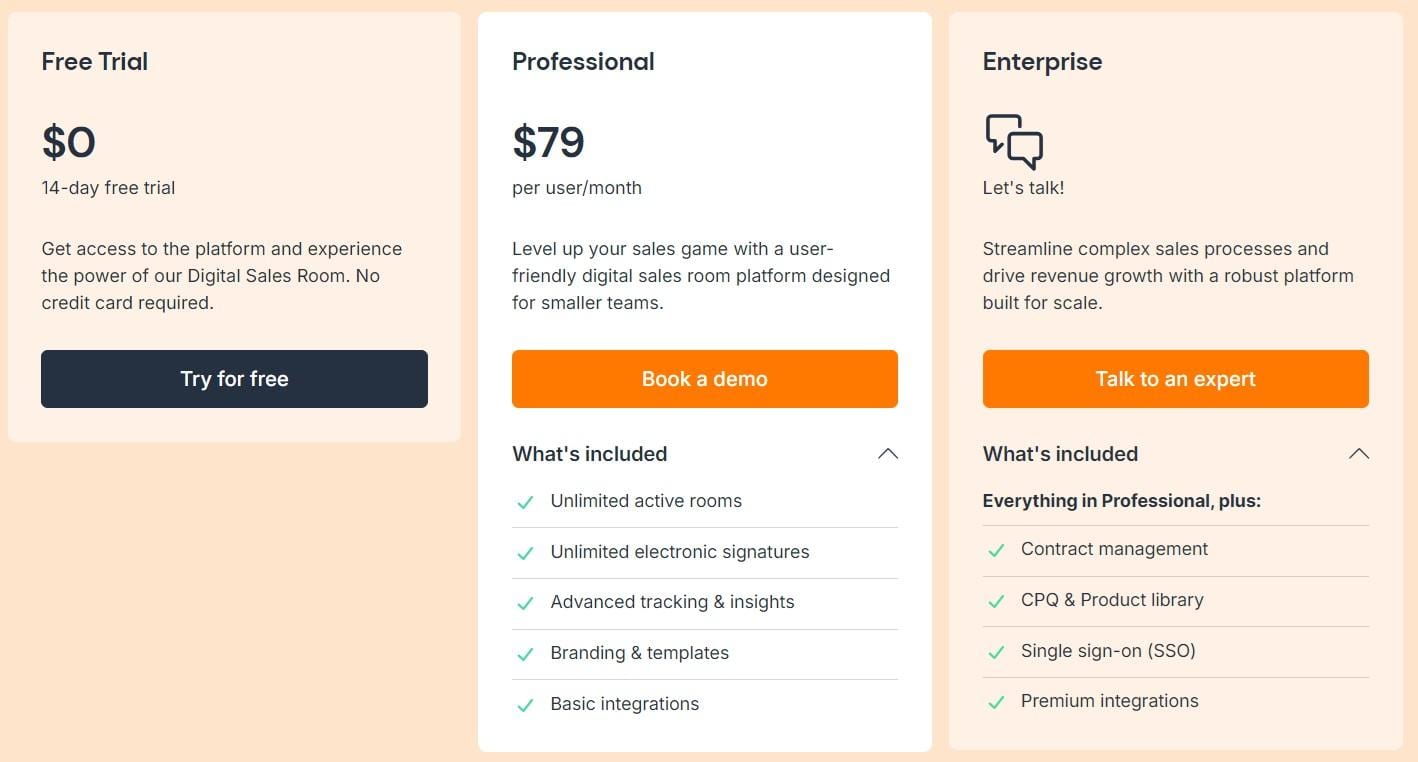
The platform offers a 14-day trial where you can test out the platform for free.
Other than that, GetAccept offers two paid plans:
- Professional:$79/month/seat, which gives you access to unlimited active rooms, e-signatures, advanced tracking, and templates.
- Enterprise: Custom pricing, which gives you access to contract management features, CPQ, SSO, and premium integrations.
Pros and Cons
✅ Easy to use intuitive platform.
✅ Mutual action plans for a better onboarding experience.
✅ Good analytics into how prospects are interacting with your proposals.
❌ CRM integrations are not as deep as other alternatives.
❌ Creating proposals without templates can be too hard.
Next steps: get the work around your sales room done
A sales room shows your buyer where the deal stands. Someone still has to do the prep before each call, the follow-up after it, the CRM updates, and the outreach to the next stakeholder.
If you’re a sales leader who wants:
- Every deal worked from your team’s playbook, not only the ones your best reps have time for.
- Call prep, research, follow-up emails, and CRM updates done for your reps, with a rep approving each one before it sends.
- A sales room kept current with each deal’s next steps, working with the CRM and notetaker your team already uses.
Then you can book an agent kickoff to see how Arrows works today.