


How I built a digital sales room in Lovable (and where it breaks down)
Learn what happens when you try to vibe code a digital sales room from scratch using Lovable AI, including what worked, what didn't, what it actually costs, and how it compares to using a purpose-built tool like Arrows.

Introduction
Can you vibe code a digital sales room in Lovable? Yes. Should you? That depends on what you actually need it to do.
This guide walks through what happens when you try to build a digital sales room from scratch in Lovable AI: what works, where it breaks down, how much it costs, and how the result compares to using a purpose-built tool like Arrows that generates sales rooms automatically from your CRM data.
We spent about an hour building one. The page came out looking pretty good. But making it actually work for a real sales process got complicated fast.
I recorded the whole thing. You can watch the full build here:
What is a digital sales room?
A digital sales room is a shared page you send to your prospect after a sales call. Instead of a follow-up email stuffed with links and attachments, you're giving them one place that has everything they need throughout the buying process.
That includes things like a summary of what you discussed, the prospect's pain points, recommended next steps, call recordings, pricing, case studies, feature comparisons, security documentation, whatever comes up during the deal.
The idea is that your buyer has a single resource they can go back to, share with their team internally, and use to actually make a decision. It replaces the scattered email chain with something organized and easy to reference.
The other piece that makes digital sales rooms useful is buyer engagement tracking. You can see which resources your prospect is viewing, whether new stakeholders are looking at the room, and how engaged they are in the buying process. That visibility is a big part of what makes them worth using.
Tools like Arrows generate these rooms automatically from your call recordings and CRM data. But I wanted to see what happens when you try to build one from scratch using a vibe coding tool like Lovable.
Building the sales room in Lovable
I tried Lovable about a year ago to build a free marketing tool, and it didn't go well. But a lot has changed since then. Lovable's UI is much more intuitive than it was, and I've also gotten more comfortable working with AI tools in general. So I figured it was worth another shot.
Here's the prompt I started with:
Build a digital sales room page. I'm going to paste in a transcript from a sales call, and I want you to create a clean, shareable one-page site that includes a summary of what we discussed, the prospect's key pain points, recommended next steps, and a section for relevant case studies and resources. Make it look professional and easy to scan. Also try to match my company's branding.
Within a couple of minutes, Lovable had scaffolded a basic sales room structure: a dark navy header, a meeting summary card, pain point cards in a grid layout, and a next steps timeline.
Then I pasted in an anonymized call transcript. Lovable read through the transcript and populated the sales room with content from the actual conversation. It pulled out the attendees, the meeting date, the duration, and started filling in the sections.
That initial build took maybe 10-15 minutes total. And honestly, the output was solid. The page looked professional. The structure made sense. If all I needed was a single page for a single prospect, I could have cleaned it up a bit and sent it.
Customizing the page
Once the content was in, I started giving it feedback. The meeting summary needed to focus more on the prospect's pain points and how we'd solve them. The key pain points section wasn't rendering properly. The next steps looked clickable when they shouldn't have been. The call-to-action buttons needed real links.
I gave Lovable specific instructions for each of these fixes, and it handled them well. The fixes took about a minute each. The iterative back-and-forth felt natural, almost like working with a designer who's fast but needs clear direction.
The visual editor was interesting. Lovable generated a color palette and let me customize fonts, border radius, and other design elements. It felt more finnicky than I was hoping for, but there were enough options to get close to our branding in theory.
This part of the experience was genuinely good. For someone who doesn't know how to code, being able to describe what I want in plain language and get a professional-looking result back in minutes is impressive. If this is where the story ended, I'd have nothing but positive things to say.
But this is where the story starts to get complicated.
Where it starts to break down
Publishing and privacy
The first issue: how do I actually share this with someone? Lovable's preview generates a public link that's valid for seven days. But when I went to publish it properly, the interface started talking about helping people discover my app and generating a social image for search.
That's the opposite of what I want. This is a private sales room for one prospect. I don't want it showing up in Google results. I had to specifically ask Lovable to make it link-only, and it complied, but the default assumption that you're building something public felt off for this use case.
For comparison, Arrows rooms are private by default. You can require a name and email to enter, or keep it open to anyone with the link. Either way, the room isn't indexed and it's scoped to a specific deal in your CRM.
CRM integration
Next I asked about connecting to HubSpot so the sales room could automatically pull in call summaries, email activity, and deal stage changes. Lovable's response was technically accurate but immediately overwhelming:
You'd need a HubSpot private app with specific API scopes, a private app access token, and webhook subscriptions configured to point to your backend function URL.
I'm not a developer. I don't know what any of that means. And I definitely don't feel confident setting it up for something that's handling real customer data.
This is something Arrows handles natively. Because it connects natively to both HubSpot and Salesforce, your sales rooms automatically pull in call summaries, email threads, deal properties, and contact info without any configuration. There's no API setup or webhook management involved.
Upload and authentication flows
So I asked for a workaround: could it build a way for me to upload call transcripts and emails manually? Lovable built an upload interface, which was cool. But then I wanted that upload area hidden from the prospect, which meant I needed authentication. Which meant I needed a login page. Which meant I needed a database. Which meant Lovable was modifying Supabase configurations that I didn't understand.
It built the login flow and it technically worked. I got a confirmation email, logged in, and saw an admin page where I could paste text. But the content wasn't updating the sales room the way I wanted. I needed it to read new information and refine the existing content, not just append updates.
Each of these steps individually made sense. But they compounded fast. Within about 30 minutes, I went from "I have a nice-looking page" to "I'm deep in backend infrastructure I don't understand."
Meanwhile, an Arrows sales room generated from the same call transcript was ready to send in under a minute, with no backend setup required. That contrast stuck with me through the rest of the experiment.
The real cost of vibe coding a sales room
Here's something nobody's talking about with vibe coding tools: the cost.
I paid $25 to upgrade Lovable to get 100 credits per month. In that one hour, building one sales room for one prospect, I used 87 of those 100 credits. I didn't realize how fast I was burning through them until I checked afterward. That surprised me.
And all I got was a mediocre sales room based on one meeting transcript for one prospect. No CRM integration, no automatic updates, no prospect tracking, no follow-up emails.
Everyone talks about the speed of creation with these tools, which is fair. But nobody's talking about the cost of actually running them.
Let's do some rough math.
I spent about $25 for one hour of building one sales room. Say you have 10 sales reps, and each of them spends 10 hours per week maintaining and updating their sales rooms in Lovable.
Per rep: 10 hours/week x $25/hour = $250/week, roughly $1,000/month.
For 10 reps: $10,000/month. $120,000/year.
To put that in perspective, $120,000 is a meaningful chunk of a sales rep's total compensation. You're essentially paying the equivalent of another headcount just to maintain a vibe-coded sales room system that still doesn't have CRM integration, tracking, or automatic updates.
There's nuance in this math, obviously. Maybe credits get cheaper at scale. Maybe your reps get faster. But the direction is clear: the per-unit economics of building these things yourself don't hold up once you move past a single use case.
The page is 10%. The system is 90%.
This is the thing that nobody talks about with vibe coding. You can build the page. And the page can look pretty good. But you can't build the system.
The "page" is maybe 10% of what a digital sales room actually needs. The other 90% is everything that makes it work in a real sales process:
Connecting to your CRM so the room updates when deals progress, emails come in, or notes get added. Not just once at creation, but continuously throughout the deal. In Arrows, this happens natively with HubSpot. No API setup required.
Automatic updates so you're not manually pasting transcripts and emails every time something happens with a prospect. The room should get smarter as the deal moves forward.
Prospect tracking so you can see who's viewing the room, which resources they're looking at, and whether new stakeholders are getting involved. This is one of the most valuable parts of a digital sales room, and there's no way to get it from a Lovable build without building an entire analytics layer.
Security and compliance that you can actually stand behind. When you're putting real customer data into a system, you need to know that data is handled properly. "I trust that Lovable made it link-only" is not the same as SOC 2 compliance.
Scaling across your team so every rep isn't building their own room from scratch. You need templates, consistency, and a workflow that doesn't require each person to spend an hour per prospect.
Automated follow-up emails that reference the specific content in the room and are personalized to the people who were actually on the call.
Arrows handles all six of these and more. That's the difference between a page builder and a full sales room system.
I could see all of these problems from the moment I started trying to add backend functionality. Lovable can technically do each of these things. But each one adds layers of complexity that compound quickly, especially for someone who doesn't write code.
What you'd still need to build yourself
If you did want to turn a Lovable-built sales room into something your team could actually use, here's the gap list:
- CRM integration (HubSpot, Salesforce, etc.) with automatic data syncing
- Authentication and access controls for admin vs. prospect views
- A content engine that reads new call transcripts, emails, and notes and updates the room automatically
- Prospect activity tracking and engagement analytics
- Slack or Teams notifications when prospects view the room
- Templates so reps aren't starting from zero each time
- Follow-up email generation based on what was discussed
- Security and compliance infrastructure
- A way to manage rooms across multiple reps and multiple deals simultaneously
Each of these is a project in itself. Together, they're a product. Which is exactly why we built Arrows.
How Arrows handles this automatically
I work at Arrows, so I'm biased. But the reason I ran this experiment is because I wanted to honestly test whether the vibe coding approach could get close to what a dedicated sales room tool delivers. The answer: it gets the page right, but not the system.
Here's what Arrows does differently. Same idea: you get off a call and you want a personalized page for your prospect. But instead of building it, the room gets generated automatically based on the call recording and whatever other context exists about that prospect in your CRM.
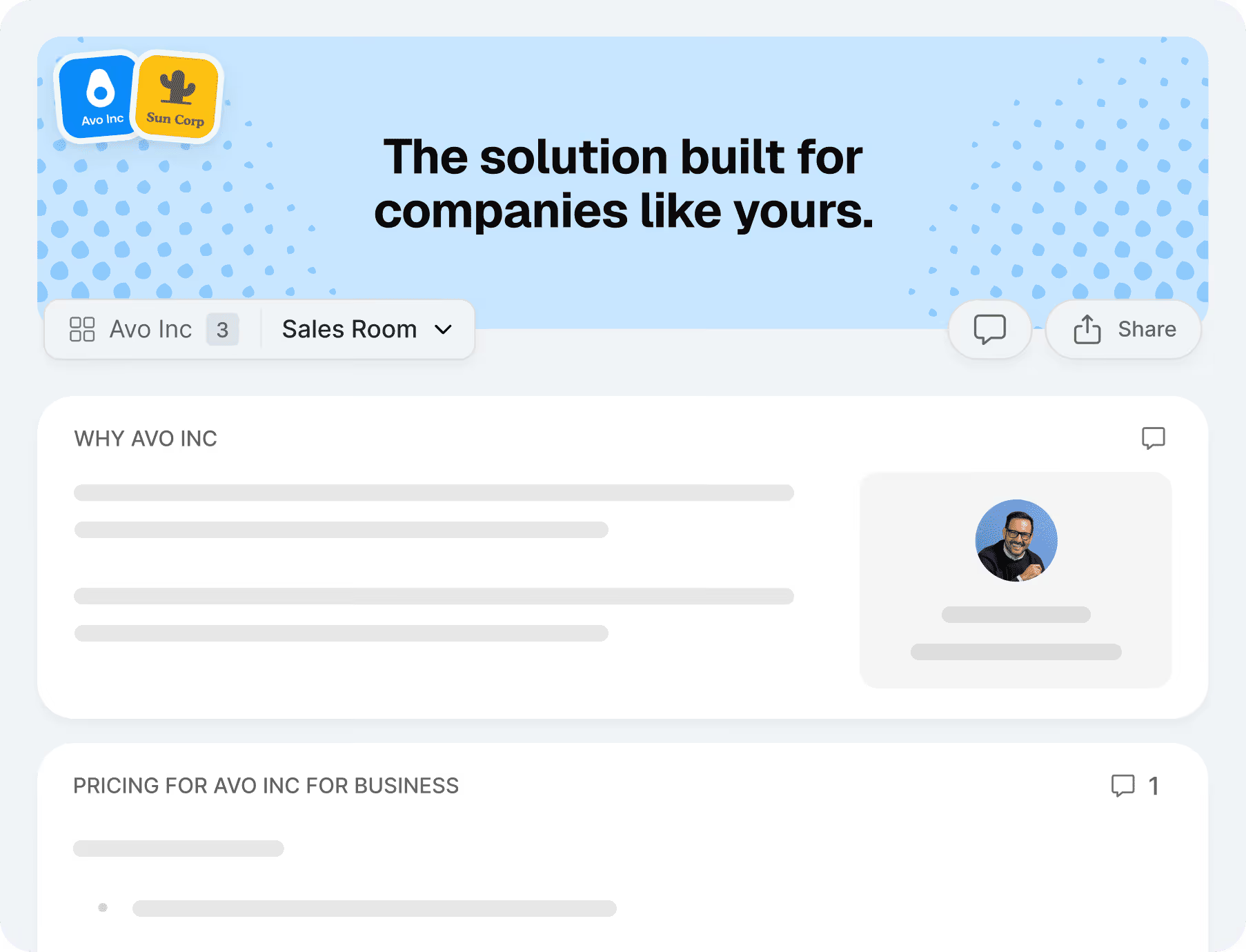
Using the same call transcript from the Lovable experiment, here's what Arrows produced:
A "why us" block summarizing the prospect's stated reasons for evaluating your product. This comes directly from what they said during the call.
A "what we heard" section that captures their pain points, timeline, and key concerns. This is one of my favorite things to send after a call because it shows the prospect you were actually listening.
Next steps outlining what happens after the call, including specific milestones and dates that were discussed.
Resources that automatically populate based on what came up during the conversation. Case studies, pricing, documentation, whatever's relevant.
The call recording itself, embedded in the room so the prospect can share it with their internal team.
The difference that mattered most to me: it's automatic. Everything I spent an hour wrestling with in Lovable just happens. In seconds. The room gets created, it stays updated as the deal progresses, and I don't have to think about backend infrastructure.
What you get that you can't vibe code
Automatic updates from your CRM. Every email, call, note, or property change in HubSpot or Salesforce gets scanned, and the room updates if there's something new to surface. You don't paste anything manually.
Activity tracking. You can see exactly when prospects view the room, where they were, which resources they looked at, and whether new people are checking it out. You can set up Slack or Teams notifications for this.
Access controls. You can require a name and email to enter, or keep it open to anyone with the link. Your choice.
Personalized follow-up emails generated within seconds of a call ending. The email references specific people from the call, links to specific sections of the room, and reads like something a thoughtful rep would write.
Should you build or buy your digital sales room?
After this experiment, here's how I'd think about it:
Build in Lovable if you've got one big enterprise deal and you want to create something custom for that specific prospect. You don't use a digital sales room tool, you're not planning to scale this, and you want a one-off page that looks great. Lovable is genuinely good for that. It's also a solid way to prototype what you'd want a sales room to look like before committing to a tool.
Use a tool like Arrows if you want digital sales rooms to be part of your actual sales process. If more than one rep needs to use them, if you want them connected to your CRM, if you want automatic updates and tracking, or if you care about security and compliance, you need a system, not a page.
The honest takeaway from this experiment: Lovable is impressive for building pages quickly. But a page is not a system. And for most sales teams, the system is what actually matters.
Try Arrows for free: app.arrows.to/signup

Steal this cheat sheet to run CS in HubSpot
Not sure where to start? Download the 7 playbooks you need to scale across the customer journey.
You'll also be subscribed to the Happy Customers newsletter.