

Sales teams need sales pipeline management software to enhance visibility into their sales pipeline and processes, streamline lead management, and improve overall sales rep productivity.
We researched dozens of sales platforms, went over verified user reviews on G2, and talked to sales leaders to find out the best sales pipeline software on the market.
This article will review eight sales pipeline platforms, their top features, pros and cons, and pricing models.
Before we begin, let’s go over a few factors to consider when evaluating sales pipeline management software. ⤵️
Factors To Consider When Evaluating Sales Pipeline Management Tools
#1: Depth of Sales Pipeline Features
When researching for this article, we looked at which platforms have the key functionalities of a sales pipeline software, such as:
- Pipeline visualization, such as a Kanban board.
- Deal forecasting features to help your sales team focus on high-value prospects.
- Task automations to save time. Some of the platforms enable your team to use pre-built automations or build your custom automations in a no-code environment.
- Reporting and analytics so your team can build reports and get access to insights.
💡 We then evaluated if all of these features are cluttering the platforms or if they are easy to use and navigate.
#2: Integrations
An integral part of selecting software to manage your sales pipeline is its integration capabilities with your existing sales and marketing systems.
➡️ The software should seamlessly connect with your current CRM system and/or marketing automation platforms to ensure a smooth flow of lead information.
It is crucial to maintain data consistency across your tools so your sales reps do not have to spend time manually inserting data from one tool to another.
#3: Pricing Structure
Different sales pipeline management solutions have different ways of pricing their products.
For example, some sales platforms offer pricing models based on the number of seats you will need, while others are based on the number of features you want to access.
The pricing model you choose can impact your ROI and can prove to be quite expensive in the long run if you plan on onboarding a large number of sales reps.
💡 Generally, smaller teams would benefit more from tools that base their pricing on seats, while larger teams would benefit more from software that bases their pricing on features.
What are the best sales pipeline management tools?
Here are the best sales pipeline management solutions out of all the software we reviewed to shorten your deal cycles:
#1: Arrows (our product): Works the deals inside Pipedrive, HubSpot, Salesforce, or Close.
#2: Pipedrive - Automate your sales pipeline and get access to detailed sales funnel analytics.
#3: Zixflow- Maintain productive relationships with your customers.
#4: HubSpot- Set up an enterprise all-in-one sales CRM.
#5: Freshsales- Run smart sales campaigns to generate and pre-qualify leads.
#6: Salesforce- Connect your lead data across different platforms to track and engage with your leads.
#7: Monday CRM- Identify growth opportunities.
#8: Close- Good for smaller businesses looking for an all-in-one sales pipeline management platform.
#1: Arrows
Best for: B2B sales teams of 3 to 30 reps who sell virtually and already run their pipeline in a CRM.
Arrows is promptless AI for account executives: it starts the work on each deal itself, without a rep asking.
Arrows isn’t a CRM and doesn’t replace one. Your CRM shows where each deal sits. Arrows reads your call transcripts, emails, CRM, and notes, does the next piece of work on each deal for your rep, and writes what happened back to the CRM.
Feature #1: A gameplan for every deal in the pipeline
Most pipelines have a few deals the rep is driving and many that sit in a stage until the next call. Arrows gives each one a gameplan built from your team’s playbook: a list of next steps for that deal, such as a pre-call brief to review, a recap to send, or a stakeholder map to build. Each step shows whether it’s done, in progress, or up next, so you can see what any deal is waiting on without asking the rep.
Feature #2: The work between calls, done
Arrows does the work you expect reps to do, and the work you wish they did:
- Call prep before every meeting.
- Follow-up emails drafted from what the buyer said on the call.
- CRM updates written back to the deal, so your pipeline matches what happened on the last call.
- Multi-threading, with research on the other people who sign off on the deal.
- The right case study for the deal, sent with the follow-up.
- Every date the buyer mentions, tracked, with nudges when a deal goes quiet.
A rep approves each piece of work before Arrows sends or saves it.
Feature #3: Works with the CRM and notetaker you already use
Arrows works with HubSpot, Salesforce, Pipedrive, Close, and Attio, and with Gong, Fathom, Granola, Grain, and Fireflies for call notes. It also connects to Gmail, Outlook, and Google Calendar. See the CRM integrations.
Pricing
Arrows doesn’t publish prices. It’s priced on the work, not the seats. See how pricing works.
Pros and Cons
✅ Every deal in the pipeline gets worked between calls, not only the ones a rep is focused on.
✅ CRM updates come from what happened on the call, ready for a rep to approve.
⚠️ Of the CRMs on this list, it works with Pipedrive, HubSpot, Salesforce, and Close. It doesn’t connect to Zixflow, Freshsales, or Monday CRM.
⚠️ Works on deals that already exist. It doesn’t build lead lists or run outbound.
#2: Pipedrive
Best for: Automating your sales pipeline and getting access to detailed sales funnel analytics.
Similar to: HubSpot, Salesforce.
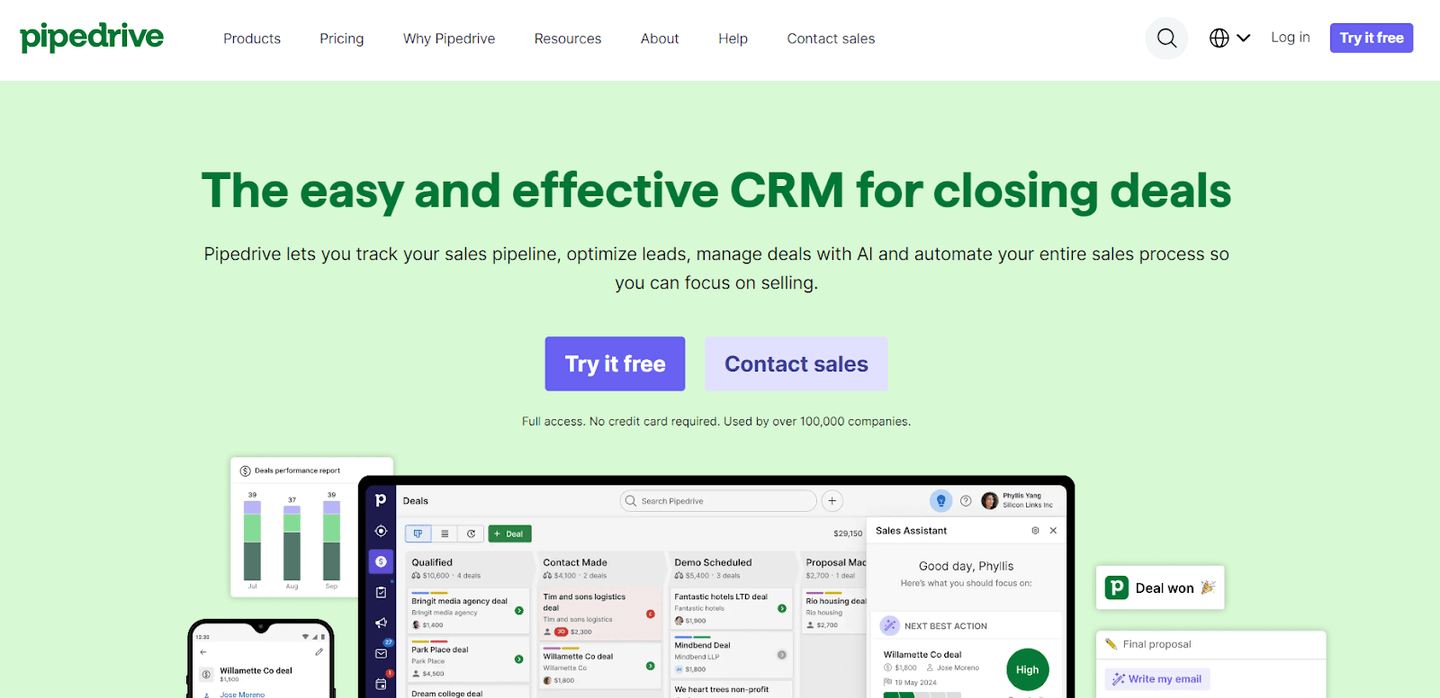
Pipedrive is a sales pipeline management platform that helps your sales team track the sales pipeline and automate the entire sales process.
The software is good for managing your sales pipeline as it saves your team hours with automated lead nurturing features.
Top Features
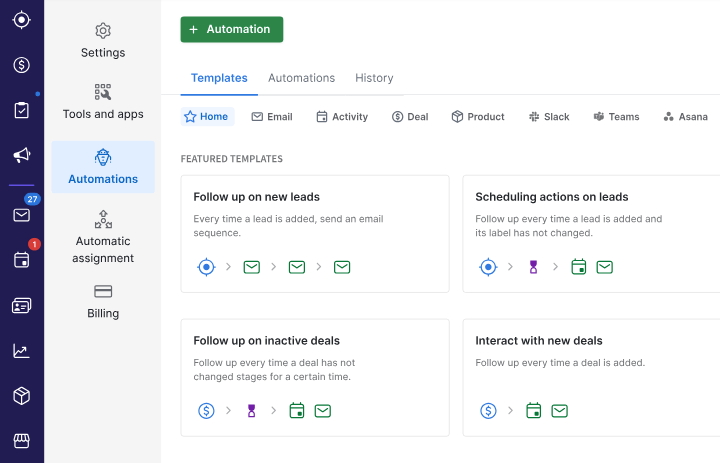
- Sales automation system: Automate the sales process, such as sending out personalized emails, moving deals along the pipeline stage, and keeping prospects engaged.
- Lead management: Pre-qualify and prioritize leads to help your sales reps improve their close rate.
- Advanced reporting and insights: Recognize winning patterns in consumer behavior to optimize your workflows.
Standout Feature: Pipedrive AI
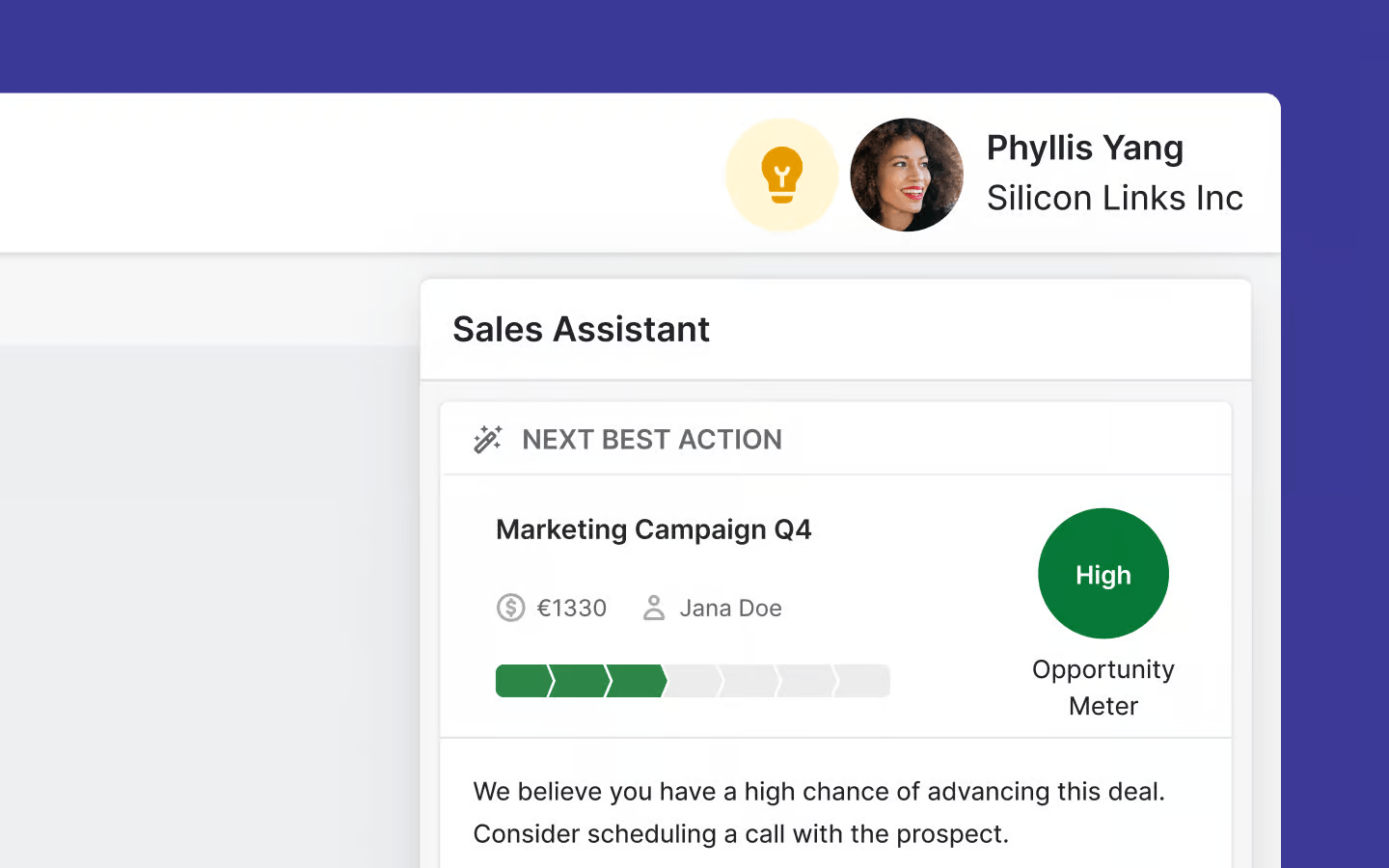
Pipedrive lets you enable your sales reps to save time, improve performance and make better decisions with the tool’s AI-powered sales assistant.
The platform’s AI capabilities can help your sales team with summarizing deals and emails, recommending integrations and generating email content.
Pricing
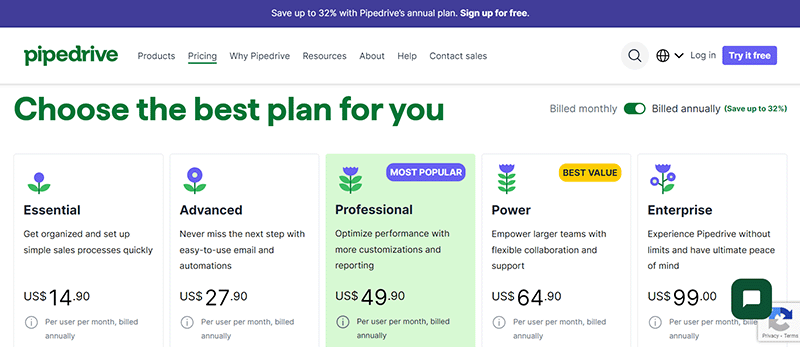
Pipedrive has five pricing plans that accommodate both small and large enterprises:
- Essential: $15/month/user, which gives you access to lead, calendar, pipeline management, and deal and contact reports.
- Advanced: $28/month/user, which gives you access to full email sync with templates, open and click tracking and access to the tool’s automation builder.
- Professional: $50/month/user, which gives you access to the tool’s AI-powered assistant, contract and proposal management with e-signature, and revenue forecasts.
- Power: $65/month/user, which gives you access to project planning, tracking and delivery, and permission control of accounts.
- Enterprise: $99/month/user, which gives you access to enhanced security, complete access to all features, and unlimited reports and customizations.
Pros and Cons
✅ Advanced sales automations.
✅ Good sales analytics and AI-powered forecasting.
✅ AI sales assistant to help you with smaller tasks.
⚠️ Some customers find the platform hard to use due to the depth of features.
⚠️ Limited native integrations when compared to other alternatives.
#3: Zixflow
Best for: Maintaining productive relationships with your customers.
Similar to: Pipedrive, Salesforce.
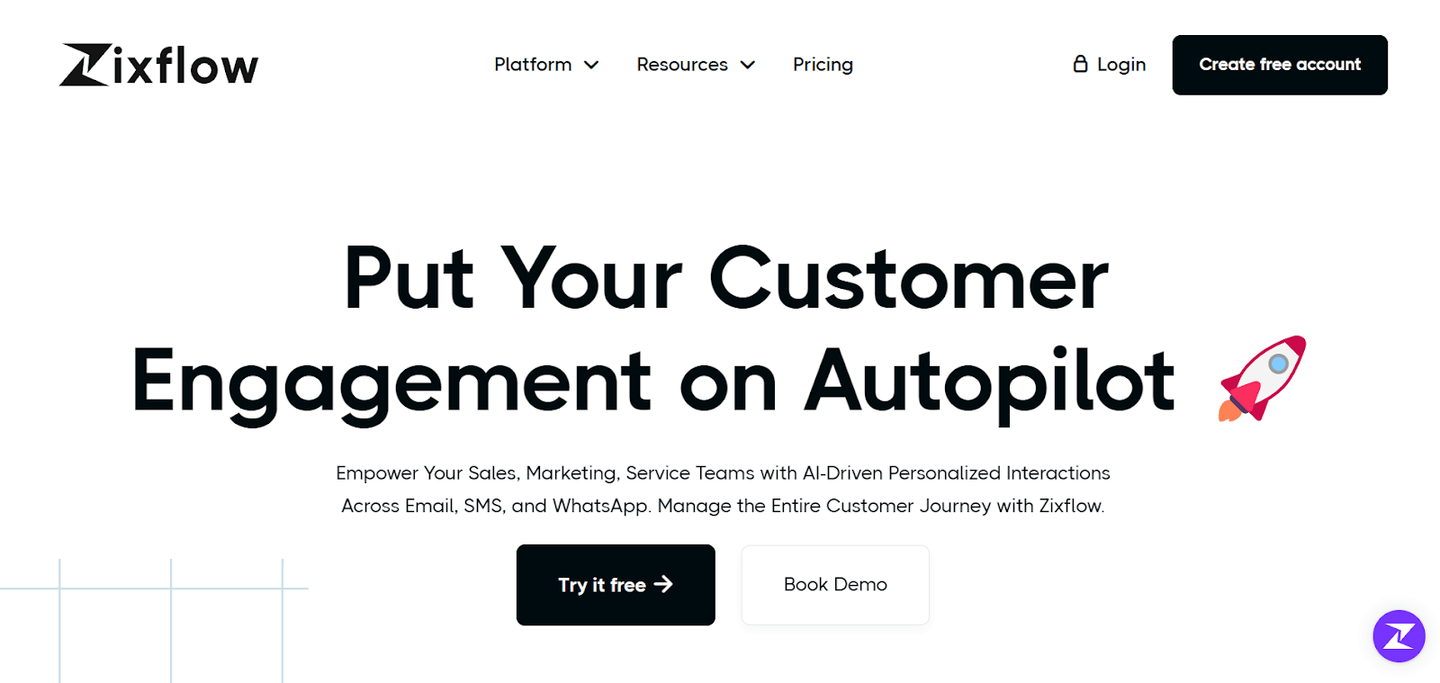
Zixflow is a sales pipeline management tool that lets you generate more revenue by helping you maintain healthy and productive relations with your leads.
The platform offers an easy-to-use interface and helps your sales team get access to a 360-degree view of all the activities.
Features
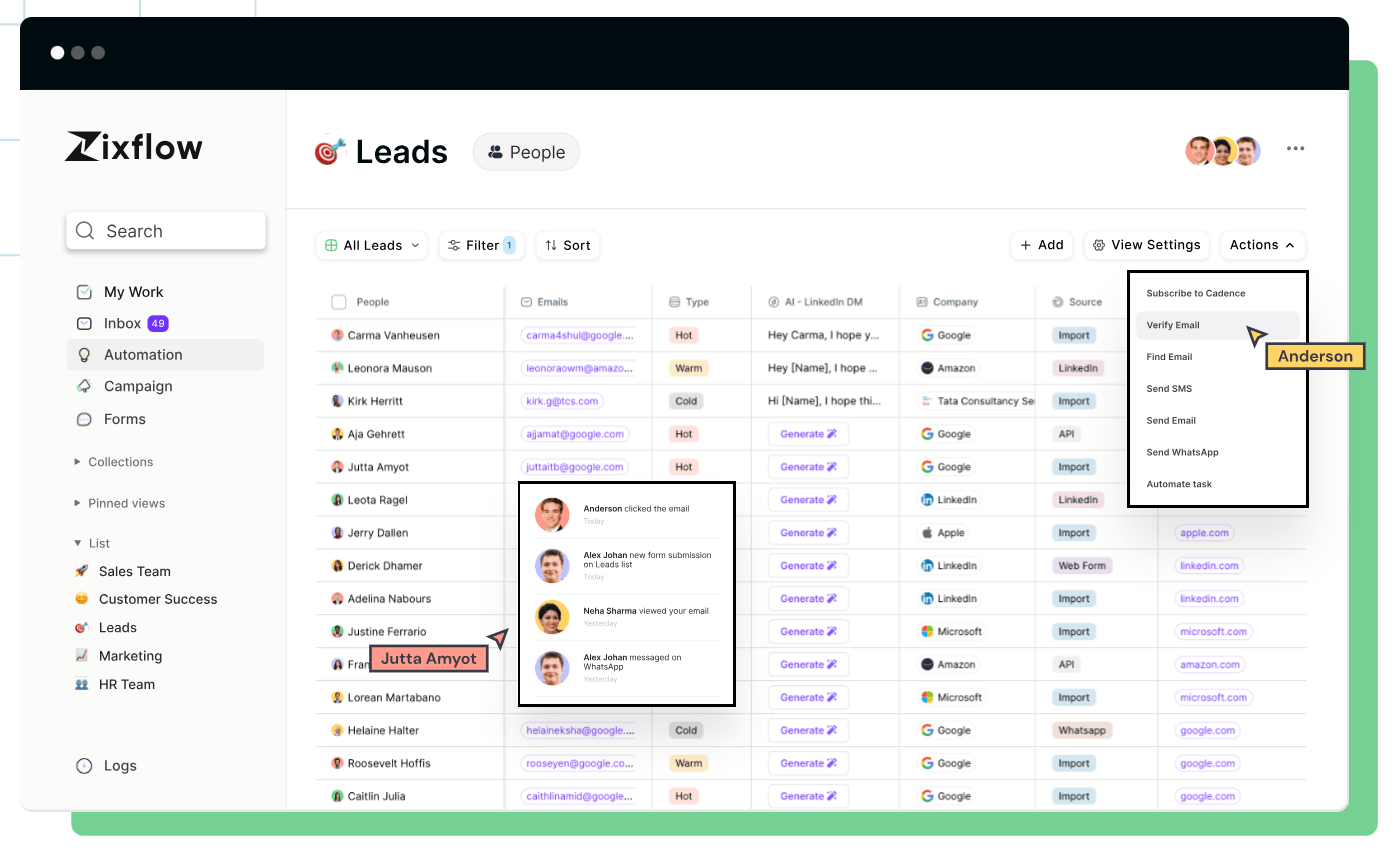
- Ready-to-use customizable templates for specific use cases (e.g., freelancers or real estate agents).
- Kanban view of tasks that lets you easily manage your deals as per the stages of their sales pipeline.
- Segment and tag your audience into different lists as per the specific use case. For example, you can message all leads at the same time, or set up automations.
Standout Feature: Omnichannel Automation
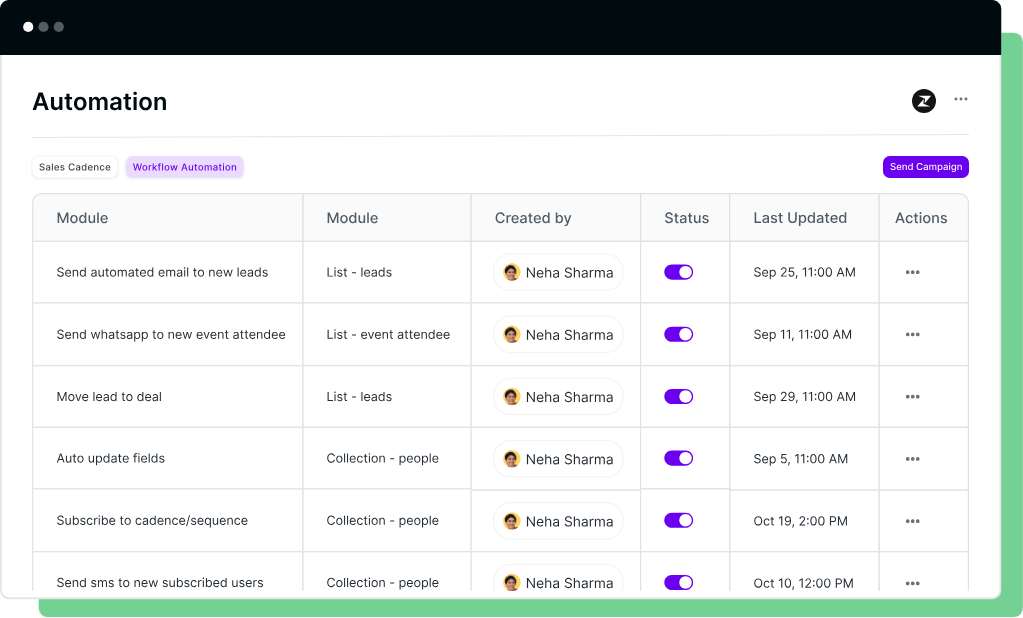
Zixflow lets you automate mundane tasks so your sales team can spend more time building relationships with your prospects.
The platform helps you build automations by leveraging templates that you can customize or start from scratch with its no-code automation builder.
Pricing
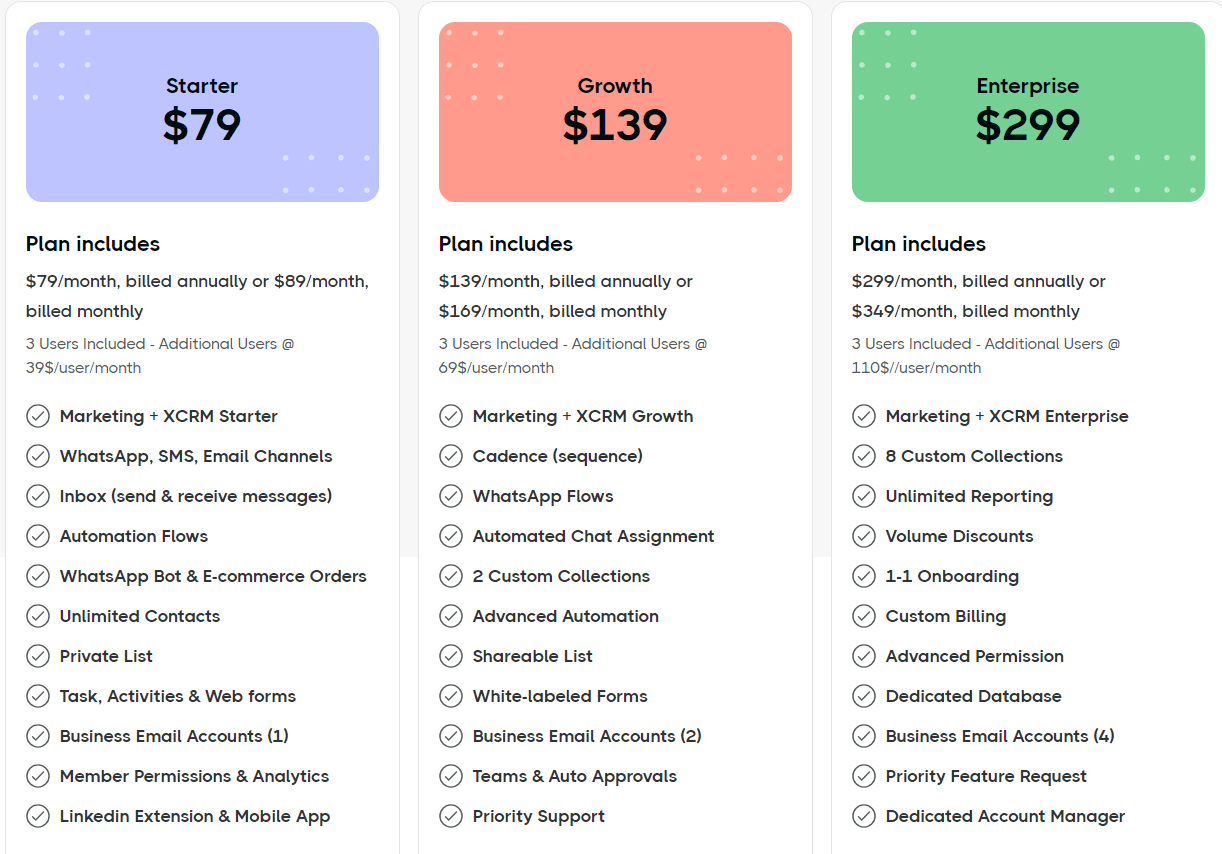
Zixflow’s comprehensive product suite offers three paid tiers:
- Starter: $79/month for three users, which gives you access to automation flows, unlimited contacts, private lists, a business email account, and an inbox.
- Growth: $139/month for three users, which adds advanced sequences, shareable lists, two business email accounts, white-labelled forms, and priority support.
- Enterprise: $299/month for three users, which adds 8 custom collections, unlimited reporting, volume discounts, and a dedicated database.
Pros and Cons
✅ Kanban view of tasks.
✅ Automation workflow builder and ready-to-use templates.
✅ Cleaner and easier-to-use interface than alternatives.
⚠️ Simplicity comes with a lack of some use case-specific features.
⚠️ Less integrations than other alternatives.
#4: HubSpot
Best for: Setting up an enterprise all-in-one sales CRM.
Similar to: Salesforce, Pipedrive.
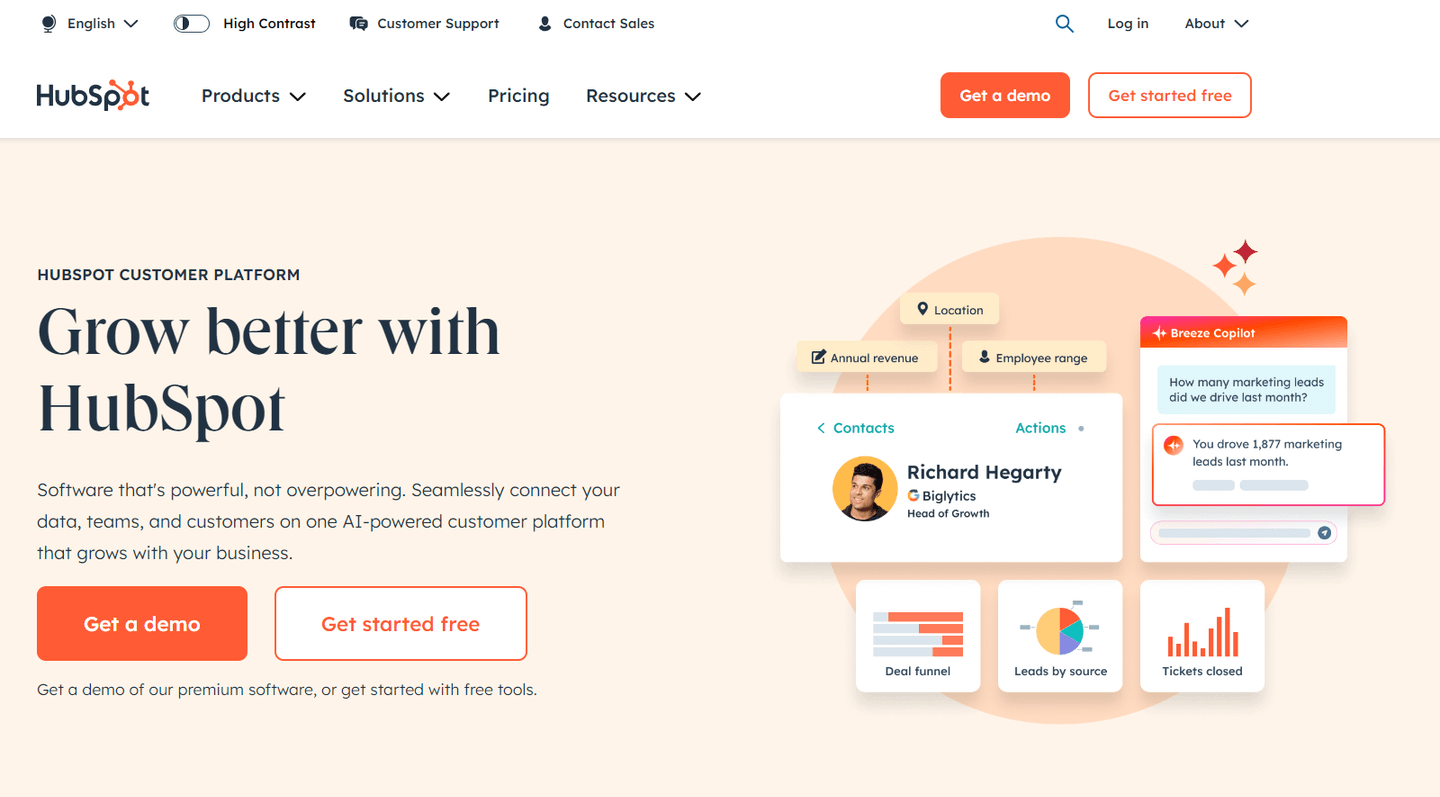
HubSpot is an all-in-one sales CRM platform that lets you sync your sales data into one unified place and get access to detailed analytics and automations.
The software offers a comprehensive range of products and integrations to manage your prospective and new customers.
Top Features
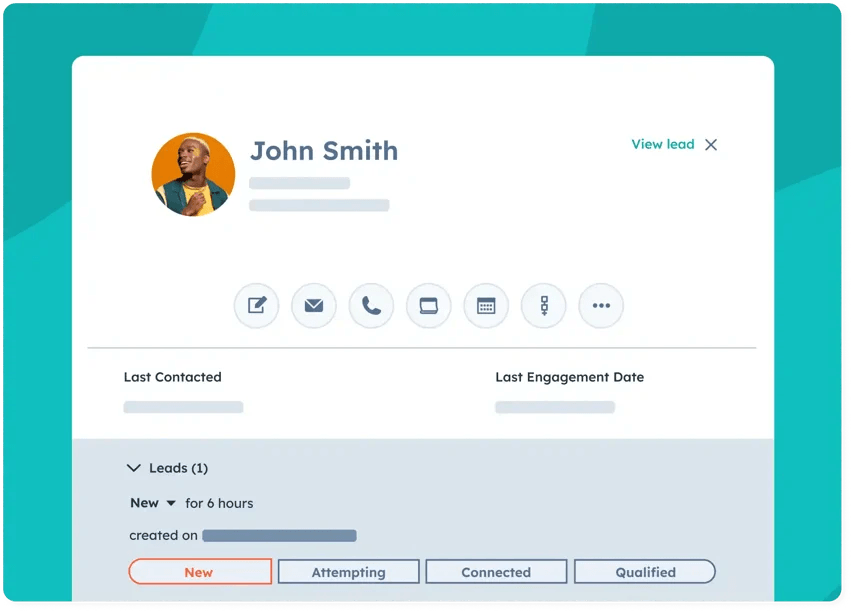
- Sales hub: Get access to sales engagement features, deal management, reporting & analytics, payments, quotes, and CPQs.
- Sales automations: Enable your sales team to scale cold outreach with personalized email sequences.
- Breeze: An AI-powered tool that helps you analyze the buyer intent of your prospects and act as your sales assistant.
Standout Feature: Deal Management
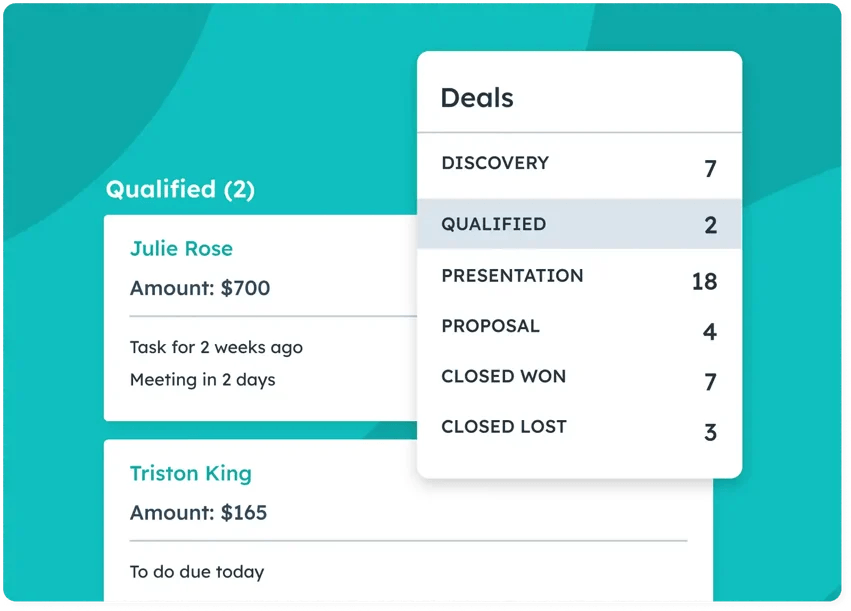
HubSpot’s deal management tools help your sales reps secure more deals with guided selling features that prevent missed opportunities due to inaction by your sales team.
This feature helps sales teams work on the right deal at the right time and ensure that no deal is lost.
Pricing
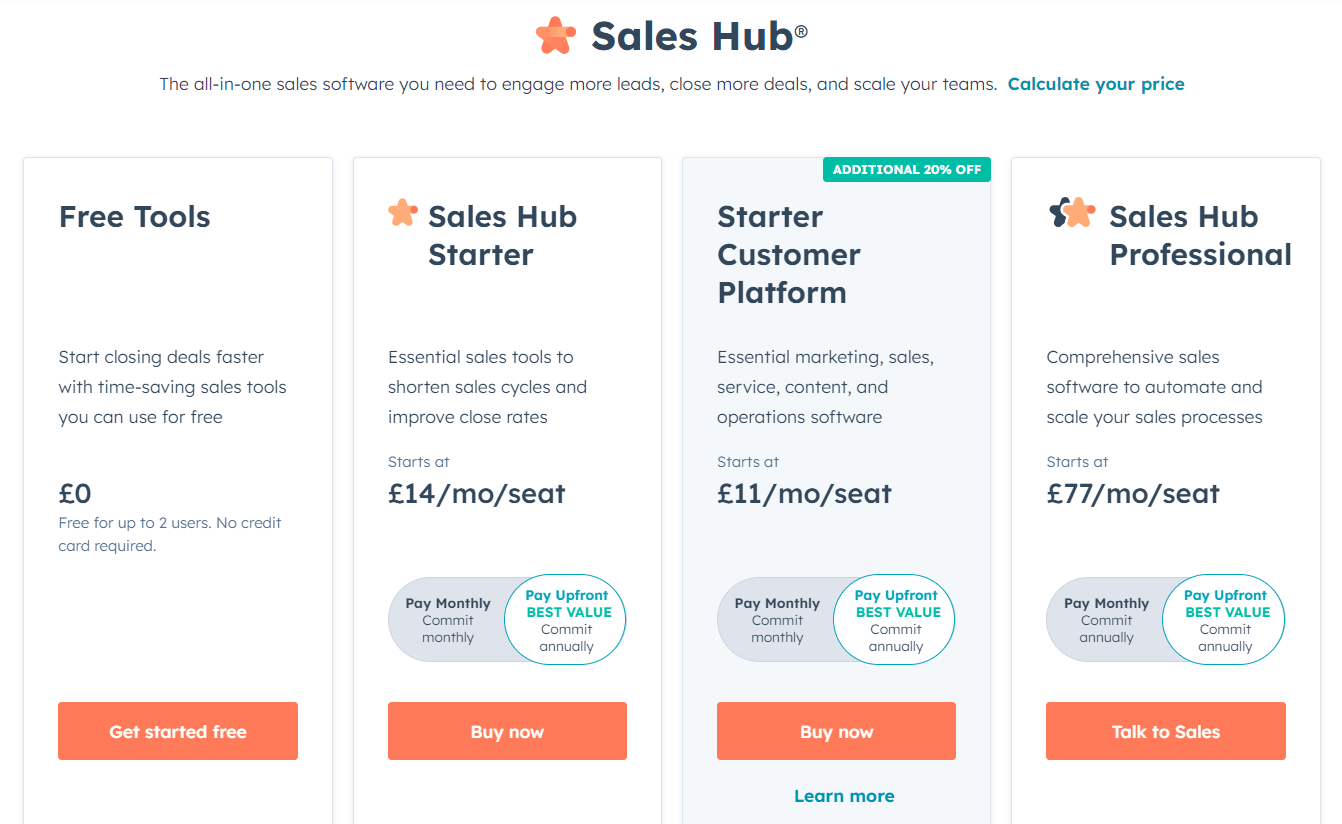
HubSpot offers a free plan that gives you access to its free marketing, operations and sales tools.
To access the platform’s advanced features, your team will need to sign up for one of its three paid plans:
- Starter:$20/month/user, which adds access to 50 active lists, no HubSpot branding, 5,000 email templates, and email scheduling.
- Professional: $100/month/user, which adds access to 1,200 active lists, up to 100 inboxes, and up to 15 deal pipelines per account.
- Enterprise:$150/month/user, which adds access to 2,000 active lists, up to 200 inboxes, and recurring revenue tracking.
Pros and Cons
✅ Get access to workflow automations and advanced analytics.
✅ AI-powered sales assistant, similar to Pipedrive AI.
⚠️ The templates are not very customizable compared to other alternatives.
⚠️ The platform may not be easy to navigate for sales reps who are new to the industry.
#5: Freshsales
Best for: Running smart sales campaigns to generate and pre-qualify leads.
Similar to: HubSpot, Close.
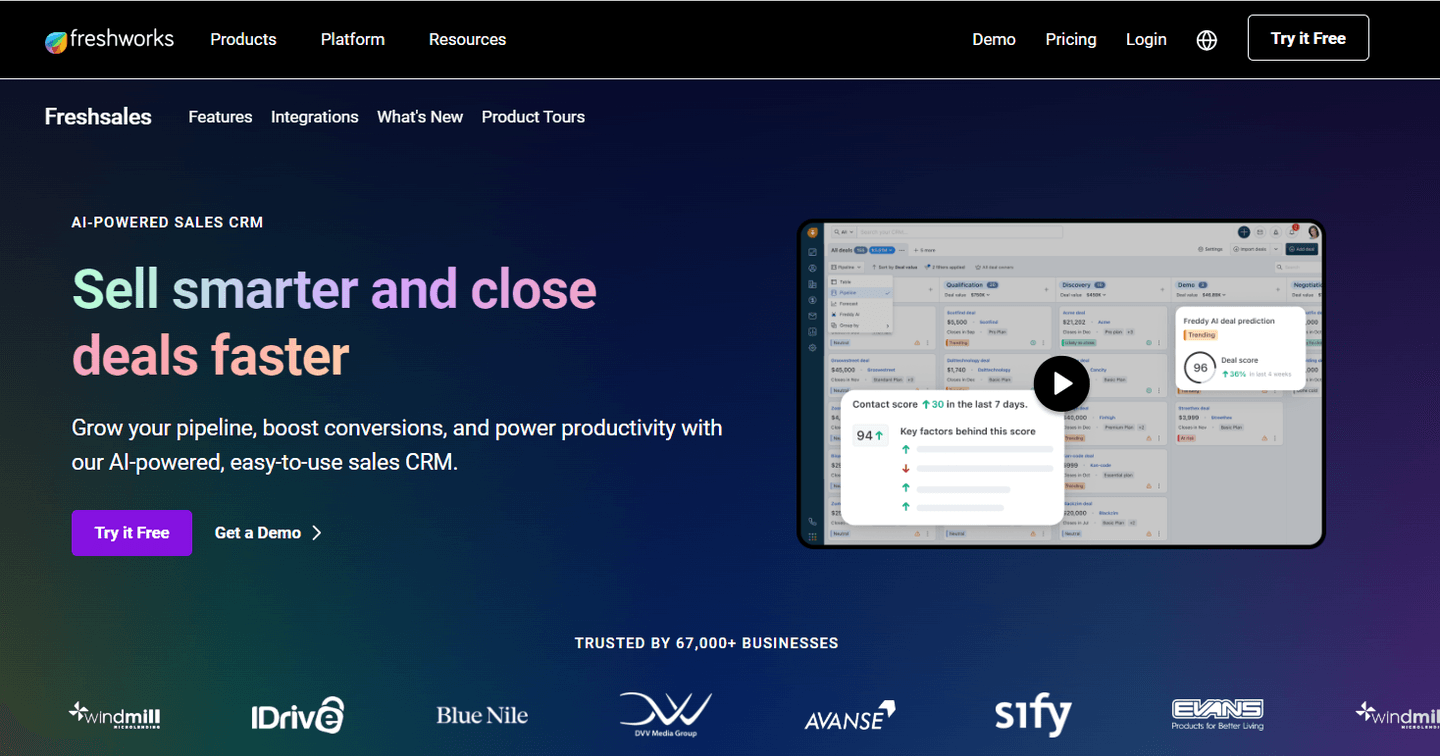
Freshsales is an AI-powered sales CRM, a product of Freshworks, that helps you grow your pipeline and boost conversions.
Features
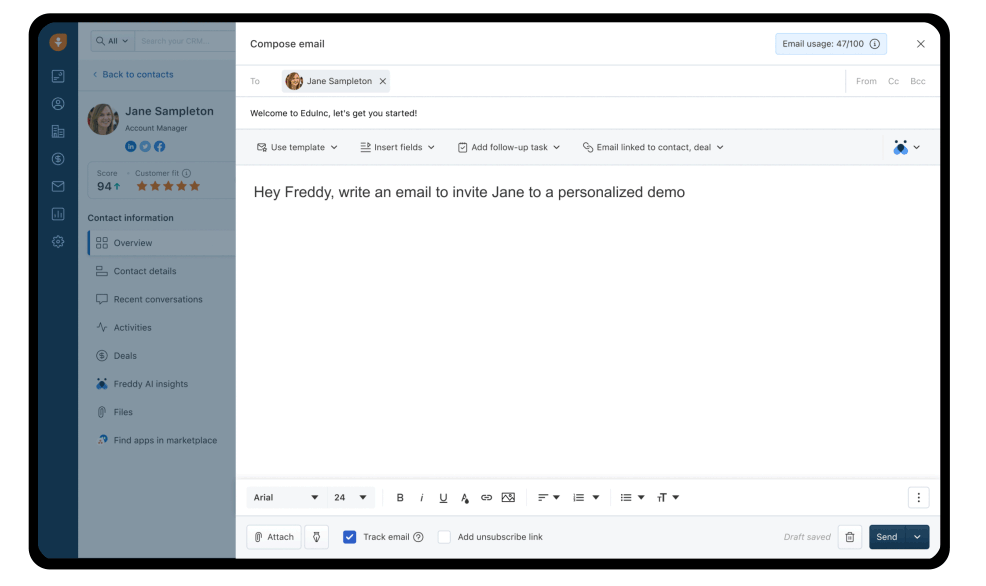
- Build and run smart sales campaigns to generate, capture, qualify, and route more leads and then track their pipeline.
- Kanban view of leads helps you declutter your sales view and pipeline data and have all the key details on each deal in one place.
- 360-degree view of prospects that lets you meet them on their preferred channel, engage them with context and see their journey up to date.
Standout Feature: Freddy AI

Freddy AI is an AI-powered sales assistant that helps you highlight the best leads and deals in your current pipeline.
The AI tool offers not only insights but also generative AI capabilities, as it can write emails and offer follow-up suggestions.
Pricing
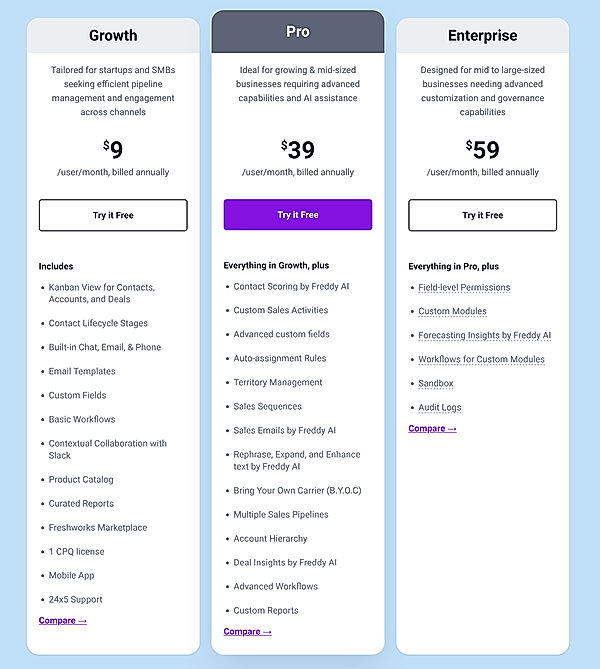
Freshsales has three paid tiers:
- Growth:$9/user/month when billed annually, which gives you access to a Kanban view for contacts, accounts, and deals, contact lifecycle stages, and email templates.
- Pro:$39/user/month, which adds custom sales activities, contact scoring by Freddy AI, auto-assigning rules, and advanced custom fields.
- Enterprise:$59/user/month, which adds field-level permissions, custom modules, forecasting insights by Freddy AI and advanced custom workflows.
Pros and Cons
✅ AI-powered forecasting and email generation.
✅ Advanced sales workflows that can be customized or out-of-the-box.
✅ Easy-to-use with small-business-friendly pricing.
⚠️ New sales reps might experience a learning curve.
⚠️ Sales forecasting is only available on the enterprise plan.
#6: Salesforce
Best for: Connecting your lead data across different platforms to track and engage with your prospects.
Similar to: HubSpot, Pipedrive.
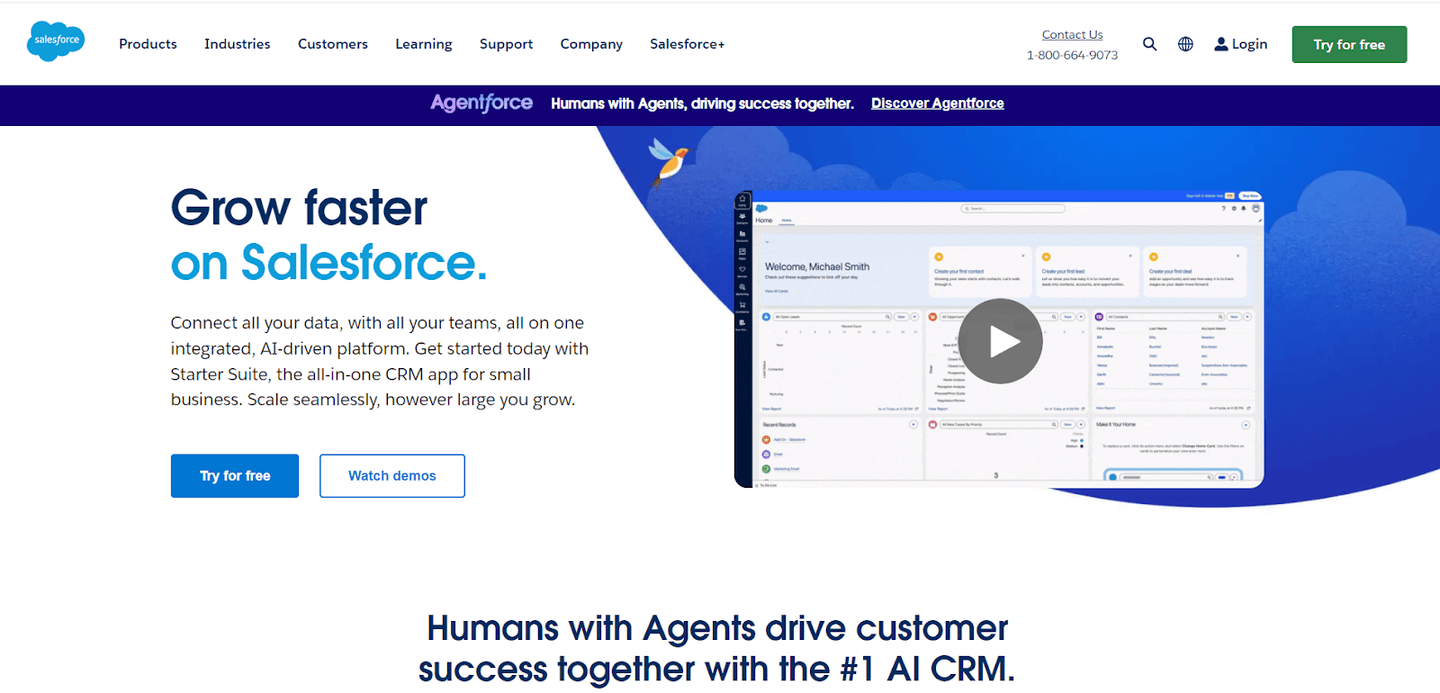
Salesforce is an all-in-one sales pipeline management platform that lets you sync your sales data back into the CRM.
The software is a viable sales platform as it offers a variety of features for customer success, sales, and data analytics teams.
Top Features
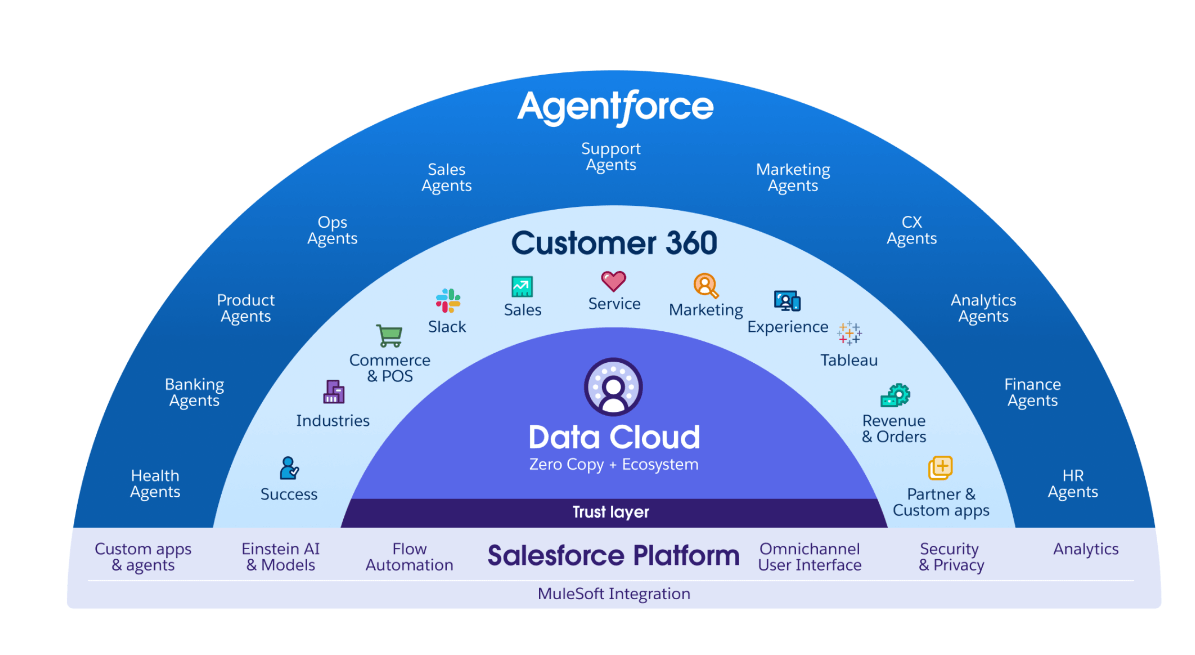
- The Salesforce platform: Set up workflow automations, has a generative AI tool called Einstein AI and helps you make better decisions with its sales analytics platform.
- Data-driven sales automations: You can use AI to build scalable sales processes that help you save time and money, such as setting up Slack notifications.
- Advanced sales analytics: Get an overview of your sales team’s performance, deal inspection capabilities, and rich visualizations to improve your sales forecasting.
Standout Feature: Revenue Lifecycle Management
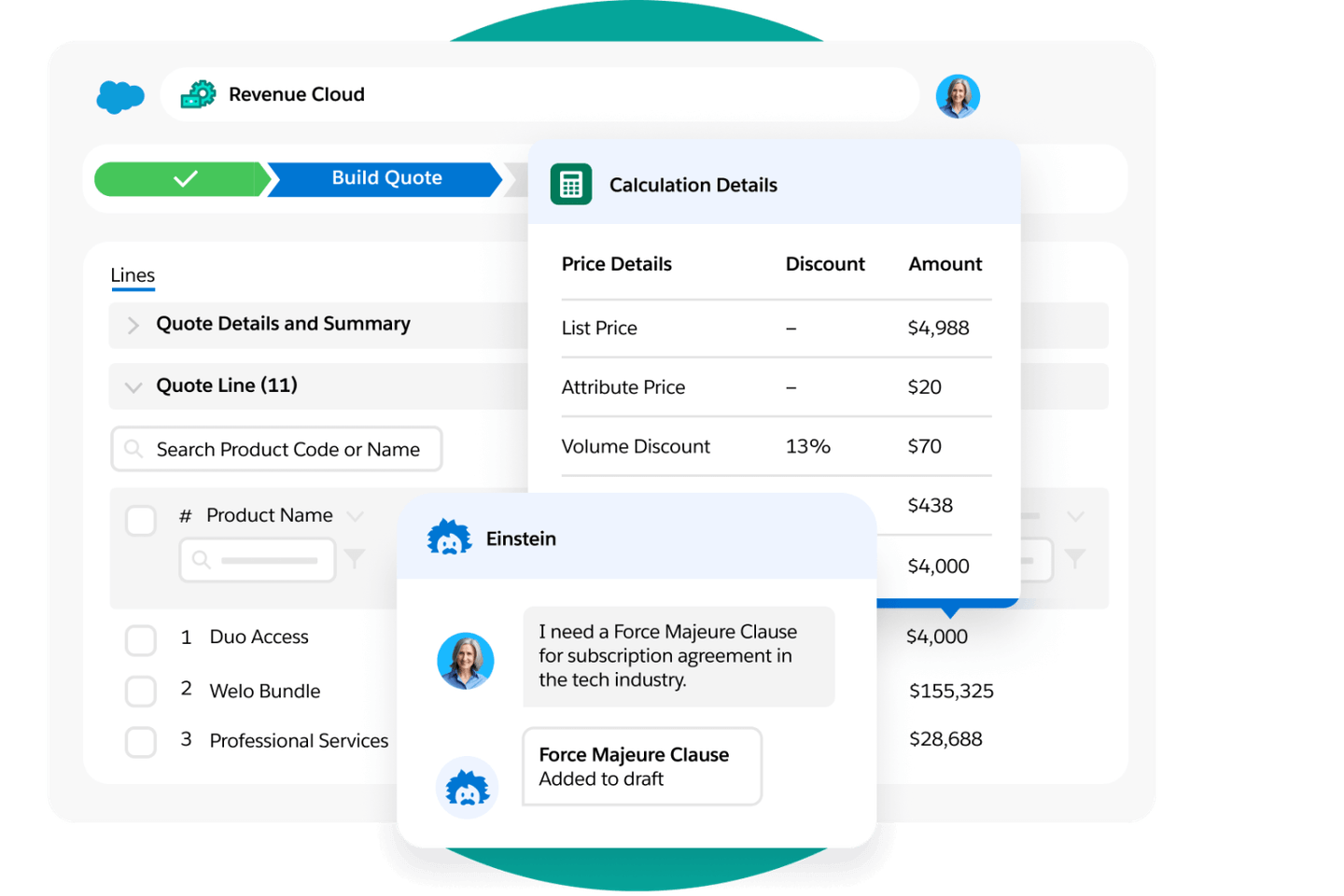
Deliver a seamless buying and selling experience to your customers to close deals faster with AI-powered guided quoting and generative AI.
Your team can manage the quote-to-cash process and manage the contract lifecycle, orders, and billing all from Salesforce.
Pricing
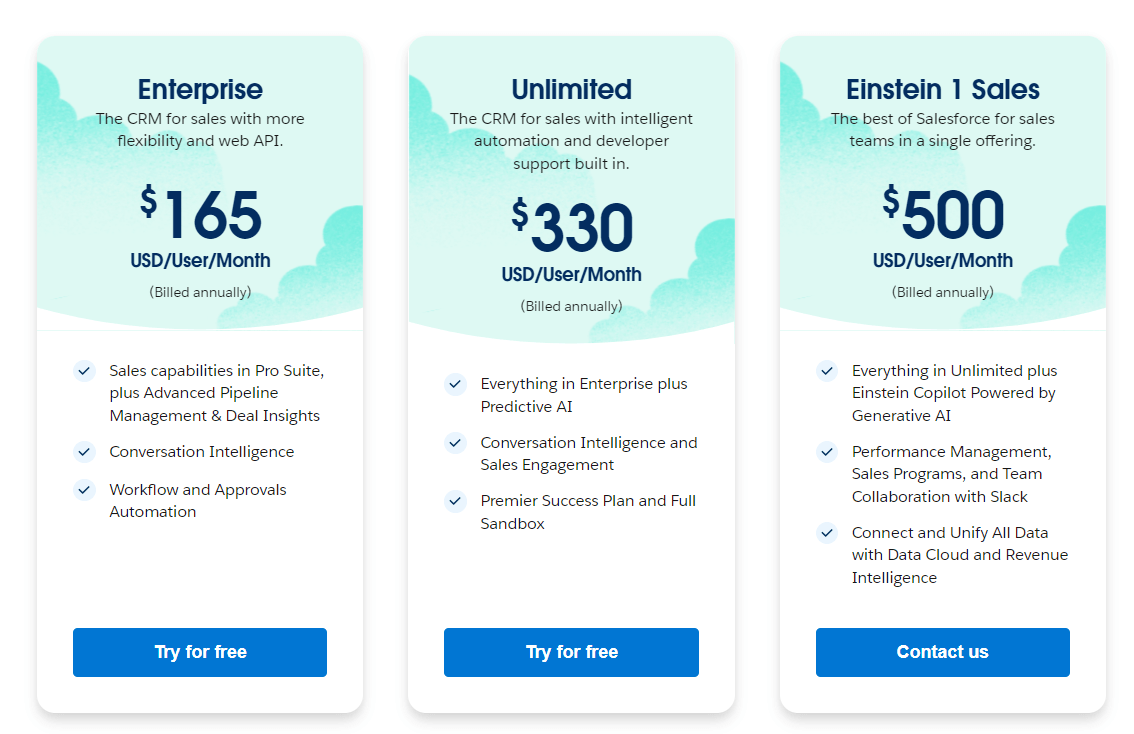
Salesforce’s enterprise platform has three paid tiers:
- Enterprise:$165/month/user when billed annually, which gives you access to advanced pipeline management, conversation intelligence, and workflow automations.
- Unlimited: $330/month/user when billed annually, which adds predictive AI, conversational intelligence, and sales engagement features.
- Einstein 1 Sales:$500/month/user when billed annually, which adds Einstein AI, team collaboration with Slack, and revenue intelligence.
Pros and Cons
✅ All-in-one sales pipeline management platform that lets you sync all of your lead data.
✅ AI-powered features for generating text and making predictions.
✅ Scalable sales automations.
⚠️ The software can get expensive if you need to onboard many sales reps.
⚠️ Limited customization when compared to other alternatives on the market.
#7: Monday CRM
Best for: Identifying growth opportunities.
Similar to: Freshsales.
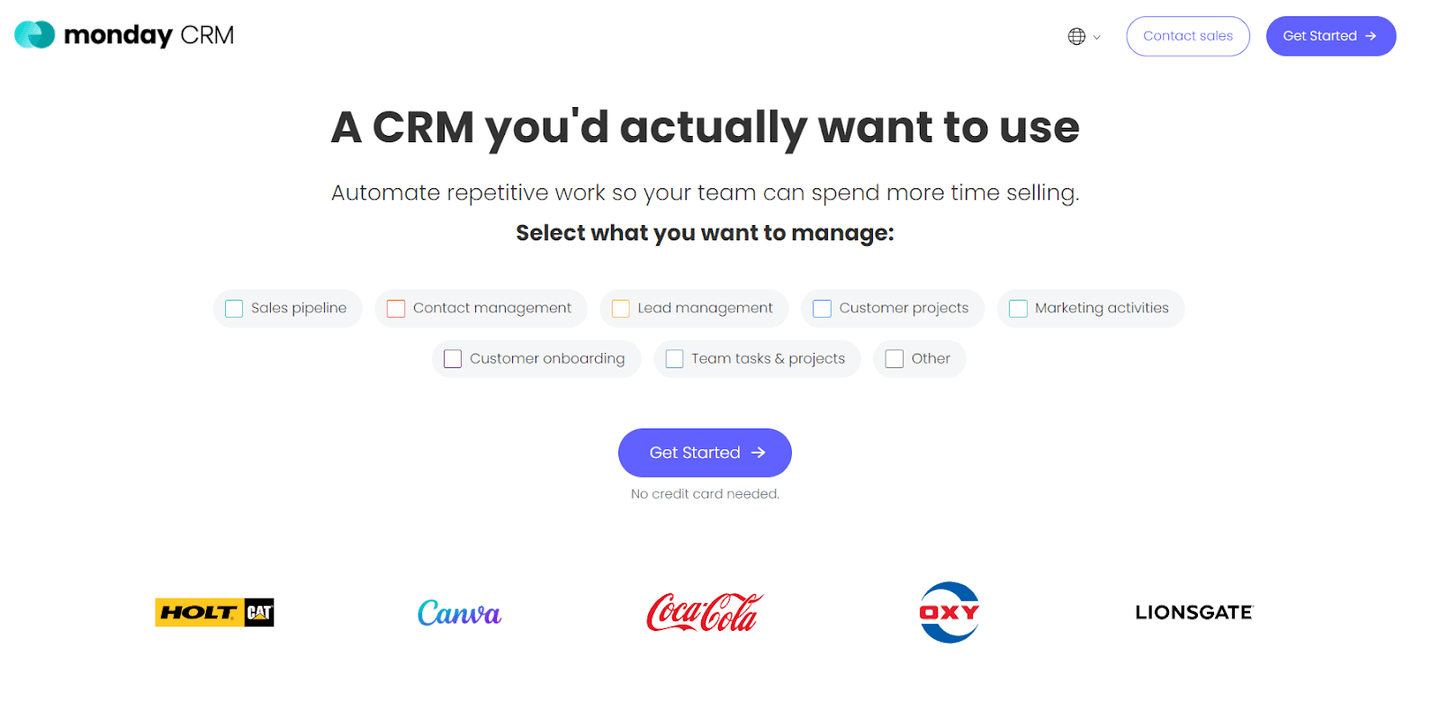
Monday CRM, a product of Monday.com, is a sales management tool that lets your sales team get an overview of their sales pipeline.
The tool helps you hit your sales goals quicker with workflow automations and deal management features.
Features
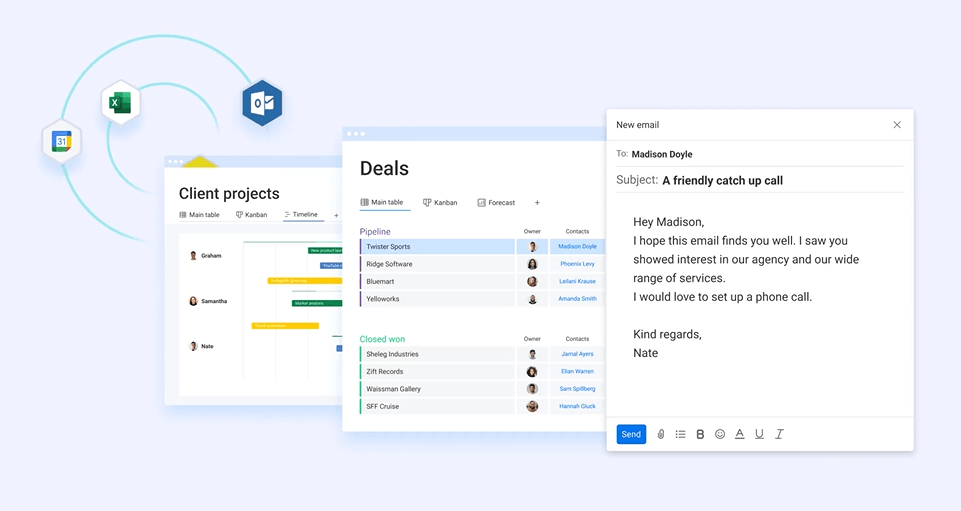
- Identify growth opportunities based on potential deal value.
- Build customized sales dashboards that only show the information that is important to your brand.
- Set up advanced workflow automations that automate and optimize your work, so you won’t have to spend much time on admin work.
Standout Feature: Monday AI
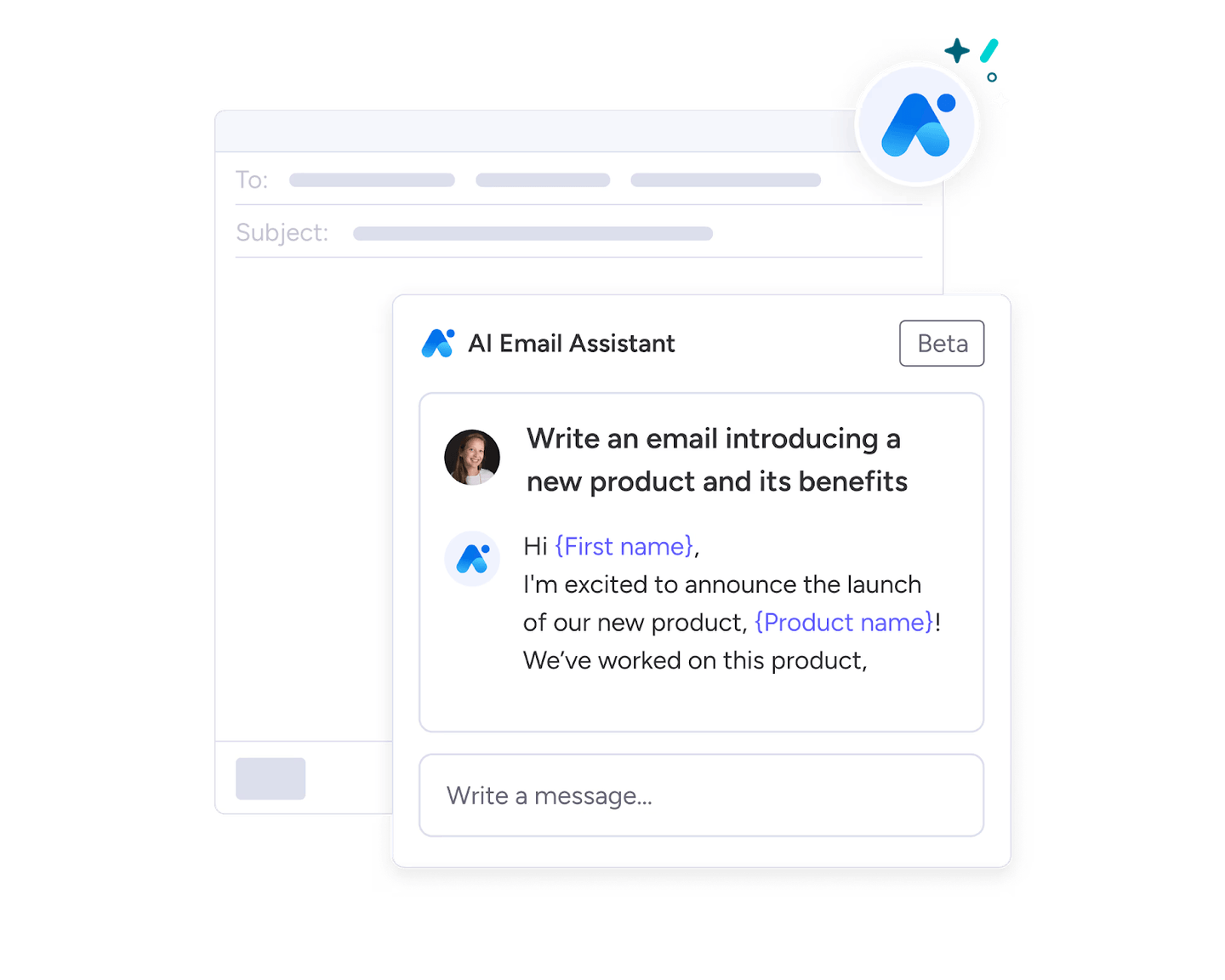
Monday AI is a generative AI tool that helps you automate your pipeline and improve your email outreach.
The tool can automate task generation and write emails on your behalf, as well as build automation formulas from scratch.
Pricing
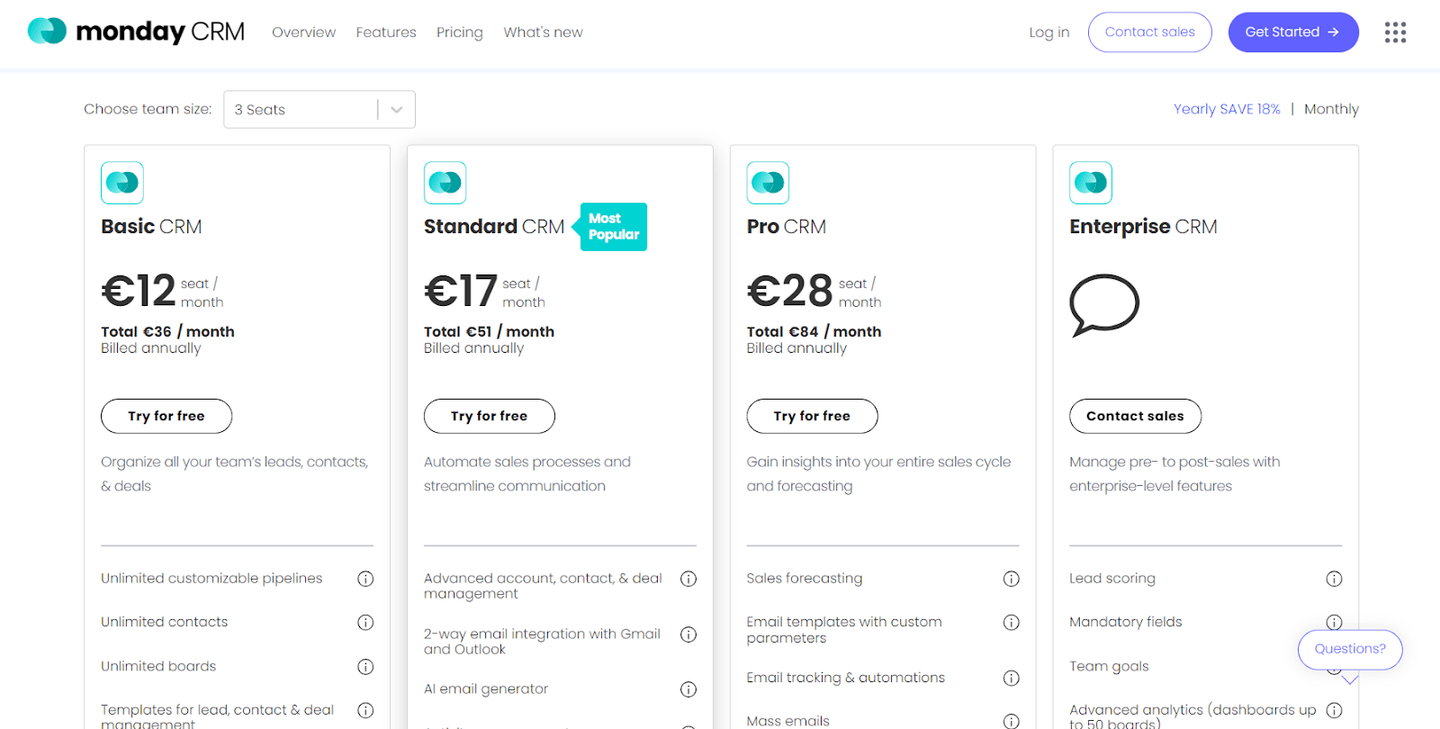
Monday CRM has four pricing tiers:
- Basic CRM:$13/seat/month which gives you access to unlimited customizable pipelines, unlimited contacts, and unlimited boards.
- Standard CRM:$19/seat/month, which adds Gmail and Outlook integrations, AI email generator, and activity management.
- Pro CRM:$30/seat/month, which adds sales forecasting, email templates with custom parameters, mass emails, and mass email tracking.
- Enterprise CRM: Custom pricing, which adds lead scoring, mandatory fields, team goals, and advanced analytics.
Pros and Cons
✅ AI email generator.
✅ Good lead scoring and sales forecasting.
✅ Custom CRM integrations.
⚠️ According to some users, the task filtering tools can be restrictive.
⚠️ Minimum team size of three.
#8: Close
Best for: Smaller businesses looking for an all-in-one sales pipeline management platform.
Similar to: Pipedrive.
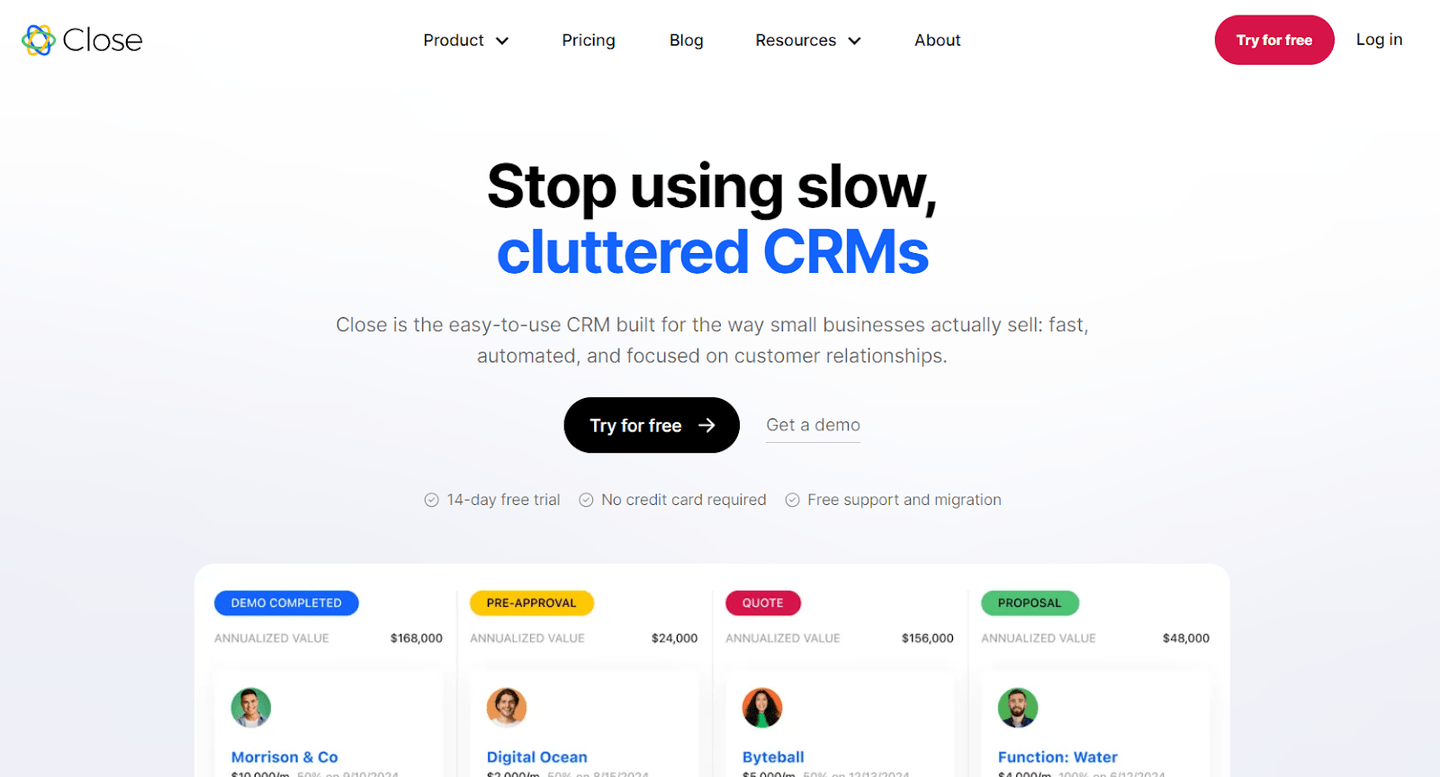
Close is an affordable all-in-one CRM that gives you access to automations, relationship-building features, and an easy-to-navigate interface.
The tool is a good sales pipeline management software for smaller brands that have a high workload.
Top Features
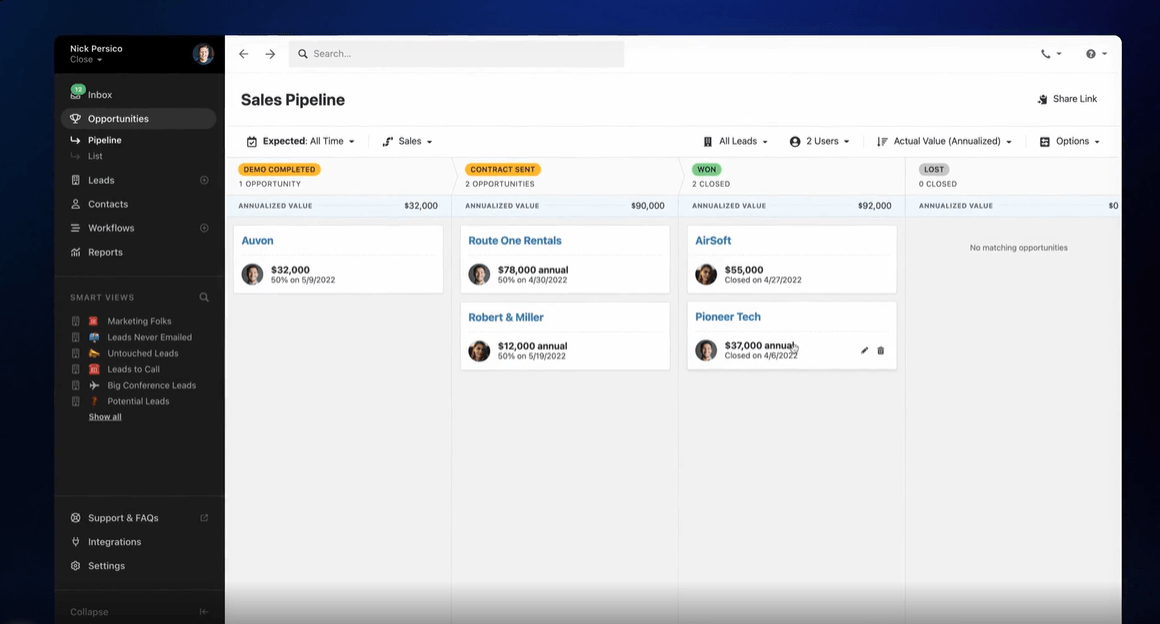
- Sync Gmail and Outlook into one place to centralize your workflows and build email automations.
- Multi-channel sales outreach: Combine email, call, and SMS steps on your workflows to increase your reach rate and schedule more calls.
- Deep integrations with AI tools like CloseGPT, HubSpot, Calendly, and Zapier.
Standout Feature: AI CRM
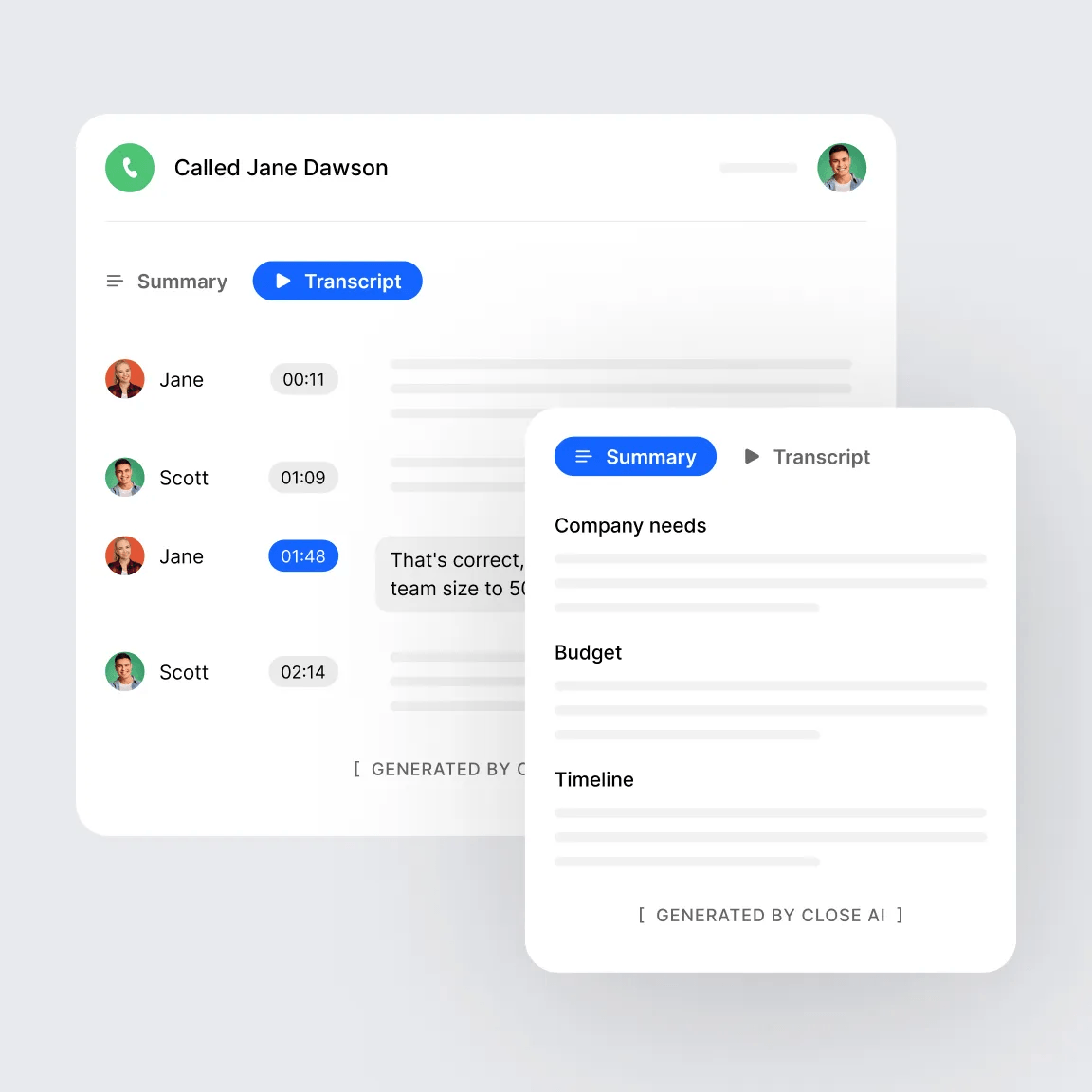
Close’s AI CRM enables your sales team to work faster and smarter by incorporating AI into your CRM.
It is possible to bring in your custom AI model from CloseGPT to generate prospecting lists, create meeting agendas, and summarize customer relationships.
The tool also offers an AI re-writing assistant and call assistant which helps automatically transcribe and summarize phone calls.
Pricing
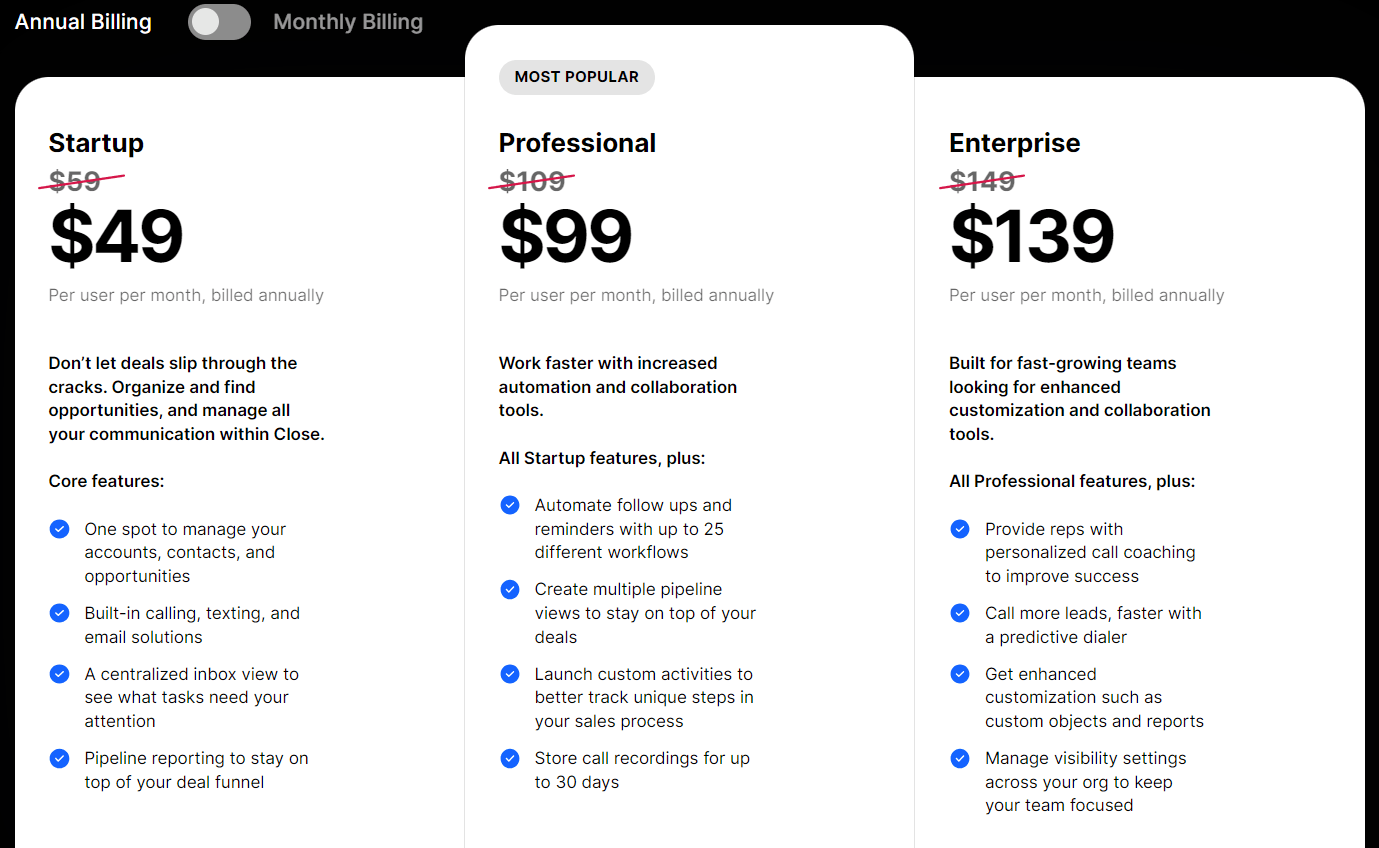
Close offers three paid plans:
- Startup: $49/month/user when billed annually, which gives you access to one unified place to manage your accounts, contacts, and opportunities with built-in calling, texting, and email solutions.
- Professional: $99/month/user when billed annually, which adds automations and the ability to create multiple pipeline views to stay on top of your deals.
- Enterprise: $139/month/user when billed annually, which provides your sales reps with personalized call coaching and the ability to call more leads faster with a predictive dialer.
Pros and Cons
✅ All-in-one sales CRM to manage leads and new customers at an affordable price.
✅ Good pipeline reporting.
✅ Bring your own AI model into the platform.
⚠️ Might have a steep learning curve for new sales reps.
⚠️ Less integrations when compared to other alternatives.
Next steps: work every deal in your pipeline
Open the deals in your pipeline that haven’t moved in two weeks and check what each one is waiting on. If the answer is a follow-up nobody sent or a stakeholder nobody brought in, that’s the work Arrows does for your reps. Book an agent kickoff to see how.